Content
# Tabby MCP Server
[](https://www.npmjs.com/package/tabby-mcp)
[](https://opensource.org/licenses/MIT)
[](https://github.com/thuanpham582002/tabby-mcp-server/issues)
[](https://github.com/thuanpham582002/tabby-mcp-server/stargazers)
A [Tabby Terminal](https://github.com/Eugeny/tabby) plugin that exposes your active terminal sessions through the [Model Context Protocol (MCP)](https://modelcontextprotocol.io/). It lets MCP-compatible AI clients discover terminal tabs, execute commands, read terminal buffers, and retrieve long command output.
> Tabby stays the terminal UI. Your AI client connects to Tabby through MCP.
## Highlights
- **MCP server inside Tabby** — exposes an SSE endpoint at `http://localhost:3001/sse`
- **Terminal session discovery** — list local and SSH-backed Tabby terminal sessions
- **Command execution** — run commands in a selected Tabby terminal tab
- **Robust output capture** — simple marker protocol with exit-code parsing
- **Terminal buffer access** — read visible/history buffer ranges from a tab
- **Long output pagination** — retrieve full command output by `outputId`
- **Pair programming mode** — optional confirmation dialogs and user feedback
- **Docker-based build** — reproducible local plugin builds for Tabby
## Demo
[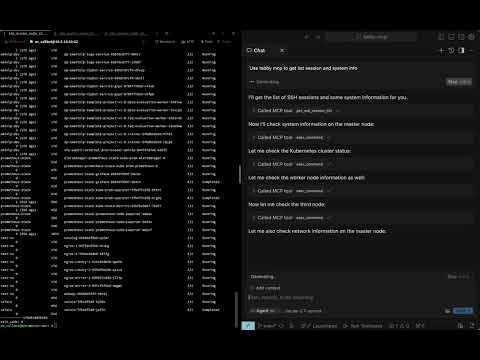](https://youtu.be/uFWBGiD4x9c)
## Table of Contents
- [Requirements](#requirements)
- [Installation](#installation)
- [Quick Start](#quick-start)
- [Connecting MCP Clients](#connecting-mcp-clients)
- [SSE clients](#sse-clients)
- [Claude Code](#claude-code)
- [Codex / OpenAI Codex CLI](#codex--openai-codex-cli)
- [Tools](#tools)
- [Configuration](#configuration)
- [Development](#development)
- [License](#license)
## Requirements
- Tabby Terminal installed and running
- Docker, for local builds
- macOS for the provided install script path
- An MCP-compatible client with SSE support, such as Claude Code, Cursor, Windsurf, Codex, or another SSE-capable MCP client
## Installation
### Option 1: Tabby Plugin Store
1. Open Tabby
2. Go to **Settings → Plugins**
3. Install **Tabby MCP**
4. Restart Tabby
5. Open **Settings → Plugins → MCP** and confirm the server configuration
### Option 2: Local Docker Build
```bash
git clone https://github.com/thuanpham582002/tabby-mcp-server.git
cd tabby-mcp-server
make build-dist
bash scripts/copy_to_plugin_folder.sh
```
The install script copies the plugin to:
```text
~/Library/Application Support/tabby/plugins/node_modules/tabby-mcp
```
Restart Tabby after installing or updating the plugin.
If your local Tabby installation requires bundled plugin dependencies, build the full package:
```bash
make build-dist-with-deps
bash scripts/copy_to_plugin_folder.sh
```
## Quick Start
1. Start or restart Tabby
2. Open at least one terminal tab
3. Verify the MCP server is running:
```bash
curl http://localhost:3001/health
# OK
```
4. List Tabby terminal sessions:
```bash
curl -X POST http://localhost:3001/api/tool/get_ssh_session_list \
-H 'Content-Type: application/json' \
-d '{}'
```
5. Execute a command in a session:
```bash
curl -X POST http://localhost:3001/api/tool/exec_command \
-H 'Content-Type: application/json' \
-d '{"command":"pwd","tabId":"0"}'
```
## Connecting MCP Clients
Tabby-MCP provides:
```text
SSE endpoint: http://localhost:3001/sse
Health endpoint: http://localhost:3001/health
HTTP test API: http://localhost:3001/api/tool/<tool-name>
```
The Tabby plugin must be running before clients can connect.
### SSE clients
Use this configuration for clients that support SSE MCP servers directly:
```json
{
"mcpServers": {
"tabby-mcp": {
"type": "sse",
"url": "http://localhost:3001/sse"
}
}
}
```
For Cursor-style clients, place it in the MCP config file, for example:
```text
~/.cursor/mcp.json
```
### Claude Code
If your Claude Code version supports SSE MCP servers:
```bash
claude mcp add --transport sse tabby-mcp http://localhost:3001/sse
```
If your setup uses JSON config, use the [SSE clients](#sse-clients) configuration.
### Codex / OpenAI Codex CLI
Use the SSE MCP server configuration supported by your Codex client:
```json
{
"mcpServers": {
"tabby-mcp": {
"type": "sse",
"url": "http://localhost:3001/sse"
}
}
}
```
For TOML-based configs, map the same SSE URL using your client's supported SSE MCP syntax.
## Tools
| Tool | Description | Parameters |
| --- | --- | --- |
| `get_ssh_session_list` | List available Tabby terminal sessions | none |
| `exec_command` | Execute a shell command in a terminal tab | `command`, `tabId`, `commandExplanation` |
| `get_terminal_buffer` | Read terminal buffer content | `tabId`, `startLine`, `endLine` |
| `get_command_output` | Retrieve full/paginated command output | `outputId`, `startLine`, `maxLines` |
## Configuration
Default plugin configuration:
```json
{
"mcp": {
"enabled": true,
"startOnBoot": true,
"port": 3001,
"serverUrl": "http://localhost:3001",
"enableDebugLogging": true,
"pairProgrammingMode": {
"enabled": true,
"showConfirmationDialog": true,
"autoFocusTerminal": true
}
}
}
```
Configure these options in Tabby under **Settings → Plugins → MCP**.
### Pair Programming Mode
Pair Programming Mode adds safety prompts when an AI client executes commands:
- confirmation before command execution
- optional terminal auto-focus
- command rejection with feedback
- command result dialog and history tracking
## Development
Clone and build:
```bash
git clone https://github.com/thuanpham582002/tabby-mcp-server.git
cd tabby-mcp-server
make build-dist
```
Install into local Tabby:
```bash
bash scripts/copy_to_plugin_folder.sh
```
Restart Tabby and verify:
```bash
curl http://localhost:3001/health
```
### Build targets
```bash
make build-dist # Build dist only
make build-dist-with-deps # Build dist and copy node_modules
make help # Show available targets
```
## License
MIT — see [LICENSE](LICENSE).
---
<p align="center">
Made with ❤️ by <a href="https://github.com/thuanpham582002">Pham Tien Thuan</a>
</p>



