Content
# Web-Algebra
A composable RDF operations system that translates natural language instructions into JSON-formatted domain-specific language operations for loading, querying, and writing RDF Linked Data.
## Overview
This system implements generic operations for RDF Linked Data and SPARQL management, as well as some [LinkedDataHub](https://atomgraph.github.io/LinkedDataHub/)-specific operations. Operations can be consumed in two ways:
1. **Executable JSON format**: Operations are composed into JSON structures and executed by the provided execution engine
2. **Model Context Protocol (MCP)**: Operations are exposed as tools for AI agents to use interactively
Instead of agents executing semantic workflows step-by-step through individual MCP tool calls, Web-Algebra enables agents to compile entire workflows into optimized JSON "bytecode" that executes atomically - enabling complex multi-operation compositions.
## Demo
[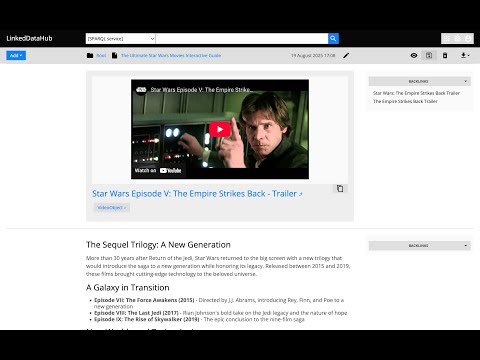](https://www.youtube.com/watch?v=eRMrSqKc9_E)
*See WebAlgebra in action - translating natural language into RDF operations.*
## Architecture
The system is built around the `Operation` abstract base class that provides:
- **Registry System**: Auto-discovery of operations from `src/web_algebra/operations/`
- **JSON DSL**: Operations use `@op` key with `args` for parameters, supporting nested operation calls
- **RDFLib Type System**: Uses `URIRef`, `Literal`, `Graph`, and `Result` types internally for proper RDF handling
- **Execution Engine**: Both standalone execution and MCP server integration
- **Context System**: ForEach operations set row context for inner operations to access via `Value`
- **URI Resolution**: Proper semantic URI construction with `ResolveURI` operation
### Key Components
- **[System Prompt](prompts/system.md)**: Complete operation definitions and JSON format specification
- **[Formal Semantics](formal-semantics.md)**: Complete type system and operation catalog
- **[Operation Interface](src/web_algebra/operation.py)**: Base class and JSON interpreter
- **[Operation Implementations](src/web_algebra/operations/)**: Directory containing all available operations
- **[JSON Examples](examples/)**: Sample operation compositions
### Operations
The operations cover read-write Linked Data, SPARQL queries, URI manipulation, and LinkedDataHub-specific resource creation. Non-exhaustive list:
- Linked Data
- `GET`
- `PATCH`
- `POST`
- `PUT`
- SPARQL
- `CONSTRUCT`
- `DESCRIBE`
- `SELECT`
- `Substitute`
- URI & String Operations
- `ResolveURI`
- `EncodeForURI`
- `Concat`
- `Replace`
- `Str`
- `URI`
- Control Flow & Variables
- `Value`
- `Variable`
- `ForEach`
- LinkedDataHub-specific
- `ldh-CreateContainer`
- `ldh-CreateItem`
- `ldh-List`
- `ldh-AddGenericService`
- `ldh-AddResultSetChart`
- `ldh-AddSelect`
- `ldh-AddView`
- `ldh-AddObjectBlock`
- `ldh-AddXHTMLBlock`
- `ldh-RemoveBlock`
## Usage
### Pre-requisites
1. [Install uv](https://docs.astral.sh/uv/getting-started/installation/)
2. ```bash
uv venv
uv sync
```
### Standalone
#### Natural language instruction
```bash
uv run python src/web_algebra/main.py
```
Then enter instruction, for example:
> Select random 10 UK cities from DBpedia
See [more examples](examples.md)
_Currently requires OpenAI API access. `OPENAI_API_KEY` env value has to be set._
#### Execute JSON
```bash
uv run python src/web_algebra/main.py --from-json ./examples/united-kingdom-cities.json
```
See [JSON examples](examples).
#### With [LinkedDataHub](https://atomgraph.github.io/LinkedDataHub/)
1. Run LinkedDataHub v5
2. Execute `src/web_algebra/main.py`, it expects the path to your LDH's owner certificate and its password as arguments. For example:
```bash
uv run python src/web_algebra/main.py --from-json ./examples/united-kingdom-cities.json \
--cert_pem_path ../LinkedDataHub/ssl/owner/cert.pem \
--cert_password **********
```
_Here and throughout this guide, the client certificate/password arguments are only required for authentication with LinkedDataHub. You don't need them if you're not using LinkedDataHub with Web Algebra._
### As MCP server
#### stdio transport
```bash
uv run python -m web_algebra
```
#### Streamable HTTP transport
```bash
uv run uvicorn web_algebra.server:app --reload
```
or with LinkedDataHub certificate credentials (change the path and password to yours):
```bash
CERT_PEM_PATH="/Users/Martynas.Jusevicius/WebRoot/LinkedDataHub/ssl/owner/cert.pem" CERT_PASSWORD="********" uv run uvicorn web_algebra.server:app --reload
```
#### [MCP Inspector](https://github.com/modelcontextprotocol/inspector) config
You can the inspector like this:
```bash
npx @modelcontextprotocol/inspector
```
and then open on the URL printed in its console output, for example:
```
http://localhost:6274/?MCP_PROXY_AUTH_TOKEN=b31e4b3d852b5a2445f45032c484e54e319bf16359585858cf88fe9a90816744
```
The `MCP_PROXY_AUTH_TOKEN` is required. If the link does not appear, you need to copy the session token from the console and paste it into inspector's Proxy Session Token config.
Web Algebra's settings:
<dl>
<dt>Transport Type</dt>
<dd>Streamable HTTP</dd>
<dt>URL</dt>
<dd>http://127.0.0.1:8000/mcp</dd>
</dl>
#### [Claude Desktop](https://claude.ai/download) tool config
Add Web Algebra entry (that uses stdio transport) to the `mcpServer` configuration your `claude_desktop_config.json` file:
```json
{
"mcpServers": {
"Web Algebra": {
"command": "uv",
"args": [
"--directory",
"/Users/Martynas.Jusevicius/WebRoot/Web-Algebra/src",
"run",
"--with",
"mcp[cli]",
"--with",
"rdflib",
"--with",
"openai",
"python",
"-m",
"web_algebra"
],
"env": {
"CERT_PEM_PATH": "/Users/Martynas.Jusevicius/WebRoot/LinkedDataHub/ssl/owner/cert.pem",
"CERT_PASSWORD": "********"
}
}
}
}
```
_Leave the command as it is. Those `uv run --with` arguments are important, otherwise 3rd party packages cannot be found._
On my Mac, the path to `uv` has to be absolute, otherwise it doesn't work in Claude Desktop 🤷♂️.
`CERT_PEM_PATH` and `CERT_PASSWORD` env values are optional.



