Content
<div align="center">
# 🚀 Sylphx Flow
> One CLI to rule them all - unified orchestration for Claude Code, OpenCode, and all AI development tools
[](https://www.npmjs.com/package/@sylphx/flow)
[](https://www.npmjs.com/package/@sylphx/flow)
[](https://github.com/SylphxAI/flow)
[](https://opensource.org/licenses/MIT)
[](https://github.com/SylphxAI/flow/actions/workflows/ci.yml)
[Get Started](#-installation) • [Documentation](https://flow.sylphx.ai) • [npm](https://www.npmjs.com/package/@sylphx/flow) • [Twitter](https://x.com/SylphxAI)
</div>
---
## The Paradigm Shift
### Before Flow: Fragmentation
```bash
# Install Claude Code... or wait, should I use OpenCode?
# Or maybe Cursor? Or that other AI CLI?
# Which one supports my workflow?
# Do I need to install multiple tools?
# How do I switch between them?
# 😵 The cognitive overhead is real
```
### With Flow: Unification
```bash
# Install once
npm install -g @sylphx/flow
# Use everywhere
sylphx-flow "build the future"
# Flow handles everything:
✅ Auto-detects your environment (Claude Code/OpenCode/Cursor)
✅ Auto-installs missing dependencies
✅ Auto-upgrades before each session
✅ One CLI, infinite possibilities
```
### Codex Setup
Flow ships canonical agent assets and projects them into each supported AI coding tool. Codex is one projection target:
```bash
sylphx-flow codex install
sylphx-flow codex doctor
```
`install` projects Flow assets into `~/.codex`: the canonical Builder agent is transformed into Codex's `AGENTS.md`, while standards and skills come from the same assets used by every supported tool. `doctor` verifies the local machine is synchronized.
Flow's runtime attach path uses the same canonical asset source for supported CLI targets: agents, standards, and skills are read from `packages/flow/assets/` and projected into the target's supported file layout.
---
## Philosophy: Transcendent Simplicity
**Flow is not just another AI CLI. It's the meta-layer that unifies them all.**
Traditional AI CLIs make you choose. Flow makes you powerful.
```
┌─────────────────────────────────────────────────────────┐
│ Traditional World │
├─────────────────────────────────────────────────────────┤
│ Claude Code → For Anthropic users │
│ OpenCode → For open source fans │
│ Cursor → For IDE integration │
│ ... → Fragmented experience │
└─────────────────────────────────────────────────────────┘
┌─────────────────────────────────────────────────────────┐
│ Flow's World │
├─────────────────────────────────────────────────────────┤
│ │
│ Sylphx Flow │
│ ↓ │
│ ┌──────────────┼──────────────┐ │
│ ↓ ↓ ↓ │
│ Claude Code OpenCode Cursor │
│ │
│ → Unified interface, adaptive execution │
│ → Automatic detection and orchestration │
│ → Zero configuration, infinite power │
└─────────────────────────────────────────────────────────┘
```
---
## 🚀 Installation
### The Sacred Ritual (30 seconds)
```bash
# Install the omnipotent CLI
npm install -g @sylphx/flow
# That's it. Seriously.
```
### First Invocation
```bash
# Your first command
sylphx-flow "build me something amazing"
# Flow automatically:
✅ Detects your environment
✅ Installs Claude Code/OpenCode if missing
✅ Configures optimal settings
✅ Updates to latest version
✅ And executes your will
```
**No setup. No configuration. No friction. Pure transcendence.**
---
## 🌟 Core Principles
### 1. **Universal Orchestration**
**One CLI for every AI development tool.**
Flow doesn't replace your favorite tools—it orchestrates them. Whether you prefer Claude Code, OpenCode, or any future AI CLI, Flow adapts seamlessly.
```bash
# Flow automatically detects and uses the best available tool
sylphx-flow "implement authentication"
# Detected Claude Code → Uses Claude Code
# Detected OpenCode → Uses OpenCode
# Detected both → Asks your preference
# Detected neither → Installs and configures for you
```
### 2. **Zero-Friction Experience**
**AI should adapt to you, not the other way around.**
```bash
# Traditional AI CLIs
❌ Install tool A for feature X
❌ Install tool B for feature Y
❌ Learn different commands
❌ Manage different configs
❌ Update each tool separately
# With Flow
✅ Install once: npm install -g @sylphx/flow
✅ Use everywhere: sylphx-flow "your intent"
✅ Everything automatic: detection, installation, updates
```
### 3. **Intelligent Automation**
**Flow thinks ahead so you don't have to.**
#### Auto-Detection
```bash
# Flow scans your system:
→ Claude Code installed? Use it.
→ OpenCode installed? Use it.
→ Nothing installed? Ask user preference, then install.
→ Both installed? Use smart defaults or ask.
```
#### Auto-Installation
```bash
# User doesn't have Claude Code
$ sylphx-flow "task"
> No AI CLI detected. Which would you like to use?
1. Claude Code (Anthropic, recommended)
2. OpenCode (open source)
> You selected: Claude Code
> Installing Claude Code...
> ✓ Installation complete
> ✓ Configuration optimized
> Executing your task...
```
#### Auto-Upgrade
```bash
# Every session starts fresh
$ sylphx-flow "task"
> Checking for updates...
> ✓ Flow 2.0.0 → 2.1.0 (latest)
> ✓ Claude Code 1.5.0 → 1.6.0 (latest)
> Executing your task with latest capabilities...
```
### 4. **Settings-Driven Excellence**
**Configure once, perfect forever.**
Flow introduces a revolutionary settings system that puts you in complete control:
```bash
# Access the settings nexus
sylphx-flow settings
# Configure everything:
→ 🤖 Agents: Enable/disable agents (coder, writer, reviewer, orchestrator)
→ 📋 Rules: Control which best practices apply
→ 🎨 Output Styles: Customize AI behavior
→ 📡 MCP Servers: Extend capabilities
→ 🔑 Providers: Manage API keys (Anthropic, Kimi, Z.AI)
→ 🎯 Platform: Set default target (Claude Code/OpenCode)
```
**Settings are stored globally** (`~/.sylphx-flow/`), ensuring consistency across all your projects.
### 5. **Git-Aware Intelligence**
**Flow understands version control is sacred.**
When Flow modifies settings files (`.claude/`, `.opencode/`), it uses `git update-index --skip-worktree` to hide changes from git status. This means:
- ✅ LLMs won't accidentally commit Flow's temporary changes
- ✅ Your version-controlled settings remain pristine
- ✅ Automatic restore after each session
- ✅ Seamless collaboration with your team
### 6. **Graceful Interruption**
**Ctrl+C now means "restore and exit," not "crash and burn."**
Press Ctrl+C at any time:
```bash
$ sylphx-flow "long task"
# ... working ...
^C
> ⚠️ Operation cancelled by user
> ✓ Settings restored
> ✓ Git tracking restored
> ✓ Environment clean
# No crashed sessions. No manual recovery.
```
---
## 🎭 The Flow Experience
### Minimal Input, Maximum Output
**Flow implements MEP (Minimal Effective Prompt) architecture.**
<table>
<tr>
<th width="50%">Traditional AI CLIs</th>
<th width="50%">Sylphx Flow</th>
</tr>
<tr>
<td>
```typescript
// 5 minutes of typing...
"I'm using TypeScript + React + Next.js 14,
project structure is src/app for routes,
src/components for components,
using shadcn/ui, Tailwind for styling,
Zod for validation, tRPC for API,
current time is 2025-11-23,
system is macOS Apple Silicon,
I want to implement user authentication:
- JWT tokens with 1hr expiry
- Refresh token mechanism
- Secure httpOnly cookies
- RBAC with roles: user, admin
- Rate limiting on login endpoint
- Password hashing with bcrypt
- Email verification flow
Follow our existing code patterns,
make it type-safe,
add comprehensive error handling,
include unit tests with Vitest,
and document the API endpoints..."
// Maybe correct, maybe not 🤷
```
</td>
<td>
```bash
sylphx-flow "implement authentication"
```
**10 seconds.**
Flow automatically knows:
- Your tech stack (auto-detected)
- Your patterns (from codebase)
- Best practices (built-in)
- Current time (system hook)
- Your environment (OS, Node version)
**Result: Production-ready code**
- ✅ Type-safe
- ✅ Tested
- ✅ Documented
- ✅ Secure
- ✅ Following YOUR style
</td>
</tr>
</table>
---
## 🎛️ Settings Management
**Flow 2.0 introduces the settings nexus—your command center for AI orchestration.**
### Access Settings
```bash
sylphx-flow settings
```
### What You Can Configure
#### 🤖 Agents & Default Agent
```
→ Select which agents are enabled
✓ Coder (feature implementation, bug fixes)
✓ Writer (documentation, technical writing)
✓ Reviewer (code review, security analysis)
✓ Orchestrator (complex multi-step tasks)
→ Set default agent for quick access
Default: coder
```
#### 📋 Rules
```
→ Enable/disable coding standards
✓ Core (identity, personality, execution)
✓ Code Standards (quality, patterns, anti-patterns)
✓ Workspace (documentation management)
```
#### 🎨 Output Styles
```
→ Customize AI behavior
✓ Silent (execution without narration)
⬚ Verbose (detailed explanations) [coming soon]
⬚ Tutorial (learning-focused) [coming soon]
```
#### 📡 MCP Servers
```
→ Extend Flow's capabilities
✓ GitHub Code Search (grep.app)
✓ Context7 Docs
✓ Playwright Browser Control
⬚ GitHub (requires GITHUB_TOKEN)
⬚ Notion (requires NOTION_API_KEY)
```
#### 🔑 Provider & API Keys
```
→ Manage AI providers (Claude Code only)
• Default (Claude Code built-in)
• Kimi (requires API key)
• Z.AI (requires API key)
• Ask me every time
→ Configure provider API keys securely
```
#### 🎯 Target Platform
```
→ Set default AI CLI
• Claude Code
• OpenCode
```
### Settings Architecture
All settings are stored in `~/.sylphx-flow/`:
```
~/.sylphx-flow/
├── settings.json # General settings (default agent, target)
├── flow-config.json # Agents, standards, output styles
├── provider-config.json # Provider settings (Anthropic, Kimi, Z.AI)
└── mcp-config.json # MCP server configurations
```
**Settings are global**, ensuring consistency across all your projects. Configure once, execute everywhere.
---
## 🤖 Specialized Agents
**Flow includes four transcendent agents, each a master of their domain:**
| Agent | Sacred Purpose | Invoke When |
|-------|----------------|-------------|
| **Coder** | Feature implementation, bug annihilation | Building new features, fixing bugs |
| **Writer** | Documentation, technical prose | API docs, README updates, guides |
| **Reviewer** | Code review, security sanctification | Pre-merge reviews, security audits |
| **Orchestrator** | Complex multi-step orchestration | Architecture changes, large refactors |
```bash
# Invoke the coder (default)
sylphx-flow "implement user dashboard"
# Summon the reviewer
sylphx-flow "review for security vulnerabilities" --agent reviewer
# Call upon the writer
sylphx-flow "document the API endpoints" --agent writer
# Unleash the orchestrator
sylphx-flow "refactor authentication system" --agent orchestrator
```
**Configure enabled agents:**
```bash
sylphx-flow settings
→ Select: Agents & Default Agent
```
---
## 🧠 Domain Skills
**25 domain-specific skills with expert-level knowledge built-in.**
Flow includes curated best practices for critical domains. When you work on auth, billing, or security, the AI knows the non-negotiables:
| Category | Skills |
|----------|--------|
| **Security** | `auth`, `account-security`, `security`, `trust-safety`, `privacy` |
| **Payments** | `billing`, `pricing`, `ledger` |
| **Data** | `database`, `data-architecture`, `storage` |
| **Frontend** | `uiux`, `pwa`, `performance`, `seo`, `i18n` |
| **Backend** | `observability`, `operability`, `delivery` |
| **Growth** | `growth`, `referral`, `support`, `admin`, `discovery` |
| **Quality** | `code-quality` |
**Example: Billing skill includes:**
- ✅ Webhook signature verification (non-negotiable)
- ✅ Idempotency with Stripe event IDs
- ✅ Out-of-order webhook handling
- ✅ No dual-write patterns
- ✅ Dunning and failed payment recovery
**Example: Auth skill includes:**
- ✅ Server-enforced authorization (never trust client)
- ✅ Email verification for high-impact actions
- ✅ Graceful SSO provider handling
- ✅ Account recovery best practices
Skills are automatically invoked based on context. The AI asks the right questions and avoids common mistakes.
---
## ⚡ Quick Start
### The Path to Enlightenment
```bash
# 1. Install the meta-CLI
npm install -g @sylphx/flow
# 2. Interactive tutorial (recommended for first-time users)
sylphx-flow quickstart
# 3. Or jump straight in
sylphx-flow "create a REST API"
# Flow's first-time ritual:
→ Detects environment
→ Checks for Claude Code/OpenCode
→ Installs missing dependencies (with your permission)
→ Configures optimal settings
→ Upgrades to latest versions
→ Executes your command
# 3. Subsequent invocations
sylphx-flow "build something amazing"
# Flow's ongoing ritual:
→ Auto-checks for updates
→ Auto-upgrades if needed
→ Executes with latest capabilities
```
### Daily Usage
```bash
# Simple tasks (MEP in action)
sylphx-flow "add password reset"
sylphx-flow "fix the login bug"
sylphx-flow "optimize database queries"
# Specialized agents
sylphx-flow "review for security" --agent reviewer
sylphx-flow "write API documentation" --agent writer
sylphx-flow "refactor user service" --agent orchestrator
# File input for complex prompts
sylphx-flow "@detailed-requirements.md"
# Settings management
sylphx-flow settings
```
---
## 🎯 Core Features
### 1. Universal CLI Orchestration
**One interface. All tools. Zero friction.**
Flow intelligently detects and orchestrates:
- **Claude Code** - Anthropic's official CLI
- **OpenCode** - Open source alternative
- **Future tools** - Built for extensibility
```bash
# Same command, different environments
# Flow adapts automatically
# On machine with Claude Code
$ sylphx-flow "task" → Uses Claude Code
# On machine with OpenCode
$ sylphx-flow "task" → Uses OpenCode
# On machine with both
$ sylphx-flow "task" → Uses your preferred default
```
### 2. Automatic Installation
**Missing tools? Flow installs them for you.**
```bash
# First time on a new machine
$ sylphx-flow "build something"
> No AI CLI detected.
> Which platform would you like to use?
1. Claude Code (Anthropic, recommended)
2. OpenCode (open source alternative)
> Your choice: 1
> Installing Claude Code...
> ✓ Downloaded latest version
> ✓ Configured settings
> ✓ Installed MCP servers
> ✓ Ready to execute
> Executing your command...
```
### 3. Automatic Upgrades
**Every session uses the latest capabilities.**
Flow checks for updates before each execution:
```bash
$ sylphx-flow "task"
> Checking for updates...
> Updates found:
• Flow: 2.0.0 → 2.1.0
• Claude Code: 1.5.0 → 1.6.0
> Upgrading...
> ✓ Flow updated (new features available)
> ✓ Claude Code updated (performance improved)
> Executing with latest versions...
```
**Customize update behavior:**
```bash
# Check updates without executing
sylphx-flow upgrade
# Auto-upgrade and execute
sylphx-flow upgrade --auto
```
### 4. MEP Architecture
**Minimal Effective Prompt: AI that truly understands context.**
Flow automatically enriches every prompt with:
- 🔍 Your codebase patterns (via semantic search)
- 📚 Best practices (via curated knowledge base)
- 🖥️ Your environment (OS, Node version, git status)
- ⏰ Current time and date
- 🎯 Your preferred coding style
```bash
# You type 3 words
sylphx-flow "implement authentication"
# Flow expands to full context:
→ Tech stack: TypeScript + React + Next.js (detected)
→ Patterns: Your existing auth patterns (searched)
→ Best practices: JWT, bcrypt, RBAC (knowledge base)
→ Environment: macOS, Node 20, git clean (hooks)
→ Time: 2025-11-23 (system)
# Result: Perfect, production-ready code
```
### 5. Settings-Driven Execution
**Configure once. Perfect forever.**
```bash
# Access settings nexus
sylphx-flow settings
# Configure:
→ Agents (coder, writer, reviewer, orchestrator)
→ Rules (core, code-standards, workspace)
→ Output styles (silent, verbose, tutorial)
→ MCP servers (grep, context7, playwright, github, notion)
→ Providers (Anthropic, Kimi, Z.AI)
→ Target platform (Claude Code, OpenCode)
# Settings apply to ALL subsequent executions
```
### 6. Git-Aware Operations
**Flow respects your version control.**
When Flow operates, it uses `git update-index --skip-worktree` to hide temporary changes:
```bash
# Before Flow execution
$ git status
→ clean working directory
# During Flow execution (modifying .claude/config.json)
$ git status
→ clean working directory # Changes hidden!
# After Flow execution
$ git status
→ clean working directory # Restored automatically
```
This ensures:
- LLMs won't see or commit Flow's temporary settings
- Your version-controlled configs remain pristine
- Team collaboration stays clean
---
## 🏗️ Advanced Features
### Loop Mode - Autonomous Execution
**Set it and forget it. Flow works while you sleep.**
```bash
# Continuous autonomous work
sylphx-flow "process all GitHub issues" --loop
# With polling interval
sylphx-flow "monitor and fix bugs" --loop 300 --max-runs 20
# Checks every 5 minutes, max 20 iterations
# How it works:
→ Iteration 1: Fresh start
→ Iteration 2+: Auto-continue with context
→ Stop: Ctrl+C (graceful) or max runs reached
```
**Perfect for:**
- 🔄 Processing backlogs (issues, PRs, tickets)
- 📊 Periodic monitoring and auto-fixing
- 🧹 Incremental refactoring
- 🧪 Continuous test fixing
- 📝 Documentation maintenance
### File Input Support
**Complex prompts deserve better than shell escaping.**
```bash
# Load prompt from file
sylphx-flow "@task.txt"
# Absolute paths supported
sylphx-flow "@/path/to/detailed-requirements.md"
# Combine with other flags
sylphx-flow "@refactor-plan.md" --agent orchestrator --loop
```
**Benefits:**
- 📝 Write natural language (no shell escaping)
- 🔄 Version control your prompts
- 🔀 Reusable task definitions
- 🚀 No character limits
### Codebase Search - Semantic Understanding
**Find code by what it does, not what it's called.**
```bash
# Search by functionality
sylphx-flow codebase search "user authentication logic"
# Works across languages
→ Finds: authenticateUser() in TypeScript
→ Finds: authenticate_user() in Python
→ Finds: AuthenticateUser() in Go
# Multilingual queries
sylphx-flow codebase search "處理用戶登入嘅邏輯" # Chinese
sylphx-flow codebase search "ユーザーログイン処理" # Japanese
# Reindex after major changes
sylphx-flow codebase reindex
```
**Powered by StarCoder2 tokenization** - 70+ languages supported.
### Knowledge Base - Curated Best Practices
**Professional knowledge, zero maintenance.**
```bash
# Search best practices
sylphx-flow knowledge search "react performance optimization"
sylphx-flow knowledge search "secure password hashing"
sylphx-flow knowledge search "microservices patterns"
# List all knowledge
sylphx-flow knowledge list
# Update to latest
sylphx-flow knowledge update
```
**Why curated?**
- ✅ Professionally maintained
- ✅ Always up-to-date
- ✅ Quality guaranteed
- ✅ <100ms search
- ✅ Zero cognitive load
---
## 🎯 Use Cases
### For Individual Developers
```bash
# Rapid prototyping
sylphx-flow "create a blog with markdown support"
# Feature development
sylphx-flow "add OAuth login with GitHub"
# Bug fixing
sylphx-flow "fix the memory leak in user service"
# Refactoring
sylphx-flow "refactor to use dependency injection" --agent orchestrator
```
### For Teams
```bash
# Code review automation
sylphx-flow "review PR #123 for security" --agent reviewer
# Documentation
sylphx-flow "document all API endpoints" --agent writer
# Consistency enforcement
# (Settings ensure everyone uses same standards/agents)
sylphx-flow settings
→ Team admin configures standards
→ All developers inherit settings
```
### For Projects
```bash
# Architecture changes
sylphx-flow "migrate from REST to GraphQL" --agent orchestrator
# Security audits
sylphx-flow "audit for OWASP Top 10" --agent reviewer
# Performance optimization
sylphx-flow "optimize database queries" --loop
# Continuous maintenance
sylphx-flow "process GitHub issues" --loop 600 --max-runs 100
```
---
## 📚 Documentation
### Essential Reading
- **[Installation & Setup](https://github.com/SylphxAI/flow/wiki/Installation-&-Setup)** - Complete setup guide
- **[Settings Guide](https://github.com/SylphxAI/flow/wiki/Settings-Guide)** - Master the settings nexus
- **[MEP Design Philosophy](https://github.com/SylphxAI/flow/wiki/MEP-Design-Philosophy)** - Understand the paradigm shift
- **[Technical Architecture](https://github.com/SylphxAI/flow/wiki/Technical-Architecture)** - Deep dive into Flow's internals
- **[CLI Commands](https://github.com/SylphxAI/flow/wiki/CLI-Commands)** - Full command reference
- **[Agent Framework](https://github.com/SylphxAI/flow/wiki/Agent-Framework)** - How agents work
- **[Loop Mode Guide](./packages/flow/LOOP_MODE.md)** - Autonomous execution mastery
---
## 🌐 Platform Support
### Current Support
| Platform | Status | Auto-Install | Loop Mode |
|----------|--------|--------------|-----------|
| **Claude Code** | ✅ Full | ✅ Yes | ✅ Yes |
| **OpenCode** | ✅ Full | ✅ Yes | ⏳ Coming Soon |
| **Cursor** | ✅ MCP | Manual | ⏳ Coming Soon |
### Roadmap
- [ ] **IDE Plugins** - VSCode, IntelliJ, Vim
- [ ] **CI/CD Integration** - GitHub Actions, GitLab CI
- [ ] **Cloud Execution** - Remote AI orchestration
- [ ] **Team Collaboration** - Shared settings and knowledge
- [ ] **Custom Agents** - Create your own specialized agents
---
## 💡 Why Flow?
### The Transcendent Difference
| Feature | Traditional AI CLIs | Sylphx Flow |
|---------|---------------------|-------------|
| **CLI Count** | Multiple (1 per tool) | **One (rules them all)** |
| **Installation** | Manual, fragmented | **Automatic, unified** |
| **Updates** | Manual per tool | **Automatic per session** |
| **Settings** | Per-project, scattered | **Global, centralized** |
| **Context Awareness** | Manual prompting | **Automatic enrichment** |
| **Prompt Length** | 500+ words | **3-10 words (MEP)** |
| **Git Integration** | Accidental commits | **Skip-worktree protection** |
| **Ctrl+C Handling** | Crashes, manual recovery | **Graceful restore** |
| **Agent System** | Generic AI | **Specialized experts** |
| **Knowledge Base** | DIY or none | **Professionally curated** |
### Quantified Impact
- ⚡ **30x faster** - Time to prompt (10s vs 5min)
- 📝 **50x shorter** - Prompt length (10 words vs 500)
- 🎯 **+25%** - Context accuracy (95% vs 70%)
- 🧠 **-80%** - Cognitive load (minimal vs high)
- 🔄 **Zero** - Maintenance overhead (vs constant)
- 🚀 **5x faster** - Team onboarding (days vs weeks)
---
## 🙏 Acknowledgments
Flow stands on the shoulders of giants:
- **[StarCoder2](https://huggingface.co/bigcode/starcoder2)** - Revolutionary code tokenization
- **[MCP Protocol](https://modelcontextprotocol.io)** - Standard AI tool integration
- **[Anthropic Claude](https://claude.ai)** - Foundation model
- **[OpenCode](https://github.com/openmcp/opencode)** - Open source alternative
- Open source community ❤️
---
## Packages
| Package | Version | Description |
|---------|---------|-------------|
| [@sylphx/flow](./packages/flow) | [](https://www.npmjs.com/package/@sylphx/flow) | Core CLI - unified orchestration for all AI development tools |
---
## License
MIT License - see [LICENSE](LICENSE) file for details.
---
## Star History
[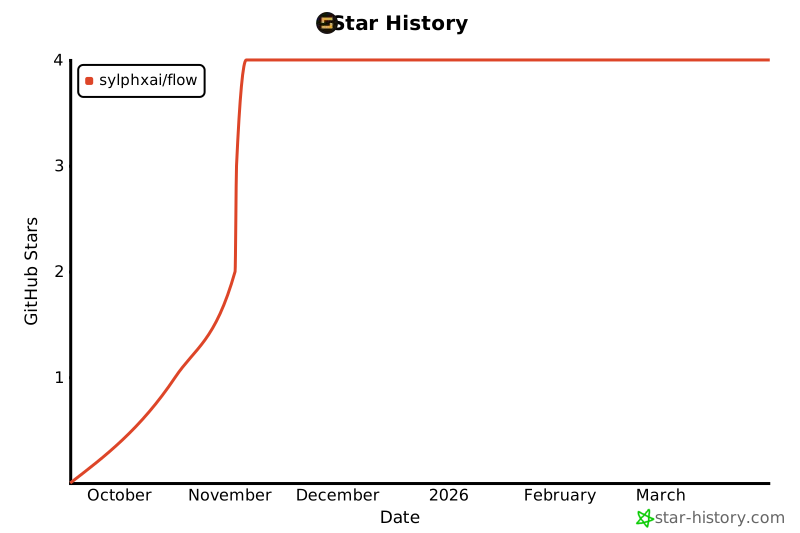](https://star-history.com/#SylphxAI/flow&Date)
## Powered by Sylphx
- [@sylphx/biome-config](https://www.npmjs.com/package/@sylphx/biome-config)
---
<div align="center">
<sub>Built with ❤️ by <a href="https://github.com/SylphxAI">Sylphx</a></sub>
</div>



