Content
<p align="center">
<img src="./assets/mw_title_v1.png" alt="Banner">
</p>
<p align="center">
<a href="https://tongyi-mai.github.io/MobileWorld/#leaderboard">Leaderboard</a> •
<a href="https://tongyi-mai.github.io/MobileWorld/">Website</a> •
<a href="https://arxiv.org/abs/2512.19432">Paper</a> •
<a href="https://github.com/Tongyi-MAI/MobileWorld/tree/main/docs">Docs</a> •
<a href="https://github.com/Tongyi-MAI/MobileWorld/issues">Issues</a>
</p>
<p align="center">
<a href="https://img.shields.io/badge/PRs-Welcome-red">
<img src="https://img.shields.io/badge/PRs-Welcome-red">
</a>
<a href="https://img.shields.io/github/last-commit/Tongyi-MAI/MobileWorld?color=green">
<img src="https://img.shields.io/github/last-commit/Tongyi-MAI/MobileWorld?color=green">
</a>
<a href="https://opensource.org/licenses/Apache-2.0">
<img src="https://img.shields.io/badge/License-Apache%202.0-blue.svg">
</a>
<a href="https://img.shields.io/badge/Python-3.12-blue.svg">
<img src="https://img.shields.io/badge/Python-3.12-blue.svg">
</a>
</p>
While maintaining the same level of rigorous, reproducible evaluation as AndroidWorld, **MobileWorld** offers a more challenging online mobile-use benchmark by introducing four additional features that better capture real-world agent behavior.
- 🎯 **Broad Real-World Coverage**: 201 carefully curated tasks across 20 mobile applications
- 🔄 **Long-Horizon Tasks**: Multi-step reasoning and cross-app workflows
- 👥 **Agent-User Interaction**: Novel tasks requiring dynamic human-agent collaboration
- 🔧 **MCP-Augmented Tasks**: Support Model Context Protocol (MCP) to evaluate hybrid tool usage
<p align="center">
<img src="./assets/compare_to_aw_v1.png" alt="Comparison to AndroidWorld" width="800">
<br>
<em>Difficulty comparison between MobileWorld and AndroidWorld</em>
</p>
## 📢 Updates
- **2026-04-29: Head-to-Head Arena & Community Submissions🔥**
* 🆚 **New Arena Comparison Page:** Compare any two models side-by-side at [tongyi-mai.github.io/MobileWorld/arena](https://tongyi-mai.github.io/MobileWorld/arena). Renders both trajectories step-by-step with screenshots and thinking traces, plus a confusion matrix to filter tasks by outcome (both pass / both fail / one wins / the other wins).
* 📤 **Submit Your Results:** Community-contributed trajectories are now accepted via [`site/bundle_trajs.py`](site/bundle_trajs.py). See [docs/submit.md](docs/submit.md).
* 📊 **Trajectories now browsable for:** Claude-Opus-4.7 (56.4% GUI / 59.1% User-Int), Claude-Opus-4.6 (44.5% / 34.1%), Kimi-K2.6 (55.6% / 56.8%), Kimi-K2.5 (49.6% / 51.2%), Seed-2.0-Pro (63.2% / 61.4%).
- **2026-04-22:** Added **Claude-Opus-4.7** (56.4% GUI-Only) and **Kimi-K2.6** (55.6% GUI-Only) to the [leaderboard](https://tongyi-mai.github.io/MobileWorld/#leaderboard). Trajectory viewer now available for inspecting per-task agent traces.
- **2026-04-15: Important Fix — Mattermost Session Expiry**
If you pulled the Docker image before this date, Mattermost task evaluations may produce **false negatives** due to expired authentication tokens in the emulator snapshot. Please **`git pull`** the latest codebase — the fix runs automatically during task initialization (no Docker image rebuild required).
See [CHANGELOG.md](CHANGELOG.md) for the full release history.
## 📋 Table of Contents
- [Updates](#-updates)
- [Overview](#-overview)
- [Installation](#-installation)
- [Quick Start](#-quick-start)
- [Testing on Real Devices](#-testing-on-real-devices)
- [Available Commands](#-available-commands)
- [Documentation](#-documentation)
- [Submit Your Results](#-submit-your-results)
- [Benchmark Statistics](#-benchmark-statistics)
- [Contact](#-contact)
- [Acknowledgements](#-acknowledgements)
- [Citation](#-citation)
---
## 📖 Overview
<p align="center">
<img src="./assets/mw_overview.jpg" alt="MobileWorld Overview" width="800">
</p>
MobileWorld is a comprehensive benchmark for evaluating autonomous mobile agents in realistic scenarios. Our benchmark features a robust infrastructure and deterministic evaluation methodology:
### 🏗️ System Architecture
**Containerized Environment**
The entire evaluation environment runs in Docker-in-Docker containers, including:
- Rooted Android Virtual Device (AVD)
- Self-hosted application backends
- API server for orchestration
This design eliminates external dependencies and enables consistent deployment across different host systems.
**Open-Source Applications**
We build stable, reproducible environments using popular open-source projects:
- **Mattermost**: Enterprise communication (Slack alternative)
- **Mastodon**: Social media platform (X/Twitter alternative)
- **Mall4Uni**: E-commerce platform
Self-hosting provides full backend access, enabling precise control over task initialization and deterministic verification.
**Snapshot-Based State Management**
AVD snapshots capture complete device states, ensuring each task execution begins from identical initial conditions for reproducible results.
### ✅ Task Evaluation
We implement multiple complementary verification methods for reliable assessment:
- **Textual Answer Verification**: Pattern matching and string comparison for information retrieval tasks
- **Backend Database Verification**: Direct database queries to validate state changes (messages, posts, etc.)
- **Local Storage Inspection**: ADB-based inspection of application data (calendar events, email drafts, etc.)
- **Application Callbacks**: Custom APIs capturing intermediate states for validation
## 💾 Installation
### System Requirements
- **Docker** with privileged container support
- **KVM** (Kernel-based Virtual Machine) for Android emulator acceleration
- **Python 3.12+**
- **Linux** host system (or Windows with WSL2 + KVM enabled), MacOS support is in progress.
### Quick Install
```bash
# Clone the repository
git clone https://github.com/Tongyi-MAI/MobileWorld.git
cd MobileWorld
# Install dependencies with uv
uv sync
```
### Environment Configuration
Create a `.env` file from `.env.example` in the project root:
```bash
cp .env.example .env
```
Edit the `.env` file and configure the following parameters:
**Required for Agent Evaluation:**
- `API_KEY`: Your OpenAI-compatible API key for the agent model
- `USER_AGENT_API_KEY`: API key for user agent LLM (used in agent-user interactive tasks)
- `USER_AGENT_BASE_URL`: Base URL for user agent API endpoint
- `USER_AGENT_MODEL`: Model name for user agent (e.g., `gpt-4.1`)
**Required for MCP-Augmented Tasks:**
- `DASHSCOPE_API_KEY`: DashScope API key for MCP services
- `MODELSCOPE_API_KEY`: ModelScope API key for MCP services
**Example `.env` file:**
```bash
API_KEY=your_api_key_for_agent_model
DASHSCOPE_API_KEY=dashscope_api_key_for_mcp
MODELSCOPE_API_KEY=modelscope_api_key_for_mcp
USER_AGENT_API_KEY=your_user_agent_llm_api_key
USER_AGENT_BASE_URL=your_user_agent_base_url
USER_AGENT_MODEL=gpt-4.1
```
> **Note**:
> - MCP API keys are only required if you plan to run MCP-augmented tasks
> - User agent settings are only required for agent-user interactive tasks
> - See [MCP Setup Guide](docs/mcp_setup.md) for detailed MCP server configuration
---
## 🚀 Quick Start
### 1. Check Environment & Pull Docker Image
```bash
sudo uv run mw env check
```
This command verifies Docker, KVM support, and prompts to pull the latest `mobile_world` Docker image if needed.
### 2. Launch Docker Containers
```bash
sudo uv run mw env run --count 5 --launch-interval 20
```
This launches 5 containerized Android environments with:
- `--count 5`: Number of parallel containers
- `--launch-interval 20`: Wait 20 seconds between container launches
### 3. Run Evaluation
```bash
sudo uv run mw eval \
--agent_type qwen3vl \
--task ALL \
--max_round 50 \
--model_name Qwen3-VL-235B-A22B \
--llm_base_url [openai_compatible_url] \
--step_wait_time 3 \
--log_file_root traj_logs/qwen3_vl_logs \
--enable_mcp \
--enable_user_interaction
```
> **Flags:**
> - `--enable_mcp`: Include MCP-augmented tasks in evaluation
> - `--enable_user_interaction`: Include agent-user interaction tasks. Without this flag, only GUI-only tasks are evaluated.
### 4. View Results
```bash
uv run mw logs view --log_dir traj_logs/qwen3_vl_logs
```
Opens an interactive web-based visualization at `http://localhost:8760` to explore task trajectories and results.
---
## 📱 Testing on Real Devices
Beyond the containerized emulator, MobileWorld can drive **real Android phones** via ADB — evaluating frontier models (Claude, Gemini, Qwen, Kimi, Seed-2.0-Pro, …) as true end-to-end mobile agents. See [docs/real-devices.md](docs/real-devices.md) for the setup walkthrough and the per-model coordinate-system reference.
---
## 🔧 Available Commands
MobileWorld provides a comprehensive CLI (`mw` or `mobile-world`) with the following commands:
| Command | Description |
|-------------------|---------------------------------------------------------|
| `mw env check` | Check prerequisites (Docker, KVM) and pull latest image |
| `mw env run` | Launch Docker container(s) with Android emulators |
| `mw env list` | List running MobileWorld containers |
| `mw env rm` | Remove/destroy containers |
| `mw env info` | Get detailed info about a container |
| `mw env restart` | Restart the server in a container |
| `mw env exec` | Open a shell in a container |
| `mw eval` | Run benchmark evaluation suite |
| `mw test` | Run a single ad-hoc task for testing |
| `mw info task` | Display available tasks |
| `mw info agent` | Display available agents |
| `mw info app` | Display available apps |
| `mw info mcp` | Display available MCP tools |
| `mw logs view` | Launch interactive log viewer |
| `mw logs results` | Print results summary table |
| `mw logs export` | Export logs as static HTML site |
| `mw device` | View live Android device screen |
| `mw server` | Start the backend API server |
Use `mw <command> --help` for detailed options.
---
## 📚 Documentation
For detailed documentation, see the `docs/` directory:
| Document | Description |
|--------------------------------------------|-----------------------------------------------------|
| [Development Guide](docs/development.md) | Dev mode, debugging, container management workflows |
| [Real Device Setup](docs/real-devices.md) | Run frontier models on a physical Android phone |
| [Submit Your Results](docs/submit.md) | Bundle trajectories and contribute to the leaderboard |
| [MCP Setup](docs/mcp_setup.md) | Configure MCP servers for external tool integration |
| [Windows Setup](docs/setup_for_windows.md) | WSL2 and KVM setup instructions for Windows |
| [AVD Configuration](docs/configure_avd.md) | Customize and save Android Virtual Device snapshots |
---
## 📤 Submit Your Results
Have a trajectory run from a new model or agent configuration? We accept community contributions to the [leaderboard](https://tongyi-mai.github.io/MobileWorld/#leaderboard) and [arena](https://tongyi-mai.github.io/MobileWorld/arena).
1. Bundle your `traj_logs/<run>` directory with [`site/bundle_trajs.py`](site/bundle_trajs.py) (use `--with-screenshots` to include arena-viewable frames).
2. Open a [GitHub issue](https://github.com/Tongyi-MAI/MobileWorld/issues) attaching the resulting `.json.gz` (+ optional `.mp4`) and a draft `site/leaderboard.json` entry.
See [docs/submit.md](docs/submit.md) for the bundling commands, the full leaderboard-entry schema, and the asset-repo upload flow.
---
## 🎯 Benchmark Statistics
<table align="center">
<tr>
<td><img src="./assets/scenario_distribution.jpg" alt="Scenario Distribution" width="420"></td>
<td><img src="./assets/mw_statistics.jpg" alt="MobileWorld Statistics" width="380"></td>
</tr>
</table>
## 📬 Contact
For questions, issues, or collaboration inquiries:
- **GitHub Issues**: [Open an issue](https://github.com/Tongyi-MAI/MobileWorld/issues)
- **Email**: Contact the maintainers
- **Discord**: [Join our Discord server](https://discord.gg/yuX6t5qs)
- **WeChat Group**: Scan to join our discussion group
<p align="center">
<img src="site/assets/wechat_qr.png" alt="WeChat Group QR Code" width="200">
</p>
## Acknowledgements
We thank [Android World](https://github.com/google-research/android_world) and [Android-Lab](https://github.com/THUDM/Android-Lab) for their open source contributions.
We also thank all the open-source contributors!
<a href="https://github.com/Tongyi-MAI/MobileWorld/graphs/contributors">
<img src="https://contrib.rocks/image?repo=Tongyi-MAI/MobileWorld" />
</a>
## Citation
If you find MobileWorld useful in your research, please cite our paper:
```bibtex
@inproceedings{kong2025mobileworld,
title={MobileWorld: Benchmarking Autonomous Mobile Agents in Agent-User Interactive, and MCP-Augmented Environments},
author={Quyu Kong and Xu Zhang and Zhenyu Yang and Nolan Gao and Chen Liu and Panrong Tong and Chenglin Cai and Hanzhang Zhou and Jianan Zhang and Liangyu Chen and Zhidan Liu and Steven Hoi and Yue Wang},
booktitle={Proceedings of the 64th Annual Meeting of the Association for Computational Linguistics (ACL)},
year={2026},
url={https://arxiv.org/abs/2512.19432},
}
```
---
## ⭐ Star History
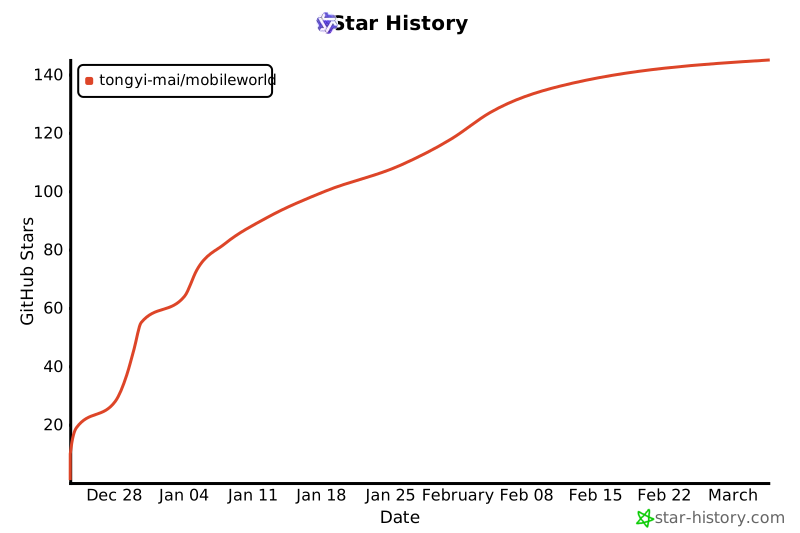
If you find MobileWorld helpful, please consider giving us a star ⭐!
[](https://star-history.com/#Tongyi-MAI/MobileWorld&Date)



