Content
# Craft Agents OSS
**Desktop and headless workspace for Claude-class agents**, with **sources** (REST APIs and **Model Context Protocol / MCP** servers), **skills**, **automations**, and a document-first UI. Built on the **Claude Agent SDK** and **Pi SDK** for multi-provider LLM access.
[](LICENSE)
[](CODE_OF_CONDUCT.md)
**Org repository:** [`github.com/warpdot-dev/craft-agents-oss`](https://github.com/warpdot-dev/craft-agents-oss) · Upstream reference: [**lukilabs/craft-agents-oss**](https://github.com/lukilabs/craft-agents-oss)
---
## Overview (what you get)
| Capability | Description |
|------------|-------------|
| **Multi-session inbox** | Organize agent chats with statuses, flags, and persistence |
| **Sources** | Connect **MCP servers**, **OpenAPI**-backed REST APIs, Google / Slack / Microsoft stacks, and local filesystems |
| **Skills** | Reusable instruction packs per workspace; reference with `@` mentions |
| **Providers** | Anthropic (API + OAuth), Google AI Studio, ChatGPT Plus (Codex), GitHub Copilot, OpenAI-compatible endpoints, and more |
| **Remote mode** | Run a **headless WebSocket server**; use the Electron app as a thin client or drive sessions from the **CLI** |
| **Automations** | Cron, labels, tool hooks, and other events to spawn prompts and workflows |
**Search terms & synonyms:** *agent desktop app*, *Electron AI client*, *Claude Agent SDK GUI*, *MCP client*, *AI workspace*, *multi-LLM desktop*, *Craft Agents open source*, *Apache 2.0 agent IDE*, *session-based agents*, *thin client agent server*.
---
## Table of contents
- [Product tour (video)](#product-tour-video)
- [Why Craft Agents exists](#why-craft-agents-exists)
- [Highlights & FAQ-style capabilities](#highlights)
- [Install](#installation)
- [Features at a glance](#features)
- [Quick start](#quick-start)
- [Desktop: sessions, sources, permissions, shortcuts](#desktop-app-features)
- [Remote server (headless)](#remote-server-headless)
- [CLI client](#cli-client)
- [Repository layout](#architecture)
- [Development & Google OAuth](#development)
- [Supported LLM providers](#supported-llm-providers)
- [Advanced: automations, large responses, deep links](#advanced-topics)
- [Tech stack](#tech-stack)
- [Troubleshooting](#troubleshooting)
- [License, trademarks, security](#license)
---
## Product tour (video)
[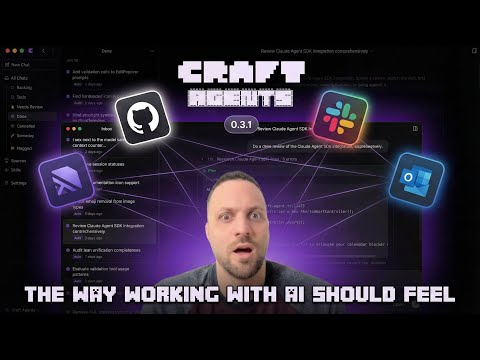](https://www.youtube.com/watch?v=xQouiAIilvU)
[Watch on YouTube →](https://www.youtube.com/watch?v=xQouiAIilvU)
---
## Why Craft Agents exists
Craft Agents is the **open-source** app we use at **Craft** to work with frontier models day to day. It emphasizes:
- **Multitasking** across many agent sessions without losing context
- **Connected data** through APIs and MCPs—without editing stacks of config files by hand
- **Shared session state** and a **document-centric** flow (less terminal-only friction)
- **Agent-native UX**: describe intent; the product handles wiring, permissions, and skill discovery where possible
The project is **Apache 2.0** so you can fork, theme, and ship custom builds. Internally we **dogfood** development inside Craft Agents itself.

---
## Highlights
**Connect Linear, Gmail, Slack, custom APIs, or local MCPs**
- Tell the agent to add a **source**; it can discover public APIs / MCP docs, negotiate credentials, and wire configuration. Prefer files? Paste an **MCP JSON** config—it is applied automatically.
- **Stdio MCP servers** run locally (`npx`, Python, custom binaries).
- Paste **OpenAPI** specs, endpoint lists, or doc screenshots—the agent proposes a workable integration surface.
**Skills & live updates**
- Import skills from other Claude-style setups on request.
- Reference skills and sources with `@` mid-conversation; changes apply **without restarting** the app.
Deep dives (hosted examples):
- [Connecting Slack interactively →](https://agents.craft.do/s/DRNQEiy8w2e1v5LPgKl8b)
- [Bulk skill import →](https://agents.craft.do/s/gWCFqwhObFWaNJIEJmd6j)
---
## Installation
### One-line install (recommended)
**macOS / Linux**
```bash
curl -fsSL https://agents.craft.do/install-app.sh | bash
```
**Windows (PowerShell)**
```powershell
irm https://agents.craft.do/install-app.ps1 | iex
```
### Build from source
```bash
git clone https://github.com/warpdot-dev/craft-agents-oss.git
cd craft-agents-oss
bun install
bun run electron:start
```
---
## Features
- **Multi-session inbox** — session management, statuses, archiving, flagging
- **Streaming agent UX** — tool traces, progressive responses, realtime updates
- **Multiple LLM connections** — per-workspace defaults; mix providers thoughtfully
- **Multi-provider backends** — Google AI Studio, ChatGPT Plus (Codex OAuth), GitHub Copilot OAuth, Anthropic Claude paths, plus OpenAI-compatible routes
- **Craft MCP bundle** — 30+ Craft document tools (blocks, collections, tasks, search)
- **Sources ecosystem** — MCP, REST integrations, filesystem / vault access
- **Permission modes** — `safe` / `ask` / `allow-all` with granular policies
- **Background jobs** — long-running tasks with visible progress
- **Custom statuses** — Kanban-like workflow states
- **Theming** — app-level and workspace-level themes
- **Multi-file diff** — review edits across files in one pass
- **Attachments** — images, PDFs, Office docs with conversion helpers
- **Automations** — schedules, label changes, tool hooks, lifecycle events
---
## Quick start
1. **Launch** the desktop app after install.
2. **Connect an LLM**: Anthropic (API key / subscription OAuth), Google AI Studio, Codex-backed ChatGPT, GitHub Copilot, or configured OpenAI-compatible endpoints.
3. **Create a workspace** to isolate sessions, skills, and sources.
4. **Attach sources** (optional): MCP, REST APIs, or local folders.
5. **Open a session** and start prompting; escalate permissions (`SHIFT+TAB`) when you intentionally need writes.
---
## Desktop app features
### Session management
- **Inbox / archive** with workflow columns
- **Flagging** for follow-ups
- **Statuses** (`Todo → In Progress → Needs Review → Done`, customizable)
- **AI / manual naming** plus durable JSONL history
### Sources
| Type | Examples |
|------|----------|
| **MCP** | Craft, Linear, GitHub, Notion, bespoke servers |
| **REST APIs** | Google Workspace, Slack, Microsoft Graph |
| **Local** | Filesystem roots, Obsidian vaults, git checkouts |
### Permission modes
| Internal ID | Label | Behaviour |
|-------------|-------|-----------|
| `safe` | Explore | Read-only; blocks mutating operations |
| `ask` | Ask to edit | Confirmation gates (default) |
| `allow-all` | Auto | Auto-approves tooling |
Press **`SHIFT+TAB`** inside chat to rotate modes.
### Keyboard shortcuts
| Shortcut | Action |
|----------|--------|
| `Cmd+N` | New chat |
| `Cmd+1/2/3` | Focus sidebar / list / transcript |
| `Cmd+/` | Shortcut cheat sheet |
| `SHIFT+TAB` | Cycle permission modes |
| `Enter` | Send |
| `Shift+Enter` | New line |
---
## Remote server (headless)
Run logic on a **Linux VPS**, **home lab**, or CI runner while controlling it from Electron or automation.
### Start the server
```bash
CRAFT_SERVER_TOKEN=$(openssl rand -hex 32) bun run packages/server/src/index.ts
```
Copy the emitted `CRAFT_SERVER_URL` and `CRAFT_SERVER_TOKEN`.
### Thin-client Electron shell
```bash
CRAFT_SERVER_URL=wss://203.0.113.5:9100 CRAFT_SERVER_TOKEN=<token> bun run electron:start
```
### Environment variables
| Variable | Required | Default | Notes |
|----------|:--------:|---------|-------|
| `CRAFT_SERVER_TOKEN` | ✅ | — | Bearer token presented by clients |
| `CRAFT_RPC_HOST` | | `127.0.0.1` | Set `0.0.0.0` for remote NIC binding |
| `CRAFT_RPC_PORT` | | `9100` | Plain / TLS WebSocket port |
| `CRAFT_RPC_TLS_CERT` | | — | PEM cert path (`wss://`) |
| `CRAFT_RPC_TLS_KEY` | | — | PEM private key |
| `CRAFT_RPC_TLS_CA` | | — | Optional client verification chain |
| `CRAFT_DEBUG` | | `false` | Verbose RPC logging |
### TLS quick path
```bash
./scripts/generate-dev-cert.sh
CRAFT_SERVER_TOKEN=<token> \
CRAFT_RPC_HOST=0.0.0.0 \
CRAFT_RPC_TLS_CERT=certs/cert.pem \
CRAFT_RPC_TLS_KEY=certs/key.pem \
bun run packages/server/src/index.ts
```
For production place **trusted certificates** or terminate TLS behind **nginx**, **Caddy**, or similar.
### Docker sketch
```bash
docker run -d \
-p 9100:9100 \
-e CRAFT_SERVER_TOKEN=<token> \
-e CRAFT_RPC_HOST=0.0.0.0 \
-v craft-data:/root/.craft-agent \
craft-agents-server
```
Mount cert/key volumes when enabling `CRAFT_RPC_TLS_*`.
---
## CLI client
Scriptable **`ws://` / `wss://`** client for health checks, session automation, CI validation, or operator workflows.
### Local invocation
```bash
bun run apps/cli/src/index.ts --help
alias craft-cli="bun run $(pwd)/apps/cli/src/index.ts"
```
### Connection
```bash
export CRAFT_SERVER_URL=ws://127.0.0.1:9100
export CRAFT_SERVER_TOKEN=<token>
craft-cli --url ws://127.0.0.1:9100 --token <token> ping
```
Attach `--tls-ca` for private CAs.
### Command reference
| Command | Purpose |
|---------|---------|
| `ping` | Latency / client id probe |
| `health` | Credential store diagnostics |
| `versions` | Server build metadata |
| `workspaces` / `sessions` / `connections` / `sources` | Inventory RPCs |
| `session create` | `--name`, `--mode` |
| `session messages <id>` | Dump transcript |
| `session delete <id>` | Remove session |
| `send <id> <prompt>` | Stream assistant output |
| `cancel <id>` | Stop generation |
| `invoke` / `listen` | Raw RPC plumbing |
| `run <prompt>` | Ephemeral server + session + teardown |
| `--validate-server` | 21-step integration harness |
#### `run` flags (common)
| Flag | Default | Description |
|------|---------|-------------|
| `--workspace-dir` | — | Pre-register filesystem workspace |
| `--source` | — | Repeatable source slug activation |
| `--output-format` | `text` | `text` or `stream-json` |
| `--mode` | `allow-all` | Permission preset |
| `--no-cleanup` | false | Retain spawned session artifacts |
| `--provider` | `anthropic` | `openai`, `google`, routers, etc. |
| `--model` | provider default | e.g., `gpt-4o`, `gemini-2.0-flash` |
| `--api-key` | env fallbacks | Explicit secret |
| `--base-url` | — | Proxies / self-hosted gateways |
Examples:
```bash
craft-cli ping
craft-cli sessions
craft-cli send abc-123 "Summarize ~/notes"
craft-cli --json workspaces | jq '.[].name'
craft-cli run "Explain this repository structure"
craft-cli run --workspace-dir ./svc --provider openai --model gpt-4o "Lint findings"
CRAFT_SERVER_URL=wss://... CRAFT_SERVER_TOKEN=... craft-cli --validate-server
```
---
## Architecture
```
craft-agent/
├── apps/
│ ├── cli/
│ └── electron/
│ └── src/{main,preload,renderer}
└── packages/
├── core/ # Shared types / contracts
└── shared/
└── src/
├── agent/ # Permissions + orchestration
├── auth/ # Tokens / OAuth UX
├── config/ # Themes + preferences persistence
├── credentials/ # AES-256-GCM bundle
├── sessions/ # JSONL transcripts
├── sources/ # MCP + REST ingestion
└── statuses/ # Workflow metadata
```
---
## Development
```bash
bun run electron:dev # Hot reload Electron shell
bun run electron:start # Production-ish bundle
bun run typecheck:all # Type coverage
# Logs (dev): ~/Library/Logs/@craft-agent/electron/ on macOS
```
### Build-time OAuth secrets (Slack / Microsoft)
```bash
MICROSOFT_OAUTH_CLIENT_ID=...
SLACK_OAUTH_CLIENT_ID=...
SLACK_OAUTH_CLIENT_SECRET=...
```
Google OAuth is **user-supplied** per workspace—see below.
### Google OAuth (Gmail, Calendar, Drive, YouTube, Search Console)
1. Create a project in [Google Cloud Console](https://console.cloud.google.com).
2. Enable the APIs you need (Gmail, Calendar, Drive, etc.).
3. Configure the **OAuth consent screen** (External + test users while in testing).
4. Create **Desktop** OAuth client credentials.
5. Provide `googleOAuthClientId` / secrets via the source **`config.json`** or let the onboarding agent capture them:
```json
{
"api": {
"googleService": "gmail",
"googleOAuthClientId": "*.apps.googleusercontent.com",
"googleOAuthClientSecret": "..."
}
}
```
Never commit plaintext secrets—Craft encrypts sourced credentials locally.
---
## Supported LLM providers
### First-party integrations
| Provider | Auth mechanisms |
|----------|-----------------|
| **Anthropic** | API keys, Claude Max/Pro OAuth |
| **Google AI Studio** | API key (Gemini + Google Search grounding) |
| **ChatGPT Plus / Pro** | Codex OAuth surfaces |
| **GitHub Copilot** | OAuth device flow |
### Compatible gateways & self-hosted stacks
Routed through configurable Anthropic-compatible or OpenAI-compatible bases:
| Target | Typical base URL |
|--------|------------------|
| **OpenRouter** | `https://openrouter.ai/api` |
| **Vercel AI Gateway** | `https://ai-gateway.vercel.sh` |
| **Ollama** | `http://localhost:11434` |
| **Custom** | Any compatible proxy |
**Runtime split:** Claude-path traffic uses **`@anthropic-ai/claude-agent-sdk`**; Pi-path traffic handles Studio / Codex / Copilot integrations.
---
## Advanced topics
### Large tool payloads
Responses beyond ~60 KB are summarized with **Claude Haiku** guidance; MCP schemas include `_intent` metadata so summarization preserves operator goals.
### Deep links (`craftagents://`)
```
craftagents://allSessions
craftagents://allSessions/session/session123
craftagents://settings
craftagents://sources/source/github
craftagents://action/new-chat
```
### Automations (`automations.json`)
Declarative cron + hook automations stored per workspace. Example excerpt:
```json
{
"version": 2,
"automations": {
"SchedulerTick": [
{
"cron": "0 9 * * 1-5",
"timezone": "America/New_York",
"labels": ["Scheduled"],
"actions": [
{ "type": "prompt", "prompt": "Check @github for new issues assigned to me" }
]
}
]
}
}
```
Full reference: [Automations documentation](https://agents.craft.do/docs/automations/overview).
---
## Configuration
State lives under `~/.craft-agent/`:
```
~/.craft-agent/
├── config.json
├── credentials.enc
├── preferences.json
├── theme.json
└── workspaces/
└── <id>/
├── config.json
├── theme.json
├── automations.json
├── sessions/*.jsonl
├── sources/
├── skills/
└── statuses/
```
---
## Tech stack
| Layer | Choice |
|-------|--------|
| Runtime | [Bun](https://bun.sh/) |
| Agents | Claude Agent SDK + Pi agent services |
| Desktop | Electron + React |
| UI | shadcn/ui + Tailwind CSS v4 |
| Bundler | esbuild (main), Vite (renderer) |
---
## Troubleshooting
### Verbose packaged app logs
Append `-- --debug` **after** the binary (note the spacer):
```bash
# macOS
/Applications/Craft\ Agents.app/Contents/MacOS/Craft\ Agents -- --debug
# Windows PowerShell
& "$env:LOCALAPPDATA\Programs\@craft-agentelectron\Craft Agents.exe" -- --debug
# Linux AppImage/binary
./craft-agents -- --debug
```
**Log locations**
- macOS: `~/Library/Logs/@craft-agent/electron/main.log`
- Windows: `%APPDATA%\@craft-agent\electron\logs\main.log`
- Linux: `~/.config/@craft-agent/electron/logs/main.log`
---
## License
Licensed under **[Apache License 2.0](LICENSE)**.
### Third-party notices
Bundled **[Claude Agent SDK](https://www.npmjs.com/package/@anthropic-ai/claude-agent-sdk)** usage falls under **[Anthropic Commercial Terms](https://www.anthropic.com/legal/commercial-terms)**.
### Trademarks
“Craft” and “Craft Agents” are trademarks of **Craft Docs Ltd.** — refer to [TRADEMARK.md](TRADEMARK.md).
### Contributing
See [CONTRIBUTING.md](CONTRIBUTING.md).
### Security
Local MCP subprocesses strip high-risk env vars (`ANTHROPIC_API_KEY`, cloud tokens, etc.)—whitelist per server via explicit `env` maps. Disclosure policy: [SECURITY.md](SECURITY.md).
---
## Appendix: discoverability cheat sheet
If you are browsing by keyword: **Electron AI assistant**, **MCP desktop client**, **Claude OAuth desktop**, **OpenAPI agent connector**, **headless AI server**, **`CRAFT_SERVER_TOKEN`**, **`craft-cli run`**, **workspace-local skills**, **JSONL transcripts**, **multi-provider LLM switcher**.



