Content
# Walking with Claude
Claude controls your walking pad. When Claude works, you walk.
## ⚡ Quickest install (Claude Code plugin)
```
/plugin marketplace add nathanabrewer/claude-plugins
/plugin install walking-pad@th3redgiant
```
No MCP, no config, no restart — then just say "start the walking pad."
## Install
```bash
pip install git+https://github.com/nathanabrewer/walking-with-claude.git
claude mcp add walking-pad -- python -m walking_with_claude
```
## Install as a Skill (no MCP, no reset)
Prefer a drop-in [Claude Code Skill](https://docs.claude.com/en/docs/claude-code/skills)
over the MCP server? There's one in [`skill/walking-pad/`](skill/walking-pad).
It drives the pad with a bundled one-shot `pad.py` — no MCP server, and adding
it does not require restarting your Claude session.
```bash
# one-time: install the BLE driver
pip install git+https://github.com/nathanabrewer/sperax-rm01.git
# drop the skill into your personal skills folder
mkdir -p ~/.claude/skills
cp -r skill/walking-pad ~/.claude/skills/
```
Then just ask Claude to start walking. Behind the scenes the skill runs
`python pad.py start|stop|pace <speed>|status`. The belt keeps running after each
command exits, so a single `start` is enough.
> macOS: the first BLE use prompts your terminal for Bluetooth permission
> (System Settings > Privacy & Security > Bluetooth). Allow it, then retry.
## Compatible device
[<img src="https://sperax.com/cdn/shop/files/P1_1.jpg?v=1767170824&width=2880" width="400" alt="Sperax Walking Vibration Pad">](https://sperax.com/products/p1-walking-vibration-pad?variant=51576446091548)
| | |
|---|---|
| **Product** | [Sperax Walking Vibration Pad (4-in-1)](https://sperax.com/products/p1-walking-vibration-pad?variant=51576446091548) |
| **Model** | WLT6200 (RM-01) |
| **BLE name** | `SPERAX_RM01` |
| **Manufacturer** | wi-linktech (Quanzhou WenTeLai) |
| **Connection** | Bluetooth Low Energy (FFF0 service) |
> Other Sperax models using the same BLE protocol may also work. The BLE device name must be `SPERAX_RM01`.
>
> Verify your pad works with the [Web Bluetooth test page](https://nathanabrewer.github.io/sperax-rm01/) (Chrome required).
## What happens
1. You ask Claude to do something
2. Claude starts the walking pad — you walk
3. Claude works on your task while you walk
4. Claude finishes, stops the pad
5. You stop walking and review the work
Claude picks the speed based on task complexity. Quick fix? Easy stroll at 2 km/h. Major refactor? You're running at 5.
## Requirements
- macOS or Linux
- Python 3.10+
- [Claude Code](https://claude.ai/claude-code)
- A compatible walking pad, powered on and nearby
## How it works
This is an [MCP](https://modelcontextprotocol.io/) server that gives Claude four tools:
| Tool | What it does |
|------|-------------|
| `start_walking(speed)` | Start the belt (0.5-6.0 km/h) |
| `stop_walking()` | Stop the belt |
| `set_pace(speed)` | Change speed mid-task |
| `walking_status()` | Check connection and speed |
Under the hood it uses the [sperax-rm01](https://github.com/nathanabrewer/sperax-rm01) BLE library. First tool call triggers Bluetooth scan and connection (a few seconds). After that, commands are instant.
## The story
[Read the full story →](STORY.md)
Built by Nathan and Claude, so Nathan can try to keep up.
## Vibes
[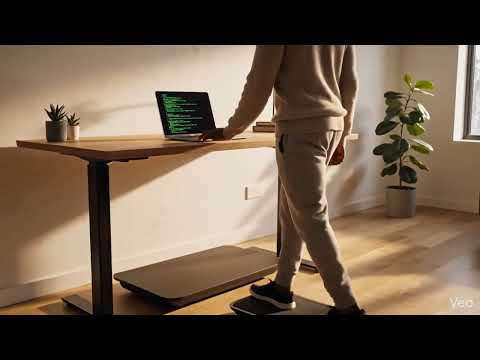](https://www.youtube.com/watch?v=D8upY-3l0hA)
[](https://www.youtube.com/watch?v=qEU_nlLxYXA)
[](https://www.youtube.com/watch?v=aSERfEISn_o)
 MCP Store
