

Content
<div align="center">
<img src="public/token-it-down.svg" alt="TokenItDown" width="72" height="72" />
# TokenItDown
**Drop in a file or a web page, get agent-ready Markdown out — and let your AI read it directly, for a fraction of the tokens.**
A fast, self-hostable platform that turns any document or web page into clean, LLM-ready Markdown — and goes past the conversion to deliver visible quality control, RAG-ready output, token economics, and native AI-agent (MCP) access.
[Getting started](#getting-started) · [Documentation](docs/) · [Use it from any agent](#use-it-from-any-ai-coding-agent-mcp) · [Contributing](CONTRIBUTING.md) · [Issues](../../issues)




</div>
<br />
<div align="center">
<img src=".github/screenshots/dashboard.png" alt="TokenItDown dashboard" width="900" />
</div>
<br />
Built and maintained by **AnHourTec**.
> If TokenItDown saves you tokens, consider starring the repo — it genuinely helps other people find it.
## Why TokenItDown
The conversion engine itself is commoditized. Our value is the workflow around it — the library, the repair loop, the RAG export, the agent integration, and the web-capture extension — packaged cleanly for both cloud users and self-hosters.
Two deployment targets from one codebase:
- **Cloud** — multi-tenant SaaS with managed processing, billing, and a hosted MCP endpoint.
- **Self-hosted** — a single `docker compose up`, all processing local, optional local-LLM mode, no data egress.
## Features
- **Convert anything to Markdown** — powered by [Microsoft MarkItDown](https://github.com/microsoft/markitdown): PDF, Word, PowerPoint, Excel, images (OCR + EXIF), audio (transcription), HTML, CSV/JSON/XML, ZIP (iterated), EPUB, and YouTube / web-page URLs.
- **Per-format convert pages** — a dedicated page per source type, each with drag-and-drop batch upload, a document-scan animation while converting, and a GitHub-style rendered result.
- **Library** — every converted document in a file viewer with a **Preview / Raw** toggle (rendered Markdown via `react-markdown` + GFM, or syntax-highlighted source via Shiki), plus copy, download, and delete.
- **Documents** — every **original** uploaded file, previewed in place, with an **Original / Markdown** toggle. Originals are stored on a local volume; the converted Markdown lives in Postgres.
- **Real-data dashboard** — KPIs (documents, tokens saved, agent conversions, originals stored), a 30-day conversion-activity chart, recent conversions, source breakdown, and top token-savers.
- **Use it from your AI coding agent (MCP)** — a built-in [Model Context Protocol](https://modelcontextprotocol.io) server lets Claude Code, Cursor, VS Code Copilot, or Claude Desktop call TokenItDown automatically the moment you hand the agent a file or URL. Runs **local (stdio)** for converting your own files with no account, or **hosted (HTTP)** for remote agents with a per-user API key.
- **Works with any agent, not just Claude** — the Connect editor page offers per-editor install snippets and downloadable, instance-aware **`AGENTS.md` / `CLAUDE.md` / `skills.md`** drop-in files (viewable full-page) so Codex, Cursor, Gemini, Windsurf, Cline, Aider, or any MCP host knows to use TokenItDown.
- **Per-user API keys + full transparency** — issue revocable API keys from the dashboard. Conversions an agent makes with a key run through the same pipeline as the dashboard (cleaned, token-counted, saved to your Library) and are attributed to that key, so the Connect page shows, per key, how many calls it made, tokens saved, and exactly what it converted.
- **Auth** — email/password with httpOnly cookie sessions ([better-auth](https://www.better-auth.com/)) stored in Postgres, CSRF via trusted origins, protected dashboard.
## Screenshots
| Connect any AI agent (MCP) | Library |
| :-----------------------------------------: | :----------------------------------: |
|  |  |
| _Per-user API keys, usage & drop-in files_ | _Preview / raw, token savings_ |
|  |  |
| _Convert any format_ | _Real-data dashboard_ |
## Use it from any AI coding agent (MCP)
TokenItDown ships a [Model Context Protocol](https://modelcontextprotocol.io) server so your agent calls it the moment you hand it a file or URL — no copy-pasting, and a fraction of the tokens.
```bash
# Claude Code — local (converts your own files, no account):
claude mcp add tokenitdown -- python -m app.mcp_server
# Hosted — create an API key on the dashboard's "Connect editor" page, then:
claude mcp add --transport http tokenitdown https://<host>:8001/mcp \
--header "Authorization: Bearer YOUR_TOKENITDOWN_API_KEY"
```
Three tools become available to the model: `convert_url_to_markdown`, `convert_file_to_markdown` (local), and `convert_document` (hosted). In hosted mode each conversion is proxied through the web pipeline, so it's cleaned, token-counted, saved to your Library, and attributed to the key. See the [AI agents docs](docs/pages/agents/index.mdx) for per-editor setup.
## Architecture
- **Web** — Next.js app (dashboard, auth, API routes). Conversions are proxied from `app/api/convert*` to the processing service over an internal network, gated by a shared secret. The convert routes accept either a session (dashboard) or an `Authorization: Bearer tid_…` API key (agents).
- **Processing service** (`server/`) — a Python [FastAPI](https://fastapi.tiangolo.com/) wrapper around `markitdown[all]` with `/convert` (uploads) and `/convert-url` (SSRF-guarded). Internal-only.
- **MCP server** (`server/app/mcp_server.py`) — the `markitdown-mcp` container. In hosted/HTTP mode it authenticates an agent's API key and **proxies conversions back through the web pipeline**, so agent activity is cleaned, tracked, and saved like any other conversion.
- **Postgres** — users, sessions, converted documents (tagged with the API key that created them), and API keys (Drizzle ORM). Keys are stored as SHA-256 hashes; the full token is shown once.
- **Redis** — reserved for the job queue / session store.
> Full details — every service, the request lifecycle, the MCP/agent flow, security boundaries, and the data model — are in the **[Architecture docs](docs/pages/architecture.mdx)**.
## Tech stack
- [Next.js 15](https://nextjs.org/) (App Router) + [React 19](https://react.dev/), strict [TypeScript](https://www.typescriptlang.org/) with [ts-reset](https://github.com/total-typescript/ts-reset)
- [Tailwind CSS v4](https://tailwindcss.com/) + [Radix UI](https://www.radix-ui.com/) + [CVA](https://cva.style/); [react-markdown](https://github.com/remarkjs/react-markdown), [Shiki](https://shiki.style/), [recharts](https://recharts.org/), [sonner](https://sonner.emilkowal.ski/)
- [better-auth](https://www.better-auth.com/) + [Drizzle ORM](https://orm.drizzle.team/) + PostgreSQL
- Processing: [Python](https://www.python.org/) / [FastAPI](https://fastapi.tiangolo.com/) / [MarkItDown](https://github.com/microsoft/markitdown) / [FastMCP](https://github.com/jlowin/fastmcp)
- Testing: [Vitest](https://vitest.dev), [Playwright](https://playwright.dev/), [pytest](https://docs.pytest.org/); [T3 Env](https://env.t3.gg/) + [OpenTelemetry](https://opentelemetry.io/)
## Requirements
- [Node.js](https://nodejs.org/) `>=22` and [npm](https://www.npmjs.com/) (the project's package manager)
- [Docker](https://www.docker.com/) + Docker Compose (for Postgres/Redis and the full-stack deploy)
- [Python](https://www.python.org/) `>=3.10` (only if running the processing service outside Docker)
## Getting started
```bash
# 1. Install deps
npm install
# 2. Configure env
cp .env.example .env # then fill in secrets (BETTER_AUTH_SECRET, MARKITDOWN_SERVICE_TOKEN, DB creds…)
# 3. Bring up Postgres, Redis and the MarkItDown service
docker compose up -d postgres redis markitdown
# 4. Run the web app (auto-creates the DB + applies migrations)
npm run dev
```
Open [http://localhost:3000](http://localhost:3000). Register, then convert from **Convert** in the sidebar; view results in **Library** and originals in **Documents**.
## Deployment
The self-hosted edition ships as a `docker compose` bundle — **web + Postgres + Redis + the MarkItDown processing service + the MCP server + the docs site**. On the host, copy `.env.example` → `.env`, set real secrets (including `MARKITDOWN_SERVICE_TOKEN`), then:
```bash
./deploy.sh
```
This builds the images and brings the stack up; the web container waits for the processing service, ensures the database, and runs migrations on startup. Everything is reachable through one origin:
- **App** — `http://<host>:${WEB_PORT:-3030}`
- **Docs** — `http://<host>:${WEB_PORT:-3030}/docs` (the web app proxies `/docs` to the docs container; there's also a **Docs** link in the sidebar)
- **MCP endpoint** — `http://<host>:${MCP_PORT:-8001}/mcp`
## Documentation
The docs are a [Nextra](https://nextra.site/) site in **[`docs/`](docs/)**, served at **`/docs`** on the running app (e.g. `http://<host>:3030/docs`) — no separate port. To work on them locally alongside the app:
```bash
# terminal 1 — the app on :3000
npm run dev
# terminal 2 — the docs on :3040 (served under /docs via basePath)
cd docs && npm install && npm run dev -- -p 3040
# to preview the same-origin proxy, set DOCS_INTERNAL_URL in .env and restart the app:
# DOCS_INTERNAL_URL=http://localhost:3040
# then open http://localhost:3000/docs
```
It covers Getting Started, Self-Hosting, Configuration, Converting, the Library, RAG Export, the **AI agents / MCP** integration, Architecture, an API reference, the roadmap, and an FAQ.
## Contributing
Contributions are welcome! See **[CONTRIBUTING.md](CONTRIBUTING.md)** for how to set up the project, the conventions we follow, and how to open a good pull request — especially how to report **agent / MCP compatibility issues** (which agent, which transport, which install snippet). Check the [open issues](../../issues) for things to work on.
Found a security vulnerability? Please report it privately rather than opening a public issue — see the [Security](CONTRIBUTING.md#security) section.
## Acknowledgements
Conversion is powered by [Microsoft MarkItDown](https://github.com/microsoft/markitdown). TokenItDown is the workflow, quality control, RAG export, and agent integration around it.
## Star History
[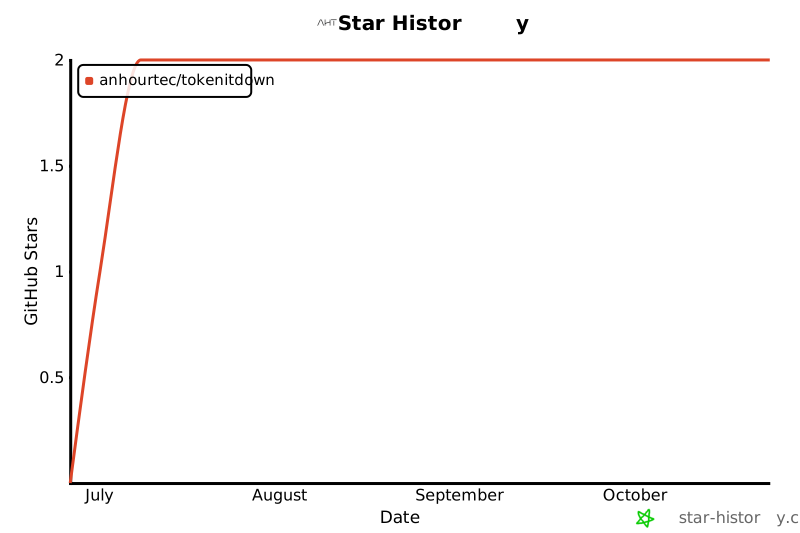](https://www.star-history.com/#anhourtec/tokenitdown&Date)
## License
[MIT](LICENSE) © AnHourTec
MCP Config
Below is the configuration for this MCP Server. You can copy it directly to Cursor or other MCP clients.
mcp.json
Connection Info
You Might Also Like
No recommendations available