Content
# nnlens
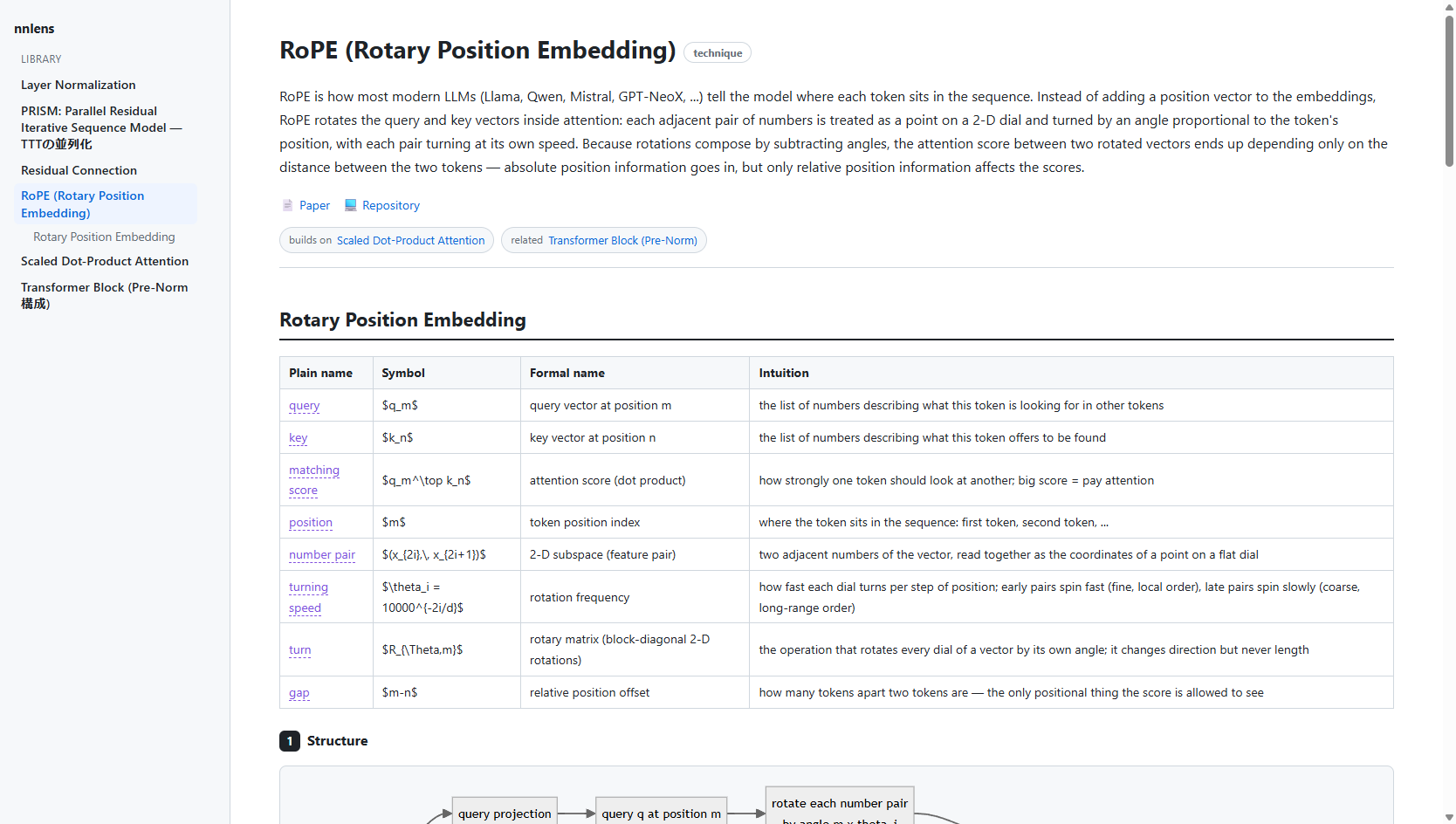
**Throw in a paper, a GitHub repo, or just the name of a technique — get back a
layer-by-layer explanation of a neural network, in five linked views.**
<details>
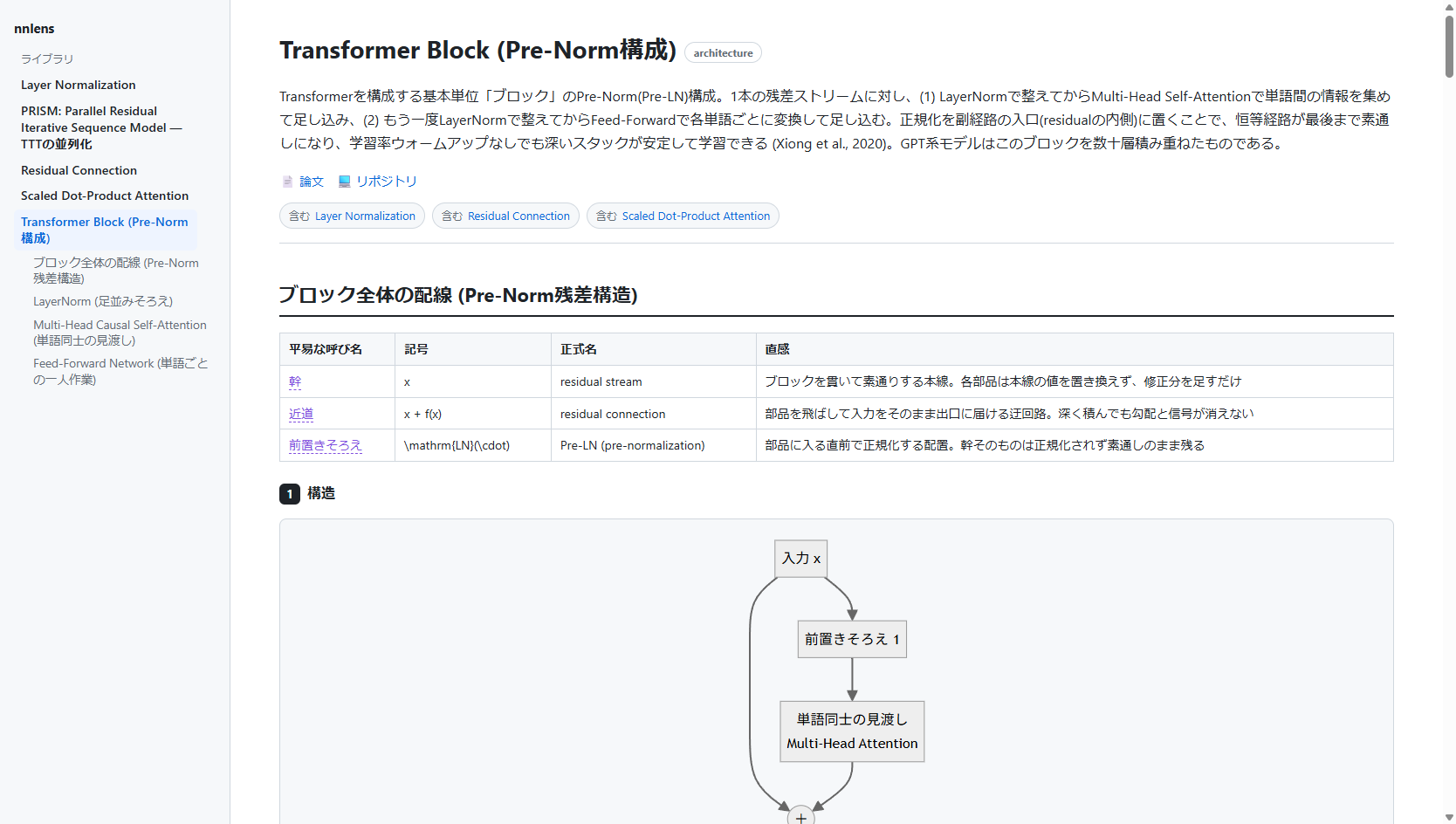
<summary>…and it speaks your language — the same viewer rendering a Japanese Transformer-block explanation</summary>
</details>
nnlens is an **MCP server + local renderer**. You connect it to an MCP host you
already use (Claude Desktop, Claude Code, Cursor, …). The host's model — driven by
**your own subscription** — does the explaining; nnlens gives it the methodology,
fetches the real sources, runs the code, and renders the result to a local web page.
> nnlens **never calls an LLM itself and never handles an API key.** The
> reasoning happens in your MCP host, on your existing plan. That is the whole
> point: no metered API, no shared credentials, no hosted service borrowing your
> subscription.
## The five views
Every component (a layer, block, or technique) is explained five ways, and the
views are **linked** by a shared *concept ledger* so the same idea keeps the same
everyday word, symbol, and formal name across all of them:
1. **Structure** — a Mermaid diagram of the data flow, plus a short note.
2. **In plain words** — plain language only. No symbols, no jargon.
3. **The math** — the real notation, carrying over the everyday words from view 2 and
attaching each to its symbol (hover any highlighted word to see the mapping).
4. **Naive implementation** — a from-scratch implementation that is *literally the math*
(pure Python / numpy, no torch), **actually executed** so the output is real.
5. **Optimized implementation** — the fast version, excerpted from the official repository
(with a source link) or written from scratch when none exists — numerically
cross-checked against the naive view when it's locally runnable.
Beyond a single page:
- **Any language** — explanations are written in whatever language you ask in,
and the page chrome follows: ja/en labels are built in, and the host supplies
`ui_labels` translations for anything else. Nothing about your language is
hardcoded.
- **Library** — every explanation you generate is saved locally
(`~/.nnlens/store`) and listed in the sidebar; delete with the hover ✕.
- **Cross-links** — explanations reference each other (`related` chips and
`[[slug]]` wikilinks in the prose). Links to explanations you haven't generated
yet show up greyed out — a built-in "what to explain next" list.
- **Contract lint** — `render` returns warnings when the views drift apart
(a ledger term never marked, symbols leaking into the plain-words view, an
uncited optimized view, an unverified naive run), so the host fixes them.
- **Self-healing pages** — pages are stamped with a template hash and rebuilt
automatically when nnlens updates its renderer.
## Install
```bash
pip install nnlens # or: pipx install nnlens
```
Or from source:
```bash
git clone https://github.com/tsuzakiii/nnlens
cd nnlens
pip install -e .
```
## Connect it to your MCP host
**Claude Desktop** — add to `claude_desktop_config.json`:
```json
{
"mcpServers": {
"nnlens": { "command": "nnlens" }
}
}
```
**Claude Code**:
```bash
claude mcp add nnlens -- nnlens
```
(If the `nnlens` script isn't on your PATH, use
`"command": "python", "args": ["-m", "nnlens"]` instead.)
## Use it
In your host, invoke the `explain` prompt (e.g. type `/nnlens` / `/explain`) or
just ask:
> use nnlens to explain Scaled Dot-Product Attention
Ask in any language — 「nnlens で RoPE を説明して」 gets you the same five views
with Japanese prose and a Japanese UI.
The host will fetch the paper/repo, write the five views, run the naive code to
verify it, and hand you a URL like `http://127.0.0.1:8787/e/…` — open it for the
rendered page with diagrams, math, and hover-linked terms.
## Try the renderer without a host
```bash
python scripts/build_example.py # (re)build the bundled example, runs its code
python scripts/demo_render.py --open
```
## How it fits together
```
MCP host (your subscription) ── drives ──► nnlens tools
│ ├─ fetch_paper / find_official_repo / fetch_repo_code
│ writes the 5 views ├─ run_python (proves view 4 runs)
└───────────────────────────────────► render (→ local web page URL)
```
- **Tools** = the deterministic work (retrieval, code execution, rendering).
- **`explain` prompt** = the methodology the host follows to assemble the views.
## Limitations (read before trusting it)
- **Correctness is not guaranteed.** The prose and math are written by the host
model. Diagrams are model-generated and are the weakest link — treat view 1 as a
sketch. View 4 is executed, so its output is real; the rest is best-effort.
- **`run_python` runs in a best-effort sandbox, not a hardened one.** Snippets get
an isolated interpreter (`python -I`), a scrubbed environment (your API keys and
tokens simply aren't in it), no network (both `socket` and `_socket` disabled),
no process creation (`subprocess`/`os.system`/`exec*`/`spawn*` refused, so a
child interpreter can't slip past the shims), memory / CPU-time / file-size
caps, and a process-tree kill on timeout. These are in-process defenses: a
payload determined to reach C-level APIs (e.g. via `ctypes`) can still undo
them — keep your host's permission prompt on this tool, and run the whole
server in a container if you need a real boundary.
- **View 5 excerpts** are fetched from public repos at view time and shown with
attribution; nothing is redistributed. Respect each source repo's license.
- The renderer loads Markdown/Mermaid/KaTeX from a CDN, so viewing needs internet.
## License
MIT. See [LICENSE](LICENSE).
 MCP Store
