

Content
# serve-mcp
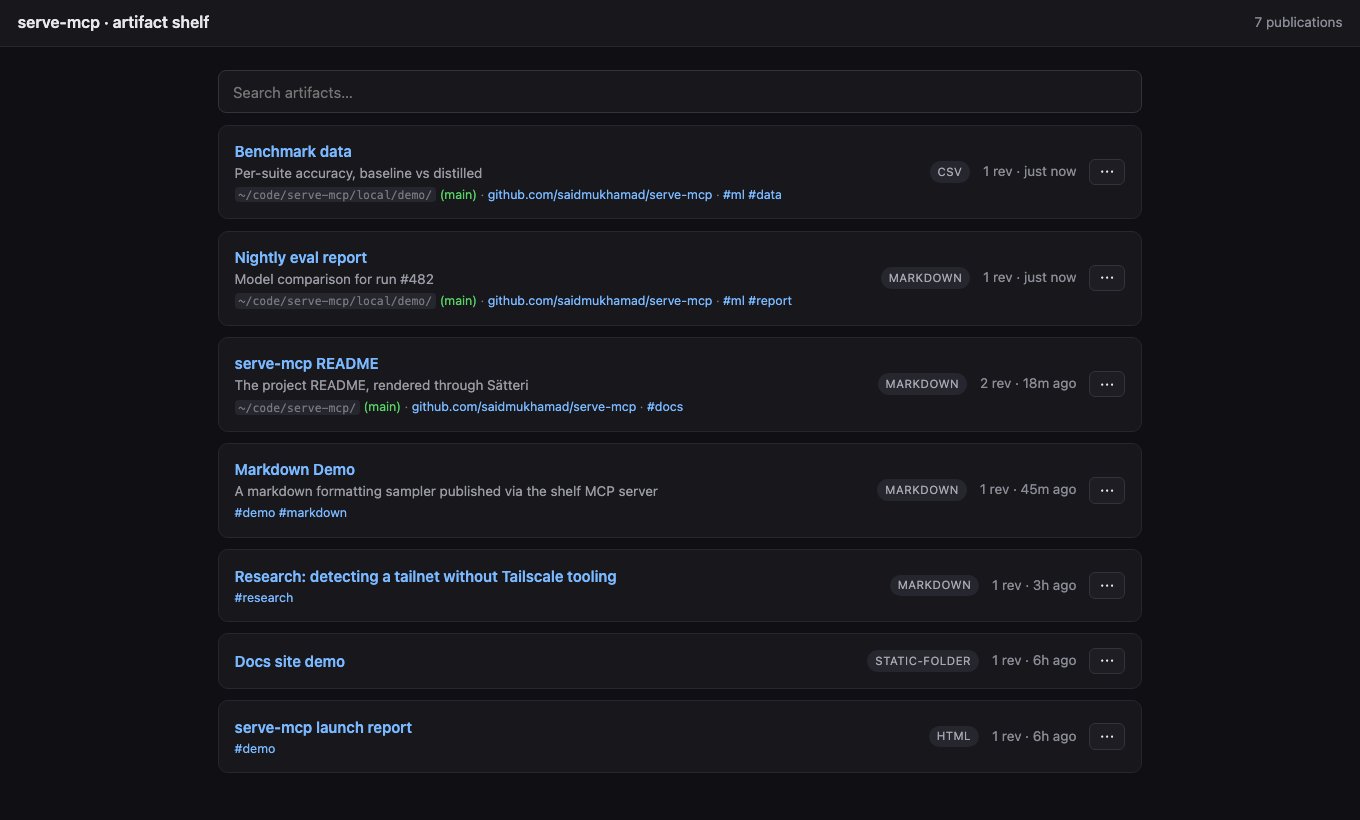
A local, MCP-controlled **artifact shelf**. Your AI agents publish the HTML, Markdown, folders, CSV, and JSON they generate; you get stable, safely-rendered browser URLs to look at them. Built for a machine running several agents at once: each agent gets its own MCP process, and they all publish to one shared shelf.
## Quickstart
```bash
npm install -g @saidmukhamad/serve-mcp
```
Add it to whatever agents you run — they all publish into the **same shelf** (the first process starts the HTTP server, the rest find it):
```bash
# Claude Code
claude mcp add serve-mcp -- npx -y @saidmukhamad/serve-mcp mcp
# Codex
codex mcp add serve-mcp -- npx -y @saidmukhamad/serve-mcp mcp
# Gemini CLI
gemini mcp add serve-mcp npx -y @saidmukhamad/serve-mcp mcp
```
Anything else that speaks MCP (Cursor, Windsurf, ...) — the usual `mcpServers` block:
```json
{
"mcpServers": {
"serve-mcp": { "command": "npx", "args": ["-y", "@saidmukhamad/serve-mcp", "mcp"] }
}
}
```
That's it. Ask any agent to publish something and open the URL it returns — one gallery for everything, whoever made it.
### The permanent setup
One always-on server that every agent and human on the machine works against:
```bash
serve-mcp config host 0.0.0.0 # reachable over your tailnet/LAN (skip for localhost-only)
serve-mcp config port 7331 # fixed port, stable URLs
serve-mcp service install # launchd / systemd --user / Task Scheduler
loginctl enable-linger $USER # Linux only: keep it alive after you log out
```
Without this the shelf still works — it just lives and dies with your MCP sessions (details in [Lifecycle](#lifecycle-who-keeps-the-shelf-alive)).
### Proactive publishing
The server's MCP instructions already tell agents to publish viewable output on their own. For the strongest nudge in Claude Code, install the bundled skill — it auto-triggers whenever the agent produces something viewable:
```bash
mkdir -p ~/.claude/skills/publish-artifact
curl -fsSL https://raw.githubusercontent.com/saidmukhamad/serve-mcp/main/skills/publish-artifact/SKILL.md \
-o ~/.claude/skills/publish-artifact/SKILL.md
```
## How it works
```txt
MCP = control plane (artifact_publish, artifact_list, resources)
HTTP = human preview plane (gallery, /p/:slug, sandboxed previews)
Registry = SQLite (stable publications -> revisions)
Store = live | snapshot (path/folder serve live by default; live:false freezes a copy)
```
## The tools
### `artifact_publish`
```jsonc
{
"source": { "type": "path", "path": "./report.md" }, // or content / folder
"title": "Training run explanation",
"slug": "training-run-explanation", // stable /p/<slug>; generated if omitted
"updateExisting": true, // add a revision; false = conflict on an existing slug
"live": true, // default for path/folder: edits show on refresh; false = frozen snapshot
"tags": ["ml", "report"],
"renderer": { "options": { "allowScripts": false } } // scripts stay off unless asked
}
```
Returns the preview URL, a raw URL, an MCP `resource_link`, and structured `artifact`/`publication` objects. Publications are stable slots; every publish is an immutable revision at `/p/:slug/r/:artifactId`.
### `artifact_list`
Filter by `query`, `tags`, `kind`; paginate with `cursor`; order by `createdAt | updatedAt | title`.
### `artifact_delete`
Remove a publication by `slug` — all revisions and stored files go with it. Irreversible.
### Resources
Only `registry://publications` (JSON list of everything on the shelf) appears in `resources/list`, so host UIs stay clean no matter how many publications exist. Two more resolve when read directly (tool results link to them): `publication://<slug>` (compact JSON) and `artifact://<id>` (raw source of a revision).
## Multi-agent port discovery
N agents, one shelf, no coordination. The first `serve-mcp` to start binds a port (`--port`/`SERVE_MCP_PORT`, else ephemeral) and records its reachable URL in `<dataDir>/server.json`; every other serve-mcp process — agents, the CLI — finds that record, checks the pid is alive, and publishes into the running shelf instead of starting its own.
## Rendering & safety
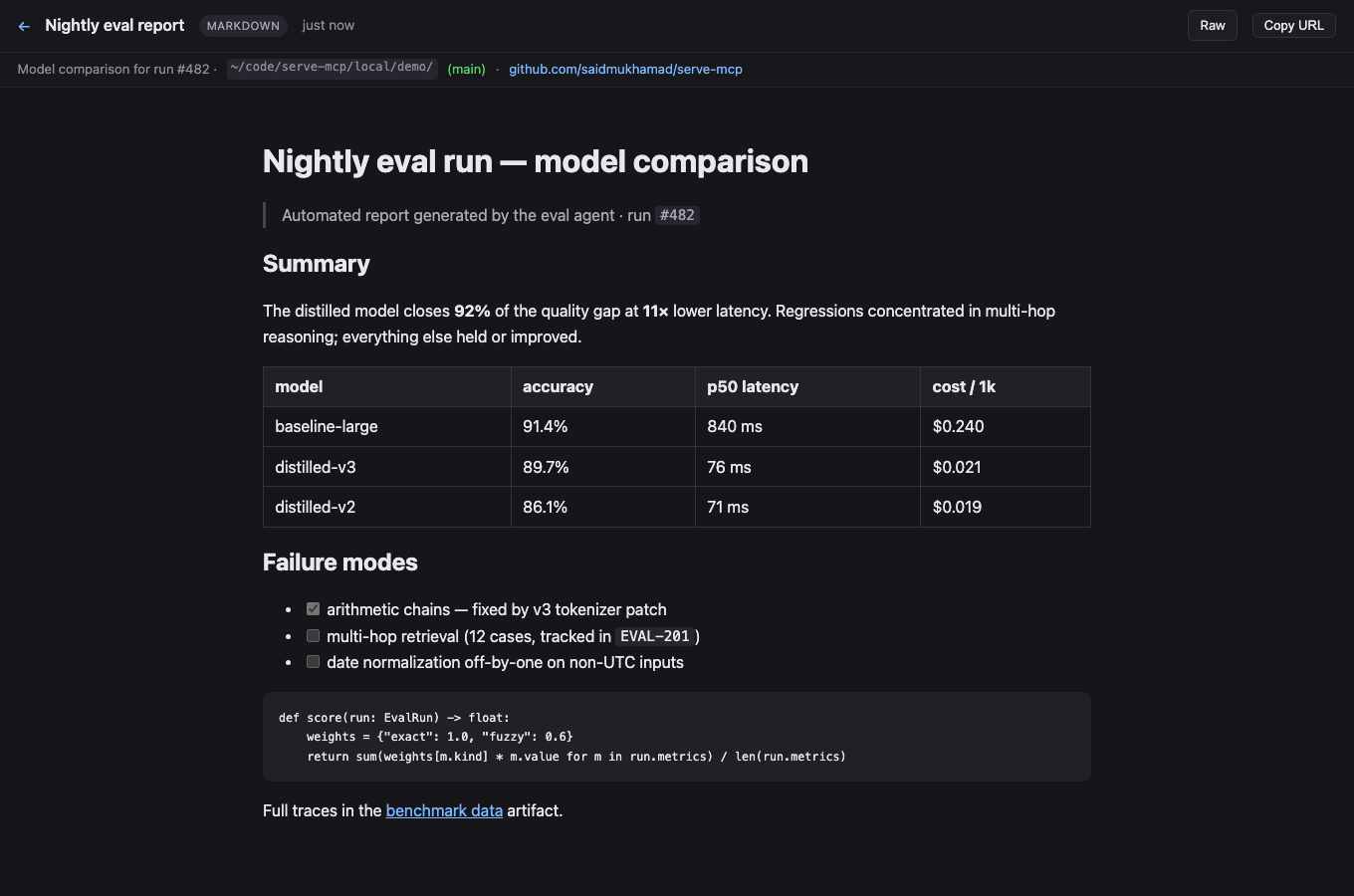
Path and folder sources serve **live** by default — the shelf reads straight from the source on every request, so edits show on refresh (and the page breaks if the source moves). Publish with `live: false` (CLI: `--snapshot`) to freeze an immutable copy into the store (`~/.local/share/serve-mcp`) instead; inline `content` sources are always stored. Markdown/MDX renders through [Sätteri](https://satteri.bruits.org) (GFM, frontmatter, live `mermaid` diagrams); JSON pretty-prints; CSV becomes a table; folders serve as static sites.
The server binds `127.0.0.1` unless you opt into `0.0.0.0`, and there is no auth — only expose it to networks you trust (a Tailscale tailnet qualifies; the open internet does not). Restrict path publishing with `SERVE_MCP_ALLOWED_ROOTS=/path/a:/path/b`.
### Folder navigation
Folders behave like a classic file server: each directory serves its own `index.html` / `index.md` / `README.md` (or pass `entrypoint`), `dir` redirects to `dir/` so relative and `../` links resolve, and directories without an index get a browsable listing with a `../` entry. In-folder Markdown/CSV/JSON render on the fly, and any file is downloadable with `?raw`.
### Provenance capture
Every publish records where it came from — source directory plus git branch, remote, and commit — read straight from `.git` files (no `git` subprocess, works even without git installed). This shows on the gallery cards and the preview subbar.
## HTTP routes
```txt
GET / gallery (search, pinned, recent)
GET /p/:slug latest revision, rendered
GET /p/:slug/r/:artifactId a specific revision
GET /raw/:artifactId original source
GET /meta/:artifactId artifact metadata JSON
GET /api/publications JSON list (query, cursor, limit)
DELETE /api/publications/:slug remove a publication and all its revisions
```
## Lifecycle: who keeps the shelf alive
A shelf runs in one of three modes:
1. **Session-managed** (default) — the first MCP session on the machine becomes the shelf as a side effect and it lives as long as that session; the next session takes over. Zero setup, but the shelf has gaps when no session is open, and the URL changes unless you set a fixed port.
2. **Foreground** — `serve-mcp serve` in a terminal. Ctrl-C kills it, nothing respawns it.
3. **Service-managed** (recommended) — the OS supervises it: starts at login, restarts on crash, independent of any session or terminal.
`serve-mcp` shows which one is running; `serve-mcp restart` (alias `apply`) restarts it — through the supervisor when the service is installed, by pid otherwise. The service mode is [the permanent setup](#the-permanent-setup) from the top. Manage it with `serve-mcp service start|stop|restart|status|logs|uninstall`. Everything is user-level — no root/admin:
- **macOS** — launchd agent (`io.github.saidmukhamad.serve-mcp` in `~/Library/LaunchAgents`), KeepAlive supervision, logs in `<dataDir>/serve.log`.
- **Linux** — systemd user unit, `Restart=on-failure`, logs in the journal. To survive logout: `loginctl enable-linger $USER`. On WSL, systemd user services are often unavailable — run `serve-mcp serve` in tmux instead.
- **Windows** — Task Scheduler task registered from XML (no admin): starts hidden at logon via `wscript`, restarts on failure, logs in `<dataDir>\serve.log`.
The service pins the current runtime and package paths (shown on install) — re-run `service install` after upgrading either.
## Tailscale / LAN access
To reach the shelf from other machines, set `host` to `0.0.0.0` (the permanent setup above does this). Advertised URLs then pick the best reachable name automatically: MagicDNS name (learned via reverse DNS through Quad100 and verified with the system resolver, so it's only used when peers can actually resolve it) → Tailscale IP (`100.64.0.0/10`) → first LAN address. Tailnet detection needs no Tailscale tooling — it keys off the interface's CGNAT address and Tailscale's ULA prefix.
## CLI
```bash
serve-mcp ./report.md # publish anything, get its URL
serve-mcp . # serve this directory, live
serve-mcp # status: running shelf + what's on it
serve-mcp config host 0.0.0.0 # set config (host, port, baseUrl)
serve-mcp serve # HTTP shelf only
serve-mcp publish ./report.md --title "Report" # the longhand, with options
serve-mcp list # (also discovers a running shelf)
```
## Config
`serve-mcp config` shows it, `serve-mcp config <key> <value>` sets it (empty value unsets). Stored in `<dataDir>/config.json` (default `~/.local/share/serve-mcp/config.json`), everything optional:
```json
{
"host": "0.0.0.0",
"port": 7331,
"baseUrl": "http://my-machine.tailnet.ts.net:7331",
"allowedRoots": ["~/projects", "/srv/artifacts"]
}
```
- `host` — bind host, default `127.0.0.1`
- `port` — fixed port; omit for an ephemeral port + discovery via `server.json`
- `baseUrl` — advertised-URL override (e.g. a MagicDNS name)
- `allowedRoots` — restrict where `path`/`folder` publishing may read from (default: anywhere readable)
Env vars (`SERVE_MCP_HOST`, `SERVE_MCP_PORT`, `SERVE_MCP_BASE_URL`, `SERVE_MCP_DATA_DIR`, `SERVE_MCP_ALLOWED_ROOTS`) override the file; `--host`/`--port` flags override both.
## Development
```bash
npm install
npm test # typecheck + node:test — core, http, mcp round-trip
npm start # HTTP server
npm run build # tsc -> dist/
```
Written in TypeScript; dev and tests run `.ts` directly via Node's native type stripping. The published package runs on **Node ≥ 22.5** (built-in `node:sqlite`); developing needs **Node ≥ 22.18** (type stripping).
Changes live in [CHANGELOG.md](CHANGELOG.md); bleeding edge installs with `@dev` instead of `@latest`.
MIT.
MCP Config
Below is the configuration for this MCP Server. You can copy it directly to Cursor or other MCP clients.
mcp.json
Connection Info
You Might Also Like
No recommendations available