Content
<p align="center">
<img src="assets/logo.png" alt="GrokGo logo" width="120" height="120" />
</p>
<h1 align="center">GrokGo</h1>
<p align="center"><strong>Local Grok Gateway, ready to go</strong></p>
<p align="center"><em>Grok, ready to go for Codex</em></p>
<p align="center">
<a href="./README.md">Chinese</a> ·
<a href="./README_EN.md">English</a>
</p>
<p align="center">
<a href="LICENSE"><img src="https://img.shields.io/badge/license-MIT-blue.svg" alt="MIT License" /></a>
<a href="https://github.com/RongleCat/grok-go/stargazers"><img src="https://img.shields.io/github/stars/RongleCat/grok-go?style=social" alt="GitHub stars" /></a>
<img src="https://img.shields.io/badge/platform-macOS%20%7C%20Windows%20%7C%20Linux-lightgrey" alt="Platforms" />
<img src="https://img.shields.io/badge/Tauri-2-orange" alt="Tauri 2" />
</p>
<p align="center">
Follow the author on X
<a href="https://x.com/cgnot996"><strong>@cgnot996</strong></a>
· Repository
<a href="https://github.com/RongleCat/grok-go">RongleCat/grok-go</a>
</p>
---
## Why GrokGo?
When integrating **Grok / xAI** with **Codex** or other AI tools, you usually need to handle OAuth, local proxy, MCP, multiple accounts, and usage.
**GrokGo** packages these into a ready-to-use desktop gateway: just install, log in, and fill in the address to use.
## Features
- **Responses + OpenAI compatible**: `/v1/responses`, `/v1/chat/completions`, `/v1/models`
- **MCP tools**: `x_search`, image generation/editing, video generation/editing
- **Multi-account OAuth**: host multiple accounts, weighted load balancing, automatic refresh
- **Native media interface**: images/videos go through the same authentication gateway, products are stored in `~/.grok-go/artifacts/`
- **Usage visibility**: request logs, token statistics, GitHub-style heatmap
- **Codex / CC Switch**: one-click injection of `mcp_servers.grok-go`, one-click import of provider
- **Optional LAN access**: local bearer token protection
## Interface Preview
| Overview | Accounts |
|:---:|:---:|
|  |  |
| Integrations | Usage |
|:---:|:---:|
|  |  |
## Quick Start
### Download and Install
Download the installation package for your platform from [Releases](https://github.com/RongleCat/grok-go/releases):
| Platform | File |
|------|------|
| macOS Apple Silicon | `GrokGo_*_aarch64.dmg` |
| macOS Intel | `GrokGo_*_x64.dmg` |
| Windows x64 | `.msi` / `.exe` installation package |
### Development
```bash
pnpm install
pnpm tauri dev
```
Frontend only:
```bash
pnpm dev:ui
```
### Build
```bash
pnpm tauri build
```
See [docs/BUILD.md](./docs/BUILD.md) for more detailed cross-compilation and publishing instructions.
## macOS: "Damaged" / "Cannot verify developer" / "Not secure"
The current Release package **does not have Apple notarization** (requires a paid developer account). After downloading from GitHub, macOS Gatekeeper may intercept it, which is expected behavior. You can handle it as follows:
### Method 1: Remove quarantine attribute (recommended)
1. Drag `GrokGo.app` to "Applications"
2. Open "Terminal" and execute (adjust the path as needed):
```bash
# If installed in Applications
xattr -cr /Applications/GrokGo.app
# Or for the app in ~/Downloads
xattr -cr ~/Downloads/GrokGo.app
```
3. Double-click to open again
### Method 2: Right-click to open
1. **Right-click** (or Control + click) `GrokGo.app` in Finder
2. Select **Open**
3. Click **Open** again in the popup
> Only **double-clicking** may still be intercepted; you must use the "Open" menu item.
### Method 3: Allow in system settings
1. Open **System Settings → Privacy & Security**
2. If you see "Blocked from use: GrokGo…", click **Allow Anyway**
3. Enter your password to confirm
### Still can't open?
```bash
# Confirm if quarantine mark is cleared (no com.apple.quarantine means it's normal)
xattr -l /Applications/GrokGo.app
# Clear again and try to launch
xattr -cr /Applications/GrokGo.app
open /Applications/GrokGo.app
```
**Note:** These steps are just to bypass the system protection for unsigned/notarized apps. Please download only from the official [Releases](https://github.com/RongleCat/grok-go/releases) page. If Apple signature and notarization are configured in the future, these prompts will disappear.
## Integrate with Codex
1. Launch GrokGo and copy on the **Overview** page:
- Base URL: `http://127.0.0.1:<port>/v1`
- Local Token
2. Use Responses API in Codex and fill in the above base URL + bearer token
3. Optionally, one-click inject MCP on the **Integrations** page:
```toml
[mcp_servers.grok-go]
url = "http://127.0.0.1:<port>/mcp"
[mcp_servers.grok-go.http_headers]
Authorization = "Bearer <localToken>"
```
The default port is **8787**, which increments automatically if there's a conflict.
## Default Endpoints
After the application starts:
| Purpose | Address |
|------|------|
| Base | `http://127.0.0.1:<port>/v1` |
| Responses | `POST /v1/responses` |
| Chat Completions | `POST /v1/chat/completions` |
| Images | `POST /v1/images/generations`, `POST /v1/images/edits` |
| MCP | `http://127.0.0.1:<port>/mcp` |
## Configuration Directory
```text
~/.grok-go/
config.json
auth.json
data.db
artifacts/
backups/
```
## Tech Stack
- Tauri 2 + Rust
- React + TypeScript + Vite
- Tailwind CSS
## For Agents / Contributors
If you're an AI agent or want to modify the source code: read the project wiki [`llm-wiki/README.md`](./llm-wiki/README.md) (architecture, module map, and to-do list).
## Contributing
Welcome to submit issues and PRs, see [CONTRIBUTING.md](./CONTRIBUTING.md).
Code of conduct: [CODE_OF_CONDUCT.md](./CODE_OF_CONDUCT.md)
Security disclosure: [SECURITY.md](./SECURITY.md)
## License
[MIT](./LICENSE) © RongleCat
## Star History
[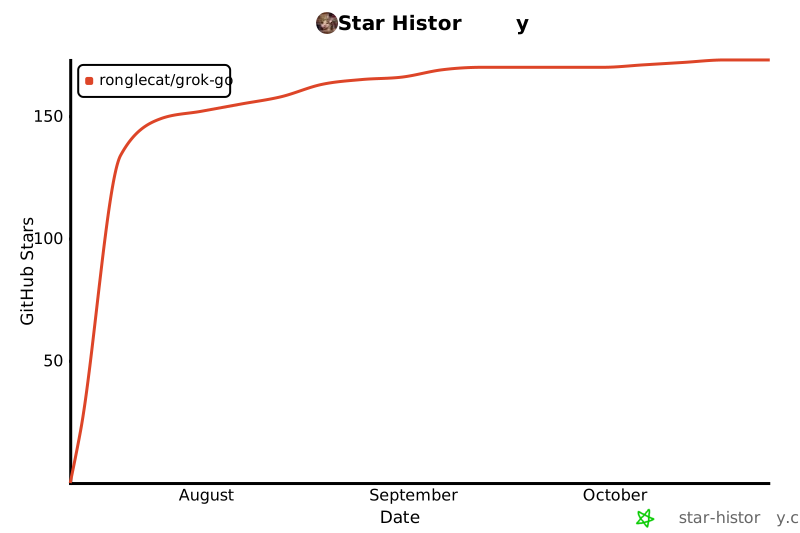](https://star-history.com/#RongleCat/grok-go&Date)
---
<p align="center">
If GrokGo helps you, please star and follow me on X
<a href="https://x.com/cgnot996">@cgnot996</a>
</p>
 MCP Store
