Content
# Mi Fitness Data Bridge
Local-first data bridge for exporting **your own** Mi Fitness health data to SQLite, JSON, CSV, Python, and MCP-compatible tools.
> Unofficial community project. It is not affiliated with or endorsed by Xiaomi. The experimental cloud adapter can stop working when Xiaomi changes private endpoints. Use it only with an account and data you are authorized to access.
## Synthetic demo
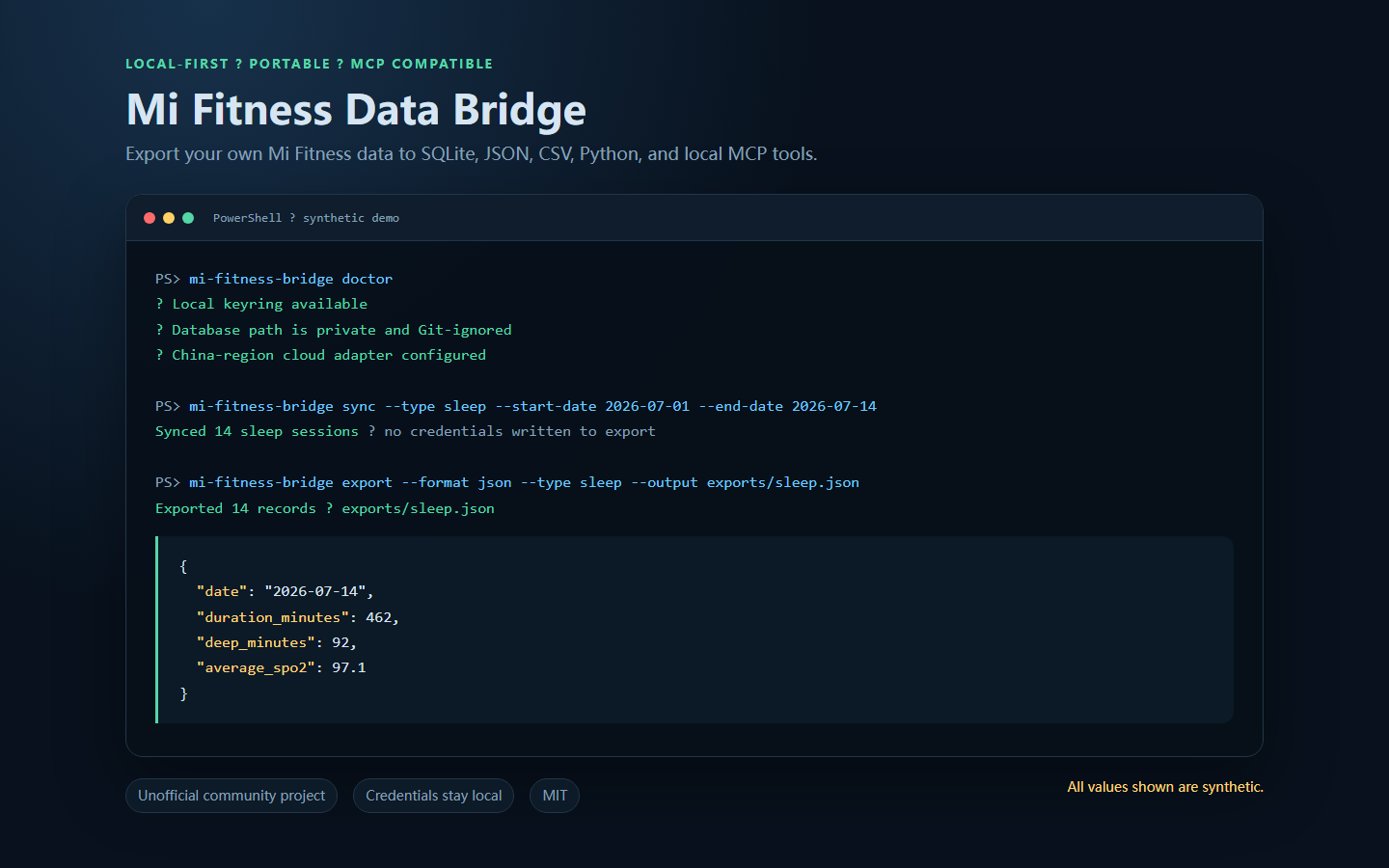
*All health values shown above are synthetic. No credential, account identifier, or personal export is included.*
## What this project does
- Reads Mi Fitness health data through an experimental China-region cloud adapter.
- Stores normalized records in a local SQLite database.
- Exports portable JSON or CSV without credentials.
- Exposes local MCP query tools for personal automation.
- Provides one reusable connector implementation for downstream projects such as a personal fat-loss advisor.
It deliberately does **not** provide medical advice, weight-loss coaching, hosted account access, or a multi-user cloud service.
## Supported datasets
- Daily activity: steps, distance, active calories and active minutes.
- Sleep sessions and stages.
- Workouts.
- Body measurements: weight and available body-composition fields.
- Heart-rate samples, including resting heart rate when available.
- SpO2, stress, and abnormal-heart-beat events when available for the account/device.
Availability varies by device, account region, firmware, and Xiaomi's upstream service.
## Install
```bash
git clone https://github.com/shkyyy18/mi-fitness-data-bridge.git mi_fitness_data_bridge
cd mi_fitness_data_bridge
python -m venv .venv
```
Windows PowerShell:
```powershell
.\.venv\Scripts\Activate.ps1
pip install -e ".[dev]"
```
macOS/Linux:
```bash
source .venv/bin/activate
pip install -e '.[dev]'
```
## Configure
The safer interactive path avoids putting the passToken directly into shell history:
```bash
mi-fitness-bridge setup
mi-fitness-bridge doctor
```
Credentials are stored through the local keyring when available. Some fallback keyring implementations may store secrets less securely; review your operating system's keyring behavior before use.
## Sync
```bash
mi-fitness-bridge sync --start-date 2026-07-01 --end-date 2026-07-15
```
Or sync one dataset:
```bash
mi-fitness-bridge sync --type sleep --start-date 2026-07-01 --end-date 2026-07-15
mi-fitness-bridge sync --type body_measurements --start-date 2026-07-01 --end-date 2026-07-15
```
## Export
Create one portable JSON file:
```bash
mi-fitness-bridge export --format json --output exports/mi_fitness.json
```
Create one CSV file per dataset:
```bash
mi-fitness-bridge export --format csv --output exports/csv
```
Filter by dataset and date:
```bash
mi-fitness-bridge export --format json --type sleep \
--start-date 2026-07-01 --end-date 2026-07-15 \
--output exports/sleep.json
```
Exports never contain the saved Xiaomi passToken. Exported health records are still sensitive personal data and are ignored by Git by default.
## MCP server
The compatibility command remains available:
```bash
mi-fitness-bridge serve
# legacy alias
mi-fitness-mcp serve
```
Available tools include connection status, synchronization, coverage, daily summaries, body measurements, sleep, workouts, heart rate, SpO2, and stress queries.
## Use as a Python dependency
The normalized adapter remains available under the compatibility module name:
```python
from mi_fitness_mcp.adapters.mi_fitness_cloud import MiFitnessCloudAdapter
```
Downstream projects should install this package rather than vendor or copy the connector source.
## Privacy and safety
- Keep passTokens, local databases, exports, and logs private.
- Do not run the bridge as a public credential proxy.
- Do not commit real health data or screenshots containing personal metrics.
- Use synthetic data in bug reports and documentation.
- This software is for personal data access and engineering research, not diagnosis or treatment.
See `SECURITY.md` for responsible reporting and `THIRD_PARTY_NOTICES.md` for provenance.
## Development
```bash
pip install -e '.[dev]'
python -m pytest -q -p no:cacheprovider
python -m ruff check src tests
```
## Release
See `CHANGELOG.md` for version history and `docs/release-checklist.md` for the publication and post-release checks.
## License
MIT. See `LICENSE`. Upstream attribution is preserved in `THIRD_PARTY_NOTICES.md`.

 MCP Store