Content
<div align="center">
# ACP Patchbay
**One VS Code experience for every AI agent.**
[](https://marketplace.visualstudio.com/items?itemName=SolutionsUnity.acp-patchbay)
[](https://marketplace.visualstudio.com/items?itemName=SolutionsUnity.acp-patchbay)
[](LICENSE)
ACP Patchbay is a unified VS Code client for any
[ACP](https://agentclientprotocol.com)-compatible coding agent — consistent chat,
capabilities you can trust, and deep editor context. Stop learning a new extension
every time you switch agents.
[**Install from the Marketplace →**](https://marketplace.visualstudio.com/items?itemName=SolutionsUnity.acp-patchbay)
[Product page](https://solutionsunity.com/products/vscode-acp-patchbay) · [Source](https://github.com/solutionsunity/acp-patchbay)
</div>
---
## Why
The agent should be the variable, your experience the constant. The **Agent Client
Protocol** makes any compatible agent a plug-in — a CLI-only agent is first-class,
and a vendor's extension improving or being retired never moves your workflow.
Patchbay is the one client that speaks it for all of them: one chat, one permission
model, one session store. [The full story →](https://solutionsunity.com/products/vscode-acp-patchbay)
## What Patchbay adds
A faithful ACP client already proves the connection works. Patchbay adds the
orchestrator layer on top:
- **🧭 Capabilities you can trust.** An agent's handshake tells you what it
*claims*, not what works on the wire. Patchbay tracks every capability as
**declared vs. used** and only lights up a feature once the path has genuinely
fired — "native fork" or "MCP servers" means *verified*, not *promised*.
- **🛡️ One permission model.** A single permission broker across every agent. You
review and approve what an agent does — file writes, terminal, tools — the same
way regardless of which agent is driving.
- **🧩 Editor-aware context.** A built-in local MCP server hands agents real editor
state — current file, selection, open editors, diagnostics, workspace layout —
and can ask *you* for input mid-turn. The agent sees what you see.
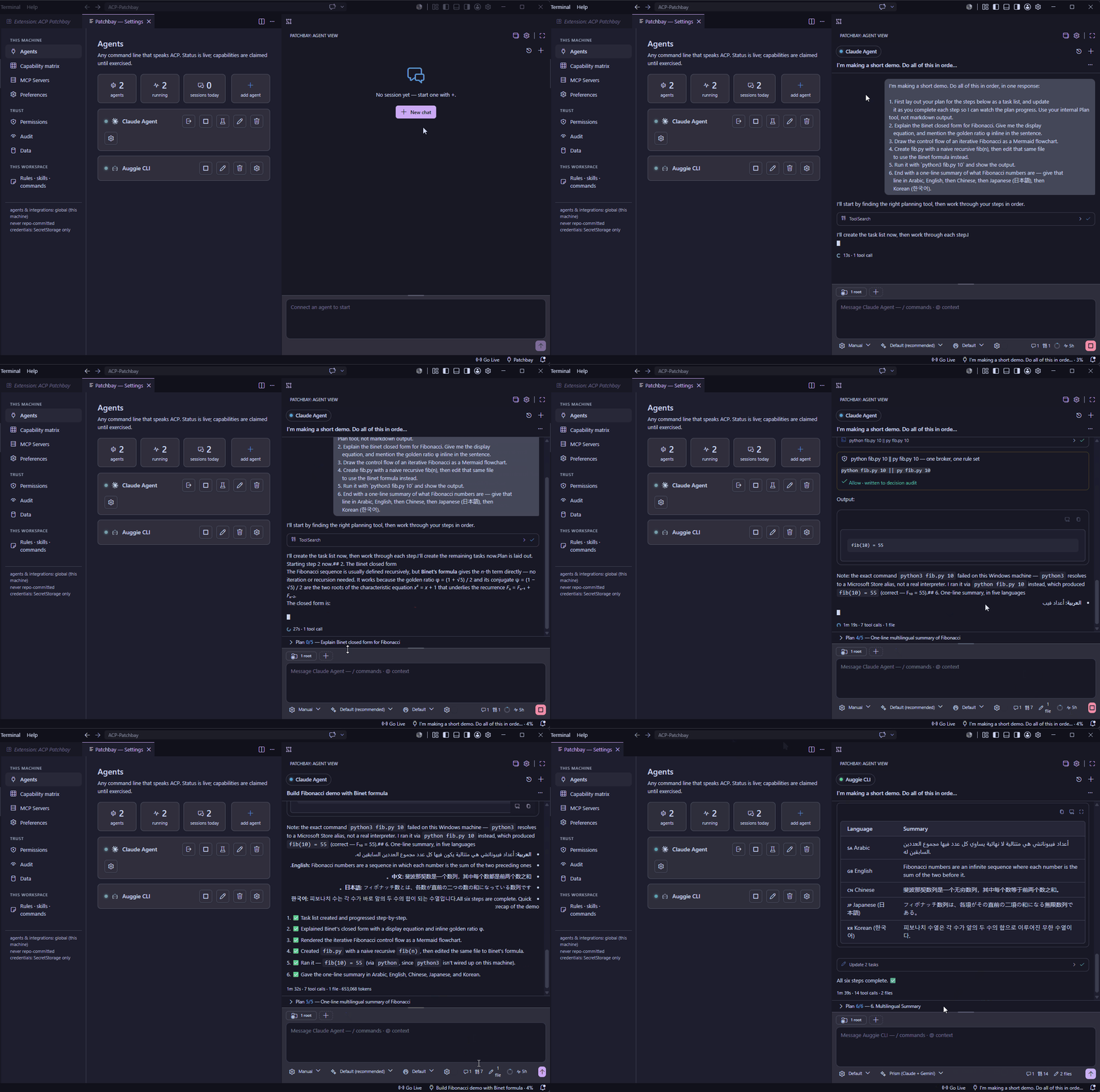
- **🎛️ Sessions in parallel.** Run many sessions at once, on one agent or across
several, each with its own history. A live dot marks a turn in flight, an unseen
dot marks a session that finished while you were elsewhere, and a chime — or a
native OS notification when the view is hidden — tells you the moment a turn
lands. Detached panels and prompt queueing included.
## Everything you'd expect from a great client
- Polished chat composer with inline `/` commands and `@`-mentions of workspace files
- Full session history — list, resume, and fork, backed by the agent's own store
- Faithful replay of past sessions (no "last message only" gaps)
- A live plan and a touched-files read-out while the agent works
- MCP integrations, including remote servers over Streamable HTTP, added and verified in-client
- Theme-native UI that follows your VS Code theme
## Getting started
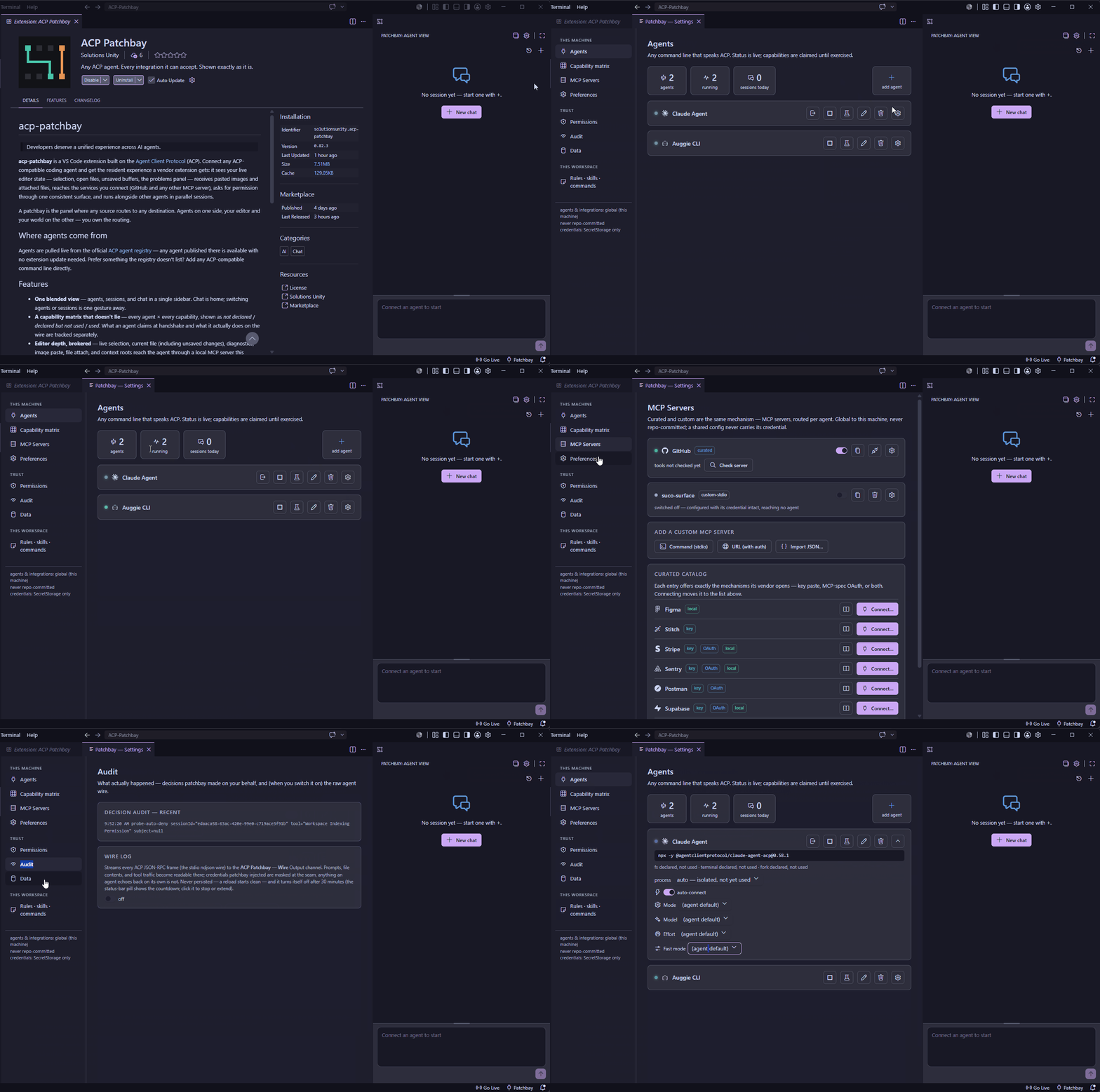
1. Open the **Patchbay** icon in the activity bar.
2. Add an agent in **Settings › Agents** — search the built-in registry or paste
any command line that speaks ACP. Adding connects and verifies it in one step.
3. Hit **+** and go — one agent starts directly, several offer a picker, and a
not-yet-running agent connects right in the chat pane. The composer's `/` opens
the agent's own advertised commands; the context adder attaches your selection,
current file, diagnostics, or any other file; pasting an image just works.
Settings (gear icon) is where the capability matrix, integrations, permission
rules, and agent / session / rules-skills-commands management live.
## Uninstalling cleanly
VS Code has no uninstall hook, and secrets can survive uninstall — so a clean
slate is an explicit act: **Settings → Permissions → "Disconnect & erase all
data"** stops every agent and deletes everything patchbay stored on this machine
(configs, credentials, caches, rules, the audit). Run it *before* uninstalling. It
covers the current window's workspace records and deletes by the current config
lists — so run it while those configs still exist.
## License
Licensed under the [Apache License 2.0](LICENSE). Copyright © 2026
[Solutions Unity](https://solutionsunity.com). See [NOTICE](NOTICE) for attribution.
Source: [github.com/solutionsunity/acp-patchbay](https://github.com/solutionsunity/acp-patchbay).

 MCP Store