

Content
="center" id="trendradar">
<a href="https://github.com/sansan0/TrendRadar" title="TrendRadar">
<img src="/_image/banner.webp" alt="TrendRadar Banner" width="80%">
</a>
Fastest <strong>30 seconds</strong> deployment of hot spot assistant - Say goodbye to invalid brushing, only read the news information you really care about
<a href="https://trendshift.io/repositories/14726" target="_blank"><img src="https://trendshift.io/api/badge/repositories/14726" alt="sansan0%2FTrendRadar | Trendshift"width: 250px; height: 55px;" width" height="55"/></a>
[](https.com/sansan0/TrendRadar/stargazers)
[](https://github.com/sansan0/TrendRadar/network/members)
[
[](https://github.com/s0/TrendRadar)
[](https://github.com/sansan0/TrendRadar)
[](https://github.com/sansan0/TrendRadar)
[](https://github.com/sansan0/TrendRadar)
[](https://work.weixin.qq.com/)
[](https://weixin.qq.com/)
[](https://telegram.org/)
[](#)
[](https://www.feishu.cn/)
[](#)
[](https://github.com/binwiederhier/ntfy)
[](https://github.com/Finb/Bark)
[](https://slack.com/)
[](#)
[](https://github.com/sansan0/TrendRadar)
[](https://sansan0.github.io/TrendRadar)
[](https://hub.docker.com/r/wantcat/trendradar)
[](https://modelcontextprotocol.io/)
[](#)
[](#)
</div>
<div align="center">
**English** | **[English](README-EN.md)**
</div>
> This project aims to be lightweight and easy to deploy
<br>
## 📑 Quick Navigation
> 💡 **Click the link below** to quickly jump to the corresponding section. It is recommended to start with "**Quick Start**" for deployment, and for detailed customization, please refer to "**Configuration Details**".
<div align="center">
| | | |
|:---:|:---:|:---:|
| [🚀 **Quick Start**](#-quick-start) | [AI Intelligent Analysisai-intelligent-analysis) | [⚙️ **Configuration Details**](#configuration-details) |
| [Docker Deployment](#6-docker-deployment) | [MCP Client](#-mcp-client) | [📝 **Update Log**](#-update-log) |
| [🎯 **Core Features**](#-) | [☕ **Support Projects**](#-support-projects) | [📚 **Project Related**](#-project-related) |
</div>
<br>
- Thanks to the audience who **starred** the project, **forked** as you wish, and **starred** as I wish, both best support for the open-source spirit.
<details>
<summary>👉 Click to expand: <strong>Acknowledgments List</strong> (Honor List 🔥73+🔥 contributors)</summary>
### Early Supporters Acknowledgments
> Special Note**:
>
> 1. **About the List**: The table below records the supporters from the early stages (angel round) of the project. Due to manual statistics being cumbersome in the early stages, **there may be omissions or incomplete records, and any omissions are unintentional**.
> 2. **Future Plans**: In order to focus on code and feature iteration, **this list will no longer be manually maintained starting immediately**.
> Regardless of whether your name is on the list, every form of support is the cornerstone of TrendRadar's progress today. 🙏
###
Thanks to **GitHub** for providing free infrastructure, the biggest prerequisite for this project to **fork with one click** and run smoothly.
### Data Support
This project uses the API from the [newsnow](https://github.com/ourongxing/newsnow) project to obtain multi-platform data, and we are especially grateful for the author's service.
After contact, the author expressed no concerns about server pressure, but this is based on his goodwill and trust. Please:
- **Go to the [newsnow project](https://github.com/ourongxing/newsnow) and star it for support**
- When deploying with Docker, please reasonably control the push frequency and avoid overexploitation.
### Promotion Assistance
> Thanks to the following platforms and their recommendations (in chronological order)
- [CoolShell](https://mp.weixin.qq.com/s/fvutkJ_NPUelSW9OGK39aA) - Open-source software recommendation platform
- [LinuxDo Community](https://linux.do/) - A gathering place for tech enthusiasts
- [阮一峰周刊](https://github.com/ruanyf/weekly) - A popular tech weekly newsletter
### Audience Support
> Thanks to **those who have financially supported** us, your generosity has transformed into snacks and drinks beside our keyboards, accompanying every iteration of the project.
>
> **Regarding the return of "One Yuan Appreciation"**:
> With the release of version 5.0.0, the project has entered a new phase. To support the growing API costs and caffeine consumption, the "One Yuan Appreciation" channel has been reopened. Every thought you share will be converted into tokens and motivation in the world of code. 🚀 [Support Us](#-support-the-project)
| Supporter | Amount | Date | Remarks |
| :-----------------: | :------: | :----: | :---------------------------: |
| D*5 | 1.8 * 3 | 2025.11.24 | |
| *鬼 | 1 | 2025.11.17 | |
| *超 | 10 | 2025.11.17 | |
| R*w | 10 | 2025.11.17 | This agent is awesome, brother |
| J*o | 1 | 2025.11.17 | Thanks for open-sourcing, wishing you success |
| *晨 | 8.88 | 2025.11.16 | The project is great, I'm studying and learning |
| *海 | 1 | 2025.11.15 | |
| *德 | 1.99 | 2025.11.15 | |
| *疏 | 8.8 | 2025.11.14 | Thanks for open-sourcing, the project is great, supporting |
| M*e | 10 | 2025.11.14 | Open-sourcing is not easy, thanks for your hard work |
| **柯 | 1 | 2025.11.14 | |
| *云 | 88 | 2025.11.13 | Good project, thanks for open-sourcing |
| *W | 6 | 2025.11.13 | |
| *凯 | 1 | 2025.11.13 | |
| 对*. | 1 | 2025.11.13 | Thanks for your TrendRadar |
| s*y | 1 | 2025.11.13 | |
| **翔 | 10 | 2025.11.13 | Good project, it's a pity we met too late, thanks for open-sourcing! |
| *韦 | 9.9 | 2025.11.13 | TrendRadar is awesome, please have a cup of coffee~ |
| h*p | 5 | 2025.11.12 | Supporting China's open-source power, come on! |
| c*r | 6 | 2025.11.12 | |
| a*n | 5 | 2025.11.12 | |
| 。*c | 1 | 2025.11.12 | Thanks for sharing openly |
| *记 | 1 | 2025.11.11 | |
| *主 | 1 | 2025.11.10 | |
| *了 | 10 | 2025.11.09 | |
| *杰 | 5 | 2025.11.08 | |
| *点 | 8.80 | 2025.11.07 | It's not easy to develop, supporting一下。 |
| Q*Q | 6.66 | 2025.11.07 | Thanks for open-sourcing! |
| C*e | 1 | 2025.11.05 | |
| Peter Fan | 20 | 2025.10.29 | |
| M*n | 1 | 2025.10.27 | Thanks for open-sourcing |
| *许 | 8.88 | 2025.10.23 | Teacher, I'm a newbie, I've been playing around for a few days and still can't get it, seeking guidance |
| Eason | 1 | 2025.10.22 | I haven't figured it out yet, but you're doing a good thing |
| P*n | 1 | 2025.10.20 | |
| *杰 | 1 | 2025.10.19 | |
| *徐 | 1 | 2025.10.18 | |
| *志 | 1 | 2025.10.17 | |
| *😀 | 10 | 2025.10.16 | Appreciate |
| **杰 | 10 | 2025.10.16 | |
| *啸 | 10 | 2025.10.16 | |
| *纪 | 5 | 2025.10.14 | TrendRadar |
| J*d | 1 | 2025.10.14 | Thanks for your tool, it's fun... |
| *H | 1 | 2025.10.14 | |
| 那*O | 10 | 2025.10.13 | |
| *圆 | 1 | 2025.10.13 | |
| P*g | 6 | 2025.10.13 | |
| Ocean | 20 | 2025.10.12 | ...it's really great!!!even for a newbie like me... |
| **培 | 5.2 | 2025.10.2 | github-yzyf1312:open-source万岁 |
| *椿 | 3 | 2025.9.23 | Keep going, it's great |
| *🍍 | 10 | 2025.9.21 | |
| E*f | 1 | 2025.9.20 | |
| *记 | 1 | 2025.9.20 | |
| z*u | 2 | 2025.9.19 | |
| **昊 | 5 | 2025.9.17 | |
| *号 | 1 | 2025.9.15 | |
| T*T | 2 | 2025.9.15 | Appreciate |
| *家 | 10 | 2025.9.10 | |
| *X | 1.11 | 2025.9.3 | |
| *飙 | 20 | 2025.8.31 | From old童, thanks |
| *下 | 1 | 2025.8.30 | |
| 2*D | 88 | 2025.8.13 PM | |
| 2*D | 1 | 2025.8.13 AM | |
| S*o | 1 | 2025.8.05 | Support一下 |
| *侠 | 10 | 2025.8.04 | |
| x*x | 2 | 2025.8.03 | trendRadar good project appreciate |
| *远 | 1 | 2025.8.01 | |
| *邪 | 5 | 2025.8.01 | |
| *梦 | 0.1 | 2025.7.30 | |
| **龙 | 10 | 2025.7.29 | Support一下 |
</details>
<br>
## 🪄 Sponsors
<div align="center">
> **Position Available**
</div>
<br>
<a name="-support-the-project"></a>
### ❤️ Appreciate if you like it
> If TrendRadar has helped you capture value, consider giving it a boost to help it continue to evolve
>
> The amount is arbitrary, and 1 yuan is also an encouragement for open-source. Welcome to leave a message when appreciating (´▽`ʃ♡ƪ)
<div align="center">
| WeChat Appreciation | Alipay Appreciation |
|:---:|:---:|
| <img src="https://cdn-1258574687.cos.ap-shanghai.myqcloud.com/img/%2F2025%2F07%2F17%2F2ae0a88d98079f7e876c2b4dc85233c6-9e8025.JPG" width="240" alt="WeChat Appreciation"> | <img src="https://cdn-1258574687.cos.ap-shanghai.myqcloud.com/img/%2F2025%2F07%2F17%2F1ed4f20ab8e35be51f8e84c94e6e239b4-fe4947.JPG" width="240" alt="Alipay Appreciation"> |
</div>
### 🤝 Secondary Development and Citation
If you use or refer to the ideas or core code of this project in your project, **you are very welcome** to indicate the source and attach a link to this repository in the README or documentation.
This will help with the continued maintenance and development of the community, thank you for your respect and support! ❤️
### 💬 Communication and Feedback
- **GitHub Issues**: Suitable for specific technical issues. Please provide complete information (screenshots, error logs, etc.) when asking questions, which helps with quick positioning.
- **Public Account Communication**: It is recommended to communicate in the comment area under relevant articles. If you need to ask questions in the background, **liking/recommending** the article is the best "knock on the door", I can feel this thought in the background (´▽`ʃ♡ƪ).
- **QQ Group Communication**: Follow the public account and reply " **Communication Group** " to join. Whether you are an AI novice or a hardcore developer, you are welcome here. The group is mainly for mutual assistance and communication, and inspiration collision. Please read the group announcement before joining; when asking questions, describe the problem clearly and attach a screenshot, and group friends will help if they have time, and everyone's practical experience is often faster and more comprehensive than I am 🤝
> **Friendly Reminder**:
> This project is for open-source sharing, not a commercial product. Treating the author as a friend rather than a customer service, the communication efficiency will be higher!
<div align="center">
|Public Account|
|:---:|
| <img src="_image/weixin.png" width="500" title="硅基茶水间"/> |
</div>
<br>
## 📝 Update Log
> **📌 View Latest Updates**: **[Original Repository Update Log](https://github.com/sansan0/TrendRadar?tab=readme-ov-file#-更新日志)** :
- **Tips**: It is recommended to view the [Historical Updates] and clarify the specific [functional content]
### 2026/05/15 - v6.7.0
- **Markdown Export**: The report export drop-down menu adds Markdown format, and a structured text with links can be generated with one click, making it convenient for LLM secondary processing and cross-platform sharing ([#1121](https://github.com/sansan0/TrendRadar/issues/1121))
- **RSS guid Deduplication**: RSS storage adds a guid field, and the deduplication priority is changed to guid > url, solving the problem of duplicate entry into the database due to URL changes
- **Empty Title Protection**: The parser, rendering layer, and translation backfill link increase the empty title bottom logic to ensure that entries without titles can be displayed normally
- **Translation Quality Enhancement**: Translation prompts require retention of numbered order, and empty translation results no longer overwrite the original title
### 2026/02/09 - mcp-v4.0.0
- **🔥 AI Message Direct Push to All Channels**: Let AI-written content push to 9 channels such as Feishu, DingTalk, Telegram, and email with one click, and Markdown automatically adapts to the format of each platform, eliminating the need to worry about format differences
- **New Formatting Strategy Guide**: Add `get_channel_format_guide` tool to tell AI which format each channel supports and what limitations there are, making the generated content better formatted
- **Intelligent Batch Sending**: Ultra-long messages are automatically split according to the byte limit of each channel (Feishu 30KB, DingTalk 20KB, etc.), and the configuration is read from config.yaml
- **Repair Channel Misdetection**: ntfy will no longer report as "configured" due to the default address
- **Code Reuse Optimization**: Batch processing functions directly reuse the core module of trendradar, eliminating duplicate wheel creation
<details>
<summary>👉 Click to expand: <strong>Historical Updates</strong></summary>
### 2026/03/28 - v6.6.0
- **HTML Report Browser Enhancement**: When opening a report in a browser, it can automatically switch to a wide-screen layout, and keyword grouping and independent display areas support Tab quick switching, search box real-time filtering news titles, and the email client still displays the original narrow-screen layout
- **Dark Mode**: One-click switching to deep color theme, automatically remembering preferences, suitable for night reading
- **One-click Copy News**: When hovering over the news serial number, you can copy the title and link, making it easy to share quickly
- **Export Optimization**: The whole page screenshot and segmented screenshot are merged into a drop-down export button, and the layout is automatically restored when taking a screenshot
- **Shortcut System**: Support `W` wide-screen switching, `D` dark mode, `/` search, `?` view shortcut prompts
- **Reading Progress Bar**: The top of the page displays the reading progress in real-time
### 2026/03/12 - v6.5.0
- **AI Intelligent Screening System**: No need to manually set keywords! In `ai_interests.txt`, write down the directions you care about in daily language (e.g., "I want to see AI and new energy-related news"), AI will automatically extract tags and score each piece of news, and only push content that is really relevant to you. If AI screens out problems, it will automatically switch back to keyword matching, and the push will not be interrupted
- **Each Time Period Supports Different Screening Methods and Focus Directions**: Each time period in the Timeline can now be set independently to use what screening method to look at what type of news. For example: in the morning, use "technology keywords" to quickly filter, and in the evening, switch to "financial AI interest description" for in-depth screening - the same system, different time periods to see different content
- **AI Analysis Range Independent of Push**: The data range analyzed by AI can be different from the pushed content. For example, push only sends new messages (to avoid repeated disturbance), but AI analyzes all news on the day (to see the complete trend). Each time period can also be set independently for AI analysis mode
- **AI Screening Intelligent Money-saving**: Analyzed news will not consume duplicate tokens; after changing the interest description, AI automatically judges the change amplitude - small changes only update the affected tags, and large changes are reclassified in full
- **Multi-file Configuration and Tag Isolation**: Custom keyword files are placed in `config/custom/keyword/`, AI interest files are placed in `config/custom/ai/`, and tags generated by different files are independent and do not interfere with each other
- **AI Translation Accurate Control**: You can control whether the hot list, RSS, and independent display area are translated or not, and the area that is not displayed is automatically skipped, without wasting tokens
- **Remote Storage Batch Upload**: Multiple write operations are accumulated and submitted to the cloud at one time, reducing API call times
- **Limit the Number of News Exhibited by Each Group/Tag**: Control the maximum number of news displayed by each group through `max_news_per_keyword`, to avoid a single popular topic occupying the entire push
- **Time Period Conflict Intelligent Detection**: If two time periods have time overlap, the system will automatically report an error and remind you to modify it to avoid configuration conflicts leading to unexpected behavior
- Fix several bugs
### 2026/02/09 - v6.0.0
> **Breaking Change**: Config file upgrade (config.yaml 2.0.0), old `push_window` and `analysis_window` configurations are no longer compatible, please refer to the new config.yaml for migration.
- **Unified Scheduling System**: Added `timeline.yaml`, use a single configuration to control "when to collect / push / AI analyze".
- **5 Preset Templates**: `always_on` (24/7, default), `morning_evening` (morning and evening summaries), `office_hours` (office hours), `night_owl` (night owl), `custom` (custom); also supports adding custom templates under `presets:`, as long as the key is not repeated, and then fill in your template name in config.yaml.
- **Flexible Time Period Configuration**: supports workday/weekend differences,跨午夜时间段, per-period once deduplication.
- **Visual Configuration Editor**:
- Added `timeline.yaml` editing tab, parallel to config.yaml / frequency_words.txt.
- Preset mode card selection: click to switch, automatically synchronize config.yaml's `schedule.preset`.
- Weekly view timeline: 7 days × 24 hours horizontal bar, use color to distinguish push/analysis/collect status.
- Interactive controls: switches, dropdowns, time selectors, modify in real-time and synchronize to left YAML.
- Weekly mapping dropdown selection: dynamically fill in according to daily plan, drag and drop to complete scheduling configuration.
- **AI Prompt Stability Optimization** (ai_analysis_prompt.txt v2.0.0):
- Format specification independent description: extract line breaks/tags/serial numbers/prohibited items from JSON value, as an independent chapter.
- JSON template simplification: field description shortened to one sentence + word limit, reduce AI output format confusion.
- Remove Markdown format in system prompt, consistent with "禁止 Markdown" instruction.
- All JSON fields declared as optional, missing any field will not error, enhance fault tolerance.
- **New Independent Display Area AI Summary** (`ai_analysis.include_standalone`):
- New independent switch, after enabling, AI generates core summary for each standalone source.
- AI analysis and push display decoupling: no need to enable push display in independent display area, AI can also independently analyze complete hot list data.
- Supports hot list platform and RSS source, including ranking/time/trace data.
- Trace analysis linked with `include_rank_timeline`: when enabled, use trace data for in-depth trend analysis, when disabled, based on ranking for simple judgment.
- New `standalone_summaries` JSON field (independent source quick view), all push channels have adapted rendering.
### 2026/01/28 - v5.5.0
> Same as mcp functionality, I didn't create a new repository for this small tool, it's pure front-end, so I'll keep it together.
- Add trendradar's visual configuration editor.
### 2026/02/02 - mcp-v3.2.0
- **New read_article tool**: read a single article body (Markdown format) through Jina AI Reader.
- **New read_articles_batch tool**: batch read multiple articles (up to 5, automatic speed limit).
- **Recommended workflow**: `search_news(query="keyword", include_url=True)` → `read_article(url=...)` read the body.
- **Documentation update**: README-MCP-FAQ.md and README-MCP-FAQ-EN.md add Q19-Q20 article reading related instructions.
### 2026/01/10 - mcp-v3.0.0~v3.1.5
- **Breaking Change**: all tool return values unified to `{success, summary, data, error}` structure.
- **Asynchronous consistency**: all 21 tool functions use `asyncio.to_thread()` to package synchronous calls.
- **MCP Resources**: add 4 resources (platforms, rss-feeds, available-dates, keywords).
- **RSS enhancement**: `get_latest_rss` supports multi-day query (days parameter),跨日期 URL deduplication.
- **Regular expression fix**: `get_trending_topics` supports `/pattern/` regular expression syntax and `display_name`.
- **Cache optimization**: add `make_cache_key()` function, parameter sorting + MD5 hash to ensure consistency.
- **New check_version tool**: supports checking TrendRadar and MCP Server version updates at the same time.
### 2026/01/23 - v5.4.0
- Add independent control function for AI analysis mode, optional follow_report | daily | current | incremental.
- Add AI analysis time window control, support custom running segment and daily frequency limit.
- Add configuration file version management function.
- Fix several bugs.
### 2026/01/19 - v5.3.0
> **Major refactoring: AI module migration to LiteLLM**
- **Unified AI interface**: use LiteLLM instead of manual implementation, support 100+ AI providers.
- **Simplified configuration**: remove `provider` field, use `model: "provider/model_name"` format instead.
- **New features**: automatic retry (`num_retries`), backup model (`fallback_models`).
- **Configuration changes**:
- `ai.provider` → removed (merged into model).
- `ai.base_url` → `ai.api_base`.
- `AI_PROVIDER` environment variable → removed.
- `AI_BASE_URL` environment variable → `AI_API_BASE`.
- **Model format example**:
- DeepSeek: `deepseek/deepseek-chat`.
- OpenAI: `openai/gpt-4o`.
- Gemini: `gemini/gemini-2.5-flash`.
- Anthropic: `anthropic/claude-3-5-sonnet`.
### 2026/01/17 - v5.2.0
> Mainly see config.yaml description.
**🌐 AI Translation Function**
- **Multi-language translation**: support translating push content into any language.
- **Batch translation**: intelligent batch processing, reduce API call times.
- **Custom prompt words**: support custom translation style.
**🔧 Configuration Architecture Optimization**
- **AI model configuration independence**: analysis and translation share model configuration.
- **Regional switch unification**: unified management of regional display.
- **Regional sorting customization**: support custom display order of each region.
**✨ AI Analysis Enhancement**
- **AI analysis embedded HTML**: analysis results directly embedded in HTML report, email notification directly use.
- **Rich-style AI block**: gradient blue background card layout, clear separation of each analysis dimension.
- **Ranking timeline support**: AI can obtain precise ranking of each news at each crawl time point.
- **Sector reorganization (7→4)**: integrate into core hotspot situation, public opinion trend controversy, abnormal and weak signal, and research strategy suggestions.
**🔧 Multi-model Adaptation**
- **General parameter pass-through**: support passing arbitrary advanced parameters to API.
- **Gemini adaptation**: native parameter support, built-in security strategy relaxation.
**🐛 Bug Fix**
- Fix several known issues, improve system stability.
### 2026/01/10 - v5.0.0
> **Development episode**:
> Tribute to the one that accompanied me for more than two years, but after recharging, it popped up `"This organization has been disabled"`.
**✨ Push Content "Five Major Sections" Refactoring**
This update refactors the push message into five major sections:
1. **📊 Hot List News**: full network hotspot aggregation accurately screened according to your keywords.
2. **📰 RSS Subscription**: your personalized subscription source content, support grouping by keyword.
3. **🆕 Newly Added**: real-time capture of new hotspots since the last run (with 🆕 mark).
4. **📋 Independent Display Area**: complete hot list or RSS source display of specified platform, **completely不受关键词过滤限制**.
5. **✨ AI Analysis Section**: in-depth insights driven by AI, including trend overview, heat trend and **extremely important** emotional tendency analysis.
**✨ AI Intelligent Analysis Push Function**
- **AI analysis integration**: use large AI model to deeply analyze push content, automatically generate hotspot trend overview, keyword heat analysis, cross-platform association, potential impact assessment, etc.
- **Emotional tendency analysis**: add in-depth emotional recognition, accurately capture positive/negative, controversy or concern emotions of public opinion.
- **Multi-AI provider support**: support DeepSeek (default, high cost-performance), OpenAI, Google Gemini and any OpenAI compatible interface.
- **Two push modes**: `only_analysis` (only AI analysis), `both` (both push).
- **Custom prompt words**: customize AI analysis role and output format through `config/ai_analysis_prompt.txt` file.
- **Multi-dimensional data analysis**: AI can analyze ranking changes, heat duration, cross-platform performance, trend prediction, etc.
**📋 Independent Display Area Function**
- **Complete hot list display**: complete hot list of specified platform separately displayed,不受关键词过滤影响.
- **RSS independent display**: RSS source content can be completely displayed, suitable for subscription sources with less content.
- **Flexible configuration**: support configuration display platform list, RSS source list, maximum display number.
**📊 Push Experience Refactoring**
- **排版升级**: redesign and unify statistical header of each channel, strengthen block organization, message hierarchy clear at a glance.
- **Configuration simplification**: optimize configuration logic of Feishu and other notification channels, easier to use.
- **Heat trend arrow**: add 🔺 (up), 🔻 (down), ➖ (stable) trend indicator, intuitively display heat change.
- **General Webhook**: support custom Webhook URL and JSON template, easily adapt to Discord, Matrix, IFTTT and other platforms.
**🔧 Configuration Optimization**
- **Frequency word configuration enhancement**: add `[group alias]` syntax, support `#` comment line, configuration clearer (thanks to [@songge8](https://github.com/sansan0/TrendRadar/issues/752) for the suggestion).
- **Environment variable support**: AI analysis related configuration supports environment variable coverage (`AI_API_KEY`, `AI_PROVIDER`, etc.).
> 💡 See detailed configuration tutorial in [让 AI 帮我分析热点](#12-让-ai-帮我分析热点).
### 2026/01/02 - v4.7.0
- **Fix RSS HTML display**: fix rendering issue caused by RSS data format mismatch, now correctly display grouped by keyword.
- **Add regular expression syntax**: keyword configuration supports `/pattern/` regular expression syntax, solve English substring mis-matching problem (e.g., `ai` matches `training`) [📖 View syntax details](#关键词基础语法).
- **Add display name syntax**: use `=> remark` to give a good name to complex regular expressions, push message display clearer (e.g., `/\bai\b/ => AI-related`).
- **No regular expression?** README adds AI-generated regular expression guide, tell ChatGPT/Gemini/DeepSeek what you want to match, let AI help you write.
### 2025/12/30 - mcp-v2.0.0
- **Architecture adjustment**: remove TXT support, unify use SQLite database.
- **RSS query**: add `get_latest_rss`, `search_rss`, `get_rss_feeds_status`.
- **Unified search**: `search_news` supports `include_rss` parameter to search hot list and RSS at the same time.
### 2026/01/01 - v4.6.0
- **Fix RSS HTML display**: merge RSS content into hot list HTML page, display grouped by source.
- **Add display_mode configuration**: support `keyword` (grouped by keyword) and `platform` (grouped by platform) two display modes.
### 2025/12/30 - v4.5.0
- **RSS subscription source support**: add RSS/Atom crawl, grouped by keyword statistics (consistent with hot list format).
- **Storage structure refactoring**: flatten directory structure `output/{type}/{date}.db`.
- **Unified sorting configuration**: `sort_by_position_first` affects both hot list and RSS.
- **Configuration structure refactoring**: `config.yaml` reorganized into 7 logical groups (app, report, notification, storage, platforms, rss, advanced), configuration path clearer.
### 2025/12/26 - mcp-v1.2.0
**MCP module update - optimize toolset, add aggregation comparison function, merge redundant tools:**
- Add `aggregate_news` tool - cross-platform news deduplication aggregation.
- Add `compare_periods` tool - period comparison analysis (weekly/monthly comparison).
- Merge `find_similar_news` + `search_related_news_history` → `find_related_news`.
- Enhance `get_trending_topics` - add `auto_extract` mode to automatically extract hotspots.
- Fix several bugs.
- Synchronously update README-MCP-FAQ.md Chinese and English version (Q1-Q18).
### 2025/12/20 - v4.0.3
- Add URL standardization function to solve duplicate push problem caused by dynamic parameters (e.g., `band_rank`) on some platforms.
- Fix incremental mode detection logic to correctly identify historical titles.
### 2025/12/17 - v4.0.1
- StorageManager adds push record proxy method.
- S3 client switched to virtual-hosted style to improve compatibility (support Tencent Cloud COS and other services).
### 2025/12/13 - mcp-v1.1.0
**MCP module update:**
- Adapt to v4.0.0, also compatible with v3.x data.
- Add storage synchronization tool: `sync_from_remote`, `get_storage_status`, `list_available_dates`.
### 2025/12/13 - v4.0.0
**🎉 Major update: comprehensive refactoring of storage and core architecture**
- **Multi-storage backend support**: introduce new storage module, support local SQLite and remote cloud storage (S3 compatible protocol, e.g., Cloudflare R2), adapt to GitHub Actions, Docker, and local environment.
- **Database structure optimization**: refactor SQLite database table structure to improve data efficiency and query capability.
- **Core code modularization**: split main program logic into multiple modules of trendradar package, significantly improve code maintainability.
- **Enhanced function**: implement date format standardization, data retention strategy, time zone configuration support, time display optimization, and fix remote storage data persistence issue to ensure accuracy of data merging.
- **Cleanup and compatibility**: remove most historical compatibility code, unify data storage and reading method.
### 2025/12/03 - v3.5.0
**🎉 Core function enhancement**
1. **Multi-account push support**
- All push channels (Feishu, Dingding, Enterprise WeChat, Telegram, ntfy, Bark, Slack) support multi-account configuration.
- Use semicolon `;` to separate multiple accounts, e.g., `FEISHU_WEBHOOK_URL=url1;url2`.
- Automatically verify configuration pairing (e.g., Telegram's token and chat_id) quantity consistency.
2. **Push area configuration**
- Customize display order of each area through `display.region_order` (v5.2.0 replaces original `reverse_content_order`).
- Control display of each area through `display.regions` (hot list, new hotspot, RSS, independent display area, AI analysis).
3. **Global filter keyword**
- Add `[GLOBAL_FILTER]` area marker, support global filtering of unwanted content.
- Applicable scenarios: filter advertisements, marketing, low-quality content, etc.
**🐳 Docker double-path HTML generation optimization**
- **Problem fix**: solve issue of `index.html` unable to synchronize to host in Docker environment.
- **Double-path generation**: generate today's summary HTML in two locations.
- `index.html` (project root directory): for GitHub Pages access.
- `output/index.html`: accessible through Docker Volume mount, host machine can directly access.
- **Compatibility**: ensure Docker, GitHub Actions, and local running environment can normally access webpage report.
**🐳 Docker MCP image support**
- Add independent MCP service image `wantcat/trendradar-mcp`.
- Support Docker deployment of AI analysis function, provide service through HTTP interface (port 3333).
- Dual-container architecture: news push service and MCP service run independently, can be expanded and restarted separately.
- See [Docker deployment - MCP service](#6-docker-部署).
**🌐 Web server support**
- Add built-in web server, support accessing generated report through browser.
- Control start/stop through `manage.py` command: `docker exec -it trendradar python manage.py start_webserver`.
- Access address: `http://localhost:8080` (port configurable).
- Security features: static file service, directory restriction, local access.
- Support automatic startup and manual control two modes.
**📖 Documentation optimization**
- Add [How to display push content?](#7-推送内容怎么显示) chapter: customize push style and content.
- Add [When will I be pushed?](#8-什么时候给我推送) chapter: set push time period.
- Add [How often to run?](#9-多久运行一次) chapter: set automatic running frequency.
- Add [Push to multiple groups/devices](#10-推送到多个群设备) chapter: push to multiple receivers at the same time.
- Optimize each configuration section: unified addition of "configuration location" description.
- Simplify quick start configuration description: three core files at a glance.
- Optimize [Docker deployment](#6-docker-部署) chapter: add image description, recommend git clone deployment, reorganize deployment method.
**🔧 Upgrade instructions**:
- **GitHub Fork users**: update `main.py`, `config/config.yaml` (add multi-account push support, no need to modify existing configuration).
- **Multi-account push**: new feature, default not enabled, existing single-account configuration unaffected.
### 2025/11/25 - v3.4.0
**🎉 New Slack Push Support**
1. **Team Collaboration Push Channel**
- Support Slack Incoming Webhooks (a popular team collaboration tool globally)
- Centralized message management, suitable for teams to share hot news
- Support mrkdwn format (bold, links, etc.)
2. **Multiple Deployment Methods**
- GitHub Actions: Configure `SLACK_WEBHOOK_URL` Secret
- Docker: Environment variable `SLACK_WEBHOOK_URL`
- Local Run: `config/config.yaml` configuration file
> 📖 **Detailed Configuration Tutorial**: [Quick Start - Slack Push](#-quick-start)
- Optimized setup-windows.bat and setup-windows-en.bat for a better one-click installation experience for MCP
**🔧 Upgrade Instructions**:
- **GitHub Fork Users**: Update `main.py`, `config/config.yaml`, `.github/workflows/crawler.yml`
### 2025/11/24 - v3.3.0
**🎉 New Bark Push Support**
1. **iOS Exclusive Push Channel**
- Support Bark push (based on APNs, iOS platform)
- Free and open-source, simple and efficient, without ad interference
- Support official servers and self-built servers
2. **Multiple Deployment Methods**
- GitHub Actions: Configure `BARK_URL` Secret
- Docker: Environment variable `BARK_URL`
- Local Run: `config/config.yaml` configuration file
> 📖 **Detailed Configuration Tutorial**: [Quick Start - Bark Push](#-quick-start)
**🐛 Bug Fix**
- Fixed the issue where `ntfy_server_url` configuration in `config.yaml` does not take effect ([#345](https://github.com/sansan0/TrendRadar/issues/345))
**🔧 Upgrade Instructions**:
- **GitHub Fork Users**: Update `main.py`, `config/config.yaml`, `.github/workflows/crawler.yml`
### 2025/11/23 - v3.2.0
**🎯 New Advanced Customization Features**
1. **Keyword Sorting Priority Configuration**
- Support two sorting strategies: heat priority vs. configuration order priority
- Meet different usage scenarios: hot spot tracking or personalized attention
2. **Precise Control of Display Quantity**
- Global configuration: uniformly limit the display quantity of all keywords
- Individual configuration: use `@number` syntax to set a limit for specific keywords
- Effectively control the push length and highlight key content
> 📖 **Detailed Configuration Tutorial**: [Keyword Configuration - Advanced Configuration](#keyword-advanced-configuration)
**🔧 Upgrade Instructions**:
- **GitHub Fork Users**: Update `main.py`, `config/config.yaml`
### 2025/11/18 - mcp-v1.0.2
**MCP Module Update:**
- Optimized the query for today's news to avoid incorrect returns of past dates
### 2025/11/22 - v3.1.1
- **Fixed Data Exception Leading to Crash**: Solved the `'float' object has no attribute 'lower'` error encountered by some users in the GitHub Actions environment
- Added dual protection mechanism: filter invalid titles (None, float, empty string) during data acquisition, and added type check at function call
- Improved system stability to ensure normal operation even when data source returns abnormal format
**Upgrade Instructions** (GitHub Fork Users):
- Must update: `main.py`
- Recommended small version upgrade method: copy and replace the above files
### 2025/11/20 - v3.1.0
- **New Personal WeChat Push Support**: Enterprise WeChat app can push to personal WeChat without installing the Enterprise WeChat APP
- Support two message formats: `markdown` (Enterprise WeChat group robot) and `text` (personal WeChat app)
- Added `WEWORK_MSG_TYPE` environment variable configuration, supporting GitHub Actions, Docker, docker compose and other deployment methods
- `text` mode automatically clears Markdown syntax to provide pure text push effect
- See the "Personal WeChat Push" configuration instructions in the Quick Start
**Upgrade Instructions** (GitHub Fork Users):
- Must update: `main.py`, `config/config.yaml`
- Optional update: `.github/workflows/crawler.yml` (if using GitHub Actions deployment)
- Recommended small version upgrade method: copy and replace the above files
### 2025/11/12 - v3.0.5
- Fixed the logic error of email sending SSL/TLS port configuration
- Optimized email service providers (QQ/163/126) to use port 465 (SSL) by default
- **Added Docker Environment Variable Support**: core configuration items (`enable_crawler`, `report_mode`, `push_window`, etc.) support coverage through environment variables, solving the issue of NAS users' configuration file modifications not taking effect (see [🐳 Docker Deployment](#-docker-deployment) section)
### 2025/10/26 - mcp-v1.0.1
**MCP Module Update:**
- Fixed date query parameter passing error
- Unified time parameter format for all tools
### 2025/10/31 - v3.0.4
- Solved the error caused by Feishu pushing content that is too long, and implemented batch pushing
### 2025/10/23 - v3.0.3
- Expanded ntfy error message display range
### 2025/10/21 - v3.0.2
- Fixed ntfy push encoding issue
### 2025/10/20 - v3.0.0
**Major Update - AI Analysis Function Launched** ✨
- **Core Features**:
- Added AI analysis server based on MCP (Model Context Protocol)
- Support 17 intelligent analysis tools: basic query, intelligent retrieval, advanced analysis, RSS query, system management
- Natural language interaction: query and analyze news data through dialogue
- Multi-client support: Claude Desktop, Cherry Studio, Cursor, Cline, etc.
- **Analysis Capability**:
- Topic trend analysis (heat tracking, life cycle, hot spot detection, trend prediction)
- Data insight (platform comparison, activity statistics, keyword co-occurrence)
- Sentiment analysis, similar news search, intelligent summary generation
- Historical related news retrieval, multi-mode search
- **Update Reminder**:
- This is an independent AI analysis function, not affecting the existing push function
- Can be used selectively, no need to upgrade the existing deployment
### 2025/10/15 - v2.4.4
- **Update Content**:
- Fixed ntfy push encoding issue + 1
- Fixed push time window judgment problem
- **Update Reminder**:
- Recommended 【minor version upgrade】
### 2025/10/10 - v2.4.3
> Thanks to [nidaye996](https://github.com/sansan0/TrendRadar/issues/98) for discovering the experience issue
- **Update Content**:
- Refactored "silent push mode" to "push time window control", improving function understanding
- Clarified push time window as an optional additional function, can be used with three push modes
- Improved comments and document descriptions for clearer function positioning
- **Update Reminder**:
- This is just a refactoring, no need to upgrade
### 2025/10/8 - v2.4.2
- **Update Content**:
- Fixed ntfy push encoding issue
- Fixed configuration file missing issue
- Optimized ntfy push effect
- Added GitHub page image segment export function
- **Update Reminder**:
- Recommended to use 【major version update】
### 2025/10/2 - v2.4.0
**New ntfy Push Notification**
- **Core Features**:
- Support ntfy.sh public service and self-hosted server
- **Usage Scenarios**:
- Suitable for users pursuing privacy (support self-hosted)
- Cross-platform push (iOS, Android, Desktop, Web)
- No need to register an account (public server)
- Open-source and free (MIT protocol)
- **Update Reminder**:
- Recommended to use 【major version update】
### 2025/09/26 - v2.3.2
- Corrected the email notification configuration check omission issue ([#88](https://github.com/sansan0/TrendRadar/issues/88))
**Fix Description**:
- Solved the problem where even with correct email notification configuration, the system still prompts "no webhook configured"
### 2025/09/22 - v2.3.1
- **New Email Push Function**, support sending hot news reports to email
- **Intelligent SMTP Identification**: automatically identify Gmail, QQ email, Outlook, NetEase email and 10+ email service providers' configurations
- **HTML Format**: email content uses the same HTML format as the web version, with beautiful layout and mobile adaptation
- **Batch Sending Support**: support multiple recipients, separated by commas to send to multiple people at once
- **Custom SMTP**: can customize SMTP server and port
- Fixed Docker build network connection issue
**Usage Instructions**:
- Applicable scenarios: suitable for users who need email archiving, team sharing, and timing reports
- Supported email: Gmail, QQ email, Outlook/Hotmail, 163/126 email, Sina email, Sohu email, etc.
**Update Reminder**:
- This update has many changes, if you want to upgrade, recommended to use 【major version upgrade】
### 2025/09/17 - v2.2.0
- Added one-click save news image function, making it easy to share hot topics
**Usage Instructions**:
- Applicable scenarios: when you enable the web version function (GitHub Pages)
- Usage method: open the web link on your mobile or computer, click the "Save as Image" button on the top of the page
- Actual effect: the system will automatically make the current news report into a beautiful image, save to your mobile photo album or computer desktop
- Sharing convenience: you can directly send the image to friends, post to moments, or share to work groups
### 2025/09/13 - v2.1.2
- Solved the DingTalk push capacity limit issue leading to news push failure (adopted batch push)
### 2025/09/04 - v2.1.1
- Fixed the issue where Docker cannot run normally on certain architectures
- Officially released the official Docker image wantcat/trendradar, supporting multiple architectures
- Optimized Docker deployment process, no need for local build to use quickly
### 2025/08/30 - v2.1.0
**Core Improvement**:
- **Push Logic Optimization**: changed from "each execution pushes" to "controllable push within time window"
- **Time Window Control**: can set push time range to avoid disturbing during non-working hours
- **Push Frequency Optional**: support single push or multiple pushes within a time segment
**Update Reminder**:
- This function is disabled by default, need to manually enable in config.yaml
- Upgrade requires updating main.py and config.yaml files simultaneously
### 2025/08/27 - v2.0.4
- This version is not a functional fix, but an important reminder
- Please keep webhooks properly, do not expose them publicly, and do not make them public
- If you deploy this project on GitHub using fork, please fill in webhooks in GitHub Secret, not in config.yaml
- If you have exposed webhooks or filled them in config.yaml, please delete and regenerate
### 2025/08/06 - v2.0.3
- Optimized GitHub page web version effect for better mobile usage
### 2025/07/28 - v2.0.2
- Refactored code
- Solved the issue of version number easily being missed and modified
### 2025/07/27 - v2.0.1
**Fix Issues**:
1. Docker shell script newline character CRLF caused execution exception
2. frequency_words.txt empty caused news sending also empty logic issue
- Fixed, when you choose frequency_words.txt empty, will **push all news**, but limited by message push size limit, please make adjustments as follows
- Solution 1: close mobile push, only choose GitHub Pages deployment (this is the best scheme to get complete information, will reorder hot search algorithms you **customize**)
- Solution 2: reduce push platforms, prioritize **WeChat** or **Telegram**, these two push have batch push function (because batch push affects push experience, and only these two platforms have little push capacity, so had to do batch push function, but at least can ensure complete information)
- Solution 3: can combine with solution 2, mode selection current or incremental can effectively reduce one-time push content
### 2025/07/17 - v2.0.0
**Major Refactor**:
- Configuration management refactor: all configurations now managed through `config/config.yaml` file (main.py not split, for easy copy and upgrade)
- Running mode upgrade: support three modes - `daily` (daily summary), `current` (current list), `incremental` (incremental monitoring)
- Docker support: complete Docker deployment scheme, support containerized operation
**Configuration File Description**:
- `config/config.yaml` - main configuration file (application settings, crawler configuration, notification configuration, platform configuration, etc.)
- `config/frequency_words.txt` - keyword configuration (monitoring vocabulary settings)
### 2025/07/09 - v1.4.1
**New Feature**: added incremental push (configured FOCUS_NEW_ONLY at the beginning of main.py), this switch only cares about new topics rather than continuous heat, only sends notifications when new content is available.
**Fix Issues**: certain situations due to news itself containing special symbols caused occasional layout anomalies.
### 2025/06/23 - v1.3.0
WeChat and Telegram push message have length limits, so I use the method of splitting and pushing messages. See documentation for [WeChat](https://developer.work.weixin.qq.com/document/path/91770) and [Telegram](https://core.telegram.org/bots/api)
### 2025/06/21 - v1.2.1
Before this version, old versions not only main.py needs to be copied and replaced, crawler.yml also needs to be copied and replaced
https://github.com/sansan0/TrendRadar/blob/master/.github/workflows/crawler.yml
### 2025/06/19 - v1.2.0
> Thanks to claude research for sorting out platform APIs, allowing me to quickly complete platform adaptation (although the code is more redundant~
1. Support telegram, WeChat, DingTalk push channels, support multi-channel configuration and simultaneous push
### 2025/06/18 - v1.1.0
> **200 star⭐**, continue to help everyone~ Recently, under my "encouragement", many people on my public account like, share, and recommend me, I can see specific account encouragement data in the background, many have become angel wheel old powder (I play public account for more than a month, although registered for seven or eight years ago, belong to early car, late car), but because you did not leave a message or private message me, so I also cannot respond and thank you here, thank you all here!
1. Important update, added weight, the news you see now are the hottest and most concerned appear at the top
2. Update documentation usage, because recently updated many functions, and previous documentation I was lazy to write simple (see below ⚙️ frequency_words.txt complete tutorial)
### 2025/06/16 - v1.0.0
1. Added a project new version update prompt, default open, if you want to close it, you can change "FEISHU_SHOW_VERSION_UPDATE": True in main.py to False
### 2025/06/13+14
1. Removed compatible code, previous fork classmates, direct copy code will display abnormal on that day (will return to normal the next day)
2. feishu and html bottom add a new news display
### 2025/06/09
**100 star⭐**, write a small function for everyone to help~
frequency_words.txt file added a 【must word】function, use + sign
1. Must word syntax as follows:
Tang or Pig must appear in the title at the same time, will be included in the push news
```
+Tang
+Pig
```
2. Filter words have higher priority:
If the title filter words match Tang chant, even if the must words have Tang, it will not display
```
+Tang
!Tang Chant
```
### 2025/06/02
1. **Web** and **Feishu message** support mobile direct jump to news details
2. Optimize display effect + 1
<table>
<tr>
<td align="center">
Before optimization<br>
<img src="_image/before.jpg" alt="Feishu message interface - before optimization" width="400"/>
</td>
<td align="center">
After optimization<br>
<img src="_image/after.jpg" alt="Feishu message interface - after optimization" width="400"/>
</td>
</tr>
</table>
</details>
<br>
## ✨ Core Function
### **Hotspot Aggregation**
- Zhihu
- Douyin
- Bilibili hot search
- Wall Street Journal
- Tieba
- Baidu hot search
- Cai Lian She hot
- Pengpai News
- Phoenix.com
- Today`s Headlines
- Weibo
Default monitoring 11 mainstream platforms, also can add extra platforms
> 💡 Detailed configuration tutorial see [Configuration Details - Platform Configuration](#1-platform-configuration)
### **RSS Feed Support** (v4.5.0 added)
Support RSS/Atom feed capture, grouped by keywords statistics (consistent with hot list format):
- **Unified format**: RSS and hot list use the same keyword matching and display format
- **Simple configuration**: directly add RSS source in `config.yaml`
- **Merge push**: hot list and RSS merge into one message push
- **Freshness filter**: automatically filter old articles exceeding specified days, avoid duplicate push. Support global default days and single source independent settings
**RSS Using with hot list same `frequency_words.txt` for keyword filtering**
### **Visual Configuration Editor**
Provide web-based graphical configuration interface, no need to manually edit YAML files, all configuration items can be modified and exported through the form.
👉 **Online Experience**: [https://sansan0.github.io/TrendRadar/](https://sansan0.github.io/TrendRadar/)
<img src="/_image/editor.png" alt="Visual configuration editor" width="80%">
### **Smart Push Strategy**
**Three Push Modes**:
| Mode | Applicable Scenarios | Push Characteristics |
|------|---------|---------|
| **Daily Summary** | Enterprise managers/Ordinary users | Push all matching news of the day (including previously pushed) on time |
| **Current Hot List** | Self-media people/Content creators | Push current hot list matching news on time (持续在榜的每次都出现) |
| **Incremental Monitoring** | Investors/Traders | Only push new content, with zero repetition |
> 💡 **Quick Selection Guide:**
> - Don't want to see repetitive news → Use `incremental` (Incremental Monitoring)
> - Want to see the complete hot list trend → Use `current` (Current Hot List)
> - Need a daily summary report → Use `daily` (Daily Summary)
>
> For detailed comparison and configuration tutorials, see [Configuration Details - Push Mode Details](#3-push-mode-details)
**Additional Features** (optional):
| Feature | Description | Default |
|------|------|------|
| **Scheduling System** | Arrange from Monday to Sunday: assign different time periods, push modes, and AI analysis strategies for each day. **Each time period can independently set filtering methods (keywords/AI) and focus directions**, realizing different types of news at different times. Built-in 5 presets (always_on / morning_evening / office_hours / night_owl / custom), also customizable. Supports workday/weekend differences,跨午夜时段, per-period去重, time period conflict detection (v6.0.0 + v6.5.0) | morning_evening |
| **Content Order Configuration** | Adjust the display order of each area (hot list, new hot spots, RSS, independent display area, AI analysis) through `display.region_order`; control whether each area is displayed through `display.regions` (v5.2.0) | See configuration file |
| **Display Mode Switching** | `keyword`=group by keyword, `platform`=group by platform (added in v4.6.0) | keyword |
> 💡 For detailed configuration tutorials, see [How does the push content display?](#7-how-does-the-push-content-display) and [When will it push?](#8-when-will-it-push)
### **Precise Content Filtering**
Set personal keywords (e.g., AI, BYD, education policy) to only push relevant hotspots and filter out irrelevant information
> 💡 **Basic Configuration Tutorial**: [Keyword Configuration - Basic Syntax](#keyword-basic-syntax)
>
> 💡 **Advanced Configuration Tutorial**: [Keyword Configuration - Advanced Configuration](#keyword-advanced-configuration)
>
> 💡 You can also not do filtering and push all hotspots completely (leave frequency_words.txt empty)
### **AI Intelligent News Filtering** (added in v6.5.0)
Use natural language to describe your interests, and AI automatically categorizes news, replacing traditional keyword matching
- **Natural Language Interest Description**: Write down your focus directions in `ai_interests.txt` in daily language, without needing to learn keyword syntax
- **Two-Stage Intelligent Processing**: AI extracts structured tags from interest descriptions and then classifies and scores news in batches
- **Score Threshold Control**: Precisely control the push quality through `ai_filter.min_score`, only pushing high-relevance news
- **Automatic Fallback Guarantee**: Automatically fall back to keyword matching when AI filtering fails to ensure uninterrupted pushing
- **Intelligent Label Update**: AI automatically evaluates the change amplitude when interests change and decides incremental or complete reclassification
- **Flexible Switching**: `filter.method` supports `keyword` (default) and `ai` modes, and Timeline can cover by time period
- **Time-Period Personalization**: Different time periods can use different keyword files or AI interest descriptions, e.g., using "technology thesaurus" for quick filtering in the morning and "financial interest" for AI deep filtering in the evening
```yaml
# config.yaml quick enable example
filter:
method: ai # keyword (default) | ai
ai_filter:
min_score: 6 # minimum score threshold for pushing (1-10)
```
> 💡 AI filtering shares model configuration with AI analysis/translation, only needing to configure `ai.api_key` once
### **Hotspot Trend Analysis**
Real-time tracking of news heat changes, allowing you to not only know "what's on the hot search" but also understand "how hotspots evolve"
- **Time Axis Tracking**: Record the complete time span of each news item from its first appearance to its last appearance
- **Heat Change**: Statistics on news ranking changes and frequency of appearance in different time periods
- **New Detection**: Real-time identification of new hotspot topics, marked with 🆕 for first-time reminders
- **Sustainability Analysis**: Distinguish between one-time hotspot topics and continuously fermenting in-depth news
- **Cross-Platform Comparison**: Compare the ranking performance of the same news on different platforms to see differences in media attention
> 💡 For push format descriptions, see [Message Style Description](#5-what-does-the-message-i-receive-look-like)
### **Personalized Hotspot Algorithm**
No longer be led by algorithms from various platforms; TrendRadar rearranges the entire network's hot searches
> 💡 Three ratios can be adjusted, see [Configuration Details - Hotspot Weight Adjustment](#4-hotspot-weight-adjustment)
### **Multi-Channel and Multi-Account Pushing**
Supports **Enterprise WeChat** (+ WeChat push solution), **Feishu**, **DingTalk**, **Telegram**, **Email**, **ntfy**, **Bark**, **Slack**, and **Universal Webhook** (can connect to Discord, IFTTT, and other platforms), with messages directly reaching mobile phones and email
> 💡 For detailed configuration tutorials, see [Push to Multiple Groups/Devices](#10-push-to-multiple-groups-devices)
### **AI Multi-Language Translation** (added in v5.2.0)
Translate push content into any language, breaking language barriers, whether reading domestic hotspots or subscribing to overseas information through RSS
- **One-Click Translation**: Set `ai_translation.enabled: true` and target language in `config.yaml`
- **Multi-Language Support**: Supports English, Korean, Japanese, French, and any other language
- **Intelligent Batch Processing**: Automatically batch translate to reduce API call times and save costs
- **Customizable Style**: Customize translation style and terminology through `ai_translation_prompt.txt`
- **Shared Model Configuration**: Share model settings with AI analysis function using the `ai` configuration section
```yaml
# config.yaml quick enable example
ai_translation:
enabled: true
language: "English" # target language for translation
```
> 💡 Translation function shares model configuration with AI analysis function, only needing to configure `ai.api_key` once for both functions
**RSS Source Reference**: Here are some RSS subscription source collections that can be used as needed
- [awesome-tech-rss](https://github.com/tuan3w/awesome-tech-rss) - Technology, entrepreneurship, programming blogs, and media
- [awesome-rss-feeds](https://github.com/plenaryapp/awesome-rss-feeds) - Mainstream news media RSS collections from various countries
> ⚠️ Some overseas media content may involve sensitive topics, and AI models may refuse to translate; it is recommended to select subscription sources according to actual needs
### **HTML Report Browser Enhancement** (added in v6.6.0)
Open the pushed HTML report in a browser to automatically unlock enhanced experience (email clients are not affected):
- **Wide-Screen Mode**: Desktop automatically switches to 1200px wide-screen layout, fully utilizing screen space
- **Tab Quick Switching**: Keyword grouping and independent display areas support Tab navigation, eliminating long page scrolling
- **Dark Mode**: One-click switch to dark theme, automatically remembering preferences
- **Real-Time Search**: Press `/` to activate the search box and instantly filter news titles
- **One-Click Copy**: Hover over news serial number to copy title and link
- **Shortcuts**: `W` for wide-screen, `D` for dark mode, `/` for search, `?` for viewing all shortcuts
> 💡 All enhanced functions are based on progressive enhancement; email clients still display the original 600px layout, with no regression
### **Flexible Storage Architecture** (major update in v4.0.0)
**Multi-Storage Backend Support**:
- **Remote Cloud Storage**: Default for GitHub Actions environment, supporting S3 compatible protocol (R2/OSS/COS, etc.), with data stored in the cloud and no repository pollution
- **Local SQLite Database**: Default for Docker/local environment, with completely controllable data
- **Automatic Backend Selection**: Intelligent switching of storage methods based on running environment
> 💡 For detailed descriptions, see [Where is the data stored?](#11-where-is-the-data-stored)
### **Multi-Endpoint Deployment**
- **GitHub Actions**: Timed automatic crawling + remote cloud storage (requires sign-in renewal)
- **Docker Deployment**: Supports multi-architecture containerized operation, with local data storage
- **Local Operation**: Direct operation on Windows/Mac/Linux
### **AI Analysis and Pushing** (added in v5.0.0)
Use AI large models to deeply analyze push content and automatically generate hotspot insight reports
- **Intelligent Analysis**: Automatically analyze hotspot trends, keyword heat, cross-platform associations, and potential impacts
- **Multi-Provider**: Based on LiteLLM unified interface, supports 100+ AI providers (DeepSeek, OpenAI, Gemini, Anthropic, local Ollama, etc.), with backup model automatic switching
- **Independent Analysis Mode**: AI's analysis scope can differ from pushing - pushing only sends new messages (avoiding disturbance), but AI can analyze all news of the day (seeing complete trends)
- **Flexible Pushing**: Optional only original content, only AI analysis, or both
- **Customizable Prompt Words**: Customize analysis angles through `config/ai_analysis_prompt.txt`
> 💡 For detailed configuration tutorials, see [Let AI help me analyze hotspots](#12-let-ai-help-me-analyze-hotspots)
### **Independent Display Area** (added in v5.0.0)
Provide complete hot list display for specified platforms, unaffected by keyword filtering
- **Complete Hot List**: Complete hot list display for specified platforms, suitable for users wanting to see complete rankings
- **RSS Independent Display**: RSS source content can be completely displayed, unrestricted by keywords
- **AI Deep Analysis**: Can independently enable AI for complete hot list trend analysis, without needing to display in pushing
- **Flexible Configuration**: Supports configuration of display platforms, RSS sources, and maximum number of entries
> 💡 For detailed configuration tutorials, see [How does the push content display? - Independent Display Area](#7-how-does-the-push-content-display)
### **AI Intelligent Analysis** (added in v3.0.0)
AI dialogue analysis system based on MCP (Model Context Protocol), allowing deep excavation of news data using natural language
> **💡 Usage Tips**: AI function requires local news data support
> - Project comes with test data for immediate experience
> - It is recommended to deploy and run the project yourself to obtain more real-time data
>
> See [AI Intelligent Analysis](#-ai-intelligent-analysis) for details
### **Webpage Deployment**
Run and generate `index.html` in the root directory, which is a complete news report page
> **Deployment Method**: Click **Use this template** to create a repository and deploy to Cloudflare Pages or GitHub Pages and other static hosting platforms
>
> **💡 Tips**: Enable GitHub Pages to obtain an online access address; go to repository Settings → Pages to enable. [Effect Preview](https://sansan0.github.io/TrendRadar/)
>
> ⚠️ Original GitHub Actions automatic storage function has been discontinued (this solution once caused GitHub server load to be too high, affecting platform stability)
### **Reduce APP Dependence**
From being bound by recommended algorithms to actively obtaining desired information
**Suitable Groups**: Investors, self-media people, enterprise public relations, and ordinary users concerned about current events
**Typical Scenarios**: Stock market investment monitoring, brand reputation tracking, industry dynamic attention, and life information acquisition
| Webpage Effect (Email Push Effect) | Feishu Push Effect | AI Analysis Push Effect |
|:---:|:---:|:---:|
|  |  |  |
<br>
## 🚀 Quick Start
> **Reminder**: It is recommended to **[check the latest official documentation](https://github.com/sansan0/TrendRadar?tab=readme-ov-file)** to ensure configuration steps are the latest.
### Please Choose a Suitable Deployment Method
#### 🅰️ Option 1: Docker Deployment (Recommended 🔥)
* **Characteristics**: More stable than GitHub Actions, with local data storage (no need for cloud storage configuration)
* **Applicable**: Those with their own servers, NAS, or long-running computers
* **Note**: You need to read and understand the basic configuration process below and then jump to the Docker tutorial for deployment.
#### 🅱️ Option 2: GitHub Actions Deployment (this section ⬇️)
* **Characteristics**: Serverless, with data stored in **remote cloud storage** (recommended configuration)
* **Applicable**: Users without servers, utilizing GitHub free resources
* **Note**: Cloud storage configuration is required for a complete experience, and regular sign-in renewal is needed
### 1️⃣ Step 1: Obtain Project Code
Click the green **[Use this template]** button on the top right of this repository → Select "Create a new repository".
> ⚠️ Reminder:
> - Subsequent documentation mentions "Fork" as "Use this template"
> - Using Fork may lead to operational abnormalities, see [Issue #606](https://github.com/sansan0/TrendRadar/issues/606)
<br>
### 2️⃣ Step 2: Set up GitHub Secrets
In your forked repository, go to `Settings` > `Secrets and variables` > `Actions` > `New repository secret`
**📌 Important Notes (please read carefully):**
- **One Name corresponds to one Secret**: For each configuration item, click the "New repository secret" button once and fill in a pair of "Name" and "Secret".
- **You won't see the value after saving**: For security reasons, after saving, you can only see the Name when re-editing, but not the Secret content.
- **Do not create names arbitrarily**: The Name of the Secret must **strictly use** the names listed below (such as `WEWORK_WEBHOOK_URL`, `FEISHU_WEBHOOK_URL`, etc.), and cannot be modified or created randomly, otherwise the system will not be able to identify.
- **Multiple platforms can be configured at the same time**: The system will send notifications to all configured platforms.
**Configuration Example:**
<img src="_image/secrets.png" alt="GitHub Secrets Configuration Example"/>
As shown in the figure, each line is a configuration item:
- **Name**: Must use the fixed name listed in the expanded content below (such as `WEWORK_WEBHOOK_URL`).
- **Secret**: Fill in the actual content you obtained from the corresponding platform (such as Webhook address, Token, etc.).
<br>
<details>
<summary>👉 Click to expand: <strong>WeWork Robot</strong> (easiest and quickest configuration)</summary>
<br>
**GitHub Secret Configuration (⚠️ Name must be consistent):**
- **Name**: `WEWORK_WEBHOOK_URL` (please copy and paste this name, don't type it manually)
- **Secret**: Your WeWork robot Webhook address
<br>
**Robot Setting Steps:**
#### Mobile Setting:
1. Open WeWork App → Enter the target internal group chat
2. Click the "..." button in the upper right corner → Select "Message Push"
3. Click "Add" → Enter "TrendRadar"
4. Copy the Webhook address, click Save, and copy the content to configure to the GitHub Secret above
#### PC Setting Process is Similar
</details>
<details>
<summary>👉 Click to expand: <strong>Personal WeChat Push</strong> (based on WeWork application, push to personal WeChat)</summary>
<br>
> Since this solution is based on the plugin mechanism of WeWork, the push style is plain text (without markdown format), but it can be pushed directly to personal WeChat without installing WeWork App.
**GitHub Secret Configuration (⚠️ Name must be consistent):**
- **Name**: `WEWORK_WEBHOOK_URL` (please copy and paste this name, don't type it manually)
- **Secret**: Your WeWork application Webhook address
- **Name**: `WEWORK_MSG_TYPE` (please copy and paste this name, don't type it manually)
- **Secret**: `text`
<br>
**Setting Steps:**
1. Complete the WeWork robot Webhook setting above
2. Add `WEWORK_MSG_TYPE` Secret, set the value to `text`
3. Follow the picture below to operate and associate personal WeChat
4. After configuration, the WeWork App on the mobile phone can be deleted
<img src="_image/wework.png" title="Personal WeChat Push Configuration"/>
**Description**:
- Use the same Webhook address as WeWork robot
- The difference lies in the message format: `text` is plain text, `markdown` is rich text (default)
- Plain text format will automatically remove all markdown syntax (bold, link, etc.)
</details>
<details>
<summary>👉 Click to expand: <strong>Feishu Robot</strong> (message display is relatively friendly)</summary>
<br>
If **AI Analysis** is enabled, Feishu push may occasionally (about 5% probability) have a delay of several minutes (speculated to be the platform's compliance audit for AI-generated content).
**GitHub Secret Configuration (⚠️ Name must be consistent):**
- **Name**: `FEISHU_WEBHOOK_URL` (please copy and paste this name, don't type it manually)
- **Secret**: Your Feishu robot Webhook address (the link starts with https://www.feishu.cn/flow/api/trigger-webhook/********)
<br>
There are two schemes, **Scheme 1** is simple to configure, and **Scheme 2** is complex (but stable push).
Among them, Scheme 1 was discovered and suggested by **ziventian**, thanks to him, it is a personal push by default, and you can also configure group push operation [#97](https://github.com/sansan0/TrendRadar/issues/97),
**Scheme 1:**
> For some people, there are additional operations, otherwise it will report "system error". You need to search for the robot on your mobile phone and then enable the Feishu robot application (this suggestion comes from netizens, you can refer to it)
1. Open https://botbuilder.feishu.cn/home/my-command in your computer browser
2. Click "New Robot Command"
3. Click "Select Trigger", scroll down, and click "Webhook Trigger"
4. You will see the "Webhook Address", copy this link to a local notepad for now, and continue with the next operation
5. Put the following content in "Parameter" and click "Complete"
```json
{
"message_type": "text",
"content": {
"text": "{{content}}"
}
}
```
6. Click "Select Operation" > "Send Message through Official Robot"
7. Fill in the message title as "TrendRadar Hotspot Monitoring"
8. The key part is, click the + button, select "Webhook Trigger", and arrange according to the picture below

9. After configuration, copy the Webhook address in step 4 to the `FEISHU_WEBHOOK_URL` in GitHub Secrets
<br>
**Scheme 2:**
1. Open https://botbuilder.feishu.cn/home/my-app in your computer browser
2. Click "New Robot Application"
3. After entering the created application, click "Process Design" > "Create Process" > "Select Trigger"
4. Scroll down and click "Webhook Trigger"
5. You will see the "Webhook Address", copy this link to a local notepad for now, and continue with the next operation
6. Put the following content in "Parameter" and click "Complete"
```json
{
"message_type": "text",
"content": {
"text": "{{content}}"
}
}
```
7. Click "Select Operation" > "Send Feishu Message", select "Group Message", and then click the input box below, click "My Managed Groups" (if you don't have a group, you can create a group on Feishu App)
8. Fill in the message title as "TrendRadar Hotspot Monitoring"
9. The key part is, click the + button, select "Webhook Trigger", and arrange according to the picture below

10. After configuration, copy the Webhook address in step 5 to the `FEISHU_WEBHOOK_URL` in GitHub Secrets
</details>
<details>
<summary>👉 Click to expand: <strong>DingTalk Robot</strong></summary>
<br>
**GitHub Secret Configuration (⚠️ Name must be consistent):**
- **Name**: `DINGTALK_WEBHOOK_URL` (please copy and paste this name, don't type it manually)
- **Secret**: Your DingTalk robot Webhook address
<br>
**Robot Setting Steps:**
1. **Create Robot (only PC supports)**:
- Open DingTalk PC client, enter the target group chat
- Click the group setting icon (⚙️) → Find "Robot" and open it
- Select "Add Robot" → "Custom"
2. **Configure Robot**:
- Set robot name
- **Security Settings**:
- **Custom Keywords**: Set "hotspot"
3. **Complete Setting**:
- Check the service terms agreement → Click "Complete"
- Copy the obtained Webhook URL
- Configure the URL to `DINGTALK_WEBHOOK_URL` in GitHub Secrets
**Note**: Mobile can only receive messages, cannot create new robots.
</details>
<details>
<summary>👉 Click to expand: <strong>Telegram Bot</strong></summary>
<br>
**GitHub Secret Configuration (⚠️ Name must be consistent):**
- **Name**: `TELEGRAM_BOT_TOKEN` (please copy and paste this name, don't type it manually)
- **Secret**: Your Telegram Bot Token
- **Name**: `TELEGRAM_CHAT_ID` (please copy and paste this name, don't type it manually)
- **Secret**: Your Telegram Chat ID
**Description**: Telegram needs to configure **two** Secrets, please click the "New repository secret" button twice to add
<br>
**Robot Setting Steps:**
1. **Create Robot**:
- Search for `@BotFather` on Telegram (pay attention to case, with blue badge, with about 37849827 monthly users, this is the official one, some fake official accounts please distinguish)
- Send `/newbot` command to create a new robot
- Set robot name (must end with "bot", it's easy to encounter duplicate names, so you have to think of different names)
- Get Bot Token (format like: `123456789:AAHfiqksKZ8WmR2zSjiQ7_v4TMAKdiHm9T0`)
2. **Get Chat ID**:
**Method 1: Get through official API**
- Send a message to your robot
- Visit: `https://api.telegram.org/bot<YourBotToken>/getUpdates`
- Find the number in `"chat":{"id":number}` in the returned JSON
**Method 2: Use third-party tools**
- Search for `@userinfobot` and send `/start`
- Get your user ID as Chat ID
3. **Configure to GitHub**:
- `TELEGRAM_BOT_TOKEN`: Fill in the Bot Token obtained in step 1
- `TELEGRAM_CHAT_ID`: Fill in the Chat ID obtained in step 2
</details>
<details>
<summary>👉 Click to expand: <strong>Email Push</strong> (support all mainstream email)</summary>
<br>
- Precautions: To prevent the email group sending function from being **abused**, the current group sending is that all recipients can see each other's email addresses.
- If you have not configured the email sending experience before, it is not recommended to try
> ⚠️ **Important Configuration Dependency**: Email push requires HTML report file. Please ensure that `storage.formats.html` in `config/config.yaml` is set to `true`:
> ```yaml
> storage:
> formats:
> sqlite: true
> txt: false
> html: true # Must be enabled, otherwise email push will fail
> ```
> If set to `false`, email push will report an error: `Error: HTML file does not exist or is not provided: None`
<br>
**GitHub Secret Configuration (⚠️ Name must be consistent):**
- **Name**: `EMAIL_FROM` (please copy and paste this name, don't type it manually)
- **Secret**: Sender's email address
- **Name**: `EMAIL_PASSWORD` (please copy and paste this name, don't type it manually)
- **Secret**: Email password or authorization code
- **Name**: `EMAIL_TO` (please copy and paste this name, don't type it manually)
- **Secret**: Recipient's email address (multiple recipients separated by English commas, can also be the same as EMAIL_FROM, send to yourself)
- **Name**: `EMAIL_SMTP_SERVER` (optional configuration, please copy and paste this name)
- **Secret**: SMTP server address (can be left blank, the system will automatically identify)
- **Name**: `EMAIL_SMTP_PORT` (optional configuration, please copy and paste this name)
- **Secret**: SMTP port (can be left blank, the system will automatically identify)
**Description**: Email push requires at least **3 required** Secrets (EMAIL_FROM, EMAIL_PASSWORD, EMAIL_TO), the last two are optional configurations
<br>
**Supported Email Service Providers** (automatically identify SMTP configuration):
| Email Service Provider | Domain | SMTP Server | Port | Encryption |
|-----------|------|------------|------|---------|
| **Gmail** | gmail.com | smtp.gmail.com | 587 | TLS |
| **QQ Mail** | qq.com | smtp.qq.com | 465 | SSL |
| **Outlook** | outlook.com | smtp-mail.outlook.com | 587 | TLS |
| **Hotmail** | hotmail.com | smtp-mail.outlook.com | 587 | TLS |
| **Live** | live.com | smtp-mail.outlook.com | 587 | TLS |
| **163 Mail** | 163.com | smtp.163.com | 465 | SSL |
| **126 Mail** | 126.com | smtp.126.com | 465 | SSL |
| **Sina Mail** | sina.com | smtp.sina.com | 465 | SSL |
| **Sohu Mail** | sohu.com | smtp.sohu.com | 465 | SSL |
| **Tianyi Mail** | 189.cn | smtp.189.cn | 465 | SSL |
| **Aliyun Mail** | aliyun.com | smtp.aliyun.com | 465 | TLS |
| **Yandex Mail** | yandex.com | smtp.yandex.com | 465 | TLS |
| **iCloud Mail** | icloud.com | smtp.mail.me.com | 587 | SSL |
> **Automatic Identification**: When using the above email, no need to manually configure `EMAIL_SMTP_SERVER` and `EMAIL_SMTP_PORT`, the system will automatically identify.
>
> **Feedback Description**:
> - If you test successfully with **other email**, welcome to open [Issues](https://github.com/sansan0/TrendRadar/issues) to inform, I will add it to the support list
> - If the above email configuration is incorrect or cannot be used, please open [Issues](https://github.com/sansan0/TrendRadar/issues) to feedback and help improve the project
>
> **Special Thanks**:
> - Thanks to [@DYZYD](https://github.com/DYZYD) for contributing Tianyi Mail (189.cn) configuration and completing self-test ([#291](https://github.com/sansan0/TrendRadar/issues/291))
> - Thanks to [@longzhenren](https://github.com/longzhenren) for contributing Aliyun Mail (aliyun.com) configuration and completing test ([#344](https://github.com/sansan0/TrendRadar/issues/344))
> - Thanks to [@ACANX](https://github.com/ACANX) for contributing Yandex Mail (yandex.com) configuration and completing test ([#663](https://github.com/sansan0/TrendRadar/issues/663))
> - Thanks to [@Sleepy-Tianhao](https://github.com/Sleepy-Tianhao) for contributing iCloud Mail (icloud.com) configuration and completing test ([#728](https://github.com/sansan0/TrendRadar/issues/728))
**Common Email Settings:**
#### QQ Mail:
1. Log in QQ Mail web version → Settings → Account
2. Enable POP3/SMTP service
3. Generate authorization code (16 letters)
4. Fill in authorization code in `EMAIL_PASSWORD`, not QQ password
#### Gmail:
1. Enable two-step verification
2. Generate app-specific password
3. Fill in app-specific password in `EMAIL_PASSWORD`
#### 163/126 Mail:
1. Log in web version → Settings → POP3/SMTP/IMAP
2. Enable SMTP service
3. Set client authorization code
4. Fill in authorization code in `EMAIL_PASSWORD`
<br>
**Advanced Configuration**:
If automatic identification fails, you can manually configure SMTP:
- `EMAIL_SMTP_SERVER`: such as smtp.gmail.com
- `EMAIL_SMTP_PORT`: such as 587 (TLS) or 465 (SSL)
<br>
**If there are multiple recipients (note separated by English commas)**:
- EMAIL_TO="user1@example.com,user2@example.com,user3@example.com"
</details>
<details>
<summary>👉 Click to expand: <strong>ntfy Push</strong> (open source and free, support self-hosting)</summary>
<br>
**Two Usage Methods:**
### Method 1: Free Use (Recommended for Novices) 🆓
**Features**:
- ✅ No need to register an account, use immediately
- ✅ 250 messages per day (enough for 90% users)
- ✅ Topic name is "password" (need to choose a name that is not easy to guess)
- ⚠️ Messages are not encrypted, not suitable for sensitive information, but suitable for non-sensitive information in this project
# Tool List
## Quick Start:
1. **Download ntfy App**:
- Android: [Google Play](https://play.google.com/store/apps/details?id=io.heckel.ntfy) / [F-Droid](https://f-droid.org/en/packages/io.heckel.ntfy/)
- iOS: [App Store](https://apps.apple.com/us/app/ntfy/id1625396347)
- Desktop: Visit [ntfy.sh](https://ntfy.sh)
2. **Subscribe to Topic** (Choose a hard-to-guess name):
```
Suggested format: trendradar-{your initials}-{random number}
Do not use Chinese characters.
✅ Good example: trendradar-zs-8492
❌ Bad example: news, alerts (too easy to guess)
```
3. **Configure GitHub Secret (⚠️ Name must match exactly)**:
- **Name**: `NTFY_TOPIC` (copy and paste this name, do not type manually)
- **Secret**: Fill in the topic name you just subscribed to.
- **Name**: `NTFY_SERVER_URL` (optional configuration, copy and paste this name)
- **Secret**: Leave blank (default uses ntfy.sh)
- **Name**: `NTFY_TOKEN` (optional configuration, copy and paste this name)
- **Secret**: Leave blank.
**Note**: ntfy requires at least one required Secret (NTFY_TOPIC), and the last two are optional configurations.
4. **Test**:
```bash
curl -d "Test message" ntfy.sh/your_topic_name
```
---
### Method 2: Self-Hosting (Complete Privacy Control) 🔒
**Suitable for**: Those with servers, pursuing complete privacy, and having strong technical skills.
**Advantages**:
- ✅ Completely open-source (Apache 2.0 + GPLv2)
- ✅ Data completely under your control
- ✅ No restrictions
- ✅ Zero cost
**One-Click Deployment with Docker**:
```bash
docker run -d \
--name ntfy \
-p 80:80 \
-v /var/cache/ntfy:/var/cache/ntfy \
binwiederhier/ntfy \
serve --cache-file /var/cache/ntfy/cache.db
```
**Configure TrendRadar**:
```yaml
NTFY_SERVER_URL: https://ntfy.yourdomain.com
NTFY_TOPIC: trendradar-alerts # Simple name available for self-hosting
NTFY_TOKEN: tk_your_token # Optional: enable access control
```
**Subscribe in App**:
- Click "Use another server"
- Enter your server address
- Enter topic name
- (Optional) Enter login credentials
---
## Frequently Asked Questions:
<details>
<summary><strong>Q1: Is the free version sufficient?</strong></summary>
250 messages per day are enough for most users. Calculated at 30 minutes per fetch, there are about 48 pushes per day, which is sufficient.
</details>
<details>
<summary><strong>Q2: Is the topic name really secure?</strong></summary>
If you choose a random, long enough name (like `trendradar-zs-8492-news`), brute-force cracking is almost impossible:
- ntfy has strict rate limiting (1 request per second)
- 64 character choices (A-Z, a-z, 0-9, _, -)
- 10-character random string has 64^10 possibilities (takes years to crack)
</details>
---
## Recommendations:
| User Type | Recommended Solution | Reason |
|---------|---------|------|
| Ordinary Users | Method 1 (Free) | Simple and quick, sufficient |
| Technical Users | Method 2 (Self-Hosting) | Complete control, no restrictions |
| High-Frequency Users | Method 3 (Paid) | Check the official website for this |
## Related Links:
- [ntfy Official Documentation](https://docs.ntfy.sh/)
- [Self-Hosting Tutorial](https://docs.ntfy.sh/install/)
- [GitHub Repository](https://github.com/binwiederhier/ntfy)
</details>
<details>
<summary>👉 Click to expand: <strong>Bark Push</strong> (iOS Exclusive, Simple and Efficient)</summary>
<br>
## GitHub Secret Configuration (⚠️ Name must match exactly):
- **Name**: `BARK_URL` (copy and paste this name, do not type manually)
- **Secret**: Your Bark push URL
<br>
## Bark Introduction:
Bark is a free and open-source push tool for iOS, characterized by simplicity, speed, and no ads.
## Usage:
### Method 1: Use Official Server (Recommended for Beginners) 🆓
1. **Download Bark App**:
- iOS: [App Store](https://apps.apple.com/cn/app/bark-给你的手机发推送/id1403753865)
2. **Get Push URL**:
- Open Bark App
- Copy the push URL displayed on the homepage (format like: `https://api.day.app/your_device_key`)
- Configure the URL to `BARK_URL` in GitHub Secrets.
### Method 2: Self-Build Server (Complete Privacy Control) 🔒
**Suitable for**: Those with servers, pursuing complete privacy, and having strong technical skills.
**One-Click Deployment with Docker**:
```bash
docker run -d \
--name bark-server \
-p 8080:8080 \
finab/bark-server
```
**Configure TrendRadar**:
```yaml
BARK_URL: http://your-server-ip:8080/your_device_key
```
---
## Notes:
- ✅ Bark uses APNs push, with a maximum message size of 4KB
- ✅ Supports automatic batching and pushing, no need to worry about long messages
- ✅ Push format is plain text (automatically removes Markdown syntax)
- ⚠️ Only supports iOS platform
## Related Links:
- [Bark Official Website](https://bark.day.app/)
- [Bark GitHub Repository](https://github.com/Finb/Bark)
- [Bark Server Self-Building Tutorial](https://github.com/Finb/bark-server)
</details>
<details>
<summary>👉 Click to expand: <strong>Slack Push</strong></summary>
<br>
## GitHub Secret Configuration (⚠️ Name must match exactly):
- **Name**: `SLACK_WEBHOOK_URL` (copy and paste this name, do not type manually)
- **Secret**: Your Slack Incoming Webhook URL
<br>
## Slack Introduction:
Slack is a team collaboration tool, and Incoming Webhooks can push messages to Slack channels.
## Setup Steps:
### Step 1: Create Slack App
1. **Access Slack API Page**:
- Open https://api.slack.com/apps?new_app=1
- If not logged in, log in to your Slack workspace
2. **Choose Creation Method**:
- Click **"From scratch"**
3. **Fill in App Information**:
- **App Name**: Fill in the app name (e.g., `TrendRadar` or `Hot News Monitor`)
- **Workspace**: Select your workspace from the dropdown list
- Click **"Create App"**
### Step 2: Enable Incoming Webhooks
1. **Navigate to Incoming Webhooks**:
- Find and click **"Incoming Webhooks"** in the left menu.
2. **Enable Feature**:
- Find **"Activate Incoming Webhooks"** switch
- Switch from `OFF` to `ON`
- The page will refresh automatically to display new configuration options.
### Step 3: Generate Webhook URL
1. **Add New Webhook**:
- Scroll to the bottom of the page
- Click **"Add New Webhook to Workspace"**
2. **Select Target Channel**:
- The authorization page will pop up
- Select the channel to receive messages from the dropdown list (e.g., `#hot-news`)
- ⚠️ If you want to select a private channel, you must be a member of that channel first.
3. **Authorize App**:
- Click **"Allow"** to complete authorization
- The system will automatically jump back to the configuration page.
### Step 4: Copy and Save Webhook URL
1. **View Generated URL**:
- In the "Webhook URLs for Your Workspace" section
- You will see the generated Webhook URL
- Format like: `https://hooks.slack.com/services/<your-webhook-path>`
2. **Copy URL**:
- Click the **"Copy"** button next to the URL
- Or manually select and copy the URL.
3. **Configure to TrendRadar**:
- **GitHub Actions**: Add the URL to `SLACK_WEBHOOK_URL` in GitHub Secrets.
- **Local Testing**: Fill the URL into `config/config.yaml` in the `slack_webhook_url` field.
- **Docker Deployment**: Add the URL to `SLACK_WEBHOOK_URL` in `docker/.env`.
---
## Notes:
- ✅ Supports Markdown format (automatically converted to Slack mrkdwn)
- ✅ Supports automatic batching and pushing (each batch 4KB)
- ✅ Suitable for team collaboration, with centralized message management
- ⚠️ Webhook URL contains secret key, do not expose.
## Message Format Preview:
```
*[Batch 1/2]*
📊 *Hot Word Statistics*
🔥 *[1/3] AI ChatGPT* : 2 messages
1. [Baidu Hot Search] 🆕 ChatGPT-5 officially released *[1]* - 09:15 (1 time)
2. [Toutiao] AI chip concept stocks surge *[3]* - [08:30 ~ 10:45] (3 times)
```
## Related Links:
- [Slack Incoming Webhooks Official Documentation](https://api.slack.com/messaging/webhooks)
- [Slack API App Management](https://api.slack.com/apps)
</details>
<details>
<summary>👉 Click to expand: <strong>Generic Webhook Push</strong> (Supports Discord, Matrix, IFTTT, etc.)</summary>
<br>
## GitHub Secret Configuration (⚠️ Name must match exactly):
- **Name**: `GENERIC_WEBHOOK_URL` (copy and paste this name, do not type manually)
- **Secret**: Your Webhook URL
- **Name**: `GENERIC_WEBHOOK_TEMPLATE` (optional configuration, copy and paste this name)
- **Secret**: JSON template string, supports `{title}` and `{content}` placeholders
<br>
## Generic Webhook Introduction:
Generic Webhook supports any platform that accepts HTTP POST requests, including but not limited to:
- **Discord**: Push to channels via Webhook
- **Matrix**: Push via Webhook bridge
- **IFTTT**: Trigger automation processes
- **Self-Built Service**: Any custom service that supports Webhook
## Configuration Example:
### Discord Configuration
1. **Get Webhook URL**:
- Go to Discord server settings → Integrations → Webhooks
- Create a new Webhook and copy the URL.
2. **Configure Template**:
```json
{"content": "{content}"}
```
3. **GitHub Secret Configuration**:
- `GENERIC_WEBHOOK_URL`: Discord Webhook URL
- `GENERIC_WEBHOOK_TEMPLATE`: `{"content": "{content}"}`
### Custom Template
The template supports two placeholders:
- `{title}` - Message title
- `{content}` - Message content
**Template Example**:
```json
# Default format (use if left blank)
{"title": "{title}", "content": "{content}"}
# Discord format
{"content": "{content}"}
# Custom format
{"text": "{content}", "username": "TrendRadar"}
```
---
## Notes:
- ✅ Supports Markdown format (consistent with Enterprise WeChat format)
- ✅ Supports automatic batching and pushing
- ✅ Supports multi-account configuration (use `;` to separate)
- ⚠️ Template must be a valid JSON format
- ⚠️ Different platforms have different requirements for message format, please refer to the target platform documentation.
</details>
<br>
### Step 3: Manually Test News Push
> ⚠️ Reminder:
> - Complete steps 1-2 and then test immediately! Test successfully before adjusting configurations as needed (step 4).
> - Go to your project, not this project!
## How to Find Your Actions Page:
- **Method 1**: Open your forked project homepage, click the **Actions** tab at the top.
- **Method 2**: Directly access `https://github.com/your_username/TrendRadar/actions`.
## Example Comparison:
- ❌ Author's project: `https://github.com/sansan0/TrendRadar/actions`
- ✅ Your project: `https://github.com/your_username/TrendRadar/actions`
## Test Steps:
1. Enter your project's Actions page.
2. Find **"Get Hot News"** (must be these exact words), click into it, and click the **"Run workflow"** button on the right.
- If you can't see the text, refer to [#109](https://github.com/sansan0/TrendRadar/issues/109) for a solution.
3. Within 3 minutes, the message will be pushed to your configured platform.
<br>
> ⚠️ Reminder:
> - Manual testing should not be too frequent to avoid triggering GitHub Actions limits.
> - After clicking Run workflow, you need to refresh the browser page to see the new run record.
<br>
### Step 4: Configuration Instructions (Optional)
Default configurations are already usable. If you need personalized adjustments, understand the following files:
| File | Function |
|------|------|
| `config/config.yaml` | Main configuration file: push mode, time window, platform list, hot word weight, etc. |
| `config/frequency_words.txt` | Keyword file: set your concerned vocabulary, filter push content |
| `config/ai_analysis_prompt.txt` | AI prompt template: customize AI analyst role and analysis dimensions |
| `.github/workflows/crawler.yml` | Execution frequency: control how often to run (⚠️ be cautious when modifying) |
👉 **Detailed Configuration Tutorial**: [Configuration Details](#configuration-details)
### 5️⃣ Step 5: Remote Cloud Storage & Check-in Configuration
**v4.0.0 Important Change**: Introduced an "activity detection" mechanism, GitHub Actions requires periodic check-ins to maintain operation.
- **Operation Cycle**: Valid for **7 days**, service will automatically suspend after countdown ends.
- **Renewal Method**: Manually trigger "Check In" workflow on Actions page to reset 7-day validity.
- **Operation Path**: `Actions` → `Check In` → `Run workflow`
- **Design Philosophy**:
- If you forget to check in for 7 days, perhaps this information is not essential for you. Timely pauses help you detach from information flow and give your brain a breather.
- GitHub Actions are valuable public computing resources. The check-in mechanism aims to avoid idle computing power and ensure resources are allocated to active and needed users. Thank you for your understanding and support.
---
**About Remote Cloud Storage Configuration (choose based on deployment method):**
- **GitHub Actions Users**:
- **Current Status**: Actions run in a fresh environment each time, no file saving. If cloud storage is not configured, the project will run in **lightweight mode** (no incremental push, no history tracking).
- **Recommendation**: Configure remote cloud storage for a complete experience.
- **Docker / Local Users**:
- **Current Status**: Data is saved locally by default.
- **Recommendation**: Cloud storage is optional and can be used for off-site backup.
<details>
<summary>👉 Click to expand: <strong>Remote Cloud Storage Configuration Tutorial (using Cloudflare R2 as an example)</strong></summary>
<br>
**⚠️ Prerequisites (important):**
According to Cloudflare platform rules, enabling R2 requires binding a payment method.
* **Purpose**: Only for identity verification (Verify Only), **no charges incurred**.
* **Payment**: Supports dual-currency credit cards or mainland China PayPal.
* **Usage**: R2's free quota (10GB storage/month) is sufficient to cover daily operation, no need to worry about payment.
---
**GitHub Secret Configuration (need to add 4 items):**
| Name(Name) | Secret(Value)Description |
|-------------|-----------------|
| `S3_BUCKET_NAME` | Bucket name (e.g., `trendradar-data`) |
| `S3_ACCESS_KEY_ID` | Access key ID (Access Key ID) |
| `S3_SECRET_ACCESS_KEY` | Access key (Secret Access Key) |
| `S3_ENDPOINT_URL` | S3 API endpoint (e.g., R2: `https://<account-id>.r2.cloudflarestorage.com`) |
**Optional Configuration:**
| Name(Name) | Secret(Value)Description |
|-------------|-----------------|
| `S3_REGION` | Region (default `auto`, some service providers may require specification) |
> 💡 **More storage configuration options**: See [Where is the data stored?](#11-where-is-the-data-stored)
<br>
**Detailed operation steps (obtaining credentials):**
1. **Enter R2 Overview**:
- Log in to [Cloudflare Dashboard](https://dash.cloudflare.com/).
- Find and click `R2 object storage` in the left sidebar.
2. **Create a bucket**:
- Click `Overview`.
- Click `Create bucket` in the top right corner.
- Enter a name (e.g., `trendradar-data`) and click `Create bucket`.
3. **Create API token**:
- Go back to the **Overview** page.
- Click `Manage` (Manage R2 API Tokens) at the bottom right.
- You will see `S3 API`: `https://<account-id>.r2.cloudflarestorage.com` (this is S3_ENDPOINT_URL).
- Click `Create Account API token`.
- **⚠️ Critical settings**:
- **Token name**: Fill in arbitrarily (e.g., `github-action-write`).
- **Permissions**: Select `Admin read and write`.
- **Specify bucket**: For security, recommend selecting `For specified buckets only` and select your bucket (e.g., `trendradar-data`).
- Click `Create API token`, **copy immediately** the displayed `Access Key ID` and `Secret Access Key` (only shown once!).
</details>
<br>
### 6️⃣ Step 6: Enable AI Analysis Push
This is a core feature of v5.0.0, allowing AI to summarize and analyze news for you. Try it out.
**Configuration method:**
Add to GitHub Secrets (or `.env` / `config.yaml`):
- `AI_API_KEY`: Your API Key (supports DeepSeek, OpenAI, etc.)
- `AI_PROVIDER`: Service provider name (e.g., `deepseek`, `openai`)
That's it, no complex deployment needed; you'll see intelligent analysis reports in the next push.
<br>
### 7️⃣ Step 7: 🎉 Deployment Successful!
Congratulations! Now you can start enjoying the efficient information flow brought by TrendRadar.
💬 **Join the community**: Welcome to follow the public account "**[硅基茶水间](#-support-project)**" and share your usage experiences and advanced gameplay.
<br>
### 8️⃣ Step 8: Advanced: Choose Your AI Assistant
TrendRadar provides two AI usage methods to meet different needs:
| Feature | ✨ AI Analysis Push | 🧠 AI Intelligent Analysis |
| :--- | :--- | :--- |
| **Mode** | **Passive reception** (daily report) | **Active dialogue** (in-depth research) |
| **Scenario** | "What major events happened today?" | "Analyze the changes in the AI industry over the past week" |
| **Deployment** | Simple (fill in Key) | Advanced (need local operation/Docker) |
| **Client** | Mobile | Computer |
👉 **Conclusion**: Start with **AI Analysis Push** for daily needs; if you're a data analyst or need in-depth mining, try **[AI Intelligent Analysis](#-ai-intelligent-analysis)**.
<br>
<a name="配置详解"></a>
## ⚙️ Configuration Details
> **📖 Reminder**: This section provides detailed configuration instructions. It's recommended to complete the basic configuration of [Quick Start](#-quick-start) first, and then review detailed options as needed.
### 1. Which platforms do I want to watch?
<details id="自定义监控平台">
<summary>👉 Click to expand: <strong>Select information sources</strong></summary>
<br>
**Configuration location:** `config/config.yaml` `platforms` section
This project's information data comes from [newsnow](https://github.com/ourongxing/newsnow). You can click [website](https://newsnow.busiyi.world/), click [more], and check if you want the platform.
Specific additions can be accessed in [project source code](https://github.com/ourongxing/newsnow/tree/main/server/sources). According to the file name, modify the `platforms` configuration in `config/config.yaml`:
```yaml
platforms:
enabled: true # Whether to enable hot list platform crawling
sources:
- id: "toutiao"
name: "Today's Headlines"
- id: "baidu"
name: "Baidu Hot Search"
- id: "wallstreetcn-hot"
name: "Wall Street News"
# Add more platforms...
```
> 💡 **Shortcut**: If you can't read the source code, you can copy others' sorted [platform configuration summary](https://github.com/sansan0/TrendRadar/issues/95)
> ⚠️ **Note**: It's not that the more platforms, the better. It's recommended to choose 10-15 core platforms. Too many platforms will lead to information overload and reduce user experience.
</details>
### 2. What content am I concerned about?
In the `frequency_words.txt` file, tell the robot what you want to see, and it will monitor it for you. Supports multiple gameplay such as ordinary words, must words, filter words, etc.
| Syntax type | Symbol | Effect | Example | Matching logic |
|---------|------|------|------|---------|
| **Ordinary word** | None | Basic matching | `Huawei` | Contains any one |
| **Must word** | `+` | Limit scope | `+mobile` | Must contain simultaneously |
| **Filter word** | `!` | Exclude interference | `!advertisement` | Contains and directly excludes |
| **Quantity limit** | `@` | Control display quantity | `@10` | Display at most 10 news (added in v3.2.0) |
| **Global filter** | `[GLOBAL_FILTER]` | Globally exclude specified content | See below | Filter in any case (added in v3.5.0) |
| **Regular expression** | `/pattern/` | Precise matching mode | `/\bai\b/` | Use regular expression matching (added in v4.7.0) |
| **Display name** | `=> remark` | Custom display text | `/\bai\b/ => AI-related` | Push and HTML display remark name (added in v4.7.0) |
#### 2.1 Basic syntax
<a name="关键词基础语法"></a>
<details>
<summary>👉 Click to expand: <strong>Basic syntax tutorial</strong></summary>
<br>
**Configuration location:** `config/frequency_words.txt`
##### 1. **Ordinary keywords** - Basic matching
```txt
Huawei
OPPO
Apple
```
**Effect:** News titles containing **any one** will be captured
##### 2. **Must word** `+vocabulary` - Limit scope
```txt
Huawei
OPPO
+mobile
```
**Effect:** Must contain ordinary words **and** must words to be captured
##### 3. **Filter word** `!vocabulary` - Exclude interference
```txt
Apple
Huawei
!fruit
!price
```
**Effect:** News containing filter words will be **directly excluded**, even if containing keywords
##### 4. **Quantity limit** `@number` - Control display quantity (added in v3.2.0)
```txt
Tesla
Musk
@5
```
**Effect:** Limit the maximum number of news displayed by the keyword group
**Configuration priority:** `@number` > Global configuration > Not limited
##### 5. **Global filter** `[GLOBAL_FILTER]` - Globally exclude specified content (added in v3.5.0)
```txt
[GLOBAL_FILTER]
advertisement
promotion
marketing
shock
headline party
[WORD_GROUPS]
technology
AI
Huawei
HarmonyOS
!car
```
**Effect:** Filter specified words in any case, **highest priority**
**Usage scenarios:**
- Filter low-quality content: shock, headline party, disclosure, etc.
- Filter marketing content: advertisement, promotion, sponsorship, etc.
- Filter specific topics: entertainment, gossip (according to needs)
**Filter priority:** Global filter > word group filter (`!`) > word group matching
**Area description:**
- `[GLOBAL_FILTER]`: Global filter area, containing words will be filtered in any case
- `[WORD_GROUPS]`: Word group area, keeping existing syntax (`!`, `+`, `@`)
- If not using area markers, default all treated as word groups (backward compatible)
**Matching example:**
```txt
[GLOBAL_FILTER]
advertisement
[WORD_GROUPS]
technology
AI```
- ❌ "advertisement: latest technology product launch" ← Contains global filter word "advertisement", directly rejected
- ✅ "technology company releases AI new product" ← Does not contain global filter word, matches "technology" word group
- ✅ "AI technology breakthrough attracts attention" ← Does not contain global filter word, matches "technology" word group
**Notes:**
- Global filter words should be used cautiously to avoid excessive filtering and missing valuable content
- It is recommended to control global filter words within 5-15
- For specific word group filtering, prioritize using word group filter words (`!` prefix)
##### 6. **Regular expression** `/pattern/` - Precise matching mode (added in v4.7.0)
Ordinary keywords use substring matching, which is convenient in Chinese environments but may cause false matching in English environments. For example, `ai` will match to `ai` in `training`.
Using regular expression syntax `/pattern/` can achieve precise matching:
```txt
/(?<![a-z])ai(?![a-z])/
artificial intelligence
```
**Effect:** Use regular expressions for matching, supporting all Python regular syntax
**Common regular patterns:**
| Demand | Regular expression | Description |
|------|---------|------|
| English word boundary | `/\bword\b/` | Match independent words, such as `/\bai\b/` matches "AI" but not "training" |
| Non-letter before and after | `/(?<![a-z])ai(?![a-z])/` | Loose boundary, suitable for Chinese-English mixed scenarios |
| Start matching | `/^breaking/` | Only match titles starting with "breaking" |
| End matching | `/release$/` | Only match titles ending with "release" |
| Multi-select | `/apple\|huawei\|xiaomi/` | Match any one (note escape `\|`) |
**Matching example:**
```txt
# Configuration
/(?<![a-z])ai(?![a-z])/
artificial intelligence```
- ✅ "AI is the future" ← Match independent "AI"
- ✅ "你好ai这里" ← Before and after are Chinese, match "ai"
- ✅ "人工智能发展迅速" ← Match "artificial intelligence"
- ❌ "Resistance training is important" ← "training" in "ai" does not match
- ❌ "The maid cleaned the room" ← "maid" in "ai" does not match
**Combination use:**
```txt
# Regular + ordinary word + filter word
/\bai\b/
artificial intelligence
machine learning
!advertisement
```
**Notes:**
- Regular expressions automatically enable case-insensitive matching (`re.IGNORECASE`)
- Supports `/pattern/i` and other JavaScript style writing (flags will be ignored because default is case-insensitive)
- Invalid regular syntax will be treated as ordinary words
- Regular can be used for ordinary words, must words (`+`), filter words (`!`)
**💡 Don't write regular expressions? Let AI help you generate!**
If you are not familiar with regular expressions, you can directly let ChatGPT / Gemini / DeepSeek help you generate. Just tell AI:
> I need a Python regular expression to match English words "ai" but not "ai" in "training".
> Please directly give the regular expression in the format `/pattern/`, no need for additional explanation.
AI will give you results like this: `/(?<![a-zA-Z])ai(?![a-zA-Z])/`
##### 7. **Display name** `=> remark` - Custom display text (added in v4.7.0)
Regular expressions in push messages and HTML display may not be friendly. Using `=> remark` syntax can set display names:
```txt
/(?<![a-zA-Z])ai(?![a-zA-Z])/ => AI-related
artificial intelligence```
**Effect:** Push messages and HTML display "AI-related" instead of complex regular expressions
**Syntax format:**
```txt
# Regular + display name
/pattern/ => display name
/pattern/i => display name # Supports flags writing (flags are ignored)
/pattern/=>display name # => spaces optional
# Ordinary word + display name
deepseek => DeepSeek dynamics```
**Matching example:**
```txt
# Configuration
/(?<![a-zA-Z])ai(?![a-zA-Z])/ => AI-related
artificial intelligence```
| Original configuration | Push/HTML display |
|---------|---------------|
| `/(?<![a-z])ai(?![a-z])/` + `artificial intelligence` | `(?<![a-z])ai(?![a-z]) artificial intelligence` |
| `/(?<![a-z])ai(?![a-z])/ => AI-related` + `artificial intelligence` | **`AI-related`** |
**Notes:**
- Display name only needs to be written on the first word of the group
- If multiple words in a group have display names, use the first one
- If no display name is set, automatically use all words in the group
---
#### 🔗 Word group function - The role of empty line separation
**Core rules:** Use **empty lines** to separate different groups, each group independently statistics
##### Example configuration:
```txt
iPhone
Huawei
OPPO
+release
A股
上证
深证
+涨跌
!prediction
世界杯
欧洲杯
亚洲杯
+比赛```
##### Word group explanation and matching effect:
**Group 1 - Mobile product category:**
- Keywords: iPhone, Huawei, OPPO
- Must word: release
- Effect: Must contain mobile brand name and "release"
**Matching example:**
- ✅ "iPhone 15正式发布售价公布" ← Has "iPhone" + "release"
- ✅ "华为Mate60 series release live" ← Has "Huawei" + "release"
- ✅ "OPPO Find X7 release time confirmed" ← Has "OPPO" + "release"
- ❌ "iPhone sales innovation high" ← Has "iPhone" but lacks "release"
**Group 2 - Stock market category:
- Keywords: A股, 上证, 深证
- Must word: 涨跌
- Filter word: prediction
- Effect: Focus on stock market fluctuations
- Match example:
- ✅ "A股今日大幅涨跌分析" ← Has "A股" + "涨跌"
- ✅ "上证指数涨跌幅创新高" ← Has "上证" + "涨跌"
- ❌ "专家预测A股涨跌趋势" ← Has "A股" + "涨跌" but contains "prediction"
**Group 3 - Football match category:**
- Keywords: 世界杯, 欧洲杯, 亚洲杯
- Must word: 比赛
- Effect: Only focus on match-related news
---
#### 📝 Configuration tips
##### 1. **From loose to strict**
```txt
# Step 1: Use loose keywords to test
artificial intelligence
AI
ChatGPT
# Step 2: Find mis-matching, add must words to limit
artificial intelligence
AI
ChatGPT
+technology
# Step 3: Find interference content, add filter words
artificial intelligence
AI
ChatGPT
+technology
!advertisement
!training
```
##### 2. **Avoid overly complex**
❌ **Not recommended:** A keyword group contains too many words
```txt
Huawei
OPPO
Apple
Samsung
vivo
OnePlus
Meizu
+mobile
+release
+sales
!fake
!repair
!second-hand
```
✅ **Recommended:** Split into multiple accurate groups
```txt
Huawei
OPPO
+new product
Apple
Samsung
+release
mobile
sales
+market
```
</details>
#### 2.2 Advanced configuration (added in v3.2.0)
<a name="关键词高级配置"></a>
<details>
<summary>👉 Click to expand: <strong>Advanced configuration tutorial</strong></summary>
<br>
##### Keyword Sorting Priority
**Configuration Location:** `config/config.yaml`
```yaml
report:
sort_by_position_first: false # Sorting priority configuration
```
| Configuration Value | Sorting Rule | Applicable Scenarios |
|--------|---------|---------|
| `false` (default) | Hotspot count ↓ → Configuration position ↑ | Focus on heat trend |
| `true` | Configuration position ↑ → Hotspot count ↓ | Focus on personal priority |
**Example:** Configuration order A, B, C, hotspot count A (3), B (10), C (5)
- `false`: B (10) → C (5) → A (3)
- `true`: A (3) → B (10) → C (5)
##### Global Display Quantity Limit
```yaml
report:
max_news_per_keyword: 10 # Maximum 10 news per keyword (0 = no limit)
```
**Docker Environment Variables:**
```bash
SORT_BY_POSITION_FIRST=true
MAX_NEWS_PER_KEYWORD=10
```
**Comprehensive Example:**
```yaml
# config.yaml
report:
sort_by_position_first: true # Prioritize by configuration order
max_news_per_keyword: 10 # Global default maximum 10 news per keyword
```
```txt
# frequency_words.txt
Tesla
Musk
@20 # High priority, display 20 news (override global configuration)
Huawei # Use global configuration, display 10 news
BYD
@5 # Limit to 5 news
```
**Final Effect:** Display in configuration order Tesla (20) → Huawei (10) → BYD (5)
</details>
### 3. Which Push Mode to Choose?
<details>
<summary>👉 Click to expand: <strong>Detailed comparison of three push modes</strong></summary>
<br>
**Configuration Location:** `report.mode` in `config/config.yaml`
```yaml
report:
mode: "daily" # Options: "daily" | "incremental" | "current"
```
#### Detailed Comparison Table
| Mode | Applicable Users | Push Timing | Display Content | Typical Use Cases |
|------|----------|----------|----------|------------|
| **Daily Summary**<br/>`daily` | 📋 Enterprise managers/ordinary users | Scheduled push (default hourly) | All matching news of the day<br/>+ New news area | **Case**: Check all important news of the day at 6 pm<br/>**Characteristics**: See the complete trend of the whole day, without missing any hotspots<br/>**Reminder**: Includes previously pushed news |
| **Current Hotlist**<br/>`current` | 📰 Self-media people/content creators | Scheduled push (default hourly) | Current hotlist matching news<br/>+ New news area | **Case**: Track "what topics are currently trending"<br/>**Characteristics**: Understand current popularity ranking changes in real-time<br/>**Reminder**: News that continues to be on the list will appear every time |
| **Incremental Monitoring**<br/>`incremental` | 📈 Investors/traders | Push only when new | New matching frequency word news | **Case**: Monitor "Tesla", notify only when new news appears<br/>**Characteristics**: Zero repetition, only see first-time appearing news<br/>**Suitable**: High-frequency monitoring, avoid information disturbance |
#### Actual Push Effect Example
Assuming you monitor the keyword "Apple" and execute it hourly:
| Time | daily Mode Push | current Mode Push | incremental Mode Push |
|-----|--------------|----------------|-------------------|
| 10:00 | News A, News B | News A, News B | News A, News B |
| 11:00 | News A, News B, News C | News B, News C, News D | **Only** News C |
| 12:00 | News A, News B, News C | News C, News D, News E | **Only** News D, News E |
**Description**:
- `daily`: Accumulatively display all news of the day (A, B, C are retained)
- `current`: Display news on the current hotlist (ranking changes, News D on the list, News A off the list)
- `incremental`: **Push only new news** (avoid repetitive interference)
#### Frequently Asked Questions
> **💡 Encounter this problem?** 👉 "Executed once every hour, the news output after the first execution still appears in the next hour"
> - **Reason**: You may have chosen `daily` (daily summary) or `current` (current hotlist) mode
> - **Solution**: Switch to `incremental` (incremental monitoring) mode, push only new content
#### ⚠️ Important Tips for Incremental Mode
> **Users who choose `incremental` (incremental monitoring) mode, please note:**
>
> 📌 **Incremental mode only pushes when new matching news appears**
>
> **If you haven't received a push for a long time, it may be because:**
> 1. No new hotspots appear in the current time period that match your keywords
> 2. Keyword configuration is too strict or too broad
> 3. Monitored platform quantity is small
>
> **Solutions:**
> - Solution 1: 👉 [Optimize keyword configuration](#2-keyword-configuration) - Adjust keyword accuracy, add or modify monitoring vocabulary
> - Solution 2: Switch push mode - Switch to `current` or `daily` mode, can receive push regularly
> - Solution 3: 👉 [Increase monitoring platforms](#1-platform-configuration) - Add more news platforms, expand information sources
</details>
### 4. Adjust Hotspot Algorithm
<details>
<summary>👉 Click to expand: <strong>Custom hotspot weights</strong></summary>
<br>
**Configuration Location:** `advanced.weight` section in `config/config.yaml`
```yaml
advanced:
weight:
rank: 0.6 # Ranking weight
frequency: 0.3 # Frequency weight
hotness: 0.1 # Hotness weight
```
The current default configuration is a balanced configuration
#### Two Core Scenarios
**Pursue Real-time Hotspots**:
```yaml
advanced:
weight:
rank: 0.8 # Mainly look at ranking
frequency: 0.1 # Don't care much about sustainability
hotness: 0.1
```
**Applicable Users**: Self-media bloggers, marketing personnel, users who want to quickly understand current trending topics
**Pursue In-depth Topics**:
```yaml
advanced:
weight:
rank: 0.4 # Moderately look at ranking
frequency: 0.5 # Emphasize intraday sustainability
hotness: 0.1
```
**Applicable Users**: Investors, researchers, news workers, users who need to deeply analyze trends
#### Adjustment Method
1. **The three numbers must add up to 1.0**
2. **Increase the important one**: If you care about ranking, increase `rank`, if you care about sustainability, increase `frequency`
3. **It is recommended to adjust by 0.1-0.2 each time**, observe the effect
Core idea: Users who pursue speed and timeliness increase ranking weight, users who pursue depth and stability increase frequency weight.
</details>
### 5. What Do the Messages I Receive Look Like?
<details>
<summary>👉 Click to expand: <strong>Message style preview</strong></summary>
<br>
#### Push Example
📊 Hotspot vocabulary statistics
🔥 [1/3] AI ChatGPT : 2 news
1. [Baidu Hot Search] 🆕 ChatGPT-5 officially released [**1**] - 09:15 (1 time)
2. [Toutiao] AI chip concept stocks soared [**3**] - [08:30 ~ 10:45] (3 times)
━━━━━━━━━━━━━━━━━━━
📈 [2/3] BYD Tesla : 2 news
1. [Weibo] 🆕 BYD monthly sales hit a record [**2**] - 10:20 (1 time)
2. [Douyin] Tesla price reduction promotion [**4**] - [07:45 ~ 09:15] (2 times)
━━━━━━━━━━━━━━━━━━━
📌 [3/3] A-share Stock Market : 1 news
1. [Wall Street Insights] A-share mid-day review analysis [**5**] - [11:30 ~ 12:00] (2 times)
🆕 **New hotspot news added (2 in total)**
**Baidu Hot Search** (1):
1. ChatGPT-5 officially released [**1**]
**Weibo** (1):
1. BYD monthly sales hit a record [**2**]
Update Time: 2025-01-15 12:30:15
#### Message Format Description
| Format Element | Example | Meaning | Description |
| ------------- | --------------------------- | ------------ | --------------------------------------- |
| 🔥📈📌 | 🔥 [1/3] AI ChatGPT | Heat level | 🔥High heat (≥10) 📈Medium heat (5-9) 📌Ordinary heat (<5) |
| [Serial/Total] | [1/3] | Sorting position | Current word group ranking in all matched word groups |
| Frequency word group | AI ChatGPT | Keyword group | Word group in configuration file, title must contain vocabulary |
| : N news | : 2 news | Matched quantity | Total news matched by the word group |
| [Platform] | [Baidu Hot Search] | Source platform | News platform name |
| 🆕 | 🆕 ChatGPT-5 officially released | New mark | First appearance in this round of crawling |
| [**Number**] | [**1**] | High ranking | Ranking ≤ threshold, red bold display |
| [Number] | [7] | Ordinary ranking | Ranking > threshold, ordinary display |
| - Time | - 09:15 | First time | Time when the news was first discovered |
| [Time~Time] | [08:30 ~ 10:45] | Duration | Time range from first appearance to last appearance |
| (N times) | (3 times) | Appearance frequency | Total times appearing during monitoring |
| **New Area** | 🆕 **New hotspot news added** | New topic summary | New hotspot topics appearing in this round |
</details>
### 6. Docker Deployment
**Image Description:**
TrendRadar provides two independent Docker images, choose one according to your needs:
| Image Name | Purpose | Description |
|---------|------|------|
| `wantcat/trendradar` | News push service | Scheduled crawling news, push notifications (required) |
| `wantcat/trendradar-mcp` | AI analysis service | MCP protocol support, AI dialogue analysis (optional) |
> 💡 **Recommendation**:
> - Only need push function: Deploy `wantcat/trendradar` image only
> - Need AI analysis function: Deploy both images
<details>
<summary>👉 Click to expand: <strong>Complete Docker deployment guide</strong></summary>
<br>
#### Method 1: Using Docker Compose (Recommended)
1. **Create Project Directory and Configuration**:
```bash
# Clone the project to local
git clone https://github.com/sansan0/TrendRadar.git
cd TrendRadar
```
> **Explanation**: The key directory structure required for Docker deployment is as follows:
```
Current Directory/
├── config/
│ ├── config.yaml # Core function configuration (required)
│ ├── frequency_words.txt # Keyword configuration (required)
│ ├── timeline.yaml # Timeline configuration
│ ├── ai_analysis_prompt.txt # AI analysis prompt (optional)
│ ├── ai_translation_prompt.txt # AI translation prompt (optional)
│ ├── ai_interests.txt # AI interest filtering configuration (optional)
│ ├── ai_filter/ # AI filtering related prompts
│ │ ├── prompt.txt
│ │ ├── extract_prompt.txt
│ │ └── update_tags_prompt.txt
│ └── custom/ # User-defined configuration (optional)
│ ├── ai/ # Custom AI prompts
│ └── keyword/ # Custom keyword files
└── docker/
├── .env # Sensitive information + Docker-specific configuration
└── docker-compose.yml # Docker Compose orchestration file
```
2. **Configuration File Instructions**:
**Configuration Division Principle (v4.6.0 optimization)**:
| File | Purpose | Modification Frequency | Description |
|------|------|---------------------|------|
| `config/config.yaml` | **Core Function Configuration** | Low | Report mode, push settings, storage format, push window, AI analysis switch, platform enablement, etc. |
| `config/frequency_words.txt` | **Keyword Configuration** | High | Set hot words of concern, support grouping, regular expressions, aliases, etc. |
| `config/timeline.yaml` | **Timeline Configuration** | Low | Control news timeline display and filtering rules |
| `config/ai_analysis_prompt.txt` | **AI Analysis Prompt** | Medium | Customize AI analysis role definition and output format (v5.0.0+) |
| `config/ai_translation_prompt.txt` | **AI Translation Prompt** | Low | Customize AI translation prompt template |
| `config/ai_interests.txt` | **AI Interest Filtering** | Medium | Define AI-based interest automatic news filtering rules |
| `config/ai_filter/` | **AI Filtering Prompts** | Low | Internal prompts for AI filtering module (generally no need to modify) |
| `config/custom/` | **User-defined Extension** | As needed | `custom/ai/` for custom AI prompts, `custom/keyword/` for custom keyword files |
| `docker/.env` | **Sensitive Information + Docker-specific Configuration** | Low | Webhook URLs, API Key, S3 credentials, scheduled tasks, etc., **not tracked by git** |
> **Division Points**:
> - **Functional Behavior** → Modify `config.yaml` (e.g., enable/disable a platform, adjust push mode)
> - **Content of Concern** → Modify `frequency_words.txt` (e.g., add new keywords of concern)
> - **AI Output Style** → Modify `ai_analysis_prompt.txt` or `ai_translation_prompt.txt`
> - **Credentials and Certificates** → Modify `docker/.env` (sensitive information such as API Key, Webhook URL)
> - **Personalized Extension** → Use `config/custom/` directory to avoid direct modification of default configuration being overwritten by upgrades
> **Configuration Modification Takes Effect**: After modifying `config.yaml`, execute `docker compose up -d` to restart the container to take effect
**⚙️ Environment Variable Override Mechanism (v3.0.5+)**:
Environment variables in `.env` file will override corresponding configurations in `config.yaml`:
| Environment Variable | Corresponding Configuration | Example Value | Description |
|---------|---------|-------|------|
| `WEBSERVER_PORT` | - | `8080` | Web server port |
| `FEISHU_WEBHOOK_URL` | `notification.channels.feishu.webhook_url` | `https://...` | Feishu Webhook (multiple accounts separated by `;`) |
| `AI_ANALYSIS_ENABLED` | `ai_analysis.enabled` | `true` / `false` | Whether to enable AI analysis (added in v5.0.0) |
| `AI_API_KEY` | `ai.api_key` | `sk-xxx...` | AI API Key (shared by `ai_analysis` and `ai_translation`) |
| `AI_PROVIDER` | `ai.provider` | `deepseek` / `openai` / `gemini` | AI provider |
| `S3_*` | `storage.remote.*` | - | Remote storage configuration (5 parameters) |
**Configuration Priority**: Environment variables > config.yaml
**Usage**:
- Modify `.env` file and fill in required configurations
- Or add directly in the environment variable section of NAS/Synology Docker management interface
- Take effect after restarting the container: `docker compose up -d`
3. **Start Service**:
**Option A: Start All Services (Push + AI Analysis)**
```bash
# Pull the latest image
docker compose pull
# Start all services (trendradar + trendradar-mcp)
docker compose up -d
```
**Option B: Start News Push Service Only**
```bash
# Start trendradar only (scheduled crawling and pushing)
docker compose pull trendradar
docker compose up -d trendradar
```
**Option C: Start MCP AI Analysis Service Only**
```bash
# Start trendradar-mcp only (provide AI analysis interface)
docker compose pull trendradar-mcp
docker compose up -d trendradar-mcp
```
> **Tips**:
> - Most users only need to start `trendradar` to achieve news push function
> - Only when using ChatGPT/Gemini for AI dialogue analysis, you need to start `trendradar-mcp`
> - Two services are independent and can be flexibly combined according to needs
4. **View Running Status**:
```bash
# View news push service logs
docker logs -f trendradar
# View MCP AI analysis service logs
docker logs -f trendradar-mcp
# View all container status
docker ps | grep trendradar
# Stop specific service
docker compose stop trendradar # Stop push service
docker compose stop trendradar-mcp # Stop MCP service
```
#### Method 2: Local Build (Developer Option)
If you need to customize and modify code or build your own image:
```bash
# Clone the project
git clone https://github.com/sansan0/TrendRadar.git
cd TrendRadar
# Modify configuration files
vim config/config.yaml
vim config/frequency_words.txt
# Use build version of docker compose
cd docker
cp docker-compose-build.yml docker-compose.yml
```
**Build and Start Service**:
```bash
# Option A: Build and start all services
docker compose build
docker compose up -d
# Option B: Build and start news push service only
docker compose build trendradar
docker compose up -d trendradar
# Option C: Build and start MCP AI analysis service only
docker compose build trendradar-mcp
docker compose up -d trendradar-mcp
```
> **Architecture Parameter Instructions**:
> - Default build `amd64` architecture image (suitable for most x86_64 servers)
> - If you need to build `arm64` architecture (Apple Silicon, Raspberry Pi, etc.), set environment variables:
> ```bash
> export DOCKER_ARCH=arm64
> docker compose build
> ```
#### Image Update
```bash
# Method 1: Manual update (crawler + MCP image)
docker pull wantcat/trendradar:latest
docker pull wantcat/trendradar-mcp:latest
docker compose down
docker compose up -d
# Method 2: Use docker compose to update
docker compose pull
docker compose up -d
```
**Available Images**:
| Image Name | Purpose | Description |
|---------|------|------|
| `wantcat/trendradar` | News push service | Scheduled crawling news, push notifications |
| `wantcat/trendradar-mcp` | MCP service | AI analysis function (optional) |
#### Service Management Commands
```bash
# View running status
docker exec -it trendradar python manage.py status
# Manually execute a crawler
docker exec -it trendradar python manage.py run
# View real-time logs
docker exec -it trendradar python manage.py logs
# Display current configuration
docker exec -it trendradar python manage.py config
# Display output files
docker exec -it trendradar python manage.py files
# Web server management (for browser access to generated reports)
docker exec -it trendradar python manage.py start_webserver # Start web server
docker exec -it trendradar python manage.py stop_webserver # Stop web server
docker exec -it trendradar python manage.py webserver_status # View web server status
# View help information
docker exec -it trendradar python manage.py help
# Restart container
docker restart trendradar
# Stop container
docker stop trendradar
# Delete container (retain data)
docker rm trendradar
```
> **Web Server Instructions**:
> - Automatically started in cron mode, access `http://localhost:8080` through browser to view the latest report
> - Access historical reports through directory navigation (e.g., `http://localhost:8080/2025-xx-xx/`)
> - Port can be configured in `.env` file with `WEBSERVER_PORT` parameter
> - Manual stop: `docker exec -it trendradar python manage.py stop_webserver`
> - Manual start: `docker exec -it trendradar python manage.py start_webserver`
> - Security tips: Only provides static file access, restricted to `output` directory, bound to local access only
#### Data Persistence
Generated reports and data are saved in `./output` directory by default, and data will be retained even if the container is restarted or deleted.
**📊 Web Version Report Access Path**:
TrendRadar generated daily summary HTML report will be saved to two locations:
| File Location | Access Method | Applicable Scenario |
|---------|---------|---------|
| `output/index.html` | Direct access on host machine | **Docker deployment** (visible through Volume mount on host machine) |
| `index.html` | Root directory access | **GitHub Pages** (repository root directory, Pages automatically identified) |
| `output/html/YYYY-MM-DD/daily_summary.html` | Historical report access | All environments (archived by date) |
**Local Access Example**:
```bash
# Method 1: Access through web server (recommended, Docker environment)
# 1. Start web server
docker exec -it trendradar python manage.py start_webserver
# 2. Access in browser
http://localhost:8080 # Access latest report (default index.html)
http://localhost:8080/html/2025-xx-xx/ # Access report for specified date
# Method 2: Open file directly (local environment)
open ./output/index.html # macOS
start ./output/index.html # Windows
xdg-open ./output/index.html # Linux
# Method 3: Access historical archive
open ./output/html/2025-xx-xx/daily_summary.html
```
**Why are there two index.html files?**
- `output/index.html`: Docker Volume mounted to host machine, can be opened directly locally
- `index.html`: GitHub Actions pushed to repository, GitHub Pages automatically deployed
> **Tips**: Two files have the same content, choose either one to access
#### Troubleshooting
```bash
# Check container status
docker inspect trendradar
# View container logs
docker logs --tail 100 trendradar
# Enter container for debugging
docker exec -it trendradar /bin/bash
# Verify configuration file
docker exec -it trendradar ls -la /app/config/
```
#### MCP Service Deployment (AI Analysis Function)
If you need to use AI analysis function, you can deploy an independent MCP service container.
**Architecture Instructions**:
```mermaid
flowchart TB
subgraph trendradar["trendradar"]
A1[Scheduled crawling news]
A2[Push notifications]
end
subgraph trendradar-mcp["trendradar-mcp"]
B1[127.0.0.1:3333]
B2[AI analysis interface]
end
subgraph shared["Shared Volume"]
C1["config/ (ro)"]
C2["output/ (ro)"]
end
trendradar --> shared
trendradar-mcp --> shared
```
**Quick Start**:
If you have already completed deployment according to [Method 1: Using Docker Compose](#method-1-using-docker-compose-recommended), just start MCP service:
```bash
cd TrendRadar/docker
docker compose up -d trendradar-mcp
# View running status
docker ps | grep trendradar-mcp
```
**Start MCP Service Alone** (without using docker compose):
```bash
# Linux/Mac
docker run -d --name trendradar-mcp \
-p 127.0.0.1:3333:3333 \
-v $(pwd)/config:/app/config:ro \
-v $(pwd)/output:/app/output:ro \
-e TZ=Asia/Shanghai \
wantcat/trendradar-mcp:latest
# Windows PowerShell
docker run -d --name trendradar-mcp `
-p 127.0.0.1:3333:3333 `
-v ${PWD}/config:/app/config:ro `
-v ${PWD}/output:/app/output:ro `
-e TZ=Asia/Shanghai `
wantcat/trendradar-mcp:latest
```
> ⚠️ **Attention**: When running alone, ensure that there are `config/` and `output/` folders in the current directory, and they contain configuration files and news data.
**Verify Service**:
```bash
# Check MCP service health status
curl http://127.0.0.1:3333/mcp
```
# Tool List
## Check MCP Service Logs
docker logs -f trendradar-mcp
## Configure in AI Client:
After MCP service starts, configure according to different clients:
### Cherry Studio (Recommended, GUI Configuration):
- Settings → MCP Server → Add
- Type: `streamableHttp`
- URL: `http://127.0.0.1:3333/mcp`
### Claude Desktop / Cline (JSON Configuration):
```json
{
"mcpServers": {
"trendradar": {
"url": "http://127.0.0.1:3333/mcp",
"type": "streamableHttp"
}
}
}
```
> 💡 **Tip**: MCP service only listens to local port (127.0.0.1), ensuring security. If you need remote access, configure a reverse proxy and authentication yourself.
</details>
### 7. How to Display Pushed Content?
<details>
<summary>👉 Click to expand: <strong>Custom Push Style and Content</strong></summary>
<br>
**Configuration Location:** `config/config.yaml` in `report` and `display` sections
```yaml
report:
mode: "daily" # Push mode
display_mode: "keyword" # Display mode (added in v4.6.0)
rank_threshold: 5 # Ranking highlight threshold
sort_by_position_first: false # Sorting priority
max_news_per_keyword: 0 # Maximum news per keyword
display:
region_order: # Region display order (added in v5.2.0)
- new_items # New hotspots region
- hotlist # Hotlist region
- rss # RSS subscription region
- standalone # Independent display area
- ai_analysis # AI analysis region
```
#### Common Configuration Item Description
| What to Adjust | Which Parameter to Modify | Default Value | Description |
|-------------|-------------|-------|------|
| **Push Mode** | `mode` | `daily` | Determines push timing and content, see [Push Mode Details](#3-push-mode-details) |
| **Grouping Method** | `display_mode` | `keyword` | `keyword`=group by keyword (e.g., "AI"), `platform`=group by platform (e.g., "Weibo") |
| **Highlight Key Points** | `rank_threshold` | `5` | News ranking top 5 will be **bolded**, easy to see the hottest ones |
| **Sorting Rule** | `sort_by_position_first` | `false` | `false`=hottest ones on top, `true`=your configured words on top |
| **Quantity Limit** | `max_news_per_keyword` | `0` | How many news per keyword? `0` means no limit |
| **Display Order** | `display.region_order` | See above configuration | Adjust list order to control each region's display position |
#### Grouping Method Comparison (display_mode)
Do you want to see "which news are under this topic" or "which news are on this platform"?
| Mode | Grouping Method | Title Prefix | Applicable Scenario |
|------|---------|---------|---------|
| `keyword` (Default) | **Group by Keyword** | `[Platform Name]` | I follow "AI", want to see AI-related news from various platforms |
| `platform` | **Group by Platform** | `[Keyword]` | I follow "Weibo", want to see news about my followed keywords on Weibo |
#### Region Display Order (region_order)
By adjusting the `display.region_order` list order, you can control the display position of each region in the push message.
**Default Order**: New hotspots → Hotlist → RSS → Independent display area → AI analysis
**Custom Example**: Want AI analysis at the top?
```yaml
display:
region_order:
- ai_analysis # Move to the first line
- new_items
- hotlist
- rss
- standalone
```
**Note**: A region will only be displayed if it meets two conditions:
1. In the `region_order` list
2. The corresponding switch in `display.regions` is `true`
#### Region Switch (regions)
Control whether each region is displayed in the push:
```yaml
display:
regions:
hotlist: true # Hotlist region (keyword-matched hot news)
new_items: false # New hotspots region (including hotlist new + RSS new)
rss: true # RSS subscription region (keyword-matched RSS content)
standalone: false # Independent display area (complete hotlist/RSS, not filtered by keywords)
ai_analysis: true # AI analysis region
```
| Region | Configuration Key | Default Value | Description |
|------|--------|-------|------|
| **Hotlist** | `hotlist` | `true` | Keyword-matched hot news aggregation |
| **New Hotspots** | `new_items` | `false` | Newly appeared hot topics (including hotlist new + RSS new). Note: 🆕 mark in hotlist region is not affected by this switch |
| **RSS** | `rss` | `true` | Keyword-matched RSS subscription content. If closed, skip RSS analysis, but independent display area's RSS is not affected |
| **Independent Display Area** | `standalone` | `false` | Complete content display of specified platforms/RSS, not filtered by keywords |
| **AI Analysis** | `ai_analysis` | `true` | AI-generated hotspot analysis summary |
#### Sorting Priority (sort_by_position_first)
Assume you configured keywords: 1. Tesla, 2. BYD.
Actual popularity: BYD (10 news), Tesla (3 news).
| Configuration Value | Sorting Result | Your Idea |
|-------|---------|---------|
| `false` (Default) | BYD (10 news) → Tesla (3 news) | "Who's hotter on top" |
| `true` | Tesla (3 news) → BYD (10 news) | "My configured order is priority, regardless of popularity" |
#### Independent Display Area (standalone)
**Scenario**: Some platforms (e.g., Zhihu hotlist, HackerNews), I want to **see the complete list**, regardless of matching keywords.
```yaml
display:
regions:
standalone: true # Display independent display area in push (closing does not affect AI analysis)
standalone:
platforms: ["zhihu", "weibo"] # These platforms' hotlists are displayed completely
rss_feeds: ["hacker-news"] # These RSS sources' content is displayed completely
max_items: 20 # Maximum display items
```
> 💡 **Push Display and AI Analysis Independent Control**: `regions.standalone` only controls whether to display the independent display area in push. Even if the push display is closed, AI will still analyze these platforms' complete data if `include_standalone: true` is configured in AI settings.
</details>
### 8. When to Push?
<details>
<summary>👉 Click to expand: <strong>Schedule System</strong></summary>
<br>
**Configuration Location:** `config/config.yaml` in `schedule` section + `config/timeline.yaml`
#### Quick Start
Just select a preset template in `config.yaml`, no need to edit `timeline.yaml`:
```yaml
schedule:
enabled: true
preset: "morning_evening" # Change here
```
#### Optional Preset Templates
| Template Name | Description | Push Behavior |
|-------|------|---------|
| `morning_evening` | Daily incremental + evening summary (recommended) | Incremental throughout the day + evening summary from 19:00-21:00 |
| `always_on` | Always-on monitoring | Push whenever there's an update, no time segment division |
| `office_hours` | Office hours | Three-stage schedule on weekdays (arrival review → mid-day hotspots → end-of-work summary), weekend incremental free push |
| `night_owl` | Night owl | Afternoon review + deep night summary (22:00-01:00跨午夜) |
| `custom` | Completely custom | Edit `timeline.yaml` bottom `custom` section |
#### Completely Custom
If preset templates do not meet your needs, edit `config/timeline.yaml` bottom `custom` section to define time segments, daily plans, and weekly mappings. See `timeline.yaml` file comments for details.
#### Important Reminder
> ⚠️ **Users upgrading from old versions**:
> - v6.0.0 removed old `notification.push_window` and `ai_analysis.analysis_window` configurations
> - Use new `schedule` + `timeline.yaml` scheduling system
> - Old "push once a day" can be replaced with `morning_evening` preset
> - Old "office hours push" can be replaced with `office_hours` preset
> ⚠️ **GitHub Actions Users**:
> - GitHub Actions execution time is unstable, may have ±15 minutes deviation
> - Time segment range suggests leaving at least **2 hours**
> - For precise timing push, recommend using **Docker deployment** on personal servers
</details>
### 9. How Often to Run?
<details>
<summary>👉 Click to expand: <strong>Set Auto-Run Frequency</strong></summary>
<br>
**Configuration Location:** `.github/workflows/crawler.yml` in `schedule` section
```yaml
on:
schedule:
- cron: "0 * * * *" # Run once an hour
```
#### How to Modify Run Frequency?
GitHub Actions uses a "Cron" time format, no need to deeply understand, just copy and replace.
**Configuration Location:** `.github/workflows/crawler.yml` file in `schedule` section
| What I Want... | Copy This Line | Description |
|-----------|------------|------|
| **Once an Hour** | `- cron: "0 * * * *"` | **Default configuration**, runs at minute 0 |
| **Every 30 Minutes** | `- cron: "*/30 * * * *"` | Runs every 30 minutes |
| **Daily at 8:00 AM** | `- cron: "0 0 * * *"` | ⚠️ Write `0` because UTC time (0:00) = Beijing time (8:00) |
| **Office Hours Every Half Hour** | `- cron: "*/30 0-14 * * *"` | Corresponds to Beijing time 8:00 - 22:00 |
| **Three Meals a Day** | `- cron: "0 0,6,12 * * *"` | Corresponds to Beijing time 8:00, 14:00, 20:00 |
#### ⚠️ Two Important Reminders
1. **Time Difference Issue**: GitHub servers are abroad, using UTC time.
- **Simple arithmetic**: Your desired Beijing time **minus 8 hours** = time to fill.
- *Example: Want it to run at 20:00 Beijing time, fill 12:00*
2. **Don't be too frequent**: Suggest interval not less than 30 minutes.
- GitHub free resources are limited, running too frequently may be restricted by official account.
- Actions start-up itself has minutes delay, precise control is meaningless.
#### Step-by-Step Modification
1. In your GitHub repository, find `.github/workflows/crawler.yml` file
2. Click the top-right ✏️ (Edit) button
3. Find `cron: "..."` line, replace content with above "code"
4. Click top-right green **Commit changes** button to save
</details>
### 10. Push to Multiple Groups/Devices
<details>
<summary>👉 Click to expand: <strong>Push to Multiple Receivers Simultaneously</strong></summary>
> ### ⚠️ **Security First**
> **Do not write passwords/Tokens directly in `config.yaml`!**
> If you upload files with passwords to GitHub, the whole world can see them.
>
> **Correct Approach**:
> - **GitHub Actions Users**: Go to Settings -> Secrets to add
> - **Docker Users**: Write in `.env` file (this file will not be uploaded)
#### How to Push to Multiple Places Simultaneously?
Simple, use semicolon `;` to separate multiple addresses.
**Example**:
Assume you have two Feishu groups, want to receive push simultaneously:
- Group 1 address: `https://.../webhook/aaa`
- Group 2 address: `https://.../webhook/bbb`
Configure as:
`https://.../webhook/aaa;https://.../webhook/bbb`
#### Platforms Supporting Multiple Accounts
| Platform | Configuration Method | Notes |
|------|---------|----------|
| **Feishu/Dingtalk/WeChat** | Use `;` to separate multiple Webhook URLs | Easiest, just string them up |
| **Bark (iOS)** | Use `;` to separate multiple Key URLs | Push to multiple iPhones |
| **Telegram** | Token and ChatID both use `;` to separate | ⚠️ **Note order must match**:<br>Token1 corresponds to ChatID1<br>Token2 corresponds to ChatID2 |
| **ntfy** | Topic and Token both use `;` to separate | If a topic does not need a token, leave blank:<br>`token1;;token3` (middle one is blank) |
#### Common Configuration Examples (GitHub Secrets / .env)
```bash
# Feishu push to 3 groups
FEISHU_WEBHOOK_URL=https://hook1...;https://hook2...;https://hook3...
# Dingtalk push to 2 groups
DINGTALK_WEBHOOK_URL=https://oapi...;https://oapi...
# Telegram push to 2 people (note one-to-one correspondence)
TELEGRAM_BOT_TOKEN=tokenA;tokenB
TELEGRAM_CHAT_ID=userA;userB
```
> **Tip**: To prevent abuse, by default, limit each platform to push to 3 accounts. If you need more, modify `MAX_ACCOUNTS_PER_CHANNEL` configuration.
</details>
### 11. Where is Data Stored?
<details id="storage-config">
<summary>👉 Click to expand: <strong>Choose Data Storage Location</strong></summary>
<br>
#### Where will data be stored?
The system will automatically choose the most suitable location for you, you usually don't need to worry:
| Your Running Environment | Data Storage Location | Description |
|-------------|-----------|------|
| **Docker / Local Run** | **Local Hard Drive** | Stored in project directory's `output/` folder, can be viewed anytime. |
| **GitHub Actions** | **Cloud Storage** | Since GitHub Actions will destroy environment after running, a cloud storage (e.g., Cloudflare R2) must be configured. |
#### How to Configure Cloud Storage? (GitHub Actions Users Must Read)
If you use GitHub Actions, you need a "cloud hard drive" to store data. For example, use Cloudflare R2 (because it has free quota).
**Add these 5 variables in GitHub Secrets:**
| Variable Name | What to Fill |
|-------|-------|
| `STORAGE_BACKEND` | `remote` |
| `S3_BUCKET_NAME` | Your storage bucket name |
| `S3_ACCESS_KEY_ID` | Your Access Key |
| `S3_SECRET_ACCESS_KEY` | Your Secret Key |
| `S3_ENDPOINT_URL` | Your R2 interface address |
> 💡 **Detailed Tutorial**: How to apply for R2? See [Quick Start - Remote Storage Configuration](#-quick-start)
#### How Long will Data be Stored?
By default, we won't automatically delete your data. But if you think data takes up too much space, set "auto-cleanup".
**Configuration Location**: `config/config.yaml`
```yaml
storage:
local:
retention_days: 30 # Local data retention for 30 days (0 means permanent)
remote:
retention_days: 30 # Cloud data retention for 30 days
```
#### Push Time Incorrect? (Timezone Setting)
If you're abroad or find push time not matching your local time, modify timezone.
**Configuration Location**: `config/config.yaml`
```yaml
app:
timezone: "Asia/Shanghai" # Default is China time
```
- For example, if you're in Los Angeles, change to: `America/Los_Angeles`
- For example, if you're in London, change to: `Europe/London`
</details>
### 12. Let AI Analyze Hotspots for You?
<details id="ai-analysis-config">
<summary>👉 Click to expand: <strong>Enable AI Analysis</strong></summary>
<br>
#### What can AI do for me?
After enabling this feature, AI will act like a professional analyst, for each batch of news:
1. **Auto-read**: Read all matched hot news
2. **Deep thinking**: Analyze isolated news' associations
3. **Write report**: Append a short, profound "insight report" at the end of push messages
**Includes**: Hotspot trend summary, public opinion analysis, cross-platform association analysis, potential impact assessment, etc.
</details>
#### How to Enable AI Analysis?
The simplest method is through environment variable configuration (recommended GitHub Secrets or .env).
**Required Configurations**:
| Variable Name | What to Fill | Description |
|---------------|--------------|-------------|
| `AI_ANALYSIS_ENABLED` | `true` | Enable Switch |
| `AI_API_KEY` | `sk-xxxxxx` | Your API Key |
| `AI_MODEL` | `deepseek/deepseek-chat` | Model Identifier (Format: `provider/model`) |
**Supported AI Providers** (Based on LiteLLM, supports 100+ providers):
| Provider | What to Fill for AI_MODEL | Description |
|----------|---------------------------|-------------|
| **DeepSeek** (Recommended) | `deepseek/deepseek-chat` | High cost-effectiveness, suitable for high-frequency analysis |
| **OpenAI** | `openai/gpt-4o`<br>`openai/gpt-4o-mini` | GPT-4o Series |
| **Google Gemini** | `gemini/gemini-1.5-flash`<br>`gemini/gemini-1.5-pro` | Gemini Series |
| **Custom API** | Any format | Use with `AI_API_BASE` |
> 💡 **New Feature**: Now unified interface based on [LiteLLM](https://github.com/BerriAI/litellm), supports 100+ AI providers, simpler configuration, and better error handling.
**Optional Configurations**:
| Variable Name | Default Value | Description |
|---------------|--------------|-------------|
| `AI_API_BASE` | (Automatic) | Custom API Address (e.g., OneAPI, local model) |
| `AI_TEMPERATURE` | `1.0` | Sampling Temperature (0-2, higher is more random) |
| `AI_MAX_TOKENS` | `5000` | Maximum generated tokens |
| `AI_TIMEOUT` | `120` | Request timeout time (seconds) |
| `AI_NUM_RETRIES` | `2` | Number of retries on failure |
#### Advanced Play: AI Translation
If you follow foreign RSS sources (like Hacker News), AI can help translate content into Chinese for you.
**Configuration Location**: `config/config.yaml`
```yaml
ai_translation:
enabled: true # Enable translation
language: "Chinese" # Translate into what language (Chinese, English, Japanese...)
```
#### Advanced Play: Custom AI "Persona"
Do you find AI speaking too formally? You can modify its prompt to make it fit your preferred style (e.g., "sarcastic commentator", "experienced investment advisor").
- **Edit File**: `config/ai_analysis_prompt.txt`
- **Edit Method**: Open with a text editor, tell AI what analysis style you want.
</details>
<br>
## ✨ AI Intelligent Analysis
TrendRadar v3.0.0 introduces AI analysis based on **MCP (Model Context Protocol)**, allowing you to converse with news data in natural language for in-depth analysis.
### ⚠️ Read Before Use
**Important Note**: AI functionality requires local news data support.
AI analysis is **not** a direct query of real-time network data but analyzes your **locally accumulated news data** (stored in the `output` folder).
#### Instructions for Use:
1. **Project comes with test data**: The `output` directory contains **2025-12-21~2025-12-27** one week's hot list news data for quick AI feature experience.
2. **Query Limitations**:
- ✅ Can only query data within the existing date range (December 21-27, a total of 7 days).
- ❌ Cannot query real-time news or future dates.
3. **Get Latest Data**:
- Test data is for quick experience; **recommended to deploy the project yourself** to get real-time data.
- Follow the [Quick Start](#-quick-start) deployment and run the project.
- Wait for at least 1 day to accumulate news data before querying the latest hotspots.
### 1. Quick Deployment
Cherry Studio provides a GUI configuration interface for 5-minute quick deployment, making complex parts a one-click installation.
**Graphic Deployment Tutorial**: Updated to my [public account](#-support-the-project), reply "mcp" to get it.
**Detailed Deployment Tutorial**: [README-Cherry-Studio.md](README-Cherry-Studio.md)
**Deployment Mode Instructions**:
- **STDIO Mode (Recommended)**: Configure once and no need to repeat; **graphic deployment tutorial** only uses this mode as an example.
- **HTTP Mode (Alternative)**: If STDIO mode configuration encounters issues, use HTTP mode. The configuration is similar to STDIO but with a one-line paste, less prone to errors. The only difference is that you need to manually start the service before each use. Refer to [README-Cherry-Studio.md](README-Cherry-Studio.md) for details.
### 2. Learning to Chat with AI
**Detailed Dialogue Tutorial**: [README-MCP-FAQ.md](README-MCP-FAQ.md)
> 💡 **Tip**: It's not recommended to ask multiple questions at once. If the AI model you choose can't even handle sequential calls like the figure below, consider changing to another.
<img src="/_image/ai4.png" alt="mcp usage effect diagram" width="600">
<br>
## 🔌 MCP Client
TrendRadar MCP service supports the standard Model Context Protocol (MCP) and can connect to various MCP-supported AI clients for intelligent analysis.
### Supported Clients
**Notes**:
- Replace `/path/to/TrendRadar` with your actual project path.
- Use double backslashes for Windows paths: `C:\\Users\\YourName\\TrendRadar`.
- Remember to restart after saving.
<details>
<summary>👉 Click to expand: <b>Cursor</b></summary>
#### Method 1: HTTP Mode
1. **Start HTTP Service**:
```bash
# Windows
start-http.bat
# Mac/Linux
./start-http.sh
```
2. **Configure Cursor**:
**Project-level Configuration** (Recommended):
Create `.cursor/mcp.json` in the project root directory:
```json
{
"mcpServers": {
"trendradar": {
"url": "http://localhost:3333/mcp",
"description": "TrendRadar News Hotspot Aggregation Analysis"
}
}
}
```
**Global Configuration**:
Create `~/.cursor/mcp.json` (with the same content).
3. **Usage Steps**:
- Save the configuration file and restart Cursor.
- Check the connected tools in the "Available Tools" section of the chat interface.
- Start using: `Search today's "AI" related news`.
#### Method 2: STDIO Mode (Recommended)
Create `.cursor/mcp.json`:
```json
{
"mcpServers": {
"trendradar": {
"command": "uv",
"args": [
"--directory",
"/path/to/TrendRadar",
"run",
"python",
"-m",
"mcp_server.server"
]
}
}
}
```
</details>
<details>
<summary>👉 Click to expand: <b>VSCode (Cline/Continue)</b></summary>
#### Cline Configuration
Add to Cline's MCP settings:
**HTTP Mode**:
```json
{
"trendradar": {
"url": "http://localhost:3333/mcp",
"type": "streamableHttp",
"autoApprove": [],
"disabled": false
}
}
```
**STDIO Mode** (Recommended):
```json
{
"trendradar": {
"command": "uv",
"args": [
"--directory",
"/path/to/TrendRadar",
"run",
"python",
"-m",
"mcp_server.server"
],
"type": "stdio",
"disabled": false
}
}
```
#### Continue Configuration
Edit `~/.continue/config.json`:
```json
{
"experimental": {
"modelContextProtocolServers": [
{
"transport": {
"type": "stdio",
"command": "uv",
"args": [
"--directory",
"/path/to/TrendRadar",
"run",
"python",
"-m",
"mcp_server.server"
]
}
}
]
}
}
```
**Usage Example**:
```
Analyze the heat change trend of "Tesla" in the last 7 days
Generate today's hotspot summary report
Search for news related to "Bitcoin" and analyze sentiment
```
</details>
<details>
<summary>👉 Click to expand: <b>MCP Inspector</b> (Debugging Tool)</summary>
<br>
MCP Inspector is an official debugging tool for testing MCP connections:
#### Usage Steps
1. **Start TrendRadar HTTP Service**:
```bash
# Windows
start-http.bat
# Mac/Linux
./start-http.sh
```
2. **Start MCP Inspector**:
```bash
npx @modelcontextprotocol/inspector
```
3. **Connect in Browser**:
- Visit: `http://localhost:3333/mcp`
- Test "Ping Server" function to verify connection.
- Check "List Tools" to see if 17 tools are returned:
- Basic Query: get_latest_news, get_news_by_date, get_trending_topics
- Intelligent Search: search_news, find_related_news
- Advanced Analysis: analyze_topic_trend, analyze_data_insights, analyze_sentiment, aggregate_news, compare_periods, generate_summary_report
- RSS Query: get_latest_rss, search_rss, get_rss_feeds_status
- System Management: get_current_config, get_system_status, resolve_date_range
</details>
<details>
<summary>👉 Click to expand: <b>Other MCP-supported Clients</b></summary>
<br>
Any client supporting the Model Context Protocol can connect to TrendRadar:
#### HTTP Mode
**Service Address**: `http://localhost:3333/mcp`
**Basic Configuration Template**:
```json
{
"name": "trendradar",
"url": "http://localhost:3333/mcp",
"type": "http",
"description": "News Hotspot Aggregation Analysis"
}
```
#### STDIO Mode (Recommended)
**Basic Configuration Template**:
```json
{
"name": "trendradar",
"command": "uv",
"args": [
"--directory",
"/path/to/TrendRadar",
"run",
"python",
"-m",
"mcp_server.server"
],
"type": "stdio"
}
```
**Notes**:
- Replace `/path/to/TrendRadar` with the actual project path.
- Use backslash escape for Windows paths: `C:\\Users\\...`.
- Ensure project dependencies are installed (run setup script).
</details>
### Frequently Asked Questions
<details>
<summary>👉 Click to expand: <b>Q1: HTTP Service Fails to Start?</b></summary>
<br>
**Checklist**:
1. Confirm port 3333 is not occupied:
```bash
# Windows
netstat -ano | findstr :3333
# Mac/Linux
lsof -i :3333
```
2. Check if project dependencies are installed:
```bash
# Re-run installation script
# Windows: setup-windows.bat or setup-windows-en.bat
# Mac/Linux: ./setup-mac.sh
```
3. View detailed error logs:
```bash
uv run python -m mcp_server.server --transport http --port 3333
```
4. Try custom port:
```bash
uv run python -m mcp_server.server --transport http --port 33333
```
</details>
<details>
<summary>👉 Click to expand: <b>Q2: Client Cannot Connect to MCP Service?</b></summary>
<br>
**Solutions**:
1. **STDIO Mode**:
- Confirm UV path is correct (run `which uv` or `where uv`).
- Confirm project path is correct and has no Chinese characters.
- Check client error logs.
2. **HTTP Mode**:
- Confirm service is started (visit `http://localhost:3333/mcp`).
- Check firewall settings.
- Try using 127.0.0.1 instead of localhost.
3. **General Check**:
- Restart client application.
- Check MCP service logs.
- Use MCP Inspector to test connection.
</details>
<details>
<summary>👉 Click to expand: <b>Q3: Tool Calls Fail or Return Errors?</b></summary>
<br>
**Possible Causes**:
1. **Data Does Not Exist**:
- Confirm spider has been run (has output directory data).
- Check query date range for available data.
- View available dates in the output directory.
2. **Parameter Error**:
- Check date format: `YYYY-MM-DD`.
- Confirm platform ID is correct: `zhihu`, `weibo`, etc.
- View tool documentation for parameter instructions.
3. **Configuration Issue**:
- Confirm `config/config.yaml` exists.
- Confirm `config/frequency_words.txt` exists.
- Check configuration file format.
</details>
<br>
## 📚 Project Related
> **4 Articles**:
- [Leave a comment below for project authors to answer questions on their mobile](https://mp.weixin.qq.com/s/KYEPfTPVzZNWFclZh4am_g)
- [2 months to break 1000 stars, my GitHub project promotion experience](https://mp.weixin.qq.com/s/jzn0vLiQFX408opcfpPPxQ)
- [Notes on running this project with GitHub fork](https://mp.weixin.qq.com/s/C8evK-U7onG1sTTdwdW2zg)
- [How to write articles for public accounts or news articles based on this project](https://mp.weixin.qq.com/s/8ghyfDAtQZjLrnWTQabYOQ)
>**AI Development**:
- If you have niche needs, you can develop based on my project; even those with no programming background can try.
- All my open-source projects use **AI-assisted software** to improve development efficiency; this tool is open-sourced.
- **Core Function**: Quickly feed project code to AI; you only need to supplement personal needs.
- **Project Address**: https://github.com/sansan0/ai-code-context-helper
### Other Projects
> 📍 Mao Zedong Footprint Map - Interactive dynamic display of complete trajectory from 1893-1976. Welcome comrades to contribute data.
- https://github.com/sansan0/mao-map
> Bilibili comment area data visualization analysis software.
- https://github.com/sansan0/bilibili-comment-analyzer
[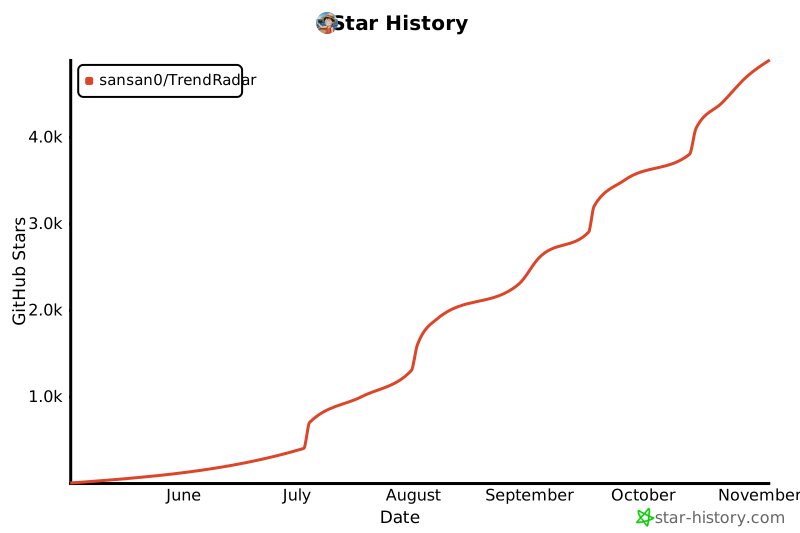](https://www.star-history.com/#sansan0/TrendRadar&Date)
<br>
## 📄 License
GPL-3.0 License
---
<div align="center">
[🔝 Back to Top](#trendradar)
</div>
MCP Config
Below is the configuration for this MCP Server. You can copy it directly to Cursor or other MCP clients.
mcp.json
Connection Info
You Might Also Like
No recommendations available