

Content
<div align="center">
<img src="Aethos Memory.svg" alt="Aethos Memory" width="220" />
<br/>
<br/>
# Aethos Memory
### Universal, Cross-Tool Persistent Memory for AI Assistants
<br/>
[](https://github.com/nisargpatel1906/Aethos_Memory)
[](LICENSE)
[](https://python.org)
[](https://nextjs.org)
[](https://gofastmcp.com)
[](https://supabase.com)
[](https://youtu.be/rjjStwPlTk0)
<br/>
<br/>
### <svg width="22" height="22" viewBox="0 0 24 24" fill="#FF0000" style="vertical-align: middle; margin-right: 6px;"><path d="M23.498 6.186a3.016 3.016 0 0 0-2.122-2.136C19.505 3.545 12 3.545 12 3.545s-7.505 0-9.377.505A3.017 3.017 0 0 0 .502 6.186C0 8.07 0 12 0 12s0 3.93.502 5.814a3.016 3.016 0 0 0 2.122 2.136c1.871.505 9.376.505 9.376.505s7.505 0 9.377-.505a3.015 3.015 0 0 0 2.122-2.136C24 15.93 24 12 24 12s0-3.93-.502-5.814zM9.545 15.568V8.432L15.818 12l-6.273 3.568z"/></svg> Watch the Official Launch Video
[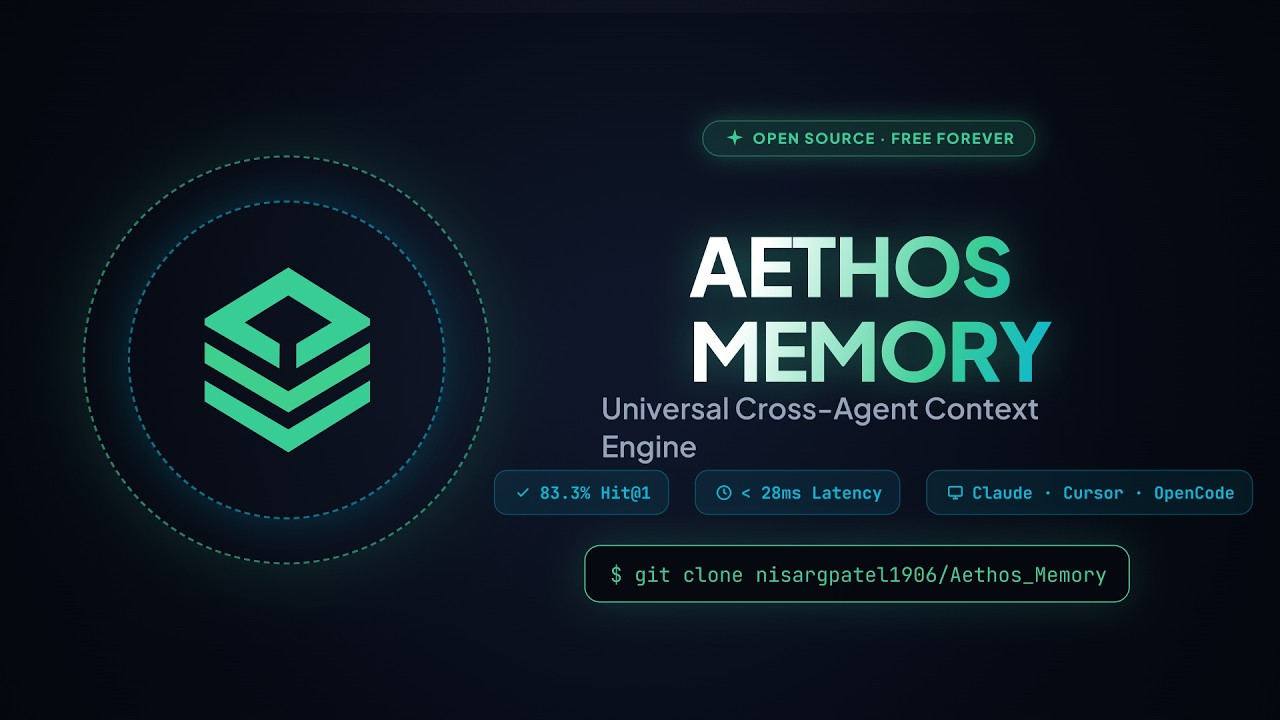](https://youtu.be/rjjStwPlTk0)
<br/>
<br/>
<img src="Aethos-Memory-Master-Workflow.svg" width="100%" alt="Aethos Memory System Architecture and Animated Workflow"/>
<br/>
<table>
<tr>
<td align="center"><a href="#why-aethos-memory"><b>Why Aethos</b></a></td>
<td align="center"><a href="#how-it-works"><b>How It Works</b></a></td>
<td align="center"><a href="#setup-guide--windows"><b>Windows Setup</b></a></td>
<td align="center"><a href="#setup-guide--macos"><b>macOS Setup</b></a></td>
<td align="center"><a href="#mcp-tools"><b>MCP Tools</b></a></td>
<td align="center"><a href="#privacy--security"><b>Privacy</b></a></td>
</tr>
</table>
</div>
<br/>
---
## Why Aethos Memory?
Every time you start a new chat, your AI assistant forgets everything — your stack, preferences, project decisions, your name. You repeat yourself every session, across every tool.
**Aethos Memory fixes this.** One MCP server, one database, every AI assistant remembers everything — forever.
<table>
<tr>
<th align="left">Without Aethos</th>
<th align="left">With Aethos Memory</th>
</tr>
<tr>
<td>Repeat your tech stack every new session</td>
<td>AI already knows your stack from session 1</td>
</tr>
<tr>
<td>Start from scratch in every AI tool</td>
<td>Claude Code, Cursor, OpenCode share one memory bank</td>
</tr>
<tr>
<td>AI forgets your name and preferences</td>
<td>Permanent identity and preference store across all tools</td>
</tr>
<tr>
<td>Architecture decisions lost between sessions</td>
<td>Every decision is stored and retrieved automatically</td>
</tr>
<tr>
<td>Vendor locked to one AI tool</td>
<td>100% portable — works with any MCP-compatible client</td>
</tr>
</table>
<br/>
---
## How It Works
```
Claude Code OpenCode Cursor / Windsurf
| | |
| remember() | recall() | list_memories()
v v v
+---------------------------------------------------------------+
| Aethos Memory Server |
| FastMCP + Python + Gemini Embeddings |
| |
| +-----------------------------------------------------+ |
| | 3-Pass Agentic RAG Retrieval Engine | |
| | Pass 1: Vector Similarity Search (threshold 0.50) | |
| | Pass 2: LLM Query Expansion + Broader Retry | |
| | Pass 3: LLM Relevance Reranking and Filtering | |
| +-----------------------------------------------------+ |
+------------------------------+--------------------------------+
|
v
+---------------------------------------------------------------+
| Supabase Postgres + pgvector |
| Your Private Context Bank |
+---------------------------------------------------------------+
^
| View, Edit, Manage
+----------+----------+
| Next.js Web App UI |
| localhost:3000 |
+---------------------+
```
The AI never sees your full database. Aethos converts queries into 768-dimensional vectors, searches Supabase for the closest matches by cosine similarity, and returns only the relevant facts — fast, private, and precise.
<br/>
---
## Setup Guide — Windows
This guide covers every step from zero to a fully working Aethos Memory setup on **Windows 10 or 11**.
### Prerequisites
Before starting, make sure you have the following installed:
| Tool | Minimum Version | How to Check | Download |
|---|---|---|---|
| Python | 3.10 or higher | `python --version` | [python.org/downloads](https://www.python.org/downloads/) |
| Node.js | 18 or higher | `node --version` | [nodejs.org](https://nodejs.org) |
| Git | Any | `git --version` | [git-scm.com](https://git-scm.com) |
> **Windows tip:** When installing Python, check **"Add Python to PATH"** on the installer screen, or `python` won't be found in PowerShell.
<br/>
### Step 1 — Create Your Free Supabase Database
1. Go to [supabase.com](https://supabase.com) and click **Start your project** — it is free.
2. Sign up with GitHub or email, then click **New project**.
3. Choose a name (e.g. `aethos-memory`), set a database password, and click **Create new project**. Wait about 60 seconds for it to provision.
4. In the left sidebar, click **SQL Editor**.
5. Open the file [`supabase/schema.sql`](supabase/schema.sql) from this repository, copy its entire contents, paste it into the SQL Editor, and click **Run**.
You will see a success message. This creates the `memories` table, pgvector indexes, and the semantic search function that Aethos needs.
<br/>
### Step 2 — Collect Your API Keys
You will need three values from Supabase and one from Google.
**From Supabase Dashboard:**
1. Click **Project Settings** (gear icon in the bottom-left).
2. Click **API** in the settings menu.
3. Copy and save these three values:
- **Project URL** — looks like `https://abcdefgh.supabase.co`
- **anon / public key** — starts with `eyJhbGciOi...`
- **service_role key** — also starts with `eyJhbGciOi...` (keep this private)
**From Google AI Studio (free):**
1. Go to [aistudio.google.com/app/apikey](https://aistudio.google.com/app/apikey).
2. Sign in with your Google account.
3. Click **Create API Key**, choose any project, and copy the key.
**Optional — Groq (for faster fact extraction):**
1. Go to [console.groq.com/keys](https://console.groq.com/keys) and sign up for free.
2. Click **Create API Key** and copy it.
<br/>
### Step 3 — Clone the Repository
Open **PowerShell** and run:
```powershell
git clone https://github.com/nisargpatel1906/Aethos_Memory.git
cd "Aethos_Memory"
```
<br/>
### Step 4 — Set Up the Python MCP Server
In the same PowerShell window, run these commands one at a time:
```powershell
# Move into the server folder
cd server
# Create a Python virtual environment
python -m venv .venv
# Activate the virtual environment
.venv\Scripts\Activate.ps1
# If you see an execution policy error, run this first:
# Set-ExecutionPolicy -ExecutionPolicy RemoteSigned -Scope CurrentUser
# Install Aethos Memory and all dependencies
pip install -e .
```
Now fill in your credentials:
```powershell
# Copy the example credentials file
copy .env.example .env
```
Open the file `server\.env` in Notepad or any editor and fill in your values:
```env
SUPABASE_URL=https://your-project-id.supabase.co
SUPABASE_SERVICE_ROLE_KEY=eyJhbGciOi...your-service-role-key...
GEMINI_API_KEY=AIza...your-gemini-key...
AETHOS_USER_ID=your-supabase-user-uuid
GROQ_API_KEY=gsk_...optional-but-recommended...
AETHOS_PROJECT=global
```
**Finding your User ID:**
1. In the Supabase Dashboard, click **Authentication** in the left sidebar.
2. Click **Users**.
3. If no users exist, go to the web dashboard (Step 5) first and sign up. Your UUID will appear after you connect.
<br/>
### Step 5 — Launch the Web Dashboard (Windows)
From the root of the project, simply **double-click `start.bat`**.
The first time you run it, it will:
1. Install Node.js dependencies automatically (`npm install`)
2. Build the production app (`npm run build`)
3. Start the server on `http://localhost:3000`
After the first run, it will skip the build step and launch instantly.
Alternatively, run manually in PowerShell:
```powershell
cd dashboard
npm install
npm run build
npm start
```
Open [http://localhost:3000](http://localhost:3000) in your browser.
<br/>
### Step 6 — Connect the Dashboard to Supabase (Windows)
1. When you open the dashboard, you will see a **Connect Database** screen.
2. Paste your **Supabase Project URL** and **anon / public key**.
3. Click **Connect**. The dashboard will verify the connection and redirect you to the memory feed.
<br/>
### Step 7 — Find Your User ID (Windows)
1. In the dashboard, navigate to **Settings** (bottom of the left sidebar).
2. Your **Aethos User ID** is shown on the Settings page — it is your Supabase auth UUID.
3. Copy it and paste it as `AETHOS_USER_ID` in `server\.env`.
<br/>
### Step 8 — Connect Aethos to Your AI Tool (Windows)
Go to [http://localhost:3000/setup](http://localhost:3000/setup) in the dashboard. Select your AI tool and OS. The interactive setup wizard will generate both the MCP configuration and the 1-click Auto-Save Rule File for your tool.
> ⚡ **How Auto-Saving Works for All Users:**
> 1. **Built-in MCP Directive**: The Aethos server automatically passes system directives to MCP clients on connection.
> 2. **Zero-Touch AI Prompt**: Copy a single prompt from **[AI_SETUP_PROMPTS.md](AI_SETUP_PROMPTS.md)** directly into your AI assistant (Claude Code, Cursor, OpenCode, Windsurf, Antigravity, etc.) and it will handle 100% of the setup automatically.
> 3. **Setup Wizard**: Visit `http://localhost:3000/setup` to copy/download the 1-click Auto-Save Rule file (`CLAUDE.md`, `.cursorrules`, `.windsurfrules`, `opencode.jsonc`, etc.) tailored to your specific AI tool.
<br/>
**Claude Code (Windows):**
Add this to `%APPDATA%\Claude\claude_desktop_config.json`:
```json
{
"mcpServers": {
"aethos-memory": {
"command": "C:\\Users\\YourName\\Documents\\Aethos_Memory\\server\\.venv\\Scripts\\python.exe",
"args": ["C:\\Users\\YourName\\Documents\\Aethos_Memory\\server\\run_mcp.py"],
"env": {
"AETHOS_SOURCE_TOOL": "Claude Desktop"
}
}
}
}
```
**OpenCode (Windows):**
Add this to `%USERPROFILE%\.config\opencode\opencode.jsonc`:
```jsonc
{
"instructions": [
"AUTOMATIC MEMORY PERSISTENCE: You are equipped with Aethos Memory (aethos-memory_remember). You MUST automatically and silently call remember() on EVERY turn whenever the user mentions identity facts, preferences, stack choices, decisions, or project goals. Do NOT wait for explicit user prompt commands to save."
],
"mcp": {
"aethos-memory": {
"type": "local",
"command": [
"C:\\Users\\YourName\\Documents\\Aethos_Memory\\server\\.venv\\Scripts\\python.exe",
"C:\\Users\\YourName\\Documents\\Aethos_Memory\\server\\run_mcp.py"
],
"environment": {
"AETHOS_SOURCE_TOOL": "OpenCode"
}
}
}
}
```
**Cursor / Windsurf (Windows):**
In Cursor settings, find the MCP section and add:
```json
{
"mcpServers": {
"aethos-memory": {
"command": "C:\\Users\\YourName\\Documents\\Aethos_Memory\\server\\.venv\\Scripts\\python.exe",
"args": ["C:\\Users\\YourName\\Documents\\Aethos_Memory\\server\\run_mcp.py"],
"env": {
"AETHOS_SOURCE_TOOL": "Cursor"
}
}
}
}
```
> Replace `YourName` with your actual Windows username. The credentials are automatically loaded from `server\.env` — you do not need to pass them in the config.
<br/>
### Step 9 — Test It Works (Windows)
Restart your AI tool completely (close and reopen). Then type:
```
Tell me what my name is.
```
The AI will call `aethos-memory_recall` and return what it finds. Then try:
```
My name is [Your Name] and I prefer TypeScript for all projects.
```
The AI will silently call `aethos-memory_remember` and store it. Open a brand new session and ask again — it will remember.
<br/>
---
## Setup Guide — macOS
This guide covers every step from zero to a fully working Aethos Memory setup on **macOS 12 Monterey or later**.
### Prerequisites (macOS)
| Tool | Minimum Version | How to Check | Install |
|---|---|---|---|
| Python | 3.10 or higher | `python3 --version` | `brew install python` or [python.org](https://python.org) |
| Node.js | 18 or higher | `node --version` | `brew install node` or [nodejs.org](https://nodejs.org) |
| Git | Any | `git --version` | Pre-installed on macOS (or `brew install git`) |
| Homebrew | Any | `brew --version` | [brew.sh](https://brew.sh) |
> **Tip:** Open **Terminal** (Applications → Utilities → Terminal) for all commands below.
<br/>
### Step 1 — Create Your Free Supabase Database (macOS)
Same as Windows. See [Step 1 in the Windows guide](#step-1--create-your-free-supabase-database) above — the Supabase web dashboard is identical on all platforms.
<br/>
### Step 2 — Collect Your API Keys (macOS)
Same as Windows. See [Step 2 in the Windows guide](#step-2--collect-your-api-keys) above.
<br/>
### Step 3 — Clone the Repository (macOS)
Open **Terminal** and run:
```bash
git clone https://github.com/nisargpatel1906/Aethos_Memory.git
cd Aethos_Memory
```
<br/>
### Step 4 — Set Up the Python MCP Server (macOS)
```bash
# Move into the server folder
cd server
# Create a Python virtual environment
python3 -m venv .venv
# Activate it
source .venv/bin/activate
# Install Aethos Memory and all dependencies
pip install -e .
```
Fill in your credentials:
```bash
cp .env.example .env
open -e .env # opens .env in TextEdit
# Or use: nano .env
```
Set these values in `.env`:
```env
SUPABASE_URL=https://your-project-id.supabase.co
SUPABASE_SERVICE_ROLE_KEY=eyJhbGciOi...your-service-role-key...
GEMINI_API_KEY=AIza...your-gemini-key...
AETHOS_USER_ID=your-supabase-user-uuid
GROQ_API_KEY=gsk_...optional-but-recommended...
AETHOS_PROJECT=global
```
<br/>
### Step 5 — Launch the Web Dashboard (macOS)
```bash
cd dashboard
npm install
npm run build && npm start
```
Open [http://localhost:3000](http://localhost:3000) in Safari or Chrome.
<br/>
### Step 6 — Connect Dashboard and Find Your User ID (macOS)
Same as Windows Steps 6 and 7. Connect with your Supabase URL + anon key, then copy your User ID from the Settings page and paste it as `AETHOS_USER_ID` in `server/.env`.
<br/>
### Step 7 — Connect Aethos to Your AI Tool (macOS)
**Claude Code (macOS):**
Edit `~/Library/Application Support/Claude/claude_desktop_config.json`:
```json
{
"mcpServers": {
"aethos-memory": {
"command": "/Users/YourName/Documents/Aethos_Memory/server/.venv/bin/python",
"args": ["/Users/YourName/Documents/Aethos_Memory/server/run_mcp.py"]
}
}
}
```
**OpenCode (macOS):**
Edit `~/.config/opencode/opencode.jsonc`:
```jsonc
{
"mcp": {
"aethos-memory": {
"type": "local",
"command": [
"/Users/YourName/Documents/Aethos_Memory/server/.venv/bin/python",
"/Users/YourName/Documents/Aethos_Memory/server/run_mcp.py"
]
}
}
}
```
**Cursor (macOS):**
In Cursor → Settings → MCP:
```json
{
"mcpServers": {
"aethos-memory": {
"command": "/Users/YourName/Documents/Aethos_Memory/server/.venv/bin/python",
"args": ["/Users/YourName/Documents/Aethos_Memory/server/run_mcp.py"]
}
}
}
```
> Replace `YourName` with your macOS username. Run `echo $USER` in Terminal if unsure.
<br/>
### Step 8 — Test It Works (macOS)
Same as Windows Step 9. Restart your AI tool and ask:
```
Tell me what my name is.
```
Then store something:
```
My name is [Your Name] and I prefer TypeScript for all projects.
```
Open a new session and ask again — it will remember across sessions and tools.
<br/>
---
## MCP Tools
Aethos Memory exposes **4 core tools** and **3 aliases** for cross-client compatibility:
| Tool | Alias | Description |
|---|---|---|
| `remember` | `save_memory` | Extracts atomic facts from conversation and stores them in vector memory |
| `recall` | `search_memories` | Runs 3-pass semantic search to find the most relevant context for any query |
| `forget` | `delete_memory` | Deletes a stored memory by ID or natural language description |
| `list_memories` | — | Returns all stored memories for a given project tag, unfiltered |
### 3-Pass Agentic RAG Retrieval
| Pass | Strategy | Similarity Threshold |
|---|---|---|
| 1 — Direct Vector Match | Cosine similarity search via pgvector | 0.50 |
| 2 — Query Expansion | LLM rewrites query, searches globally at lower threshold | 0.40 |
| 3 — LLM Reranking | LLM grades all candidates and returns them ordered by relevance | — |
<br/>
---
## Supported AI Tools
<div align="center">
<table>
<tr>
<td align="center" width="130"><b>Claude Code</b><br/><sub>CLI and Desktop</sub></td>
<td align="center" width="130"><b>OpenCode</b><br/><sub>Zen and Build</sub></td>
<td align="center" width="130"><b>Cursor</b><br/><sub>IDE</sub></td>
<td align="center" width="130"><b>Windsurf</b><br/><sub>IDE</sub></td>
</tr>
<tr>
<td align="center" width="130"><b>Antigravity</b><br/><sub>AI IDE</sub></td>
<td align="center" width="130"><b>Goose</b><br/><sub>CLI</sub></td>
<td align="center" width="130"><b>Cline</b><br/><sub>VS Code Extension</sub></td>
<td align="center" width="130"><b>Continue</b><br/><sub>VS Code Extension</sub></td>
</tr>
</table>
</div>
Any tool that supports the **Model Context Protocol (MCP)** works without any changes.
<br/>
---
## Privacy & Security
| Property | Details |
|---|---|
| 100% Self-Hosted | Your memories live exclusively in your own Supabase database |
| Zero Central Servers | No third-party proxy ever touches your data or queries |
| BYOK | Bring Your Own Keys — fully free-tier compatible, zero monthly cost |
| Row-Level Security | All memories scoped to your AETHOS_USER_ID — users are fully isolated |
| Secret-Safe Extraction | API keys and passwords are filtered by the extraction prompt and never stored |
| Project Isolation | Memories tagged per-project: global, backend, dashboard, or any custom tag |
<br/>
---
## Repository Structure
```
Aethos_Memory/
|
+-- Aethos Memory.svg Official logo
+-- Aethos-Memory-Master-Workflow.svg Architecture diagram
+-- start.bat 1-click web app launcher for Windows
+-- start_all.bat Full-stack launcher for Windows
|
+-- supabase/
| +-- schema.sql Postgres + pgvector migration (run once)
|
+-- server/ Python FastMCP server
| +-- run_mcp.py Entry point, auto-loads .env
| +-- .env Your credentials, never committed to Git
| +-- .env.example Template for new users
| +-- src/aethos_memory/
| +-- server.py MCP tool definitions
| +-- retrieval.py 3-pass Agentic RAG retrieval strategies
| +-- prompts.py Extraction and instruction prompts
| +-- providers.py Gemini embeddings and Groq/OpenRouter LLM
| +-- db.py Supabase pgvector operations
| +-- config.py Environment variable loader
|
+-- dashboard/ Next.js 14 Web Application
+-- app/
| +-- feed/ Memory feed and card view
| +-- add/ Add new memories manually
| +-- projects/ Project tag management
| +-- settings/ API keys and Supabase connection
| +-- setup/ MCP config snippet generator
| +-- login/ Authentication and connect flow
+-- lib/
+-- supabaseClient.ts Supabase client and credential helpers
```
<br/>
---
## Support the Project
Aethos Memory is free and open source. If it saves you time and context-switching pain:
- Star the repo — it genuinely helps visibility
- Report bugs in [Issues](https://github.com/nisargpatel1906/Aethos_Memory/issues)
- Share feedback in [Discussions](https://github.com/nisargpatel1906/Aethos_Memory/discussions)
- Submit a PR — contributions are very welcome
<br/>
<div align="center">
Built with care by [Nisarg Patel](https://github.com/nisargpatel1906)
[](https://github.com/nisargpatel1906/Aethos_Memory)
</div>
MCP Config
Below is the configuration for this MCP Server. You can copy it directly to Cursor or other MCP clients.
mcp.json
Connection Info
You Might Also Like
No recommendations available