Content
<div align="center"><a name="readme-top"></a>
<a href="https://tencentcloudbase.github.io/CloudBase-MCP/2025/" target="_blank"><img width="3094" height="654" alt="banner" src="https://github.com/user-attachments/assets/39adbeac-1f43-4a31-bb9b-d6f65e905295" /></a>

<h1>CloudBase MCP</h1>
**🪐 AI Programming, One-Click Launch**<br/>
Connects AI IDE with Tencent Cloud CloudBase deployment, enabling instant launch of your AI applications.
[English](./README-EN.md) · **Simplified Chinese** · [Docs][docs] · [Changelog][changelog] · [Feedback][github-issues-link]
<!-- SHIELD GROUP -->
[![][npm-version-shield]][npm-link]
[![][npm-downloads-shield]][npm-link]
[![][github-stars-shield]][github-stars-link]
[![][github-forks-shield]][github-forks-link]
[![][github-issues-shield]][github-issues-link]
![][github-license-shield]
![][github-contributors-shield]
[![][cnb-shield]][cnb-link]
[![][deepwiki-shield]][deepwiki-link]
[](https://lobehub.com/mcp/tencentcloudbase-cloudbase-ai-toolkit)
**Discovered a magic tool for one-click AI programming launch, recommended for friends who are using AI programming**
[![][share-x-shield]][share-x-link]
[![][share-telegram-shield]][share-telegram-link]
[![][share-weibo-shield]][share-weibo-link]
<sup>The shortest path from AI prompts to application launch</sup>
<img width="1148" height="389" alt="Clipboard_Screenshot_1764660604" src="https://github.com/user-attachments/assets/86294f88-632e-46b5-958f-94d8c8b85070" />
[![][github-trending-shield]](https://github.com/TencentCloudBase/CloudBase-AI-ToolKit)
[<img width="791" height="592" alt="Clipboard_Screenshot_1763724670" src="https://github.com/user-attachments/assets/f769beb7-5710-4397-8854-af2b7e452f70" />](https://docs.cloudbase.net/ai/cloudbase-ai-toolkit/tutorials)
</div>
## Why do you need CloudBase MCP?
AI programming tools (such as Cursor, CodeBuddy) solve the problem of **code generation**.
However, there is still a gap between "generating code" and "application launch" (deployment, database configuration, CDN, domain name).
**CloudBase MCP** (formerly CloudBase AI ToolKit) fills this gap.
You no longer need:
- ❌ Tedious DevOps configurations and YAML files
- ❌ Manually setting up cloud functions and databases
- ❌ Repeatedly switching between IDE and cloud console
You only need to use natural language in the AI IDE to complete the entire process from "idea" to "launch".
<details>
<summary><kbd>Table of Contents</kbd></summary>
- [🚀 Quick Start](#-quick-start)
- [✨ Core Features](#-core-features)
- [📦 Installation and Configuration](#-installation-and-configuration)
- [🎯 Use Cases](#-use-cases)
- [🧩 MCP Tools](#-mcp-tools)
- [📚 More Resources](#-more-resources)
</details>
## 🚀 Quick Start
### One-line configuration, use immediately
Add any of the following configurations in an MCP-supported AI IDE (Cursor, WindSurf, CodeBuddy, etc.). There are two connection methods:
---
#### Method 1: Local Mode (Recommended)
**Meaning**: The MCP service is started on your local machine via `npx` and runs on the same machine as the IDE.
**Advantages**: The most complete functionality (including the ability to upload/download, install templates, etc. that depend on the local file system).
**Requirements**: Node.js is installed on the local machine and `npx` can be executed.
```json
{
"mcpServers": {
"cloudbase": {
"command": "npx",
"args": ["@cloudbase/cloudbase-mcp@latest"]
}
}
}
```
---
#### Method 2: Hosted Mode
**Meaning**: The MCP service runs on Tencent Cloud, and the IDE connects to the cloud service via HTTP, without the need to install or run Node locally.
**Advantages**: Does not depend on the local environment, can be used once the key is configured.
**Limitations**: Some capabilities that depend on the local file system are not available (such as local file uploads, template downloads to the local machine, etc.).
Replace `<env_id>`, `<Tencent Cloud Secret ID>`, and `<Tencent Cloud Secret Key>` in the configuration below with your environment ID and Tencent Cloud API key:
```json
{
"mcpServers": {
"cloudbase": {
"type": "http",
"url": "https://tcb-api.cloud.tencent.com/mcp/v1?env_id=<env_id>",
"headers": {
"X-TencentCloud-SecretId": "<Tencent Cloud Secret ID>",
"X-TencentCloud-SecretKey": "<Tencent Cloud Secret Key>"
}
}
}
}
```
**Hosted mode optional: Control which plugins to enable via URL**
Add query parameters to the `url` to disable specified plugins, for example, disable `rag` and `env`:
```
https://tcb-api.cloud.tencent.com/mcp/v1?env_id=YOUR_ENV_ID&disable_plugins=rag&disable_plugins=env
```
Currently configurable plugin names: `env`, `database`, `functions`, `hosting`, `storage`, `setup`, `interactive`, `rag`, `cloudrun`, `gateway`, `download`, `security-rule`, `invite-code`, `capi`.
> [!TIP]
> **Recommended to use CloudBase AI CLI**
>
> One-click installation, automatic configuration, supports multiple AI programming tools:
>
> ```bash
> npm install @cloudbase/cli@latest -g
> ```
>
> Run `tcb ai` after installation to start using
>
> [View full documentation](https://docs.cloudbase.net/cli-v1/ai/introduce) | [Detailed case tutorial](https://docs.cloudbase.net/practices/ai-cli-mini-program)
### First Use
1. **Log in to CloudBase**
```
Log in to CloudBase
```
AI will automatically open the login interface and guide environment selection
2. **Start developing**
```
Create a two-player online Gobang website that supports online battles, and deploy it at the end
```
AI will automatically generate code, deploy it to the cloud, and return the access link
### Supported AI IDEs
| Tool | Supported Platforms | View Guide |
|------|----------|----------|
| [CloudBase AI CLI](https://docs.cloudbase.net/cli-v1/ai/introduce) | Command Line Tool | [View Guide](https://docs.cloudbase.net/cli-v1/ai/introduce) |
| [Cursor](https://docs.cloudbase.net/ai/cloudbase-ai-toolkit/ide-setup/cursor) | Standalone IDE | [View Guide](https://docs.cloudbase.net/ai/cloudbase-ai-toolkit/ide-setup/cursor) |
| [WindSurf](https://docs.cloudbase.net/ai/cloudbase-ai-toolkit/ide-setup/windsurf) | Standalone IDE, VSCode, JetBrains Plugin | [View Guide](https://docs.cloudbase.net/ai/cloudbase-ai-toolkit/ide-setup/windsurf) |
| [CodeBuddy](https://docs.cloudbase.net/ai/cloudbase-ai-toolkit/ide-setup/codebuddy) | Standalone IDE (Built-in CloudBase), VS Code, JetBrains, WeChat Developer Tools | [View Guide](https://docs.cloudbase.net/ai/cloudbase-ai-toolkit/ide-setup/codebuddy) |
| [CLINE](https://docs.cloudbase.net/ai/cloudbase-ai-toolkit/ide-setup/cline) | VS Code Plugin | [View Guide](https://docs.cloudbase.net/ai/cloudbase-ai-toolkit/ide-setup/cline) |
| [GitHub Copilot](https://docs.cloudbase.net/ai/cloudbase-ai-toolkit/ide-setup/github-copilot) | VS Code Plugin | [View Guide](https://docs.cloudbase.net/ai/cloudbase-ai-toolkit/ide-setup/github-copilot) |
| [Trae](https://docs.cloudbase.net/ai/cloudbase-ai-toolkit/ide-setup/trae) | Standalone IDE | [View Guide](https://docs.cloudbase.net/ai/cloudbase-ai-toolkit/ide-setup/trae) |
| [Tongyi Lingma](https://docs.cloudbase.net/ai/cloudbase-ai-toolkit/ide-setup/tongyi-lingma) | Standalone IDE, VS Code, JetBrains Plugin | [View Guide](https://docs.cloudbase.net/ai/cloudbase-ai-toolkit/ide-setup/tongyi-lingma) |
| [RooCode](https://docs.cloudbase.net/ai/cloudbase-ai-toolkit/ide-setup/roocode) | VS Code Plugin | [View Guide](https://docs.cloudbase.net/ai/cloudbase-ai-toolkit/ide-setup/roocode) |
| [Wenxin Kuaima](https://docs.cloudbase.net/ai/cloudbase-ai-toolkit/ide-setup/baidu-comate) | VS Code, JetBrains Plugin | [View Guide](https://docs.cloudbase.net/ai/cloudbase-ai-toolkit/ide-setup/baidu-comate) |
| [Augment Code](https://docs.cloudbase.net/ai/cloudbase-ai-toolkit/ide-setup/augment-code) | VS Code, JetBrains Plugin | [View Guide](https://docs.cloudbase.net/ai/cloudbase-ai-toolkit/ide-setup/augment-code) |
| [Claude Code](https://docs.cloudbase.net/ai/cloudbase-ai-toolkit/ide-setup/claude-code) | Command Line Tool | [View Guide](https://docs.cloudbase.net/ai/cloudbase-ai-toolkit/ide-setup/claude-code) |
| [Gemini CLI](https://docs.cloudbase.net/ai/cloudbase-ai-toolkit/ide-setup/gemini-cli) | Command Line Tool | [View Guide](https://docs.cloudbase.net/ai/cloudbase-ai-toolkit/ide-setup/gemini-cli) |
| [OpenAI Codex CLI](https://docs.cloudbase.net/ai/cloudbase-ai-toolkit/ide-setup/openai-codex-cli) | Command Line Tool | [View Guide](https://docs.cloudbase.net/ai/cloudbase-ai-toolkit/ide-setup/openai-codex-cli) |
| [OpenCode](https://docs.cloudbase.net/ai/cloudbase-ai-toolkit/ide-setup/opencode) | Command Line Tool | [View Guide](https://docs.cloudbase.net/ai/cloudbase-ai-toolkit/ide-setup/opencode) |
| [Qwen Code](https://docs.cloudbase.net/ai/cloudbase-ai-toolkit/ide-setup/qwen-code) | Command Line Tool | [View Guide](https://docs.cloudbase.net/ai/cloudbase-ai-toolkit/ide-setup/qwen-code) |
## ✨ How to achieve AI programming "one-click launch"?
### 1. AI-Native
We are not simple "glue code". The built-in rule base is designed for AI programming, allowing AI to directly generate "deployable" CloudBase best practice code.
```markdown
Prompt: Generate a user login function
- AI automatically generates code that complies with CloudBase specifications
- Automatically configure database, cloud functions, and security rules
- One-click deployment to the cloud
```
<img width="1200" alt="AI Native" src="scripts/assets/cloudbase-mcp-card-01.png" />
### 2. One-Click Deploy
AI-automated MCP deployment flow, AI helps you handle **all** cloud resource configurations from cloud functions and databases to static websites.
```markdown
Prompt: Deploy the current project to CloudBase
- Automatically detect project type (Web/Mini Program/Backend)
- Smartly configure deployment parameters
- Display deployment progress in real time
- Automatically return access link
```
<img width="1200" alt="One-Click Deploy" src="scripts/assets/cloudbase-mcp-card-02.png" />
### 3. Smart Debugging
Deployment error? Don't worry. AI will automatically read the logs, help you analyze and fix the problem, truly realizing the closed loop of **development-deployment-debugging**.
```markdown
Prompt: An error occurred, the error is xxxx
- AI automatically views cloud function logs
- Analyze the cause of the error
- Generate fix code
- Automatically redeploy
```
<img width="1200" alt="Smart Debugging" src="scripts/assets/cloudbase-mcp-card-03.png" />
### 4. Full-Stack Ready
Whether it is a Web application, a mini program, or a backend service, AI can handle it for you, you only need to focus on business logic.
| Application Type | Technology Stack | Deployment Method |
|---------|--------|---------|
| **Web Application** | React/Vue/Next.js | Static Hosting + CDN |
| **WeChat Mini Program** | Native/UniApp | Mini Program Release |
| **Backend Service** | Node.js/Python | Cloud Function/Cloud Hosting |
<img width="1200" alt="Full-Stack Ready" src="scripts/assets/cloudbase-mcp-card-04.png" />
### 5. Knowledge Search
Built-in intelligent vector search of professional knowledge bases such as CloudBase and WeChat Mini Program, making AI understand CloudBase better.
```markdown
Prompt: How to use Cloud Database to achieve real-time data synchronization?
- Smartly search the CloudBase knowledge base
- Return relevant documents and best practices
- Provide code examples
```
<img width="1200" alt="Knowledge Search" src="scripts/assets/cloudbase-mcp-card-05.png" />
### 6. Flexible Workflow
Supports /spec and /no_spec commands, intelligently selects according to task complexity.
```markdown
/spec - Complete workflow (requirements → design → tasks → implementation)
/no_spec - Quick iteration (direct implementation)
```
<img width="1200" alt="Flexible Workflow" src="scripts/assets/cloudbase-mcp-card-06.png" />
## 📦 Installation and Configuration
### Prerequisites
- ✅ Node.js v18.15.0 and above
- ✅ [Tencent CloudBase environment](https://tcb.cloud.tencent.com/dev) has been activated
- ✅ Install an AI IDE that supports MCP ([View supported IDEs](#supported-ai-ides))
### Configuration Method
#### Method 1: CloudBase AI CLI (Recommended)
```bash
# Install
npm install @cloudbase/cli@latest -g
# Use
tcb ai
```
#### Method 2: Manually Configure MCP
Add MCP configuration according to the AI IDE you are using:
<details>
<summary><b>Cursor</b></summary>
Add the following in `.cursor/mcp.json`:
```json
{
"mcpServers": {
"cloudbase": {
"command": "npx",
"args": ["@cloudbase/cloudbase-mcp@latest"]
}
}
}
```
</details>
<details>
<summary><b>WindSurf</b></summary>
Add the following in `.windsurf/settings.json`:
```json
{
"mcpServers": {
"cloudbase": {
"command": "npx",
"args": ["@cloudbase/cloudbase-mcp@latest"]
}
}
}
```
</details>
<details>
<summary><b>CodeBuddy</b></summary>
CodeBuddy has built-in CloudBase MCP and can be used without configuration.
</details>
<details>
<summary><b>Other IDEs</b></summary>
See [Complete Configuration Guide](https://docs.cloudbase.net/ai/cloudbase-ai-toolkit/ide-setup/) for configuration methods of other IDEs.
</details>
## 🎯 Use Cases
### Case 1: Two-Player Online Gomoku Game
**Development Process:**
1. Input requirement: "Create a two-player online Gomoku website that supports online battles"
2. AI Generation: Web application + cloud database + real-time data push
3. Automatic deployment and get access link
**Experience Address:** [Gomoku Game](https://cloud1-5g39elugeec5ba0f-1300855855.tcloudbaseapp.com/gobang/#/)
<details>
<summary>View Development Screenshots</summary>
| Development Process | Final Result |
|---------|---------|
| ![][image-case1-dev] | ![][image-case1-result] |
</details>
### Case 2: AI Pet Raising Mini Program
**Development Process:**
1. Input: "Develop a pet elf raising mini program, use AI to enhance interaction"
2. AI Generation: Mini program + cloud database + AI cloud function
3. Import to WeChat developer tools to publish
<details>
<summary>View Development Screenshots and Mini Program Preview</summary>
![][image-case2]
</details>
### Case 3: Intelligent Problem Diagnosis
When a problem occurs in the application, AI automatically views logs, analyzes errors, and generates repair code.
<details>
<summary>View Intelligent Diagnosis Process</summary>
![][image-case3]
</details>
## 🧩 MCP Tools
Covers core functions such as environment management, database, cloud functions, static hosting, and mini program publishing.
| Category | Tool | Core Function |
|------|------|----------|
| **Environment** | 4 | Login authentication, environment query, domain name management |
| **Database** | 11 | Collection management, document CRUD, index, data model |
| **Cloud Function** | 9 | Create, update, call, log, trigger |
| **Static Hosting** | 5 | File upload, domain name configuration, website deployment |
| **Mini Program** | 7 | Upload, preview, build, configure, debug |
| **Tool Support** | 4 | Template, knowledge base search, online search, interactive dialogue |
[View Complete Tool Documentation](doc/mcp-tools.md) | [Tool Specification JSON](scripts/tools.json)
## 📚 More Resources
### Documentation
- [Quick Start](https://docs.cloudbase.net/ai/cloudbase-ai-toolkit/getting-started)
- [IDE Configuration Guide](https://docs.cloudbase.net/ai/cloudbase-ai-toolkit/ide-setup/)
- [Project Templates](https://docs.cloudbase.net/ai/cloudbase-ai-toolkit/templates)
- [Development Guide](https://docs.cloudbase.net/ai/cloudbase-ai-toolkit/development)
- [Plugin System](https://docs.cloudbase.net/ai/cloudbase-ai-toolkit/plugins)
- [FAQ](https://docs.cloudbase.net/ai/cloudbase-ai-toolkit/faq)
## 💬 Community
### WeChat Group
<div align="center">
<img src="https://7463-tcb-advanced-a656fc-1257967285.tcb.qcloud.la/mcp/toolkit-qrcode.png" width="200" alt="WeChat Group QR Code">
<br>
<i>Scan the code to join the WeChat technical exchange group</i>
</div>
### Other Communication Methods
| Platform | Link | Description |
|------|------|------|
| **Official Documentation** | [View Documentation](https://docs.cloudbase.net/) | Complete cloud development documentation |
| **Issue Feedback** | [Submit Issue](https://github.com/TencentCloudBase/CloudBase-AI-ToolKit/issues) | Bug feedback and feature requests |
## Star History
[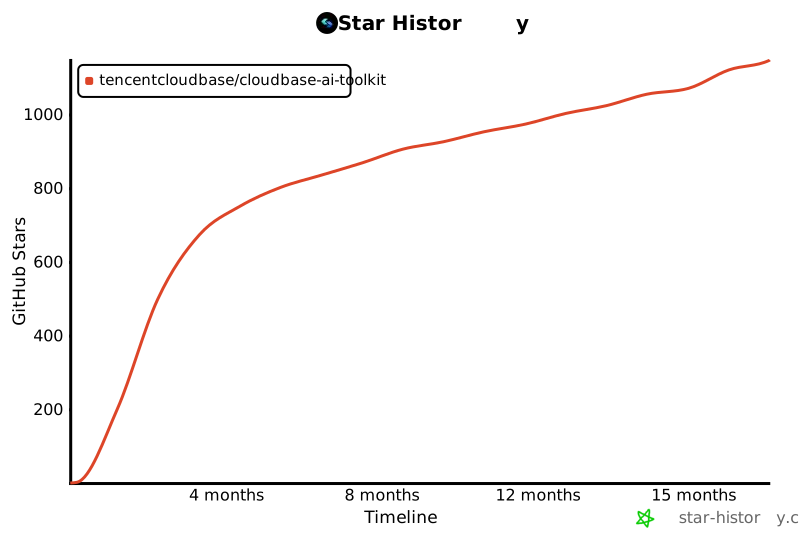](https://github.com/TencentCloudBase/CloudBase-AI-ToolKit)
## Contributors
Thanks to all the developers who have contributed to CloudBase MCP!
[](https://github.com/TencentCloudBase/CloudBase-AI-ToolKit/graphs/contributors)
---
<div align="center">
**If this project has been helpful, please give us a Star!**
[![][github-stars-shield]][github-stars-link]
[MIT](LICENSE) © TencentCloudBase
</div>
<!-- Image Placeholders - 这些图片需要实际生成或替换 -->
<!--
设计风格约束(所有图片统一遵循):
- 现代扁平化设计,简洁而富有活力
- 背景色:纯黑色 #000000(统一黑色背景)
- 主题色渐变:#67E9E9 → #4896FF → #2BCCCC(保持)
- 活力点缀色:适度使用 #FFD93D(黄)、#6BCF7F(绿)作为点缀
- 简洁几何形状(圆形、矩形、线条),无文字
- 使用几何图形和图标表达概念,抽象化 UI 骨架
- 宣传视频风格,现代 UI 骨架
- 流畅线条、适度光效、平衡的色彩搭配
提示词模板(所有图片无文字,纯几何形状和图标):
- image-overview: "抽象化 UI 骨架图,现代风格,纯黑色背景 #000000,主题色 #67E9E9 #4896FF #2BCCCC 渐变,适度活力点缀色,使用几何形状(圆形、矩形、流畅线条)和图标表达 AI IDE、代码生成、云端部署的流程,无文字,宣传视频风格,现代 UI 骨架"
- image-ai-native: "抽象化代码生成界面骨架,现代风格,纯黑色背景,主题色青色蓝色渐变,使用矩形代表代码块,圆形代表 AI 图标,流畅线条代表连接关系,无文字,宣传视频风格,简洁几何图形"
- image-deploy: "抽象化部署界面骨架,现代风格,纯黑色背景,主题色渐变,使用圆形进度指示器,矩形进度条,流畅线条表达部署流程,无文字,宣传视频风格,现代 UI 骨架"
- image-fullstack: "抽象化全栈架构骨架图,现代风格,纯黑色背景,主题色渐变,使用圆形节点代表不同服务(Web/小程序/后端/数据库),流畅线条连接表达集成关系,几何形状图标化表达,无文字,宣传视频风格"
- image-agent: "抽象化 AI 智能体界面骨架,现代风格,纯黑色背景,主题色渐变,使用圆形代表 Agent,矩形代表配置卡片,流畅线条表达数据流,几何形状图标化,无文字,宣传视频风格,现代 UI 骨架"
- image-debug: "抽象化问题诊断界面骨架,现代风格,纯黑色背景,主题色渐变,使用矩形代表日志卡片,圆形代表状态指示,流畅线条表达分析流程,几何形状图标化,无文字,宣传视频风格"
- image-knowledge: "抽象化知识检索界面骨架,现代风格,纯黑色背景,主题色渐变,使用矩形卡片代表搜索结果,圆形代表搜索图标,流畅线条表达关联关系,几何形状图标化,无文字,宣传视频风格,现代 UI 骨架"
- image-workflow: "抽象化工作流选择界面骨架,现代风格,纯黑色背景,主题色渐变,使用圆形按钮代表两种模式,矩形面板代表选项,流畅线条表达流程,几何形状图标化,无文字,宣传视频风格"
- image-case1-dev: "抽象化游戏开发界面骨架,现代风格,纯黑色背景,主题色渐变,使用几何形状代表代码编辑器、游戏界面元素,无文字,宣传视频风格,现代 UI 骨架"
- image-case1-result: "抽象化游戏界面骨架,现代风格,纯黑色背景,主题色渐变,使用圆形和矩形代表游戏元素,几何形状图标化表达,无文字,宣传视频风格"
- image-case2: "抽象化小程序开发界面骨架,现代风格,纯黑色背景,主题色渐变,使用矩形代表小程序界面,圆形代表功能模块,几何形状图标化,无文字,宣传视频风格"
- image-case3: "抽象化问题诊断界面骨架,现代风格,纯黑色背景,主题色渐变,使用矩形代表日志卡片,圆形代表状态,流畅线条表达诊断流程,几何形状图标化,无文字,宣传视频风格"
-->
[image-overview]: https://7463-tcb-advanced-a656fc-1257967285.tcb.qcloud.la/mcp/video-banner.png
[image-ai-native]: https://via.placeholder.com/800x400/3B82F6/FFFFFF?text=AI+Native+Development
[image-deploy]: https://via.placeholder.com/800x400/10B981/FFFFFF?text=One-Click+Deploy
[image-fullstack]: https://via.placeholder.com/800x400/8B5CF6/FFFFFF?text=Full-Stack+Application
[image-agent]: https://via.placeholder.com/800x400/EC4899/FFFFFF?text=AI+Agent+Development
[image-debug]: https://via.placeholder.com/800x400/F59E0B/FFFFFF?text=Smart+Debugging
[image-knowledge]: https://via.placeholder.com/800x400/06B6D4/FFFFFF?text=Knowledge+Search
[image-workflow]: https://via.placeholder.com/800x400/6366F1/FFFFFF?text=Flexible+Workflow
[image-case1-dev]: https://7463-tcb-advanced-a656fc-1257967285.tcb.qcloud.la/turbo-deploy/turbo-deploy-001.png
[image-case1-result]: https://7463-tcb-advanced-a656fc-1257967285.tcb.qcloud.la/turbo-deploy/turbo-deploy-004.png
[image-case2]: https://7463-tcb-advanced-a656fc-1257967285.tcb.qcloud.la/turbo-deploy/turbo-deploy-005.png
[image-case3]: https://7463-tcb-advanced-a656fc-1257967285.tcb.qcloud.la/turbo-deploy/turbo-deploy-009.png
<!-- Links -->
[docs]: https://docs.cloudbase.net/ai/cloudbase-ai-toolkit/
[changelog]: https://github.com/TencentCloudBase/CloudBase-AI-ToolKit/releases
[github-issues-link]: https://github.com/TencentCloudBase/CloudBase-AI-ToolKit/issues
[github-stars-link]: https://github.com/TencentCloudBase/CloudBase-AI-ToolKit/stargazers
[github-forks-link]: https://github.com/TencentCloudBase/CloudBase-AI-ToolKit/network/members
[github-trending-url]: https://github.com/trending
[npm-link]: https://www.npmjs.com/package/@cloudbase/cloudbase-mcp
[cnb-link]: https://cnb.cool/tencent/cloud/cloudbase/CloudBase-AI-ToolKit
[deepwiki-link]: https://deepwiki.com/TencentCloudBase/CloudBase-AI-ToolKit
<!-- Shields -->
[npm-version-shield]: https://img.shields.io/npm/v/@cloudbase/cloudbase-mcp?color=3B82F6&label=npm&logo=npm&style=flat-square
[npm-downloads-shield]: https://img.shields.io/npm/dw/@cloudbase/cloudbase-mcp?color=10B981&label=downloads&logo=npm&style=flat-square
[github-stars-shield]: https://img.shields.io/github/stars/TencentCloudBase/CloudBase-AI-ToolKit?color=F59E0B&label=stars&logo=github&style=flat-square
[github-forks-shield]: https://img.shields.io/github/forks/TencentCloudBase/CloudBase-AI-ToolKit?color=8B5CF6&label=forks&logo=github&style=flat-square
[github-issues-shield]: https://img.shields.io/github/issues/TencentCloudBase/CloudBase-AI-ToolKit?color=EC4899&label=issues&logo=github&style=flat-square
[github-license-shield]: https://img.shields.io/badge/license-MIT-6366F1?logo=github&style=flat-square
[github-contributors-shield]: https://img.shields.io/github/contributors/TencentCloudBase/CloudBase-AI-ToolKit?color=06B6D4&label=contributors&logo=github&style=flat-square
[github-contributors-link]: https://github.com/TencentCloudBase/CloudBase-AI-ToolKit/graphs/contributors
[cnb-shield]: https://img.shields.io/badge/CNB-CloudBase--AI--ToolKit-3B82F6?logo=data:image/svg+xml;base64,PHN2ZyB3aWR0aD0iMTIiIGhlaWdodD0iMTIiIHZpZXdCb3g9IjAgMCAxMiAxMiIgZmlsbD0ibm9uZSIgeG1sbnM9Imh0dHA6Ly93d3cudzMub3JnLzIwMDAvc3ZnIj48cmVjdCB3aWR0aD0iMTIiIGhlaWdodD0iMTIiIHJ4PSIyIiBmaWxsPSIjM0I4MkY2Ii8+PHBhdGggZD0iTTUgM0g3VjVINSIgc3Ryb2tlPSJ3aGl0ZSIgc3Ryb2tlLXdpZHRoPSIxLjUiLz48cGF0aCBkPSJNNSA3SDdWOUg1IiBzdHJva2U9IndoaXRlIiBzdHJva2Utd2lkdGg9IjEuNSIvPjwvc3ZnPg==&style=flat-square
[deepwiki-shield]: https://deepwiki.com/badge.svg
[github-trending-shield]: https://img.shields.io/github/stars/TencentCloudBase/CloudBase-AI-ToolKit?style=social
<!-- Share Links -->
[share-x-link]: https://x.com/intent/tweet?hashtags=cloudbase,ai,devtools&text=AI%20编程%2C%20一键上线!告别繁琐的%20DevOps%20配置%2C%20从提示词到应用上线的最短路径%20🚀&url=https://github.com/TencentCloudBase/CloudBase-AI-ToolKit
[share-x-shield]: https://img.shields.io/badge/-share%20on%20x-black?labelColor=black&logo=x&logoColor=white&style=flat-square
[share-telegram-shield]: https://img.shields.io/badge/-share%20on%20telegram-black?labelColor=black&logo=telegram&logoColor=white&style=flat-square
[share-telegram-link]: https://t.me/share/url?url=https://github.com/TencentCloudBase/CloudBase-AI-ToolKit&text=AI%20编程%2C%20一键上线!告别繁琐的%20DevOps%20配置%2C%20从提示词到应用上线的最短路径%20🚀
[share-weibo-link]: http://service.weibo.com/share/share.php?sharesource=weibo&title=AI%20编程%2C%20一键上线!告别繁琐的%20DevOps%20配置%2C%20从提示词到应用上线的最短路径%20🚀&url=https://github.com/TencentCloudBase/CloudBase-AI-ToolKit
[share-weibo-shield]: https://img.shields.io/badge/-share%20on%20weibo-black?labelColor=black&logo=sinaweibo&logoColor=white&style=flat-square



