Content
[](https://lobehub.com/mcp/ztxtxwd-open-feishu-mcp-server)
[](https://archestra.ai/mcp-catalog/ztxtxwd__open-feishu-mcp-server)
# Tool List
[English Documentation](README.en.md)
This is a [Model Context Protocol (MCP)](https://modelcontextprotocol.io/introduction) server that supports remote connections and has built-in Feishu OAuth authentication.
This project is modified from [cloudflare/ai/demos/remote-mcp-github-oauth](https://github.com/cloudflare/ai/tree/main/demos/remote-mcp-github-oauth), replacing GitHub OAuth with Feishu OAuth.
You can deploy it to your own Cloudflare account and have a fully functional remote MCP server after creating your own Feishu OAuth client application. Users can log in with their Feishu accounts to connect to your MCP server.
## 📋 Table of Contents
- [Differences from the Official Feishu MCP Server](#-differences-from-the-official-feishu-mcp-server)
- [Features](#-features)
- [Quick Start](#-quick-start)
- [Deployment](#-deployment)
- [Production Deployment](#production-deployment)
- [Local Development Environment](#local-development-environment)
- [Client Integration](#-client-integration)
- [Testing with Inspector](#testing-with-inspector)
- [Using Cursor](#using-cursor)
- [Using ChatWise](#using-chatwise)
- [Access Control](#-access-control)
- [Tool Development Roadmap](#-tool-development-roadmap)
- [Technical Principles](#-technical-principles)
- [Development Guide](#-development-guide)
## 🆚 Differences from the Official Feishu MCP Server
Although the official Feishu also launched an MCP Server, this project has significant advantages in the following aspects:
### 🎯 Zero Configuration Experience
- **This project**: Users do not need to manually configure any parameters, and the `user_access_token` is automatically refreshed when it expires.
- **Official project**: Users need to manually configure multiple parameters, which is complex.
### 🚀 Ultimate Availability Optimization
- **This project**: Deeply optimized tool sizes and structures, especially for document creation blocks, creating nested block tools, and other complex functions, to ensure normal use in clients like Cursor.
- **Official project**: Simple API to MCP tool conversion, with some tools being too large and having usability issues in actual use.
### 🌐 Cutting-Edge Infrastructure
- Supports deployment on Cloudflare Workers, enjoying the most cutting-edge edge computing infrastructure.
## ✨ Features
- 🎯 **Zero Configuration Experience**: Users do not need to manually configure parameters, and automatically manage `user_access_token` and refresh.
- 🔐 **Feishu OAuth Authentication**: Secure user authentication.
- 🌐 **Remote MCP Server**: Supports multi-client connections.
- 🚀 **Cloudflare Workers**: High-performance, globally distributed deployment, enjoying the most cutting-edge edge computing infrastructure.
- 🛠️ **Deeply Optimized Toolset**: Specially optimized for document creation, nested blocks, and other complex tools to ensure normal use in various clients.
- 🔧 **Local Development Support**: Convenient local environment for development and testing.
- ⚡ **Ultimate Usability**: Compared to the official MCP Server, greatly improved actual use experience and stability.
## 🚀 Quick Start
### Prerequisites
- Node.js 18+ and npm
- Cloudflare account
- Feishu Open Platform account
### Installation
```bash
# Clone the repository
git clone <repository-url>
cd open-feishu-mcp-server
# Install dependencies
npm install
```
## 🚀 Deployment
### Production Deployment
#### Step 1: Create a Feishu Application
1. Visit the [Feishu Open Platform](https://open.feishu.cn/) and log in.
2. Click "Developer Backend" and create a new application.
3. Configure permissions in the application settings:
- Go to "Permissions and Functions" and add the following permissions:
- "Get User ID" (auth:user.id:read)
- "Get User Task Information" (task:task:read)
- "Get User Authorization Voucher" (offline_access)
- "Get User Basic Information" (user_profile)
...
4. Note down your **App ID** and **App Secret**.
#### Step 2: Configure Cloudflare Environment
```bash
# Set necessary secrets
wrangler secret put FEISHU_APP_ID
wrangler secret put FEISHU_APP_SECRET
wrangler secret put COOKIE_ENCRYPTION_KEY # Use openssl rand -hex 32 to generate
# Create KV namespace
wrangler kv namespace create "OAUTH_KV"
```
#### Step 3: Update Configuration File
Update the `wrangler.toml` file with the KV namespace configuration obtained in Step 2.
#### Step 4: Deploy Server
```bash
npm run deploy
```
After deployment, note down your actual subdomain (displayed in the deployment log).
#### Step 5: Configure Redirect URL
Go back to the Feishu application settings:
1. Go to "Security Settings".
2. Add Redirect URL: `https://feishu-mcp-server.<your-actual-subdomain>.workers.dev/callback`.
### Local Development Environment
#### Configure Local Environment
1. **Configure Feishu Application**:
- In the Feishu application's "Security Settings", add: `http://localhost:8788/callback`.
- Ensure you have the required permissions (same as in production).
2. **Create Environment Variable File**:
Create a `.dev.vars` file in the project root:
```
FEISHU_APP_ID=your_development_feishu_app_id
FEISHU_APP_SECRET=your_development_feishu_app_secret
COOKIE_ENCRYPTION_KEY=any_random_string_here
```
#### Start Local Server
```bash
npm run dev
```
The server will run at `http://localhost:8788`.
## 🔌 Client Integration
### Testing with Inspector
Use the official MCP Inspector to test your server:
```bash
npx @modelcontextprotocol/inspector@latest
```
**Connection Address**:
- Production: `https://feishu-mcp-server.<your-subdomain>.workers.dev/sse`
- Local: `http://localhost:8788/sse`
### Using Cursor
Quickly configure with the one-click installation button:
[](https://cursor.com/install-mcp?name=feishu&config=eyJ1cmwiOiJodHRwOi8vbG9jYWxob3N0Ojg3ODgvc3NlIn0%3D)
Or manually configure:
```json
{
"mcpServers": {
"feishu": {
"url": "http://localhost:8788/sse"
}
}
}
```
### Using ChatWise
1. **Configuration Steps**:
- Open ChatWise settings interface.
- Navigate to the tool options.
- Add command line input and output (stdio).
- Command: `npx -y mcp-remote ${URL}`
2. **Connection Address**:
- Local: `http://localhost:8788/sse`
- Production: `https://feishu-mcp-server.<your-subdomain>.workers.dev/sse`
3. **First Use**:
- After saving the configuration, the Feishu OAuth login page will automatically open.
- Complete the authorization to use Feishu-related functions.
## 🔐 Access Control
- **Authentication**: Use Feishu OAuth for user authentication.
- **Permission Scope**: All authenticated Feishu users can access all tools.
## 📋 Tool Development Roadmap
### 🚧 In Progress (Feishu Document)
- **🔧 Development Auxiliary Tools**
- ✅ Development document content search and recall.
- **📄 Document Basic Operations**
- ✅ Get document block tree structure.
- ✅ Get block type creation parameter schema.
- ✅ Create document blocks (support various block types).
- ✅ Update document block content.
- ✅ Batch delete document blocks.
- **🔧 Advanced Document Functions**
- ✅ Create and operate tables.
- ✅ Upload and insert images, videos, and files.
- ✅ Markdown import function.
- ✅ Material upload and management.
- ✅ Document search.
### 🎯 Future Plans
- **📊 Spreadsheets**
- 📋 Basic operations (create, delete, rename).
- 📋 Cell data read and write.
- 📋 Formula calculation and application.
- 📋 Chart creation and editing.
- 📋 Data filtering and sorting.
- 📋 Collaboration and permission management.
- **🗃️ Multi-dimensional Tables (Base/Bitable)**
- 📋 Data table basic operations.
- 📋 Record CRUD.
- 📋 Field type management.
- 📋 View creation and configuration.
- 📋 Automation rule setting.
- 📋 Data import and export.
...
**Legend**: ✅ Completed | 🔄 In Progress | 📋 Planned
## 🛠️ Technical Principles
### Architecture Components
#### OAuth Provider
Complete OAuth 2.1 server implementation, handling:
- MCP client authentication.
- Feishu OAuth service connection management.
- Secure token management in KV storage.
#### Durable MCP
MCP extension based on Cloudflare Durable Objects:
- Persistent state management.
- Authentication context storage.
- Access user information through `this.props`.
- Condition tool availability based on user identity.
#### MCP Remote
Supports remote MCP client connections:
- Defines client-server communication protocol.
- Provides structured tool definition method.
- Handles request/response serialization.
- Maintains SSE connections.
## 👨💻 Development Guide
### MCP Server (Supported by [Cloudflare Workers](https://developers.cloudflare.com/workers/))
This project implements dual OAuth roles:
* Acts as an OAuth **server** for MCP clients.
* Acts as an OAuth **client** for Feishu OAuth service.
### Tool Development
Current tools use user access tokens for authentication, ensuring:
- Secure access to Feishu API.
- Function access based on user permissions.
- Complete error handling and logging.
---
**📝 Note**: Ensure all environment variables and Feishu application settings are correctly configured before deployment. If issues arise, check Feishu application permission configuration and redirect URL settings.
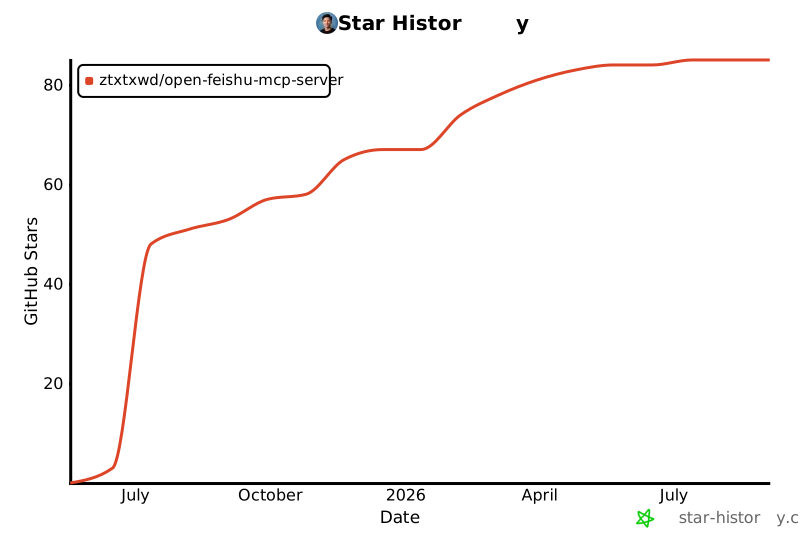
## Star History
[](https://star-history.com/#ztxtxwd/open-feishu-mcp-server&Date)



