Content
# Doubao MCP Server
> Based on the Volcano Engine Doubao API, the MCP (Model Context Protocol) server provides powerful multimodal generation capabilities for AI clients


---
## Project Introduction
Doubao MCP Server is a professional MCP server based on the Volcano Engine Doubao API, providing powerful multimodal generation capabilities for AI clients. This project integrates the advanced AI generation capabilities of Volcano Engine Doubao into various AI clients that support the MCP protocol, allowing users to directly use text-to-image, text-to-video, and image-to-video functions in a familiar development environment.
### Core Features
- **Text-to-Image**: Generate high-quality images from text descriptions
- **Text-to-Video**: Generate video content from text descriptions
- **Image-to-Video**: Generate dynamic videos based on images and text descriptions
- **Image Encoding**: Support converting local image files to base64 encoding
- **Multi-Model Support**: Support multiple Doubao AI model selections
- **Environment Variable Configuration**: Simplify the configuration process using DOUBAO_API_KEY
- **MCP Protocol**: Fully compatible with Model Context Protocol 1.9+
- **Multi-Client Support**: Support Cursor, Cherry Studio, Claude Desktop, Continue.dev
---
## Feature List
| Feature Name | Description | Technology Stack | Status |
|---------|---------|--------|------|
| Text-to-Image | Generate high-quality images from text descriptions | Doubao Seedream API | ✅ Stable |
| Text-to-Video | Generate video content from text descriptions | Doubao Seedance API | ✅ Stable |
| Image-to-Video | Generate dynamic videos based on images and text | Doubao Seedance API | ✅ Stable |
| Image Encoding | Convert local images to base64 encoding | Python base64 | ✅ Stable |
| MCP Protocol | Model Context Protocol service | FastMCP 1.9+ | ✅ Stable |
| Environment Variables | DOUBAO_API_KEY configuration | os.getenv | ✅ Stable |
---
## Technical Architecture
| Technology | Version | Purpose |
|------|------|------|
| Python | 3.13+ | Main development language |
| MCP | 1.9+ | Model Context Protocol |
| FastMCP | latest | MCP server framework |
| OpenAI SDK | 1.86+ | API client |
| requests | 2.31+ | HTTP client |
### Communication Architecture
```
┌─────────────────────────────────────────────────────────────────────────────────┐
│ Communication Architecture │
├─────────────────────────────────────────────────────────────────────────────────┤
│ │
│ ┌──────────────────┐ ┌─────────────────────────┐ ┌─────────────┐ │
│ │ AI Client │ ◄────► │ Doubao MCP Server │ ◄────► │ Doubao API │ │
│ │ (Cursor/Claude) │ │ STDIO │ │ Volcano Engine │ │
│ └──────────────────┘ └─────────────────────────┘ └─────────────┘ │
│ │ │ │ │
│ ▼ ▼ ▼ │
│ AI Conversation Interface MCP Protocol Communication Multimodal Content Generation │
│ Generate Image/Video Request Bidirectional Data Transfer Return Generation Result │
│ │
└─────────────────────────────────────────────────────────────────────────────────┘
```
---
## Installation Instructions
### Environment Requirements
- Python 3.13+
- Volcano Engine Doubao API Key
### Install Dependencies
**Method 1: Install using pip**
```bash
pip install doubao-mcp-server
```
**Method 2: Install using uvx (Recommended)**
```bash
uvx doubao-mcp-server
```
---
## Usage Instructions
### Client Configuration
#### Cursor Configuration
Add the following configuration to the `~/.cursor/mcp.json` file:
```json
{
"mcpServers": {
"doubao-mcp-server": {
"command": "uvx",
"args": [
"doubao-mcp-server"
],
"env": {
"DOUBAO_API_KEY": "your-api-key-here"
}
}
}
}
```
#### Cherry Studio Configuration
1. Open Cherry Studio
2. Go to **Settings → MCP Servers → Add Server**
3. Configure the parameters:
- **Name**: `doubao-mcp-server`
- **Description**: `Doubao AI Generation Service`
- **Type**: `STDIO`
- **Command**: `uvx`
- **Parameters**: `doubao-mcp-server`
- **Environment Variables**: `DOUBAO_API_KEY=your-api-key-here`
4. Click Save and Enable
<img src="https://mypicture-1258720957.cos.ap-nanjing.myqcloud.com/Obsidian/image-20250615165107667.png">
#### Claude Desktop Configuration
Add to the `claude_desktop_config.json` file:
```json
{
"mcpServers": {
"doubao-mcp-server": {
"command": "uvx",
"args": ["doubao-mcp-server"],
"env": {
"DOUBAO_API_KEY": "your-api-key-here"
}
}
}
}
```
#### Continue.dev Configuration
Add to the `config.json` file:
```json
{
"mcpServers": [
{
"name": "doubao-mcp-server",
"command": "uvx",
"args": ["doubao-mcp-server"],
"env": {
"DOUBAO_API_KEY": "your-api-key-here"
}
}
]
}
```
---
## Configuration Instructions
### Environment Variable Configuration
| Variable Name | Description | Required |
|--------|------|------|
| `DOUBAO_API_KEY` | Doubao API Key | Required |
### Obtaining the API Key
1. Visit the [Volcano Engine Console](https://console.volcengine.com/)
2. Register and log in to your account
3. Activate the Doubao Large Model service (you need to authorize and activate each model separately)
4. Create an API key in API Management
<img src="https://mypicture-1258720957.cos.ap-nanjing.myqcloud.com/Obsidian/image-20250614201840722.png.png">
### Supported Models
| Model Type | Model Name | Function |
|---------|---------|------|
| Text-to-Image | `doubao-seedream-3-0-t2i-250415` | Generate images from text |
| Image-to-Video | `doubao-seedance-1-0-lite-i2v-250428` | Generate videos from images |
| Text-to-Video | `doubao-seedance-1-0-lite-t2v-250428` | Generate videos from text |
---
## Available Tools
### 1. text_to_image
Generate images based on text descriptions
**Parameters**:
- `prompt` (string): Image description prompt
- `size` (string, optional): Image size, default "1024x1024"
- `model` (string, optional): Model name, default "doubao-seedream-3-0-t2i-250415"
**Supported Image Sizes**: 512x512, 768x768, 1024x1024, 1024x1792, 1792x1024
### 2. text_to_video
Generate videos based on text descriptions
**Parameters**:
- `prompt` (string): Video description prompt
- `duration` (string, optional): Video duration (seconds), default "5"
- `ratio` (string, optional): Video ratio, default "16:9"
- `model` (string, optional): Model name, default "doubao-seedance-1-0-lite-t2v-250428"
**Supported Video Ratios**: 16:9, 9:16, 1:1
### 3. image_to_video
Generate videos based on images and text descriptions
**Parameters**:
- `prompt` (string): Video description prompt
- `image_base64` (string): Base64 encoded string of the image
- `duration` (string, optional): Video duration (seconds), default "5"
- `ratio` (string, optional): Video ratio, default "16:9"
- `model` (string, optional): Model name, default "doubao-seedance-1-0-lite-i2v-250428"
### 4. encode_image_to_base64
Encode a local image file into a base64 string
**Parameters**:
- `image_path` (string): Image file path
---
## Usage Examples
### Text-to-Image Example
```
Please use the text_to_image tool to generate a "seaside landscape at sunset" image
```
### Text-to-Video Example
```
Please use the text_to_video tool to generate a 5-second video of "a cat playing in the garden"
```
### Image-to-Video Example
```
First, use encode_image_to_base64 to encode the image, then use image_to_video to generate the video
```
<img src="https://mypicture-1258720957.cos.ap-nanjing.myqcloud.com/Obsidian/image-20250615165711353.png">
<img src="https://mypicture-1258720957.cos.ap-nanjing.myqcloud.com/Obsidian/image-20250615165906609.png">
---
## Project Structure
```
doubao_mcp_server/
├── doubao_mcp_server.py # Main program entry point
├── __init__.py # Package initialization file
├── pyproject.toml # Project configuration
├── requirements.txt # Dependency list (pip)
├── README.md # Project documentation
└── .gitignore # Git ignore configuration
```
---
## Development Guide
### Local Development
```bash
# Clone the repository
git clone https://github.com/wwwzhouhui/doubao_mcp_server.git
cd doubao_mcp_server
# Create a virtual environment
python -m venv .venv
source .venv/bin/activate # Linux/Mac
# Or
.venv\Scripts\activate # Windows
# Install dependencies
pip install -e .
# Configure the API key
export DOUBAO_API_KEY="your-api-key-here"
# Run the server
python -m doubao_mcp_server
```
### Debug Mode
Enable detailed log output:
```bash
uvx doubao-mcp-server --verbose
```
---
## Common Issues
<details>
<summary>Q: API key error?</summary>
A:
1. Ensure you have obtained a valid API key from the Volcano Engine Console
2. Check if the `DOUBAO_API_KEY` environment variable is set correctly
3. Confirm that you have activated the corresponding Doubao model service permissions
</details>
<details>
<summary>Q: Network connection problem?</summary>
A:
1. Check your network connection and firewall settings
2. Confirm that you can access the Volcano Engine API service
3. Check your proxy settings
</details>
<details>
<summary>Q: Model unavailable?</summary>
A:
1. Confirm that the model name you are using is correct
2. Check if the model has been activated in the Volcano Engine Console
3. Check if the API key has sufficient quota
</details>
<details>
<summary>Q: Video generation timeout?</summary>
A:
1. Video generation tasks may take a long time, please be patient
2. Check if the API key quota is sufficient
3. Confirm that the network connection is stable
</details>
<details>
<summary>Q: Generated content URL is invalid?</summary>
A:
1. Generated content URLs have a time limit, please save them promptly
2. Download the generated content to local storage
3. The URL validity period is usually 24 hours
</details>
<details>
<summary>Q: uvx command not found?</summary>
A:
1. Install the uv package manager: `curl -LsSf https://astral.sh/uv/install.sh | sh`
2. Or use pip to install the package globally
3. Check the PATH environment variable
</details>
<details>
<summary>Q: Incorrect image size?</summary>
A:
1. Confirm that you are using a supported size: 512x512, 768x768, 1024x1024, 1024x1792, 1792x1024
2. The size format must be "widthxheight", such as "1024x1024"
3. Different models may support different sizes
</details>
<details>
<summary>Q: Unsupported video ratio?</summary>
A:
1. Confirm that you are using a supported ratio: 16:9, 9:16, 1:1
2. Different models may support different ratios
3. Check the model documentation to confirm the supported ratios
</details>
<details>
<summary>Q: base64 encoding error?</summary>
A:
1. Ensure that the image file path is correct
2. Check if the image file format is supported
3. There may be a limit on the image file size
</details>
<details>
<summary>Q: How to change the model?</summary>
A:
1. Specify the `model` parameter when calling the tool
2. Ensure that the model name is correct
3. Confirm that you have activated the usage permission for the model
</details>
---
## Technical Exchange Group
Welcome to join the technical exchange group to share your experiences and feedback:
<img src="https://mypicture-1258720957.cos.ap-nanjing.myqcloud.com/Obsidian/%E5%BE%AE%E4%BF%A1%E5%9B%BE%E7%89%87_20260303214419_166_292.jpg">
---
## Author Contact
- **WeChat**: laohaibao2025
- **Email**: 75271002@qq.com
<img src="https://mypicture-1258720957.cos.ap-nanjing.myqcloud.com/Screenshot_20260123_095617_com.tencent.mm.jpg">
---
## Donate
If this project has helped you, feel free to buy me a coffee ☕
**WeChat Pay**
<img src="https://mypicture-1258720957.cos.ap-nanjing.myqcloud.com/Obsidian/image-20250914152855543.png">
---
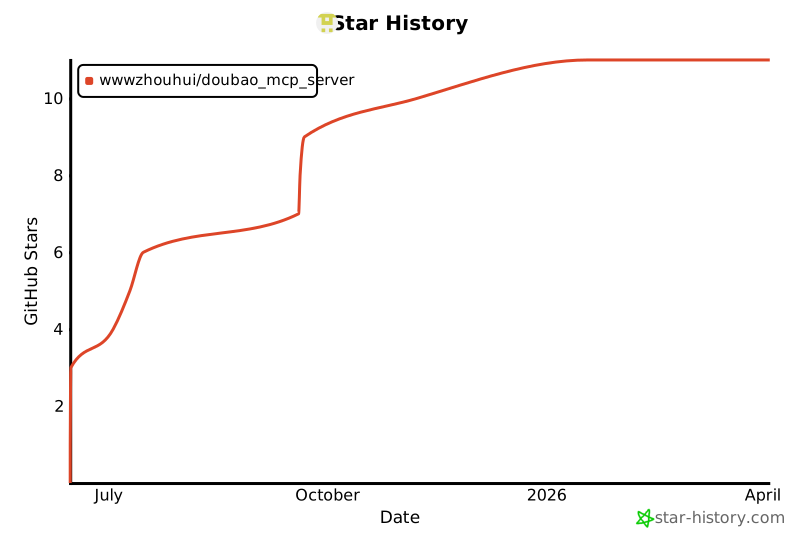
## Star History
If you like the project, please give it a Star ⭐
[](https://star-history.com/#wwwzhouhui/doubao_mcp_server&Date)
---
## License
MIT License
---
## Changelog
### v0.0.4 (2025-06-29)
- ✅ Removed the set_api_key mcp_tool tool
- ✅ Used the DOUBAO_API_KEY environment variable to assign parameters
- ✅ Simplified the user configuration process
### v0.0.1 (2025-06-29)
- ✅ Initial version released
- ✅ Supported text-to-image, text-to-video, and image-to-video functions
- ✅ Integrated the Volcano Engine Doubao API
---
## Contribution Guide
Welcome to submit Issues and Pull Requests to improve this project!
1. Fork this repository
2. Create a feature branch: `git checkout -b feature/amazing-feature`
3. Commit changes: `git commit -m 'Add amazing feature'`
4. Push to the branch: `git push origin feature/amazing-feature`
5. Submit a Pull Request
---
## Precautions
- Video generation tasks may take a long time to complete, please be patient
- Ensure that the API key has sufficient quota
- Generated content URLs have a time limit, please save them promptly
- You need to activate the usage permission for each model separately in the Volcano Engine Console
---
**Enjoy creating multimedia content with Doubao AI! 🎨🎬✨**