

Content
<h1 align="center">AutoRedTeam-Orchestrator</h1>
<p align="center">
<b>AI-driven Automated Red Team Orchestration Framework</b><br>
<sub>Cross-Platform | 101 MCP Tools | 2000+ Payloads | ATT&CK Coverage | Knowledge Graph Enhanced</sub>
</p>
<p align="center">
<a href="README.md"><b>简体中文</b></a> ·
<a href="README_EN.md">English</a> ·
<a href="README_JA.md">日本語</a> ·
<a href="README_RU.md">Русский</a> ·
<a href="README_DE.md">Deutsch</a> ·
<a href="README_FR.md">Français</a>
</p>
<p align="center">
<a href="https://github.com/Coff0xc/AutoRedTeam-Orchestrator/stargazers"><img src="https://img.shields.io/github/stars/Coff0xc/AutoRedTeam-Orchestrator?style=flat-square&logo=github&color=gold" alt="Stars"></a>
<a href="https://github.com/Coff0xc/AutoRedTeam-Orchestrator/network/members"><img src="https://img.shields.io/github/forks/Coff0xc/AutoRedTeam-Orchestrator?style=flat-square&logo=github&color=silver" alt="Forks"></a>
<a href="https://github.com/Coff0xc/AutoRedTeam-Orchestrator/issues"><img src="https://img.shields.io/github/issues/Coff0xc/AutoRedTeam-Orchestrator?style=flat-square&logo=github&color=red" alt="Issues"></a>
<a href="https://github.com/Coff0xc/AutoRedTeam-Orchestrator/commits/main"><img src="https://img.shields.io/github/last-commit/Coff0xc/AutoRedTeam-Orchestrator?style=flat-square&logo=github" alt="Last Commit"></a>
</p>
<p align="center">
<img src="https://img.shields.io/badge/Version-3.0.2-blue?style=flat-square" alt="Version">
<img src="https://img.shields.io/badge/Python-3.10+-3776AB?style=flat-square&logo=python&logoColor=white" alt="Python">
<img src="https://img.shields.io/badge/MCP-Native-00ADD8?style=flat-square" alt="MCP">
<img src="https://img.shields.io/badge/Tools-101-FF6B6B?style=flat-square" alt="Tools">
<img src="https://img.shields.io/badge/Tests-1461-4CAF50?style=flat-square" alt="Tests">
<img src="https://img.shields.io/badge/License-MIT-green?style=flat-square" alt="License">
</p>
<p align="center">
<a href="https://discord.gg/PtVyrMvB"><img src="https://img.shields.io/badge/Discord-Community-5865F2?style=flat-square&logo=discord&logoColor=white" alt="Discord"></a>
<a href="https://github.com/Coff0xc/AutoRedTeam-Orchestrator/wiki"><img src="https://img.shields.io/badge/Wiki-Documentation-blue?style=flat-square&logo=gitbook&logoColor=white" alt="Wiki"></a>
<a href="https://github.com/Coff0xc/AutoRedTeam-Orchestrator/actions"><img src="https://img.shields.io/github/actions/workflow/status/Coff0xc/AutoRedTeam-Orchestrator/ci.yml?style=flat-square&logo=github-actions&logoColor=white&label=CI" alt="CI"></a>
</p>
---
## Project Highlights
```
┌─────────────────────────────────────────────────────────────────────────────┐
│ AutoRedTeam-Orchestrator v3.0.2 │
├─────────────────────────────────────────────────────────────────────────────┤
│ ● 101 MCP Tools ● 2000+ Payloads ● 1461 Test Cases │
│ ● 10 Stage Recon ● 19 Vulnerability Detectors ● 5 Protocol Lateral Movement │
│ ● MCTS Attack Planning ● Knowledge Graph ● AI PoC Generation │
│ ● OOB False Positive Filtering ● Dependency Injection Container ● MCP Security Middleware │
├─────────────────────────────────────────────────────────────────────────────┤
│ Supports AI Editors: Cursor | Windsurf | Kiro | Claude Desktop | VS Code │
│ | OpenCode | Claude Code │
└─────────────────────────────────────────────────────────────────────────────┘
```
---
## Table of Contents
- [Project Introduction](#project-introduction)
- [Core Features](#core-features)
- [Design Philosophy](#design-philosophy)
- [Technical Architecture](#technical-architecture)
- [ATT&CK Coverage Matrix](#attck-coverage-matrix)
- [Quick Start](#quick-start)
- [System Requirements](#system-requirements)
- [Installation](#installation)
- [Verify Installation](#verify-installation)
- [MCP Configuration](#mcp-configuration)
- [Tool Matrix](#tool-matrix-100-mcp-tools)
- [Core Modules Explained](#core-modules-explained)
- [External Tool Integration](#external-tool-integration)
- [Usage Examples](#usage-examples)
- [Command Line Usage](#command-line-usage)
- [Python API Call](#python-api-call)
- [Configuration](#configuration)
- [Performance Tuning](#performance-tuning)
- [Troubleshooting](#troubleshooting)
- [FAQ](#faq)
- [Development Guide](#development-guide)
- [Changelog](#changelog)
- [Roadmap](#roadmap)
- [Contribution Guide](#contribution-guide)
- [Security Policy](#security-policy)
- [Acknowledgements](#acknowledgements)
- [License](#license)
- [Disclaimer](#disclaimer)
---
## Project Introduction
**AutoRedTeam-Orchestrator** is an AI-driven automated penetration testing framework based on [Model Context Protocol (MCP)](https://modelcontextprotocol.io/). It encapsulates 101 security tools as MCP tools, which can be seamlessly integrated with MCP-supported AI editors (Cursor, Windsurf, Kiro, Claude Desktop, OpenCode, Claude Code) to achieve natural language-driven automated security testing.
### Why Choose AutoRedTeam-Orchestrator?
| Feature | Traditional Tools | AutoRedTeam |
|------|----------|-------------|
| **Interaction** | Command Line Memorization | Natural Language Dialogue |
| **Learning Curve** | High (Requires Memorizing Many Parameters) | Low (AI Automatically Selects Tools) |
| **Tool Integration** | Manually Switching Tools | 101 Tools Unified Interface |
| **Attack Chain Planning** | Manual Planning | **MCTS Algorithm + Knowledge Graph** |
| **False Positive Filtering** | Manual Verification | **OOB + Statistical Verification** |
| **Report Generation** | Manual Writing | One-Click Professional Report Generation |
| **Session Management** | None | Supports Resuming from Breakpoints |
| **Security** | Each Tool Independent | **MCP Security Middleware Unified Protection** |
### Comparison with Similar Projects
| Feature | AutoRedTeam | Nuclei | SQLMap | Metasploit |
|------|-------------|--------|--------|------------|
| AI Native | ✅ | ❌ | ❌ | ❌ |
| MCP Protocol | ✅ | ❌ | ❌ | ❌ |
| Natural Language Interaction | ✅ | ❌ | ❌ | ❌ |
| MCTS Attack Planning | ✅ | ❌ | ❌ | ❌ |
| Knowledge Graph | ✅ | ❌ | ❌ | ❌ |
| Full-Chain Automation | ✅ | Partial | Partial | Partial |
| False Positive Filtering | Multi-Method Verification | Basic | Medium | Basic |
---
## Core Features
<table>
<tr>
<td width="50%">
### AI Native Design
- **Intelligent Fingerprint Recognition** - Automatically identifies target technology stack (CMS/Framework/WAF)
- **MCTS Attack Planning** - Monte Carlo Tree Search-driven optimal attack path
- **Knowledge Graph** - Persists attack knowledge, supports cross-session learning
- **Historical Feedback Learning** - Continuously optimizes attack strategies based on historical results
- **Automatic Payload Selection** - Intelligently selects/mutates payloads based on WAF type
- **AI PoC Generation** - Automatically generates vulnerability exploitation code based on CVE descriptions
</td>
<td width="50%">
### Full-Process Automation
- **10-Stage Reconnaissance Process** - DNS/Port/Fingerprint/WAF/Subdomain/Directory/JS Analysis
- **Vulnerability Discovery and Verification** - Automated scanning + **multi-method verification to reduce false positives**
- **Intelligent Exploitation Orchestration** - Feedback loop engine + automatic retry on failure
- **One-Click Professional Report** - JSON/HTML/Markdown multi-format output
- **Session Breakpoint Resumption** - Supports interruption recovery without losing scan progress
</td>
</tr>
<tr>
<td width="50%">
### Red Team Toolchain
- **Lateral Movement** - SMB/SSH/WMI/WinRM/PSExec 5 protocols
- **C2 Communication** - Beacon + DNS/HTTP/WebSocket/ICMP Tunnel
- **Obfuscation Evasion** - XOR/AES/Base64/Custom Encoders
- **Persistence** - Windows Registry/Scheduled Tasks/WMI/Linux cron/Webshell
- **Credential Harvesting** - Memory Extraction/File Search/Password Spraying
- **AD Attacks** - Kerberoasting/AS-REP Roasting/SPN Scanning
</td>
<td width="50%">
### Security Capability Expansion
- **API Security** - JWT/CORS/GraphQL/WebSocket/OAuth Testing
- **Supply Chain Security** - SBOM Generation/Dependency Auditing/CI-CD Security Scanning
- **Cloud Native Security** - K8s RBAC/Pod Security/gRPC/AWS Configuration Auditing
- **CVE Intelligence** - NVD/Nuclei/ExploitDB Multi-Source Synchronization
- **WAF Bypass** - 2000+ Payloads + 30+ Encoding Methods Intelligent Mutation
</td>
</tr>
</table>
---
## Design Philosophy
### Core Design Principles
```
┌────────────────────────────────────────────────────────────────────────────┐
│ Design Philosophy │
├────────────────────────────────────────────────────────────────────────────┤
│ │
│ 1. AI Native (AI-Native) │
│ └─ Not an "AI Wrapper", but designed for AI from the architectural level │
│ └─ MCP Protocol Native Support │
│ └─ Natural Language-Driven Tool Selection │
│ └─ MCTS Algorithm-Driven Attack Planning │
│ │
│ 2. Verifiable Security (Verifiable Security) │
│ └─ Multi-Method Cross-Verification Reduces False Positives │
│ └─ Statistical Verification (Significant Difference Test) │
│ └─ Boolean Blind Injection Verification (True/False Response Comparison) │
│ └─ Time-Based Blind Injection Verification (Latency Detection) │
│ └─ OOB Out-of-Band Verification (DNS/HTTP Callback) │
│ │
│ 3. Knowledge Persistence (Knowledge Persistence) │
│ └─ Attack knowledge is not only within the session, but also accumulates across sessions │
│ └─ Knowledge Graph Stores Target, Vulnerability, and Credential Relationships │
│ └─ Attack Path Success Rate is Calculated Based on History │
│ └─ Similar Target Identification Accelerates New Target Testing │
│ │
│ 4. Security by Design (Security by Design) │
│ └─ Security is not an additional feature, but the core architecture │
│ └─ MCP Security Middleware: Input Validation, Rate Limiting, Authorization Control │
│ └─ TOCTOU Security: Atomic Operations, Race Condition Protection │
│ └─ Memory Security: Resource Limits, Automatic Cleanup │
│ │
│ 5. Extensible Architecture (Extensible Architecture) │
│ └─ Dependency Injection Container Supports Flexible Service Composition │
│ └─ Modular Handler Design │
│ └─ External Tool YAML Configuration Integration │
│ └─ Detector Combination Pattern Supports Arbitrary Combinations │
│ │
└────────────────────────────────────────────────────────────────────────────┘
```
### Technical Decision Explanation
| Decision | Options | Choice | Reason |
|------|------|------|------|
| **Communication Protocol** | REST / gRPC / MCP | MCP | AI editor native support, seamless natural language interaction |
| **Attack Planning** | Rule Engine / MCTS / Reinforcement Learning | MCTS | Online planning, no pre-training required, UCB1 balances exploration and exploitation |
| **Knowledge Storage** | SQL / Graph Database / Memory | Memory Graph + Optional Neo4j | Zero-dependency startup, high-performance query, optional persistence |
| **Dependency Management** | Global Variables / Dependency Injection | DI Container | Testability, replaceability, lifecycle management |
| **Concurrency Model** | Multi-threading / asyncio / Hybrid | asyncio Primarily | Optimal for IO-intensive scenarios, native Python support |
| **Hashing Algorithm** | MD5 / SHA256 | SHA256 | Higher security, meets modern standards |
---
## Technical Architecture
### High-Level Architecture Diagram
```
┌─────────────────────────────────────────────────────────────────────────────┐
│ AI Editor Layer │
│ Cursor │ Windsurf │ Kiro │ Claude Desktop │ VS Code │
│ OpenCode │ Claude Code │
└───────────────────────────────────┬─────────────────────────────────────────┘
│ MCP Protocol (JSON-RPC over stdio)
▼
┌─────────────────────────────────────────────────────────────────────────────┐
│ MCP Server Entrypoint │
│ mcp_stdio_server.py │
│ (101 Tool Registration) │
├─────────────────────────────────────────────────────────────────────────────┤
│ MCP Security Middleware │
│ ┌─────────────┐ ┌─────────────┐ ┌─────────────┐ ┌─────────────┐ │
│ │ InputValid │ │ RateLimiter │ │ OpAuthorize │ │ @secure_tool│ │
│ └─────────────┘ └─────────────┘ └─────────────┘ └─────────────┘ │
└───────────────────────────────────┬─────────────────────────────────────────┘
│
┌───────────────────────────┼───────────────────────────┐
▼ ▼ ▼
┌───────────────────┐ ┌───────────────────┐ ┌───────────────────┐
│ handlers/ │ │ core/ │ │ modules/ │
│ MCP Tool Handlers│ │ Core Engine │ │ Feature Modules │
├───────────────────┤ ├───────────────────┤ ├───────────────────┤
│ • recon_handlers │ │ • recon/ │ │ • api_security/ │
│ • detector_hdlrs │ │ 10-Stage Recon │ │ JWT/CORS/GQL │
│ • cve_handlers │ │ • detectors/ │ │ • supply_chain/ │
│ • redteam_hdlrs │ │ Vulnerability Detectors│ │ SBOM/Dependencies │
│ • lateral_hdlrs │ │ • mcts_planner │ │ • cloud_security/ │
│ • external_hdlrs │ │ MCTS Attack Planning│ │ K8s/gRPC/AWS │
│ • ai_handlers │ │ • knowledge/ │ │ • payload/ │
│ • session_hdlrs │ │ Knowledge Graph │ │ 2000+ Payload │
└───────────────────┘ │ • container │ └───────────────────┘
│ Dependency Injection│
│ • c2/ │
│ C2 Communication │
│ • lateral/ │
│ Lateral Movement │
│ • cve/ │
│ CVE Intel+PoC │
└───────────────────┘
```
### Core Component Dependency Graph
```
┌─────────────────────────────────────────────────────────────────────────────┐
│ Component Dependencies │
├─────────────────────────────────────────────────────────────────────────────┤
│ │
│ MCPSecurityMiddleware ──────┬──────────────────────────────────────────┐ │
│ │ │ │ │
│ ▼ ▼ │ │
│ ┌─────────────┐ ┌─────────────┐ │ │
│ │InputValidator│ │RateLimiter │ │ │
│ │ │ │ │ │ │
│ │• Target Validation│ │• Sliding Window │ │ │
│ │• Port Validation │ │• Token Bucket │ │ │
│ │• Path Validation │ │• Burst Limiting │ │ │
│ │• SSRF Detection │ │• Memory Eviction │ │ │
│ └─────────────┘ └─────────────┘ │ │
│ │ │
│ Container (DI) ───────────────────────────────────────────────────────│ │
│ │ │ │
│ ├── Singleton: KnowledgeManager │ │
│ ├── Singleton: MCTSPlanner │ │
│ ├── Singleton: AdvancedVerifier │ │
│ ├── Scoped: SessionManager │ │
│ └── Transient: Detectors │ │
│ │ │
│ MCTSPlanner ──────────────────────────────────────────────────────────│ │
│ │ │ │
│ ├── ActionGenerator │ │
│ ├── AttackSimulator │ │
│ └── UCB1 Algorithm │ │
│ │ │
│ KnowledgeManager ─────────────────────────────────────────────────────│ │
│ │ │ │
│ ├── InMemoryGraphStore │ │
│ ├── Entities: Target, Service, Vulnerability, Credential │ │
│ ├── Relationships: HOSTS, HAS_VULNERABILITY, OBTAINED_FROM │ │
│ └── BFS Multi-Path Discovery │ │
│ │ │
│ AdvancedVerifier ─────────────────────────────────────────────────────│ │
│ │ │ │
│ ├── statistical_confirm │ │
│ ├── boolean_blind_confirm │ │
│ ├── time_based_confirm │ │
│ ├── oob_verify │ │
│ └── multi_method_verify │ │
│ │ │
└─────────────────────────────────────────────────────────────────────────────┘
```
### Directory Structure
```
AutoRedTeam-Orchestrator/
├── mcp_stdio_server.py # MCP Server Entrypoint (101 Tool Registration)
├── VERSION # Version Number File
├── pyproject.toml # Project Configuration
├── requirements.txt # Production Dependencies
├── requirements-dev.txt # Development Dependencies
│
├── handlers/ # MCP Tool Handlers (16 Modules)
│ ├── recon_handlers.py # Reconnaissance Tools (8)
│ ├── detector_handlers.py # Vulnerability Detection Tools (11)
│ ├── api_security_handlers.py # API Security Tools (7)
│ ├── supply_chain_handlers.py # Supply Chain Security Tools (3)
│ ├── cloud_security_handlers.py # Cloud Security Tools (3)
│ ├── cve_handlers.py # CVE Tools (8)
│ ├── redteam_handlers.py # Red Team Core Tools (14)
│ ├── lateral_handlers.py # Lateral Movement Tools (9)
│ ├── persistence_handlers.py # Persistence Tools (3)
│ ├── ad_handlers.py # AD Attack Tools (3)
│ ├── orchestration_handlers.py # Orchestration Tools (11)
│ ├── external_tools_handlers.py # External Tools (8)
│ ├── ai_handlers.py # AI-Assisted Tools (3)
│ ├── session_handlers.py # Session Tools (4)
│ ├── report_handlers.py # Reporting Tools (2)
│ └── misc_handlers.py # Miscellaneous Tools (3)
│
├── core/ # Core Engine
│ ├── __init__.py # Version Definition
│ │
│ ├── security/ # Security Components ⭐ v3.0.2 New
│ │ └── mcp_security.py # MCP Security Middleware
│ │
│ ├── container.py # Dependency Injection Container ⭐ v3.0.2 New
│ │
│ ├── mcts_planner.py # MCTS Attack Planner ⭐ v3.0.2 New
│ │
│ ├── knowledge/ # Knowledge Graph ⭐ v3.0.2 New
│ │ ├── __init__.py
│ │ ├── manager.py # Knowledge Manager
│ │ └── models.py # Data Models
│ │
│ ├── recon/ # Reconnaissance Engine (10-Stage Pipeline)
│ │ ├── engine.py # StandardReconEngine
│ │ ├── phases.py # Phase Definition and Execution
│ │ ├── port_scanner.py # Port Scanner
│ │ ├── subdomain.py # Subdomain Enumeration
│ │ ├── fingerprint.py # Fingerprint Identification
│ │ ├── waf_detect.py # WAF Detection
│ │ └── directory.py # Directory Scanning
│ │
│ ├── detectors/ # Vulnerability Detectors
│ │ ├── base.py # Base Class + Composite Pattern
│ │ ├── sqli.py # SQL Injection
│ │ ├── xss.py # XSS
│ │ ├── ssrf.py # SSRF
│ │ ├── advanced_verifier.py # Advanced Verifier ⭐ v3.0.2 Enhanced
│ │ └── false_positive_filter.py # False Positive Filtering
│ │
│ ├── cve/ # CVE Intelligence
│ │ ├── manager.py # CVE Database Management
│ │ ├── poc_engine.py # PoC Template Engine
│ │ ├── auto_exploit.py # Automatic Exploitation
│ │ ├── ai_poc_generator.py # AI PoC Generation
│ │ └── update_manager.py # Multi-Source Synchronization
│ │
│ ├── c2/ # C2 Communication Framework
│ │ ├── beacon.py # Beacon Implementation
│ │ ├── protocol.py # Protocol Definition
│ │ └── tunnels/ # DNS/HTTP/WS/ICMP Tunnels
│ │
│ ├── lateral/ # Lateral Movement
│ │ ├── smb.py # SMB (PTH/PTT)
│ │ ├── ssh.py # SSH + SFTP
│ │ ├── wmi.py # WMI
│ │ ├── winrm.py # WinRM
│ │ └── psexec.py # PSExec
│ │
│ ├── evasion/ # Evasion and Obfuscation
│ │ └── payload_obfuscator.py
│ │
│ ├── persistence/ # Persistence
│ │ ├── windows_persistence.py
│ │ ├── linux_persistence.py
│ │ └── webshell_manager.py
│ │
│ ├── credential/ # Credential Acquisition
│ ├── ad/ # AD Attacks
│ ├── session/ # Session Management
│ ├── tools/ # External Tool Management
│ └── exfiltration/ # Data Exfiltration
│
├── modules/ # Functional Modules
│ ├── api_security/ # API Security
│ │ ├── jwt_security.py
│ │ ├── cors_security.py
│ │ ├── graphql_security.py
│ │ └── websocket_security.py
│ │
│ ├── supply_chain/ # Supply Chain Security
│ │ ├── sbom_generator.py
│ │ ├── dependency_scanner.py
│ │ └── cicd_security.py
│ │
│ ├── cloud_security/ # Cloud Security
│ │ ├── kubernetes_enhanced.py
│ │ └── aws_tools.py
│ │
│ └── payload/ # Payload Engine
│ ├── library.py # 2000+ Payloads
│ └── smart.py # Intelligent Selection
│
├── utils/ # Utility Functions
│ ├── logger.py # Logging
│ ├── http_client.py # HTTP Client
│ ├── validators.py # Input Validation
│ ├── report_generator.py # Report Generation
│ └── config.py # Configuration Management
│
├── wordlists/ # Built-in Wordlists
│ ├── directories/ # Directory Wordlist
│ ├── passwords/ # Password Wordlist
│ ├── usernames/ # Username Wordlist
│ └── subdomains/ # Subdomain Wordlist
│
├── config/ # Configuration Files
│ └── external_tools.yaml # External Tool Configuration
│
├── tests/ # Test Suite (1461 Test Cases)
│ ├── test_mcp_security.py # MCP Security Tests (62)
│ ├── test_container.py # DI Container Tests (39)
│ ├── test_mcts_planner.py # MCTS Tests (57)
│ ├── test_advanced_verifier.py # Verifier Tests (43)
│ ├── test_knowledge_manager.py # Knowledge Graph Tests (90)
│ └── ...
│
├── poc-templates/ # PoC Templates
├── templates/ # Report Templates
└── scripts/ # Tool Scripts
```
---
## ATT&CK Coverage Matrix
| Tactic | Technique Coverage | Tool Count | Status |
|----------|----------|----------|------|
| Reconnaissance | Active Scanning, Passive Collection, OSINT, JS Analysis | 12+ | ✅ |
| Resource Development | Payload Generation, Obfuscation, PoC Generation | 4+ | ✅ |
| Initial Access | Web Exploitation, CVE Exploitation, API Vulnerabilities | 19+ | ✅ |
| Execution | Command Injection, Code Execution, Deserialization | 5+ | ✅ |
| Persistence | Registry, Scheduled Tasks, Webshell, WMI | 3+ | ✅ |
| Privilege Escalation | UAC Bypass, Token Impersonation, Kernel Exploits | 2+ | ⚠️ |
| Defense Evasion | AMSI Bypass, ETW Bypass, Obfuscation, Traffic Mutation | 4+ | ✅ |
| Credential Access | Memory Extraction, File Search, Password Spraying | 2+ | ✅ |
| Discovery | Network Scanning, Service Enumeration, AD Enumeration | 8+ | ✅ |
| Lateral Movement | SMB/SSH/WMI/WinRM/PSExec | 9+ | ✅ |
| Collection | Data Aggregation, Sensitive File Search | 2+ | ✅ |
| Command & Control (C2) | HTTP/DNS/WebSocket/ICMP Tunneling | 4+ | ✅ |
| Data Exfiltration | DNS/HTTP/ICMP/SMB + AES Encryption | 4+ | ✅ |
---
## Quick Start
### System Requirements
| Component | Minimum Requirements | Recommended Configuration |
|------|---------|----------|
| Operating System | Windows 10, Ubuntu 20.04, macOS 12 | Windows 11, Ubuntu 22.04, macOS 14 |
| Python | 3.10 | 3.11 or 3.12 |
| Memory | 4GB | 8GB+ |
| Disk Space | 500MB | 2GB+ (including CVE database) |
| Network | Internet Access | Low-Latency Network |
### Installation Methods
#### Method 1: Standard Installation (Recommended)
```bash
# 1. Clone the repository
git clone https://github.com/Coff0xc/AutoRedTeam-Orchestrator.git
cd AutoRedTeam-Orchestrator
# 2. Create a virtual environment (recommended)
python -m venv venv
# Linux/macOS:
source venv/bin/activate
# Windows:
venv\Scripts\activate
# 3. Install dependencies
pip install -r requirements.txt
# 4. Copy the environment variable template
cp .env.example .env
# Edit .env and fill in your API keys
# 5. Start the server
python mcp_stdio_server.py
```
#### Method 2: Minimal Installation (Core Functionality Only)
```bash
# Install only core dependencies (Reconnaissance + Vulnerability Detection)
pip install -r requirements-core.txt
```
#### Method 3: Docker Deployment
```bash
docker pull ghcr.io/coff0xc/autoredteam-orchestrator:latest
docker run -it --rm \
-v $(pwd)/config:/app/config \
-v $(pwd)/data:/app/data \
ghcr.io/coff0xc/autoredteam-orchestrator
```
#### Method 4: Development Environment
```bash
# Install development dependencies (testing, formatting, linting)
pip install -r requirements-dev.txt
# Install pre-commit hooks
pre-commit install
# Run tests
pytest tests/ -v
```
### Verify Installation
```bash
# Check version
python mcp_stdio_server.py --version
# Output: AutoRedTeam-Orchestrator v3.0.2
# Run self-check
python -c "from core import __version__; print(f'Core version: {__version__}')"
# Run core module tests
pytest tests/test_mcp_security.py tests/test_container.py tests/test_mcts_planner.py tests/test_knowledge_manager.py tests/test_advanced_verifier.py -v
# Expected: 291+ passed
```
---
## MCP Configuration
Add the following configuration to the AI editor's MCP configuration file:
### Configuration File Location
| Editor | Configuration File Path |
|--------|-------------|
| Cursor | `~/.cursor/mcp.json` |
| Windsurf | `~/.codeium/windsurf/mcp_config.json` |
| Kiro | `~/.kiro/mcp.json` |
| Claude Desktop | `~/Library/Application Support/Claude/claude_desktop_config.json` (macOS) |
| VS Code (MCP Extension) | `.vscode/mcp.json` |
| OpenCode | `~/.config/opencode/mcp.json` or `~/.opencode/mcp.json` |
| Claude Code | `~/.claude/mcp.json` |
### Configuration Examples
<details>
<summary><b>Cursor</b> - <code>~/.cursor/mcp.json</code></summary>
```json
{
"mcpServers": {
"redteam": {
"command": "python",
"args": ["/absolute/path/to/AutoRedTeam-Orchestrator/mcp_stdio_server.py"],
"env": {
"PYTHONIOENCODING": "utf-8"
}
}
}
}
```
</details>
<details>
<summary><b>Windsurf</b> - <code>~/.codeium/windsurf/mcp_config.json</code></summary>
```json
{
"mcpServers": {
"redteam": {
"command": "python",
"args": ["/absolute/path/to/AutoRedTeam-Orchestrator/mcp_stdio_server.py"],
"env": {
"PYTHONIOENCODING": "utf-8",
"PYTHONPATH": "/absolute/path/to/AutoRedTeam-Orchestrator"
}
}
}
}
```
</details>
<details>
<summary><b>Kiro</b> - <code>~/.kiro/mcp.json</code></summary>
```json
{
"mcpServers": {
"redteam": {
"command": "python",
"args": ["/absolute/path/to/AutoRedTeam-Orchestrator/mcp_stdio_server.py"]
}
}
}
```
</details>
<details>
<summary><b>Claude Desktop</b></summary>
```json
{
"mcpServers": {
"redteam": {
"command": "python",
"args": ["/absolute/path/to/AutoRedTeam-Orchestrator/mcp_stdio_server.py"],
"env": {
"PYTHONIOENCODING": "utf-8"
}
}
}
}
```
</details>
<details>
<summary><b>OpenCode</b> - <code>~/.config/opencode/mcp.json</code></summary>
```json
{
"mcpServers": {
"redteam": {
"command": "python",
"args": ["/absolute/path/to/AutoRedTeam-Orchestrator/mcp_stdio_server.py"],
"env": {
"PYTHONIOENCODING": "utf-8"
}
}
}
}
```
</details>
<details>
<summary><b>Claude Code</b> - <code>~/.claude/mcp.json</code></summary>
```json
{
"mcpServers": {
"redteam": {
"command": "python",
"args": ["/absolute/path/to/AutoRedTeam-Orchestrator/mcp_stdio_server.py"],
"env": {
"PYTHONIOENCODING": "utf-8"
}
}
}
}
```
</details>
<details>
<summary><b>Windows Path Example</b></summary>
```json
{
"mcpServers": {
"redteam": {
"command": "python",
"args": ["C:\\Users\\YourName\\AutoRedTeam-Orchestrator\\mcp_stdio_server.py"],
"env": {
"PYTHONIOENCODING": "utf-8"
}
}
}
}
```
</details>
---
## Tool Matrix (101 MCP Tools)
| Category | Quantity | Key Tools | Description |
|------|------|----------|------|
| **Reconnaissance** | 8 | `port_scan` `subdomain_enum` `fingerprint` `waf_detect` `js_analyze` `dir_scan` `dns_lookup` `tech_detect` | Information gathering and asset discovery |
| **Vulnerability Detection** | 11 | `sqli_scan` `xss_scan` `ssrf_scan` `rce_scan` `ssti_scan` `xxe_scan` `idor_scan` `path_traversal_scan` `cors_scan` `security_headers_scan` | OWASP Top 10 + Logic Vulnerabilities |
| **API Security** | 7 | `jwt_scan` `graphql_scan` `websocket_scan` `oauth_scan` `cors_deep_scan` `security_headers_score` | Modern API security testing |
| **Supply Chain** | 3 | `sbom_generate` `dependency_audit` `cicd_scan` | SBOM/Dependency/CI-CD Security |
| **Cloud Native** | 3 | `k8s_scan` `grpc_scan` `aws_scan` | K8s/gRPC/AWS Security Audit |
| **Red Team Core** | 14 | `lateral_smb` `c2_beacon_start` `credential_find` `privilege_escalate` `payload_obfuscate` | Post-exploitation and internal network |
| **Lateral Movement** | 9 | `lateral_ssh` `lateral_wmi` `lateral_winrm` `lateral_psexec` `lateral_ssh_tunnel` | 5 protocols for lateral movement |
| **Persistence** | 3 | `persistence_windows` `persistence_linux` `persistence_webshell` | Windows/Linux/Web |
| **AD Attack** | 3 | `ad_enumerate` `ad_kerberos_attack` `ad_spn_scan` | Domain penetration suite |
| **CVE** | 8 | `cve_search` `cve_sync` `cve_stats` `poc_execute` `poc_list` `cve_auto_exploit` `cve_exploit_with_desc` `cve_generate_poc` | CVE intelligence + AI PoC |
| **Orchestration** | 11 | `auto_pentest` `pentest_resume` `pentest_status` `pentest_phase` `smart_analyze` `attack_chain_plan` | Automated penetration testing |
| **External Tools** | 8 | `ext_nmap_scan` `ext_nuclei_scan` `ext_sqlmap_scan` `ext_ffuf_fuzz` `ext_masscan_scan` `ext_tool_chain` `ext_tools_status` | Professional tool integration |
| **AI Assistance** | 3 | `smart_payload` `ai_attack_chain` `smart_pentest` | Intelligent analysis and decision-making |
| **Session/Report** | 9 | `session_create` `session_status` `session_list` `session_complete` `generate_report` `export_findings` | Session management + reporting |
---
## Core Module Details
### 1. MCP Security Middleware (v3.0.2 New)
**Location**: `core/security/mcp_security.py`
Provides a unified security protection layer, all MCP tool calls pass through this middleware:
```python
# Usage example
from core.security.mcp_security import MCPSecurityMiddleware, RateLimitConfig
security = MCPSecurityMiddleware(
rate_limit_config=RateLimitConfig(
requests_per_minute=60,
burst_limit=10,
),
max_risk=RiskLevel.HIGH,
)
# Validate target
result = security.validate_target("192.168.1.1")
if not result.valid:
print(f"Rejected: {result.errors}")
# Decorator to protect tools
@security.secure_tool(operation="port_scan", rate_limit_key="scan")
async def port_scan(target: str):
# ...
```
**Core Features**:
- **Input Validation**: IP/Domain/URL/CIDR/Port/Path validation, SSRF detection
- **Rate Limiting**: Sliding window + token bucket, prevents resource exhaustion
- **Operation Authorization**: Risk level based operation control
- **Memory Protection**: Automatically cleans up expired data, prevents memory leaks
### 2. MCTS Attack Planner (v3.0.2 New)
**Location**: `core/mcts_planner.py`
Uses the Monte Carlo tree search algorithm to plan the optimal attack path:
```python
from core.mcts_planner import MCTSPlanner, AttackState
planner = MCTSPlanner(exploration_weight=1.414, max_depth=10)
state = AttackState(
target="192.168.1.100",
target_type="linux_server",
open_ports={22: "ssh", 80: "http"},
)
result = planner.plan(state, iterations=1000)
print(f"Recommended actions: {result['recommended_actions']}")
# Output: [Action(type=VULN_SCAN, target_port=80, confidence=0.85), ...]
```
**Core Features**:
- **UCB1 Algorithm**: Balances exploration and exploitation
- **Action Generation**: Intelligently generates available actions based on state
- **Attack Simulation**: Simulates attack execution to estimate success rate
- **Path Extraction**: Extracts the optimal attack path sequence
### 3. Knowledge Graph (v3.0.2 New)
**Location**: `core/knowledge/`
Persistently stores attack knowledge, supports cross-session learning:
```python
from core.knowledge import KnowledgeManager
km = KnowledgeManager()
# Store target
target_id = km.store_target("192.168.1.100", "linux_server")
# Store service
service_id = km.store_service(target_id, "nginx", 80)
# Store vulnerability
vuln_id = km.store_vulnerability(service_id, "CVE-2021-44228", "critical")
# Find attack paths
paths = km.get_attack_paths(target_id, credential_id)
for path in paths:
print(f"Success rate: {path.success_rate:.2%}")
# Find similar targets
similar = km.find_similar_targets("192.168.1.100")
```
**Core Features**:
- **Entity Storage**: Target, Service, Vulnerability, Credential
- **Relationship Modeling**: HOSTS, HAS_VULNERABILITY, OBTAINED_FROM
- **BFS Path Discovery**: Multi-path discovery support
- **Similarity Matching**: Same subnet/same domain identification
### 4. Advanced Verifier (v3.0.2 Enhanced)
**Location**: `core/detectors/advanced_verifier.py`
Multi-method cross-validation reduces false positives:
```python
from core.detectors.advanced_verifier import AdvancedVerifier
verifier = AdvancedVerifier(callback_server="oob.example.com")
# Multi-method verification
results = verifier.multi_method_verify(
url="http://target.com/api?id=1",
vuln_type="sqli",
request_func=make_request,
methods=["statistical", "boolean_blind", "time_based"],
)
# Aggregate results
aggregated = verifier.aggregate_results(results)
print(f"Status: {aggregated.status}, Confidence: {aggregated.confidence:.2%}")
```
**Verification Methods**:
- **Statistical Verification**: Multiple sampling to calculate significant response differences
- **Boolean Blind Injection Verification**: True/False condition comparison
- **Time-Based Blind Injection Verification**: Delay detection, network jitter compensation
- **OOB Verification**: DNS/HTTP out-of-band callback confirmation
### 5. Dependency Injection Container (v3.0.2 New)
**Location**: `core/container.py`
Provides flexible service composition and lifecycle management:
```python
from core.container import Container, singleton, inject
container = Container()
# Register service
container.register_singleton(KnowledgeManager)
container.register_transient(SQLiDetector)
# Use decorator
@singleton
class ConfigManager:
pass
# Inject dependency
config = inject(ConfigManager)
# Scope container (request level)
with container.create_scope() as scope:
service = scope.resolve(RequestService)
```
**Core Features**:
- **Lifecycle**: Singleton, Scoped, Transient
- **Automatic Injection**: Constructor parameter automatic resolution
- **Circular Detection**: Detects and reports circular dependencies
- **Resource Release**: Scoped container automatically calls dispose()
---
## External Tool Integration
Supports integrating locally installed professional security tools for deeper detection capabilities:
| Tool | Purpose | MCP Command | Installation Requirements |
|------|------|----------|----------|
| **Nmap** | Port scanning + service identification + NSE scripts | `ext_nmap_scan` | System PATH or configured path |
| **Nuclei** | 7000+ CVE/vulnerability template scanning | `ext_nuclei_scan` | Go compiled or download binary |
| **SQLMap** | 6 SQL injection techniques + WAF bypass | `ext_sqlmap_scan` | Python script |
| **ffuf** | High-speed directory/parameter fuzzing | `ext_ffuf_fuzz` | Go compiled or download binary |
| **Masscan** | Ultra-fast large-scale port scanning | `ext_masscan_scan` | Requires root/administrator privileges |
### Configure External Tools
Edit `config/external_tools.yaml`:
```yaml
# Tool base directory
base_path: "/path/to/your/security-tools"
tools:
nmap:
enabled: true
path: "${base_path}/nmap/nmap"
default_args:
quick: ["-sT", "-T4", "--open"]
full: ["-sT", "-sV", "-sC", "-T4", "--open"]
vuln: ["-sV", "--script=vuln"]
nuclei:
enabled: true
path: "${base_path}/nuclei/nuclei"
templates_path: "${base_path}/nuclei-templates"
default_args:
quick: ["-silent", "-severity", "critical,high"]
cve: ["-silent", "-tags", "cve"]
sqlmap:
enabled: true
path: "${base_path}/sqlmap/sqlmap.py"
python_script: true
default_args:
detect: ["--batch", "--level=2", "--risk=1"]
exploit: ["--batch", "--level=5", "--risk=3", "--dump"]
ffuf:
enabled: true
path: "${base_path}/ffuf/ffuf"
default_args:
dir: ["-t", "50", "-fc", "404"]
masscan:
enabled: true
path: "${base_path}/masscan/masscan"
requires_root: true
```
# Toolchain Configuration
chains:
full_recon:
- name: "masscan"
args: ["--rate=10000", "-p1-10000"]
- name: "nmap"
args: ["-sV", "-sC"]
depends_on: "masscan"
vuln_scan:
- name: "nuclei"
args: ["-severity", "critical,high,medium"]
- name: "sqlmap"
condition: "has_params"
```
### Toolchain Orchestration
```bash
# Full Reconnaissance Chain: masscan for quick discovery → nmap for detailed identification
ext_tool_chain target="192.168.1.0/24" chain_name="full_recon"
# Vulnerability Scanning Chain: nuclei + sqlmap joint detection
ext_tool_chain target="https://example.com" chain_name="vuln_scan"
# Check External Tool Status
ext_tools_status
```
---
## Usage Examples
### Command Line Usage
Directly invoke in the AI editor through conversation:
#### Reconnaissance and Information Gathering
```
# Full Reconnaissance
"Perform a full reconnaissance on example.com and generate a report"
# Port Scanning
"Scan the 192.168.1.0/24 network segment for open ports"
# Subdomain Enumeration
"Enumerate all subdomains of example.com"
# Fingerprint Identification
"Identify the technology stack and WAF of the target website"
# JS Analysis
"Analyze the JavaScript files of the target website for sensitive information"
```
#### Vulnerability Scanning
```
# SQL Injection
"Detect if SQL injection exists at https://target.com/api?id=1"
# XSS Scanning
"Scan the target form for XSS vulnerabilities and generate a PoC"
# API Security
"Perform a complete JWT/CORS/GraphQL security test on the target API"
# CVE Search and Exploitation
"Search for CVEs related to Apache Log4j and execute PoC"
```
#### Red Team Operations
```
# Lateral Movement
"Execute the whoami command on 192.168.1.100 via SMB"
# C2 Communication
"Start a DNS tunnel to connect to c2.example.com"
# Persistence
"Establish scheduled task persistence on the Windows target"
# AD Attack
"Perform a Kerberoasting attack on the domain controller"
```
#### Automated Penetration Testing
```
# Fully Automated Penetration Test
"Perform a fully automated penetration test on https://target.com and generate a detailed report"
# Intelligent Attack Chain
"Analyze the target and generate the optimal attack chain recommendation"
# Resume Interrupted Session
"Resume the previously interrupted penetration testing session"
```
### Python API Invocation
#### Basic Usage
```python
import asyncio
from core.recon import StandardReconEngine, ReconConfig
from core.detectors import DetectorFactory
async def main():
# 1. Reconnaissance Engine
config = ReconConfig(
quick_mode=False,
enable_js_analysis=True,
max_threads=50
)
engine = StandardReconEngine("https://target.com", config)
recon_result = await engine.run()
print(f"Found {len(recon_result.open_ports)} open ports")
# 2. Vulnerability Detection
detector = DetectorFactory.create_composite(['sqli', 'xss', 'ssrf'])
vuln_results = await detector.async_detect(
url="https://target.com/api",
params={'id': '1'}
)
for vuln in vuln_results:
print(f"Found vulnerability: {vuln.type} - {vuln.severity}")
asyncio.run(main())
```
#### MCTS Attack Planning
```python
from core.mcts_planner import MCTSPlanner, AttackState
# Create Planner
planner = MCTSPlanner(exploration_weight=1.414, max_depth=10)
# Initial State
state = AttackState(
target="192.168.1.100",
target_type="linux_server",
open_ports={22: "ssh", 80: "http", 3306: "mysql"},
)
# Plan Attack
result = planner.plan(state, iterations=1000)
print(f"Recommended attack sequence:")
for action, visits, reward in result['recommended_actions']:
print(f" - {action.type.value}: {action.target_port} (Confidence: {reward:.2f})")
```
#### Knowledge Graph
```python
from core.knowledge import KnowledgeManager
km = KnowledgeManager()
# Build Knowledge
target_id = km.store_target("192.168.1.100", "linux_server")
service_id = km.store_service(target_id, "nginx", 80)
vuln_id = km.store_vulnerability(service_id, "CVE-2021-44228", "critical")
# Query Attack Paths
paths = km.get_attack_paths(target_id, vuln_id)
for path in paths:
print(f"Path Length: {path.length}, Success Rate: {path.success_rate:.2%}")
# Find Similar Targets
similar = km.find_similar_targets("192.168.1.100", top_k=5)
for match in similar:
print(f"Similar Target: {match.entity.properties['target']}, Similarity: {match.score:.2f}")
```
#### Vulnerability Verification
```python
from core.detectors.advanced_verifier import AdvancedVerifier
verifier = AdvancedVerifier(callback_server="oob.example.com")
# Multi-Method Verification
def make_request(url, payload):
# Send request and return (response content, status code, response time)
...
results = verifier.multi_method_verify(
url="http://target.com/api?id=1",
vuln_type="sqli",
request_func=make_request,
methods=["statistical", "boolean_blind", "time_based", "oob"],
)
# Aggregate Results
aggregated = verifier.aggregate_results(results)
if aggregated.status.value == "confirmed":
print(f"Vulnerability Confirmed! Confidence: {aggregated.confidence:.2%}")
for evidence in aggregated.evidence:
print(f" Evidence: {evidence}")
```
#### Lateral Movement
```python
from core.lateral import SMBLateralMove, SSHLateralMove
# SMB Lateral
smb = SMBLateralMove(
target="192.168.1.100",
credential={"username": "admin", "password_hash": "aad3b435..."}
)
result = await smb.execute_command("whoami")
# SSH Tunnel
ssh = SSHLateralMove(
target="192.168.1.100",
credential={"username": "root", "private_key_path": "/path/to/key"}
)
await ssh.create_tunnel(local_port=8080, remote_port=80)
```
#### CVE Auto Exploitation
```python
from core.cve import CVEAutoExploit
exploit = CVEAutoExploit()
# Search and Exploit
results = await exploit.search_and_exploit(
cve_id="CVE-2021-44228",
target="https://target.com"
)
# AI Generate PoC
poc_code = await exploit.generate_poc(
cve_id="CVE-2024-12345",
target_info={"os": "linux", "service": "nginx"}
)
```
#### Session Management
```python
from core.session import SessionManager
manager = SessionManager()
# Create Session
session_id = await manager.create_session(
target="https://target.com",
scan_type="full_pentest"
)
# Resume Session
await manager.resume_session(session_id)
# Export Results
await manager.export_findings(session_id, format="html")
```
---
## Configuration Instructions
### Environment Variables (.env)
```bash
# ========== Security Configuration ==========
# Master Key (Automatically generated on first run)
REDTEAM_MASTER_KEY=
# MCP Authorization Key (Optional)
AUTOREDTEAM_API_KEY=
# Authorization Mode: strict, permissive, disabled
AUTOREDTEAM_AUTH_MODE=permissive
# ========== API Keys ==========
# AI Analysis
OPENAI_API_KEY=your_key
ANTHROPIC_API_KEY=your_key
# Reconnaissance
SHODAN_API_KEY=your_key
CENSYS_API_ID=your_id
CENSYS_API_SECRET=your_secret
# CVE Intelligence
NVD_API_KEY=your_key
GITHUB_TOKEN=your_token
# ========== Proxy Settings ==========
HTTP_PROXY=
HTTPS_PROXY=
SOCKS_PROXY=
# ========== Global Configuration ==========
VERIFY_SSL=false
RATE_LIMIT_DELAY=0.3
MAX_THREADS=50
REQUEST_TIMEOUT=10
# ========== Logging ==========
LOG_LEVEL=INFO
LOG_FILE=logs/redteam.log
```
### pyproject.toml Optional Dependencies
```bash
# Install Specific Features Only
pip install autoredteam-orchestrator[ai] # AI Features
pip install autoredteam-orchestrator[recon] # Reconnaissance Features
pip install autoredteam-orchestrator[network] # Network Features
pip install autoredteam-orchestrator[reporting] # Reporting Features
pip install autoredteam-orchestrator[dev] # Development Dependencies
```
---
## Performance Tuning
### Concurrency Configuration
```yaml
# config/performance.yaml
concurrency:
max_threads: 100 # Maximum Number of Threads
max_async_tasks: 200 # Maximum Number of Asynchronous Tasks
connection_pool_size: 50 # Connection Pool Size
rate_limiting:
requests_per_second: 50 # Requests Per Second
burst_size: 100 # Burst Size
timeouts:
connect: 5 # Connection Timeout (Seconds)
read: 30 # Read Timeout
total: 120 # Total Timeout
```
### Memory Optimization
```python
# Use Streaming Processing for Large-Scale Scanning
engine = StandardReconEngine(
target="192.168.0.0/16",
config=ReconConfig(
streaming_mode=True, # Enable Streaming Processing
batch_size=1000, # Batch Size
memory_limit="2GB" # Memory Limit
)
)
```
### Distributed Scanning
```python
# Use Celery Distributed Task Queue
from core.distributed import DistributedScanner
scanner = DistributedScanner(
broker="redis://localhost:6379",
workers=10
)
await scanner.scan_targets(["192.168.1.0/24", "192.168.2.0/24"])
```
---
## Troubleshooting
### Common Issues
| Issue | Cause | Solution |
|------|------|----------|
| MCP Server cannot connect | Incorrect path or Python environment issue | Check the absolute path in the configuration and ensure the correct Python interpreter is used |
| Import error | PYTHONPATH not set | Add the `PYTHONPATH` environment variable in the configuration |
| External tool invocation failed | Tool not installed or incorrect path | Run `ext_tools_status` to check the tool status |
| CVE database synchronization failed | Network issue or API rate limiting | Check the network and configure NVD_API_KEY to increase the rate limit |
| Slow scanning speed | Concurrency configuration is too low | Adjust `MAX_THREADS` and `RATE_LIMIT_DELAY` |
| Memory overflow | Large-scale scanning | Enable `streaming_mode` and set `memory_limit` |
### Debug Mode
```bash
# Enable Detailed Logging
LOG_LEVEL=DEBUG python mcp_stdio_server.py
# Check for Syntax Errors
python -m py_compile mcp_stdio_server.py
# Run a Single Test
pytest tests/test_mcp_security.py::TestInputValidator -v
```
### Log Analysis
```bash
# View Recent Errors
tail -f logs/redteam.log | grep ERROR
# Analyze Performance Bottlenecks
grep "elapsed" logs/redteam.log | sort -t: -k4 -n
```
## FAQ
<details>
<summary><b>Q: How to use it in an environment without network?</b></summary>
A:
1. Download the CVE database in advance: `python core/cve/update_manager.py sync --offline-export`
2. Use local dictionary files
3. Disable features that require network: `OFFLINE_MODE=true`
</details>
<details>
<summary><b>Q: How to add a custom detector?</b></summary>
A:
1. Create a new file in `core/detectors/`
2. Inherit the `BaseDetector` class
3. Implement the `detect()` and `async_detect()` methods
4. Register the MCP tool in `handlers/detector_handlers.py`
```python
from core.detectors.base import BaseDetector
class CustomDetector(BaseDetector):
async def async_detect(self, url, params):
# 实现检测逻辑
return VulnResult(...)
```
</details>
<details>
<summary><b>Q: How to integrate other external tools?</b></summary>
A:
1. Add tool configuration in `config/external_tools.yaml`
2. Add the MCP tool function in `handlers/external_tools_handlers.py`
3. Use the `execute_tool()` method of `core/tools/tool_manager.py`
</details>
<details>
<summary><b>Q: How to handle WAF interception?</b></summary>
A:
1. Use the `smart_payload` tool to automatically select WAF bypass Payload
2. Configure the proxy pool: `PROXY_POOL=true`
3. Enable traffic mutation: `traffic_mutation=true`
4. Reduce the scanning speed: `RATE_LIMIT_DELAY=1.0`
</details>
<details>
<summary><b>Q: Which report formats are supported?</b></summary>
A:
- JSON (machine-readable)
- HTML (visualized report with charts)
- Markdown (suitable for Git/Wiki)
- PDF (requires `reportlab` to be installed)
- DOCX (requires `python-docx` to be installed)
</details>
<details>
<summary><b>Q: How does the MCTS planner work?</b></summary>
A:
MCTS (Monte Carlo Tree Search) plans attack paths through the following four stages:
1. **Selection**: Select the optimal path from the root node using the UCB1 algorithm
2. **Expansion**: Expand new attack actions at the leaf nodes
3. **Simulation**: Simulate the execution of the attack and evaluate the gains
4. **Backpropagation**: Backpropagate the gain values to update the nodes on the path
UCB1 formula: `UCB1 = Q/N + c * sqrt(ln(N_parent) / N)`
Where `c = sqrt(2)` is the exploration weight, balancing "known good paths" and "unexplored paths".
</details>
<details>
<summary><b>Q: How does the knowledge graph reduce duplicate work?</b></summary>
A:
The knowledge graph reduces duplicate work through the following mechanisms:
1. **Target Similarity**: Identify targets in the same subnet/domain and reuse vulnerability information
2. **Attack Path Success Rate**: Calculate path success rates based on historical records
3. **Credential Association**: Automatically associate credentials with accessible targets
4. **Action History Learning**: Record action success rates to optimize subsequent decisions
</details>
---
## Development Guide
### Code Style
```bash
# 格式化代码
black core/ modules/ handlers/ utils/
isort core/ modules/ handlers/ utils/
# 静态检查
pylint core/ modules/ handlers/ utils/
mypy core/ modules/ handlers/ utils/
# 运行测试
pytest tests/ -v --cov=core --cov-report=html
```
### Adding a new MCP Tool
```python
# 1. 在 handlers/ 中添加处理器
# handlers/my_handlers.py
from mcp import tool
@tool()
async def my_new_tool(target: str, option: str = "default") -> dict:
"""工具描述
Args:
target: 目标地址
option: 可选参数
Returns:
结果字典
"""
# 实现逻辑
return {"success": True, "data": ...}
# 2. 在 mcp_stdio_server.py 中导入
from handlers.my_handlers import my_new_tool
```
### Testing Requirements
- All new features must include tests
- Test coverage target: >70%
- Use pytest fixtures to manage test data
- Mark slow tests: `@pytest.mark.slow`
---
## Changelog
### v3.0.2 (In Development) - Architecture Hardening
**New Modules** (Implemented, to be submitted)
- **MCP Security Middleware** - Input validation, rate limiting, operation authorization
- **Dependency Injection Container** - Lifecycle management, circular dependency detection
- **MCTS Attack Planner** - UCB1 algorithm, attack path optimization
- **Knowledge Graph** - Entity relationship storage, BFS path discovery
- **Advanced Verifier Enhancement** - OOB thread safety, SSTI payload
**Security Fixes**
- Fixed TOCTOU race condition (extended lock scope)
- Fixed duration authorization expiration logic
- Added SSRF detection (private IP validation)
- Fixed Rate Limiter memory leak (max_keys elimination)
- Fixed DNS injection (token ID sanitization)
- MD5 → SHA256 hash upgrade
**Testing Enhancements**
- Added 291 test cases (mcp_security: 62, container: 39, mcts: 57, verifier: 43, knowledge: 90)
- Thread safety test coverage
- Integrated testing workflow
### v3.0.1 (2026-01-30) - Quality Hardening
**Added**
- CVE automatic exploitation enhancement (`cve_auto_exploit`, `cve_exploit_with_desc`, `cve_generate_poc`)
- AI PoC generator (`core/cve/ai_poc_generator.py`)
**Fixed**
- Version number unification - Fully synchronized VERSION/pyproject.toml/source code
- ToolCounter fix - Added external_tools/lateral/persistence/ad categories
- Test fix - Updated outdated test case references
- Thread safety - Added threading.Lock to beacon.py state management
**Improved**
- CI/CD strengthened - Lint check failures now prevent builds
- Test coverage threshold increased to 50%
- Dependency version constraints - Added upper bounds to prevent compatibility issues
### v3.0.0 (2026-01-18) - Architecture Enhancement
**Added**
- External tool integration - 8 external tool MCP commands
- Toolchain orchestration - YAML-driven multi-tool combination
- Handler modularization - 16 independent Handler modules
**Improved**
- Number of MCP tools reaches 100+
- Feedback loop engine - Smart exploitation orchestrator
- WAF bypass - Enhanced Payload mutation engine
<details>
<summary><b>View More Versions</b></summary>
### v2.8.0 (2026-01-15) - Security Hardening
- Enhanced input validation, unified exception handling, performance optimization
### v2.7.1 (2026-01-10) - Web Scanning Engine
- Web Scanner module, built-in dictionary library
### v2.7.0 (2026-01-09) - Architecture Refactoring
- Modular refactoring, StandardReconEngine
### v2.6.0 (2026-01-07) - API/Supply Chain/Cloud Security
- JWT/CORS/GraphQL/WebSocket security testing
- SBOM generation, K8s/gRPC security auditing
</details>
---
## Roadmap
### In Progress
- [ ] v3.0.2 Release (MCP Security Middleware, MCTS Planner, Knowledge Graph, DI Container)
- [ ] Web UI Management Interface
- [ ] Distributed Scanning Cluster
### Planned
- [ ] More cloud platform support (GCP/Alibaba Cloud/Tencent Cloud)
- [ ] Burp Suite plugin integration
- [ ] Mobile application security testing
- [ ] AI Autonomous Attack Agent
- [ ] Neo4j Knowledge Graph Backend
### Completed (v3.0.1)
- [x] Red Team Complete Toolchain
- [x] CVE Intelligence and AI PoC Generation
- [x] API/Supply Chain/Cloud Security Modules
- [x] Fully Automated Penetration Testing Framework
- [x] External Tool Integration
---
## Contributing Guide
We welcome contributions of any kind!
### Quick Start
```bash
# 1. Fork and clone
git clone https://github.com/YOUR_USERNAME/AutoRedTeam-Orchestrator.git
cd AutoRedTeam-Orchestrator
# 2. Create branch
git checkout -b feature/your-feature
# 3. Install development dependencies
pip install -r requirements-dev.txt
pre-commit install
# 4. Develop and test
pytest tests/ -v
# 5. Submit PR
git push origin feature/your-feature
```
### Commit Style
Use the [Conventional Commits](https://www.conventionalcommits.org/) format:
- `feat:` New feature
- `fix:` Bug fix
- `docs:` Documentation update
- `refactor:` Refactoring
- `test:` Test related
- `chore:` Build/tool
- `security:` Security related
### Code Review Standards
- All new code must include tests
- Test coverage no less than 70%
- Pass all lint checks
- No security vulnerabilities (OWASP Top 10)
- Complete documentation (docstring + README update)
See [CONTRIBUTING.md](CONTRIBUTING.md) for details
---
## Security Policy
- **Responsible Disclosure**: Please contact [Coff0xc@protonmail.com](mailto:Coff0xc@protonmail.com) if you find a security vulnerability
- **Authorized Use**: This tool is only for authorized security testing and research
- **Compliance Statement**: Please ensure compliance with local laws and regulations before use
See [SECURITY.md](SECURITY.md) for details
---
## Acknowledgements
### Core Dependencies
| Project | Purpose | License |
|------|------|--------|
| [MCP Protocol](https://modelcontextprotocol.io/) | AI Tool Protocol Standard | MIT |
| [aiohttp](https://github.com/aio-libs/aiohttp) | Asynchronous HTTP Client | Apache-2.0 |
| [pydantic](https://github.com/pydantic/pydantic) | Data Validation | MIT |
| [pytest](https://github.com/pytest-dev/pytest) | Testing Framework | MIT |
### Design Inspiration
| Project | Inspiration |
|------|--------|
| [Nuclei](https://github.com/projectdiscovery/nuclei) | Vulnerability Scanning Engine Design |
| [SQLMap](https://github.com/sqlmapproject/sqlmap) | SQL Injection Detection Ideas |
| [Impacket](https://github.com/fortra/impacket) | Network Protocol Implementation |
| [Metasploit](https://github.com/rapid7/metasploit-framework) | Post-Exploitation Module Design |
| [Cobalt Strike](https://www.cobaltstrike.com/) | C2 Communication Architecture |
### Algorithm Reference
| Algorithm | Purpose | Reference |
|------|------|------|
| UCB1 | MCTS Exploration-Exploitation Balance | Auer et al., 2002 |
| BFS | Knowledge Graph Path Discovery | - |
| Token Bucket | Rate Limiting | - |
| Sliding Window | Rate Limiting | - |
### Special Thanks
- All contributors who submitted Issues and PRs
- Feedback and suggestions from the security community
- Claude AI's assistance in code review and optimization
---
## Star History
[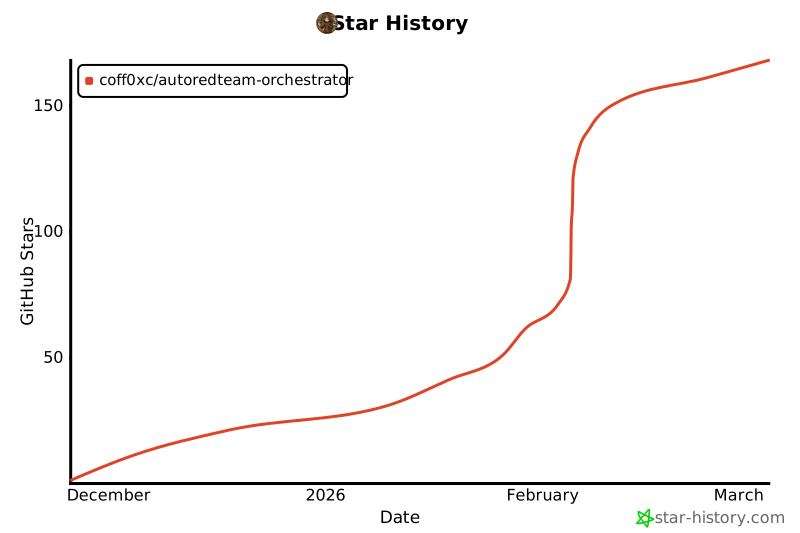](https://star-history.com/#Coff0xc/AutoRedTeam-Orchestrator&Date)
---
## License
This project is licensed under the **MIT License** - see the [LICENSE](LICENSE) file for details
```
MIT License
Copyright (c) 2026 Coff0xc
Permission is hereby granted, free of charge, to any person obtaining a copy
of this software and associated documentation files (the "Software"), to deal
in the Software without restriction, including without limitation the rights
to use, copy, modify, merge, publish, distribute, sublicense, and/or sell
copies of the Software, and to permit persons to whom the Software is
furnished to do so, subject to the following conditions:
The above copyright notice and this permission notice shall be included in all
copies or substantial portions of the Software.
THE SOFTWARE IS PROVIDED "AS IS", WITHOUT WARRANTY OF ANY KIND, EXPRESS OR
IMPLIED, INCLUDING BUT NOT LIMITED TO THE WARRANTIES OF MERCHANTABILITY,
FITNESS FOR A PARTICULAR PURPOSE AND NONINFRINGEMENT. IN NO EVENT SHALL THE
AUTHORS OR COPYRIGHT HOLDERS BE LIABLE FOR ANY CLAIM, DAMAGES OR OTHER
LIABILITY, WHETHER IN AN ACTION OF CONTRACT, TORT OR OTHERWISE, ARISING FROM,
OUT OF OR IN CONNECTION WITH THE SOFTWARE OR THE USE OR OTHER DEALINGS IN THE
SOFTWARE.
```
---
## Disclaimer
> **Warning**: This tool is intended for **authorized security testing and research** only.
>
> Before using this tool to test any system, please ensure that:
> - You have obtained **written authorization** from the owner of the target system
> - You comply with local **laws and regulations**
> - You adhere to **ethical** standards
>
> Unauthorized use of this tool may violate the law. **The developer is not responsible for any misuse**.
>
> This tool contains red team attack features (lateral movement, C2 communication, persistence, etc.) and is only for:
> - Authorized penetration testing
> - Security research and education
> - CTF competitions
> - Defense capability verification
>
> **Prohibited for any illegal purpose.**
---
<p align="center">
<img src="https://img.shields.io/badge/Built%20with-Python%20%26%20%E2%9D%A4-blue?style=for-the-badge" alt="Built with Python">
</p>
<p align="center">
<b>Made with ❤️ by <a href="https://github.com/Coff0xc">Coff0xc</a></b>
</p>
<p align="center">
<a href="https://discord.gg/PtVyrMvB">Discord</a> ·
<a href="mailto:Coff0xc@protonmail.com">Email</a> ·
<a href="https://github.com/Coff0xc/AutoRedTeam-Orchestrator/issues">Issues</a>
</p>
<p align="center">
<sub>If this project has been helpful to you, please consider giving it a ⭐ Star!</sub>
</p>
Connection Info
You Might Also Like

markitdown
MarkItDown-MCP is a lightweight server for converting URIs to Markdown.

Time
A Model Context Protocol server for time and timezone conversions.
Filesystem
Node.js MCP Server for filesystem operations with dynamic access control.
Sequential Thinking
A structured MCP server for dynamic problem-solving and reflective thinking.
git
A Model Context Protocol server for Git automation and interaction.
everything
Model Context Protocol Servers