

Content
# dify-aio

Unraid-first AIO wrapper for [Dify](https://github.com/langgenius/dify), an open-source platform for building agentic workflows, chat apps, knowledge-base apps, and LLM-backed automations.
`dify-aio` packages the practical self-hosted Dify stack into one Unraid-friendly image with persistent appdata, first-boot secret generation, and an advanced template surface for operators who need external databases, vector stores, object storage, mail, observability, sandbox, plugin, and datasource settings.
## Status
This repository is release-ready for Community Applications. The source template, generated XML, catalog assets, and local container boot path are covered by pytest-backed validation, with extended integration checks available for external PostgreSQL, Redis, vector, object-storage, SMTP, and advanced provider settings.
## What This Image Includes
- Dify API, worker, and beat services from `langgenius/dify-api`
- Dify web UI from `langgenius/dify-web`
- Dify plugin daemon from `langgenius/dify-plugin-daemon`
- Dify sandbox from `langgenius/dify-sandbox`
- Nginx gateway on port `8080`
- SSRF proxy for sandboxed code execution
- bundled PostgreSQL 15 with pgvector by default
- bundled Redis by default
- first-boot secret generation under `/appdata/config/generated.env`, with explicit Unraid template values taking precedence
- optional `/appdata/config/extra.env` escape hatch for rare upstream variables
- Unraid CA source template at [dify-aio.xml](dify-aio.xml)
## Beginner Install
If you want the simplest supported path:
1. Install the Unraid template with the default settings.
2. Start the container and wait for the first boot to complete.
3. Open `http://<unraid-ip>:8080/install`.
4. Create the initial admin account.
5. Add model-provider keys, SMTP, storage, datasource, and integration credentials inside Dify as needed.
If `INIT_PASSWORD` is set in the template, Dify uses it as the initial admin password. Dify limits that value to 30 characters.
For most users, the default bundled PostgreSQL, pgvector, Redis, sandbox, plugin daemon, and local file storage path is the right first install.
## Power User Surface
This repo is deliberately not a stripped-down wrapper. The generated Unraid template exposes the practical Dify self-hosted environment surface while keeping the first-run form small enough to use.
In Advanced View you can:
- move PostgreSQL out of the container with `DIFY_USE_INTERNAL_POSTGRES=false` and external `DB_*` settings
- move Redis out of the container with `DIFY_USE_INTERNAL_REDIS=false` and external `REDIS_*` settings
- select external vector stores such as Qdrant, Weaviate, Milvus, Chroma, OpenSearch, Elasticsearch, Upstash, and other upstream-supported backends
- use local OpenDAL filesystem storage or configure S3-compatible object storage and other upstream storage providers
- configure Resend, SMTP, or SendGrid mail delivery
- configure sandbox, SSRF proxy, plugin daemon, marketplace, upload, datasource, Notion, Unstructured, Sentry, and OpenTelemetry settings
- set `DIFY_AIO_PUBLIC_URL` for reverse-proxy deployments so Dify URL settings derive from one public base URL
- put rare upstream-only variables in `/appdata/config/extra.env` instead of expanding the Unraid form with every possible knob; the file is parsed as `KEY=value` data and is not shell-sourced
Placeholder upstream defaults such as `your-bucket-name` are intentionally blanked in the CA template so external integrations fail closed until you provide real values.
## Runtime Notes
- Dify is a heavier multi-service application. Plan for at least 2 CPU cores and 4 GiB RAM, with more memory for real workloads.
- `/appdata` stores generated secrets, PostgreSQL data, Redis data, uploads, plugin daemon state, sandbox configuration, and local file storage.
- Generated secrets are persisted under `/appdata/config/generated.env`. If a masked secret field is left blank, the container generates and reuses a value; if you set a value in the Unraid template, that explicit value takes precedence. `/appdata/config/extra.env` is parsed last as an advanced override file.
- `CHECK_UPDATE_URL` is blank by default to avoid outbound update checks from privacy-focused or offline installs. Set it explicitly if you want Dify to check an update endpoint.
- Changing `SECRET_KEY` after setup invalidates encrypted credentials and sessions.
- The sandbox and SSRF proxy are included because they are part of the official self-hosted Dify topology. They reduce risk, but they do not make arbitrary code execution risk-free.
- Public exposure should sit behind a trusted reverse proxy with TLS.
- For serious deployments, back up `/appdata` and consider external PostgreSQL, Redis, and object storage when uptime or recovery matters.
## Publishing and Releases
- Wrapper releases use the upstream version plus an AIO revision, such as `v1.11.0-aio.1`.
- Upstream monitoring, release preparation, registry publishing, and catalog sync are owned by `aio-fleet` from `.aio-fleet.yml`.
- Changelog generation and XML `<Changes>` sync are run centrally by `aio-fleet` during release preparation.
- `main` publishes `latest`, the pinned upstream version tag, an explicit AIO packaging line tag, and `sha-<commit>`.
- Publish jobs require Docker Hub credentials and push the CA-facing Docker Hub tags directly so the CA template can use Docker Hub metadata and download counts.
- The catalog XML is synced into `awesome-unraid` from this source repo after template validation passes.
See [docs/releases.md](docs/releases.md) for the central release process details.
## Validation
Local validation is pytest-first:
```bash
python3 -m venv .venv
. .venv/bin/activate
pip install -e "../aio-fleet[app-tests]"
cd ../aio-fleet && python -m aio_fleet validate-template-common --repo dify-aio --repo-path ../dify-aio
python3 scripts/generate_dify_template.py --check
pytest tests/template
pytest tests/integration -m integration
```
The integration suite builds a Linux amd64 image and boots the full container stack, so it is intentionally more expensive than the unit and XML checks.
Extended provider checks:
```bash
pytest tests/integration -m extended_integration
```
The extended suite starts provider sidecars for external PostgreSQL plus Redis, Qdrant, MinIO-compatible S3 storage, and SMTP capture, then boots the AIO container against those settings. It also verifies that common optional provider settings for plugin object storage, additional vector backends, SendGrid, workflow execution storage, Notion, Unstructured, Sentry, and OpenTelemetry can be supplied through `/appdata/config/extra.env`.
The Unraid XML template is generated from `docs/upstream/dify.env.example` plus AIO-specific defaults. The generated XML is curated for Community Applications usability, while `rootfs/opt/dify-aio/upstream-env-vars.txt` still tracks the full upstream variable list for blank-value normalization and drift checks. When Dify updates its upstream environment surface, refresh the fixture, run `python3 scripts/generate_dify_template.py`, and then run validation.
## Support
- Repo issues: [JSONbored/dify-aio issues](https://github.com/JSONbored/dify-aio/issues)
- Upstream app: [langgenius/dify](https://github.com/langgenius/dify)
- Self-hosted install docs: [docs.dify.ai](https://docs.dify.ai/en/self-host/quick-start/docker-compose)
- Release notes: [Dify releases](https://github.com/langgenius/dify/releases)
## Funding
If this work saves you time, support it here:
- [GitHub Sponsors](https://github.com/sponsors/JSONbored)
- [Ko-fi](https://ko-fi.com/jsonbored)
- [Buy Me a Coffee](https://buymeacoffee.com/jsonbored)
## Star History
[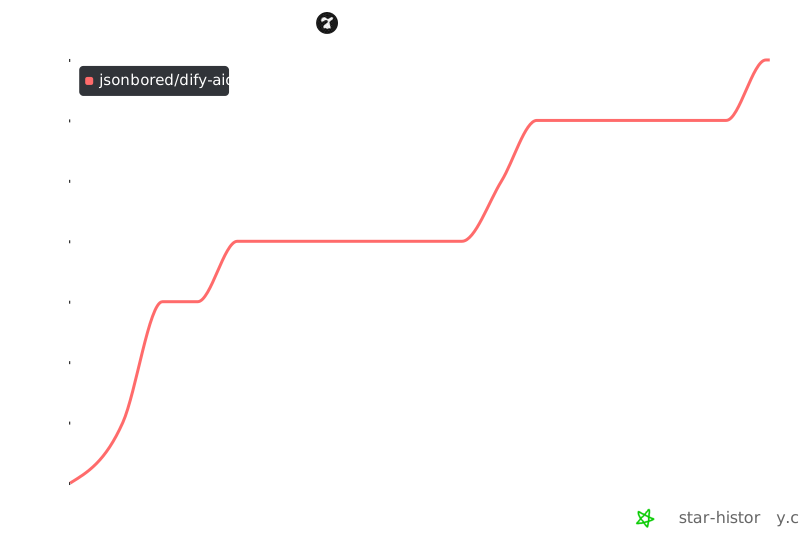](https://star-history.com/#JSONbored/dify-aio&Date)
Connection Info
You Might Also Like
No recommendations available