Content
<div align="center">
# Tool List
**by [webkubor](https://github.com/webkubor) — One sentence, one good picture.**
One-click intelligent image generation CLI, powered by OpenAI Codex CLI (GPT Image 2) engine.
**No API Key required**, zero configuration, supports text-to-image and image-to-image, with multiple scene Skill templates.
[](https://www.npmjs.com/package/image-codex-cli)
[](LICENSE)
[](https://github.com/webkubor/image-codex-cli/stargazers)
</div>
---
## Examples
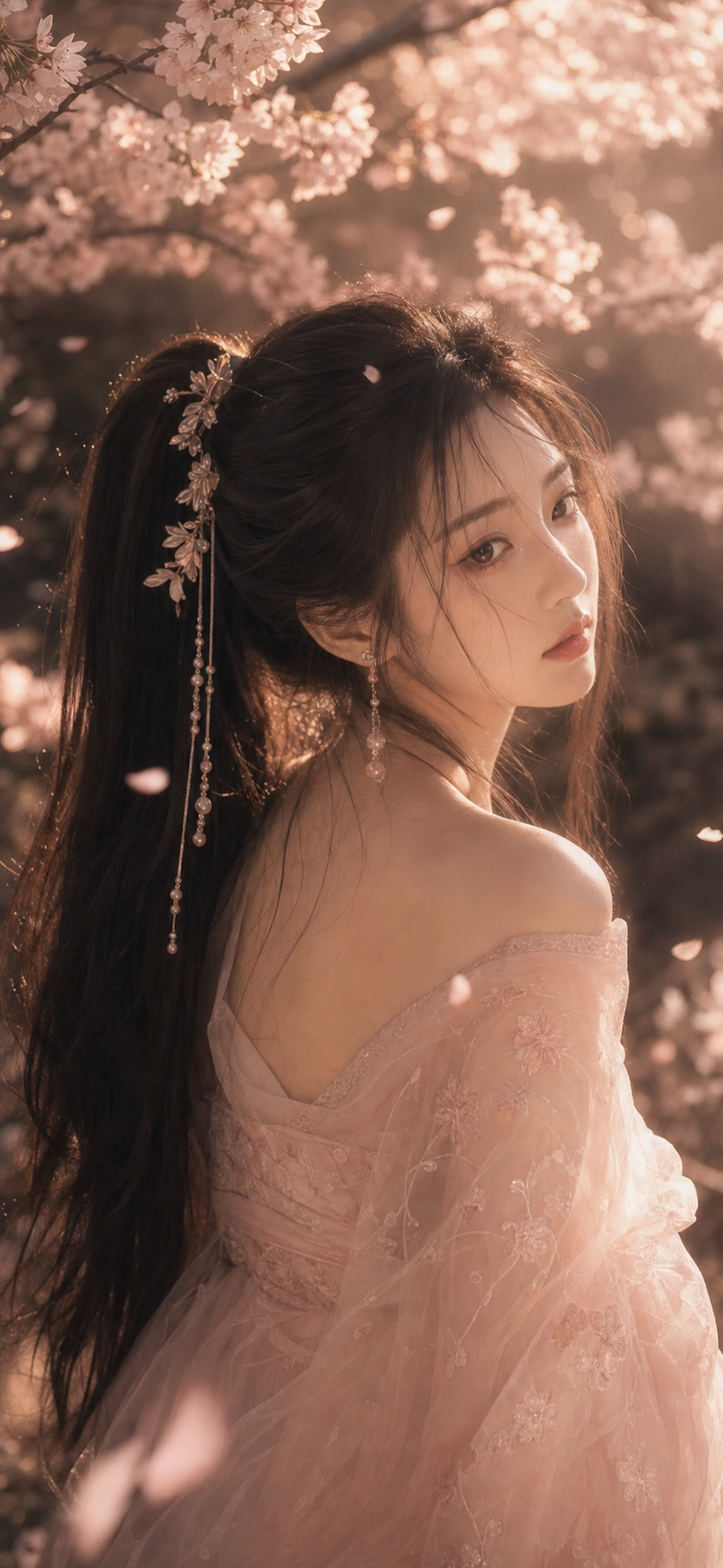
> **Ancient costume portrait** — `image-codex-cli generate --skill costume-portrait --prompt "Tang Dynasty lady, holding a round fan, red wall green tile background"`
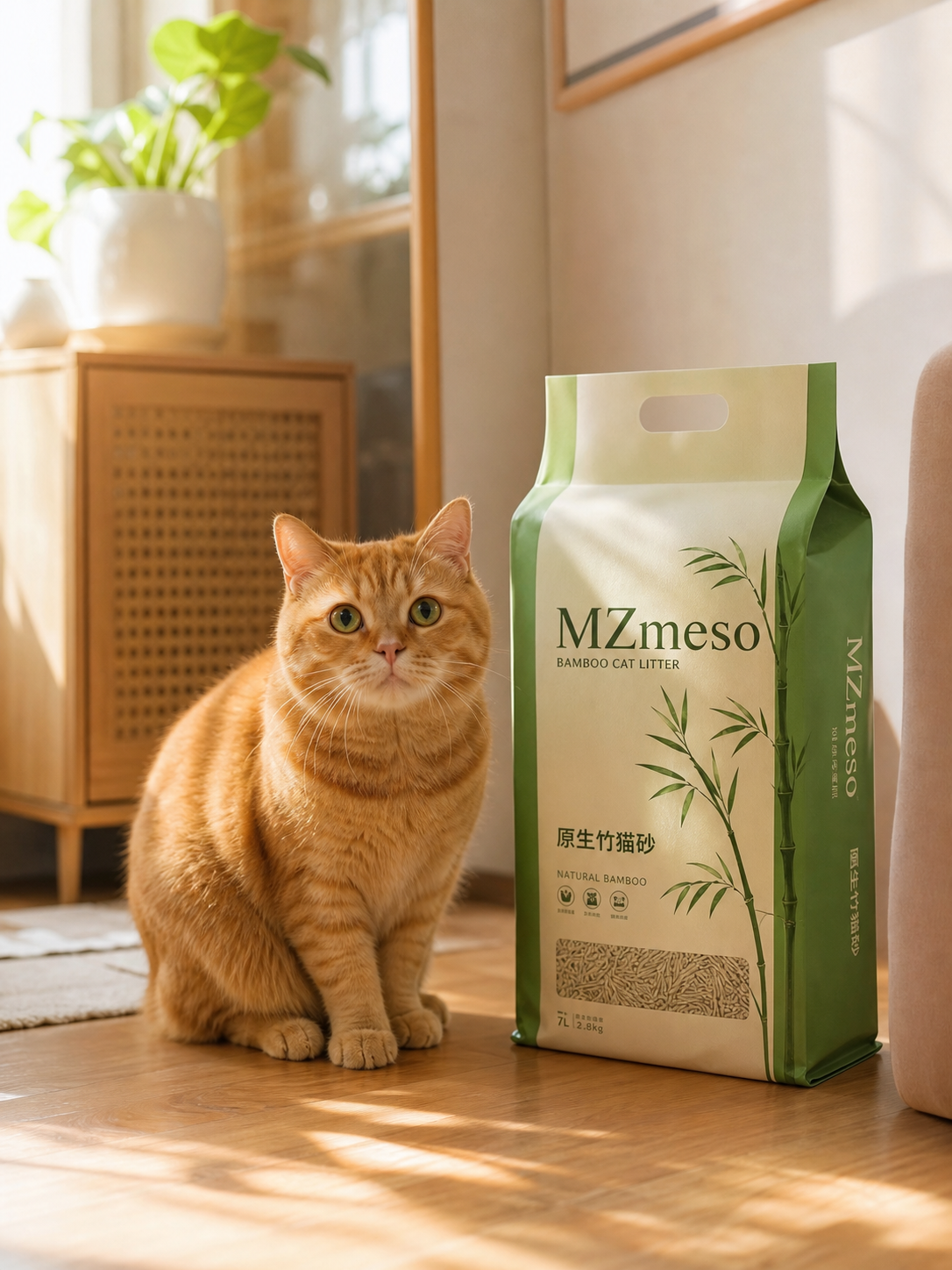
> **Character reference image** (generate three views + expressions + color palette based on reference image)
> `image-codex-cli generate --skill character-sheet -i reference.jpg --prompt "Japanese-style girl, ponytail"`
---
## Quick Start
```bash
# Install Codex CLI + image-codex-cli
npm install -g @openai/codex image-codex-cli
codex login
# Verify environment
image-codex-cli check
# Generate image (text-to-image)
image-codex-cli generate --prompt "An orange cat on a rainy window sill"
# Generate image (with Skill)
image-codex-cli generate --skill costume-portrait --prompt "Tang Dynasty lady"
# Generate image (image-to-image — with reference image)
image-codex-cli generate --skill character-sheet -i character.jpg --prompt "Cyberpunk female ninja"
```
**No API Key required.** Just install Codex CLI and log in to your ChatGPT (Plus/Pro) account to generate images.
---
## Built-in Skills (14)
CLI automatically registers the following Skills, use directly with `--skill <name>`:
| Skill | Purpose | Ratio | Reference Image | Category |
|-------|--------|------|--------|------|
| `character-sheet` | 🎯 **Character setting data card** — three views + expressions + equipment decomposition + color palette | 16:9 | ✅ Required | character |
| `character-sheet-duo` | 🎯 **Dual character comparison** setting data card | 16:9 | ✅ Required | character |
| `costume-portrait` | 🎯 **Ancient costume/ opera character** portrait | 3:4 | ✅ Optional | character |
| `social-cover` | 🎯 **Social media cover** | 3:4 | ✅ Optional | social |
| `ui-mockup` | 🎯 **UI design system** — App/Web interface | 16:9 | ✅ Optional | ui |
| **`ecommerce-lifestyle`** | 🛒 **Scene/life image** — product shooting sense | 4:3 | ✅ Optional | product |
| **`ecommerce-packaging`** | 🛒 **Packaging/gift box display** — unboxing visual | 1:1 | ✅ Optional | product |
| `product-photo` | 🎯 **Product display image** — e-commerce photography | 1:1 | ✅ Optional | product |
| `product-detail` | 🎯 **Product detail image** — multi-angle detail annotation | 16:9 | ✅ Required | product |
| **`brand-identity`** | 🏷️ **Brand visual system** — Logo+color palette+font+mockup | 16:9 | ✅ Optional | brand |
| **`poster-double-exposure`** | 🎨 **Ink double exposure poster** | 3:4 | ✅ Optional | poster |
| `commercial-poster` | 🎯 **Commercial poster** — promotion/brand with text | 3:4 | ✅ Required | poster |
| **`infographic-engine`** | 📊 **Infographic/knowledge card** — illustrated knowledge | 16:9 | ✅ Optional | poster |
| `film-storyboard` | 🎯 **Film storyboard** — multi-grid + camera annotation | 16:9 | ✅ Optional | poster |
> ✅ Optional = No reference image required (text-to-image mode)
> ✅ Required = Reference image required (image-to-image mode)
---
## Reference Image (Image-to-Image)
When using `-i` / `--input-image` parameter, CLI automatically switches to image-to-image mode:
```bash
# Single reference image
image-codex-cli generate --skill character-sheet -i ref.jpg --prompt "Martial arts girl"
# Multiple reference images (transmit product image + Logo to make poster)
image-codex-cli generate --skill commercial-poster -i product.jpg -i logo.png --prompt "618 Mid-year promotion"
# Without reference image is text-to-image
image-codex-cli generate --skill social-cover --prompt "E-book recommendation"
```
Each Skill has built-in `refImageInstruction` (reference image usage instructions), automatically injected at the end of the prompt to inform the model how to utilize the reference image. For example, `character-sheet` instruction:
> *"The character image, clothing style, and worldview setting in the reference image are core references. In the character reference image, you must strictly follow the character's appearance (hair style, face shape, body shape, skin tone) in the reference image, and generate three views, expression changes, equipment decomposition, and color palette according to the character reference image specification."*
---
## Scene Quick Check
| You say | Execution |
|------|------|
| "Help me make a character reference image" | `--skill character-sheet -i character.jpg` |
| "Help me make an ancient costume character" | `--skill costume-portrait` |
| "Help me make a social media cover" | `--skill social-cover` |
| "Help me make UI material" | `--skill ui-mockup` |
| "Help me make a product image" | `--skill product-photo` |
| "Help me make a product detail image" | `--skill product-detail -i product.jpg` |
| "Help me make a promotional poster" | `--skill commercial-poster -i product.jpg -i logo.png` |
| "Help me make a film storyboard" | `--skill film-storyboard` |
| "Help me turn this character into a setting card" | `--skill character-sheet -i reference.jpg` |
---
## General Image Generation
```bash
# Use default profile
image-codex-cli generate --prompt "neon Tokyo street at night, rain"
# Specify ratio
image-codex-cli generate --prompt "wide city skyline" --aspect-ratio 16:9
# Use preset profile
image-codex-cli generate --prompt "product shot" --profile avatar
# Batch image generation
image-codex-cli generate --prompt "abstract art" --output-count 4
```
---
## CLI Parameters
| Flag | Default | Description |
|------|------|------|
| `--prompt` | Required | Image description |
| `--skill` | — | Use built-in Skill template |
| `-i, --input-image` | — | Reference image path (can be used multiple times, image-to-image mode) |
| `--profile` | Current default | Use specified profile |
| `--no-expand` | false | Skip prompt automatic expansion |
| `--aspect-ratio` | According to profile | `16:9` `9:16` `1:1` `3:4` `21:9` |
| `--provider` | `codex` | `codex` `gemini` |
| `--output-count` | 1 | 1–8 images |
| `--filename` | System default directory | Output path |
| `--seed` | — | Lock random seed |
---
## Custom Skill
```bash
# Add
image-codex-cli skill add \
--name cover \
--description "Editorial blog cover" \
--prompt-template "{{prompt}}, editorial cover, strong headline-safe negative space" \
--aspect-ratio 16:9
# View
image-codex-cli skill list
image-codex-cli skill show cover
# Run
image-codex-cli skill run cover --prompt "AI tools for designers"
```
---
## Developer
```bash
git clone https://github.com/webkubor/image-codex-cli
cd image-codex-cli
npm install && npm run build
node bin/image-codex-cli.js check
```
---
## About
Created and maintained by **[webkubor](https://github.com/webkubor)**. Based on OpenAI Codex CLI and GPT Image 2 model.
> "Precipitate AI era visual productivity tools."
**License:** Apache 2.0



