Content
# AGE-MCP-Server


Apache AGE MCP Server
[Apache AGE™](https://age.apache.org/) is a PostgreSQL Graph database compatible with PostgreSQL's distributed assets and leverages graph data structures to analyze and use relationships and patterns in data.
[Azure Database for PostgreSQL](https://azure.microsoft.com/en-us/services/postgresql/) is a managed database service that is based on the open-source Postgres database engine.
[Introducing support for Graph data in Azure Database for PostgreSQL (Preview)](https://techcommunity.microsoft.com/blog/adforpostgresql/introducing-support-for-graph-data-in-azure-database-for-postgresql-preview/4275628).
## Table of Contents
- [Prerequisites](#prerequisites)
- [Install](#install)
- [Usage with Claude](#usage-with-claude)
- [Usage with Visual Studio Code Insiders](#usage-with-visual-studio-code-insiders)
- [Write Operations](#write-operations)
- [For More Information](#for-more-information)
- [License](#license)
## Prerequisites
- Python 3.13 and above
- This module runs on [psycopg](https://www.psycopg.org/)
- Enable the Apache AGE extension in your Azure Database for PostgreSQL instance. Login Azure Portal, go to 'server parameters' blade, and check 'AGE" on within 'azure.extensions' and 'shared_preload_libraries' parameters. See, above blog post for more information.
- Load the AGE extension in your PostgreSQL database.
```sql
CREATE EXTENSION IF NOT EXISTS age CASCADE;
```
- Claude
Download from [Claude Desktop Client](https://claude.ai/download) or,
```bash
brew install claude
```
- Visual Studio Code Insiders
Download from [Visual Studio Code](https://code.visualstudio.com/download) or,
```bash
brew intall visual-studio-code
```
## Install
- with brew
```bash
brew intall rioriost/tap/age_mcp_server
- with uv
```bash
uv init your_project
cd your_project
uv venv
source .venv/bin/activate
uv add age_mcp_server
```
- with python venv on macOS / Linux
```bash
mkdir your_project
cd your_project
python3 -m venv .venv
source .venv/bin/activate
python3 -m pip install age_mcp_server
```
- with python venv on Windows
```bash
mkdir your_project
cd your_project
python -m venv venv
.\venv\Scripts\activate
python -m pip install age_mcp_server
```
## Usage with Claude
- on macOS
`claude_desktop_config.json` is located in `~/Library/Application Support/Claude/`.
- on Windows
You need to create a new `claude_desktop_config.json` under `%APPDATA%\Claude`.
- Homebrew on macOS
Homebrew installs `age_mcp_server` into $PATH.
```json
{
"mcpServers": {
"age_manager": {
"command": "age_mcp_server",
"args": [
"--pg-con-str",
"host=your_server.postgres.database.azure.com port=5432 dbname=postgres user=your_username password=your_password",
]
}
}
}
```
- uv / Pyhon venv
On macOS:
```json
{
"mcpServers": {
"age_manager": {
"command": "/Users/your_username/.local/bin/uv",
"args": [
"--directory",
"/path/to/your_project",
"run",
"age_mcp_server",
"--pg-con-str",
"host=your_server.postgres.database.azure.com port=5432 dbname=postgres user=your_username password=your_password",
]
}
}
}
```
On Windows:
```json
{
"mcpServers": {
"age_manager": {
"command": "C:\\Users\\USER\\.local\\bin\\uv.exe",
"args": [
"--directory",
"C:\\path\\to\\your_project",
"run",
"age_mcp_server",
"--pg-con-str",
"host=your_server.postgres.database.azure.com port=5432 dbname=postgres user=your_username password=your_password",
]
}
}
}
```
If you need to hide the password or to use Entra ID, you can set `--pg-con-str` as follows.
```
{
"mcpServers": {
"age_manager": {
...
"--pg-con-str",
"host=your_server.postgres.database.azure.com port=5432 dbname=postgres user=your_username",
...
]
}
}
}
```
And, you need to set `PGPASSWORD` env variable, or to [install Azure CLI](https://learn.microsoft.com/en-us/cli/azure/install-azure-cli) and [sign into Azure](https://learn.microsoft.com/en-us/cli/azure/authenticate-azure-cli) with your Azure account.
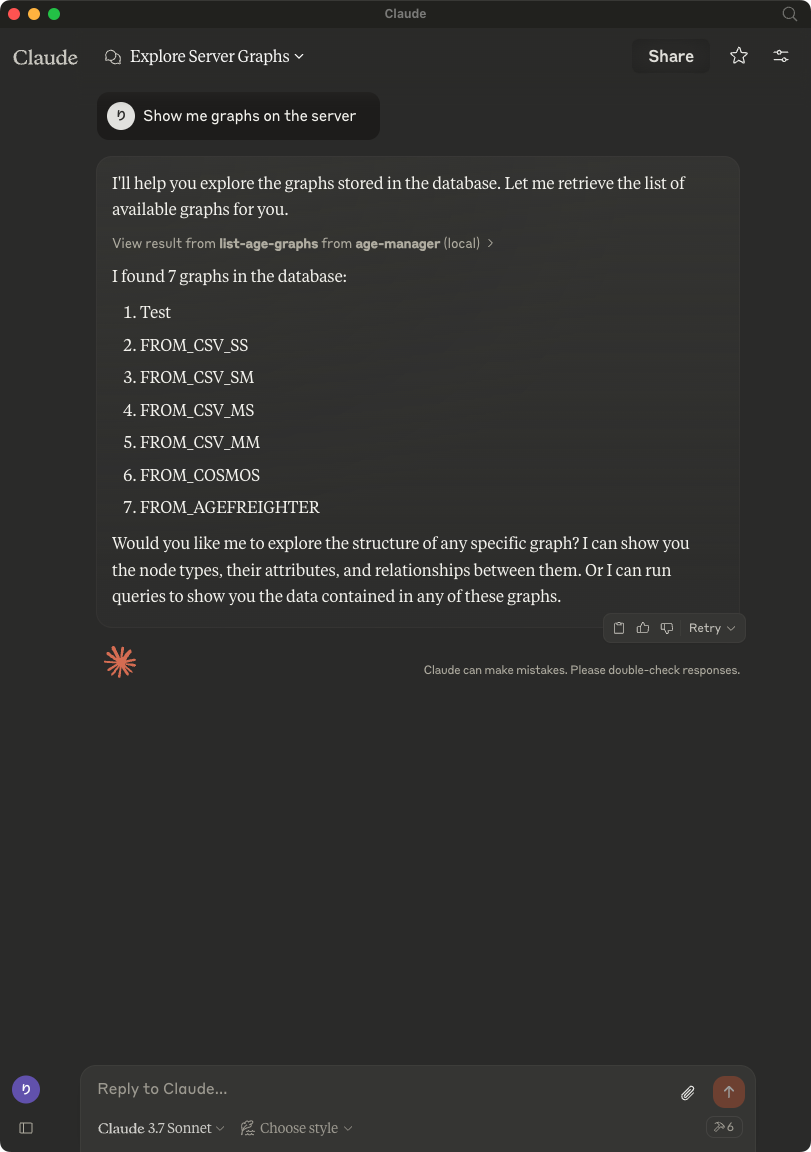
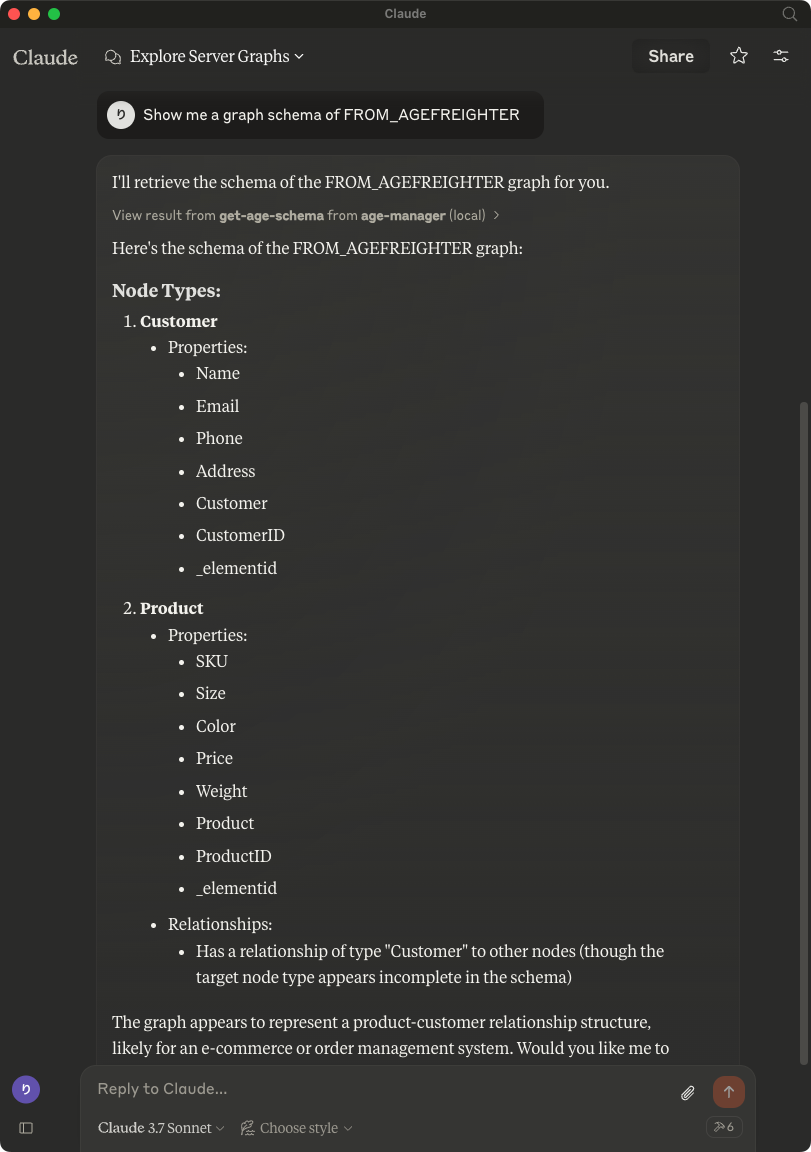
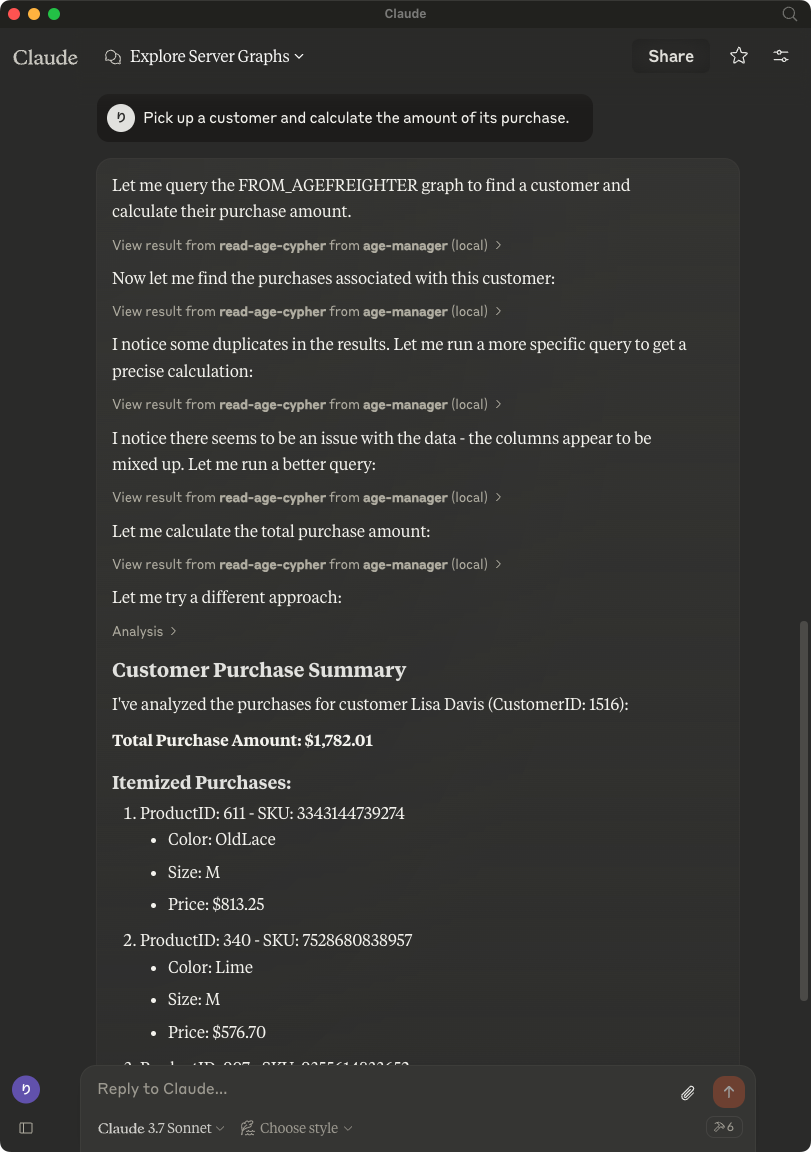
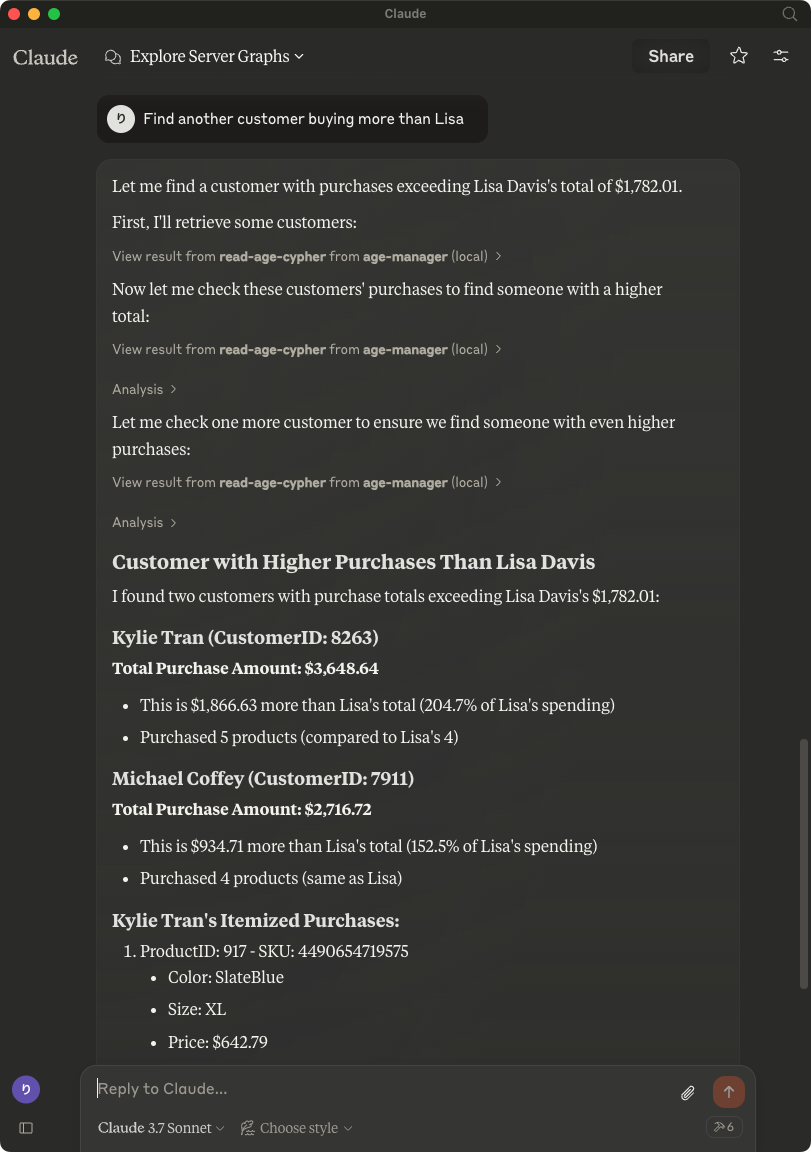
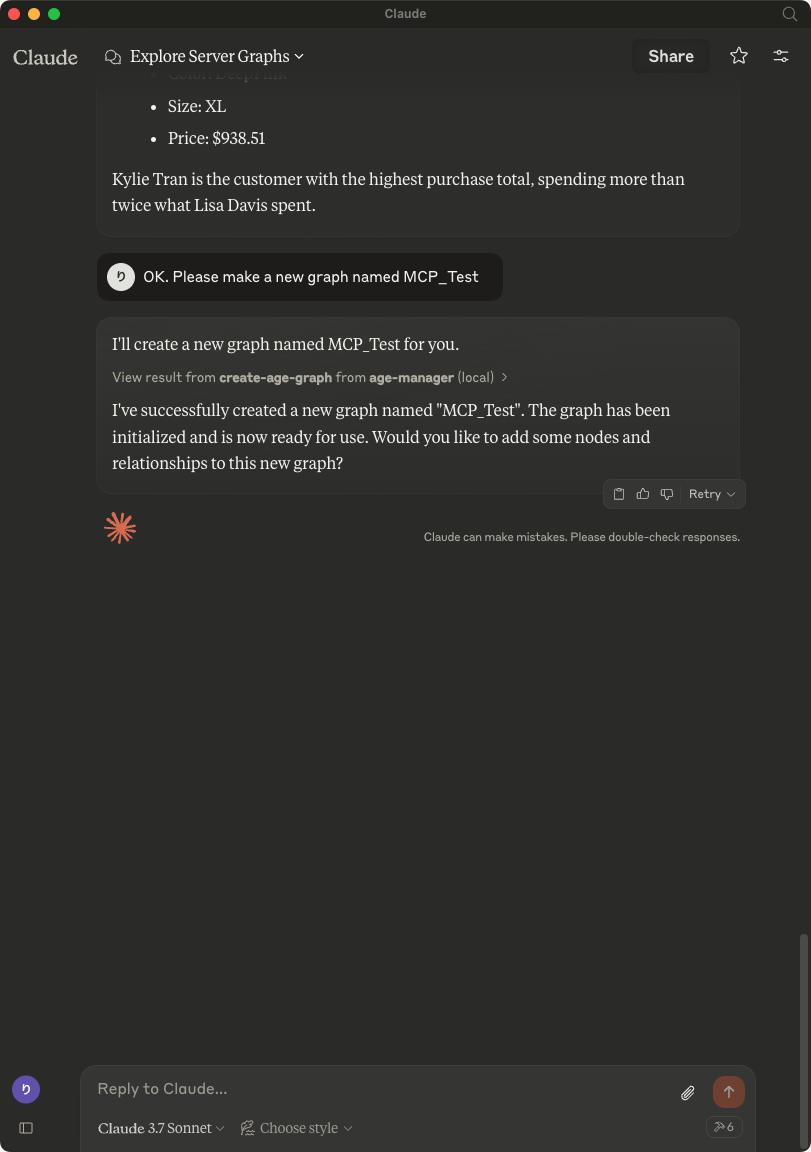
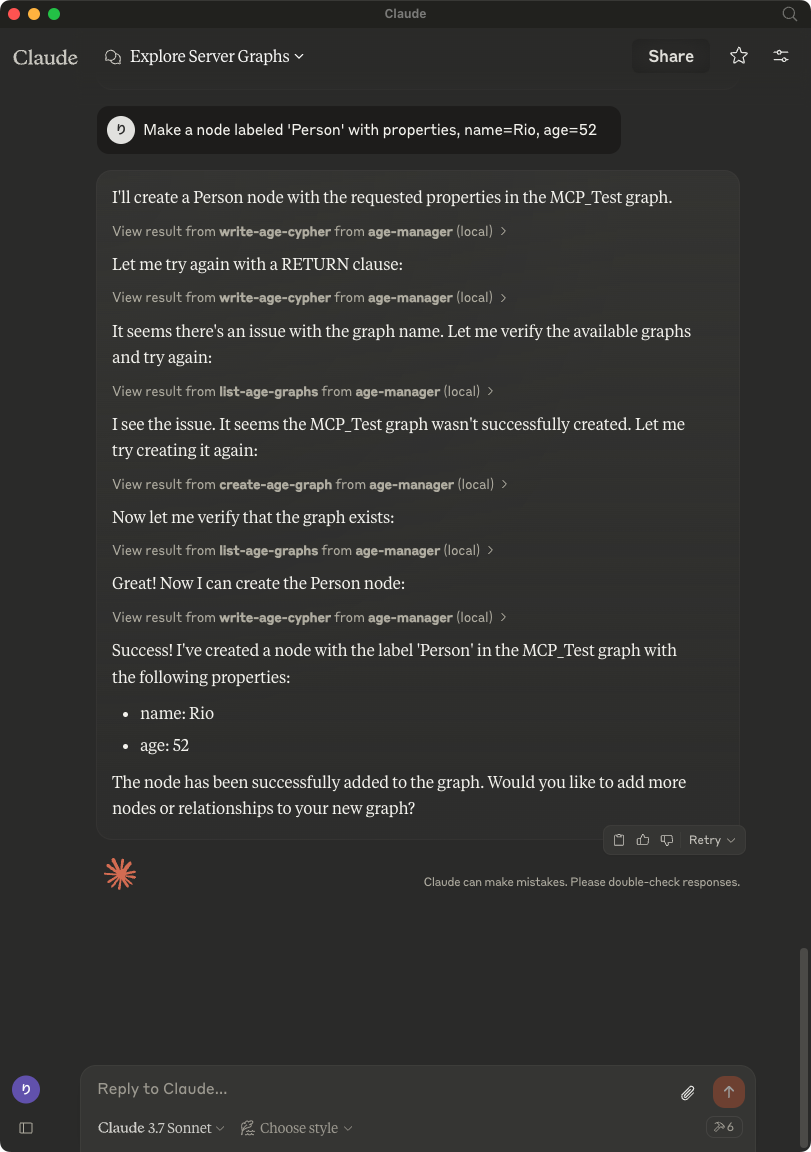
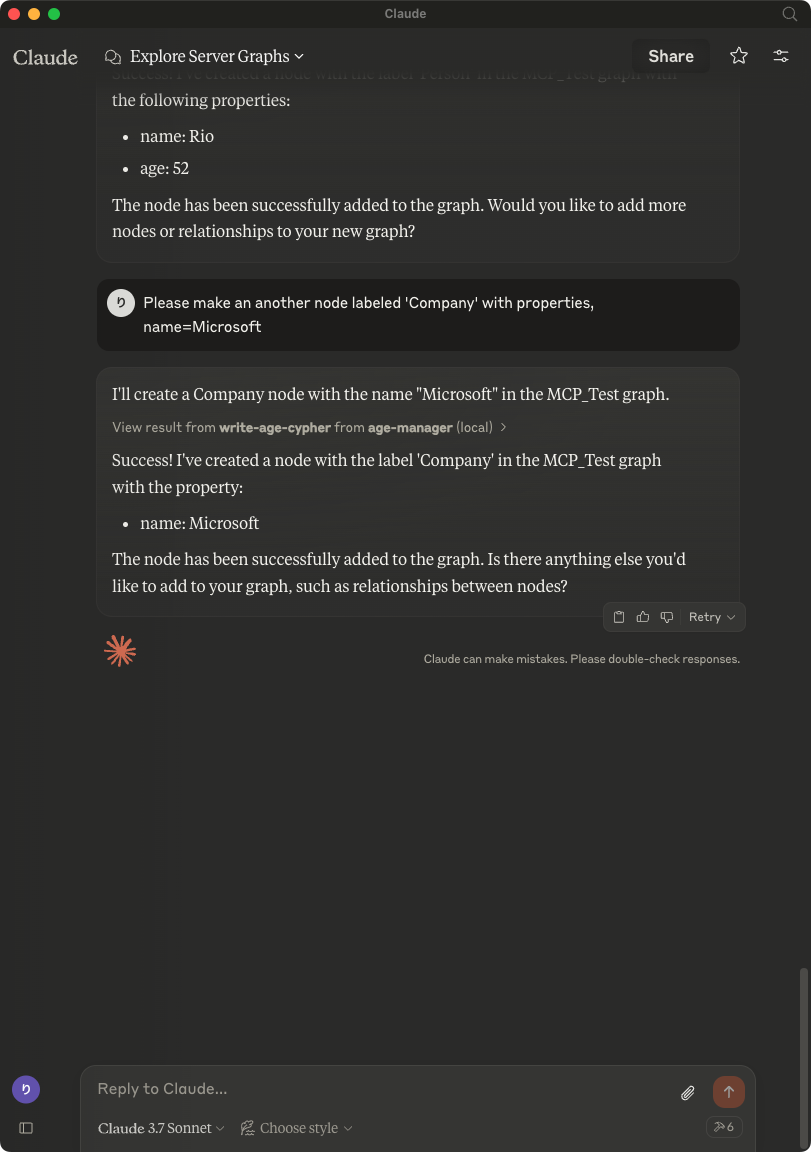
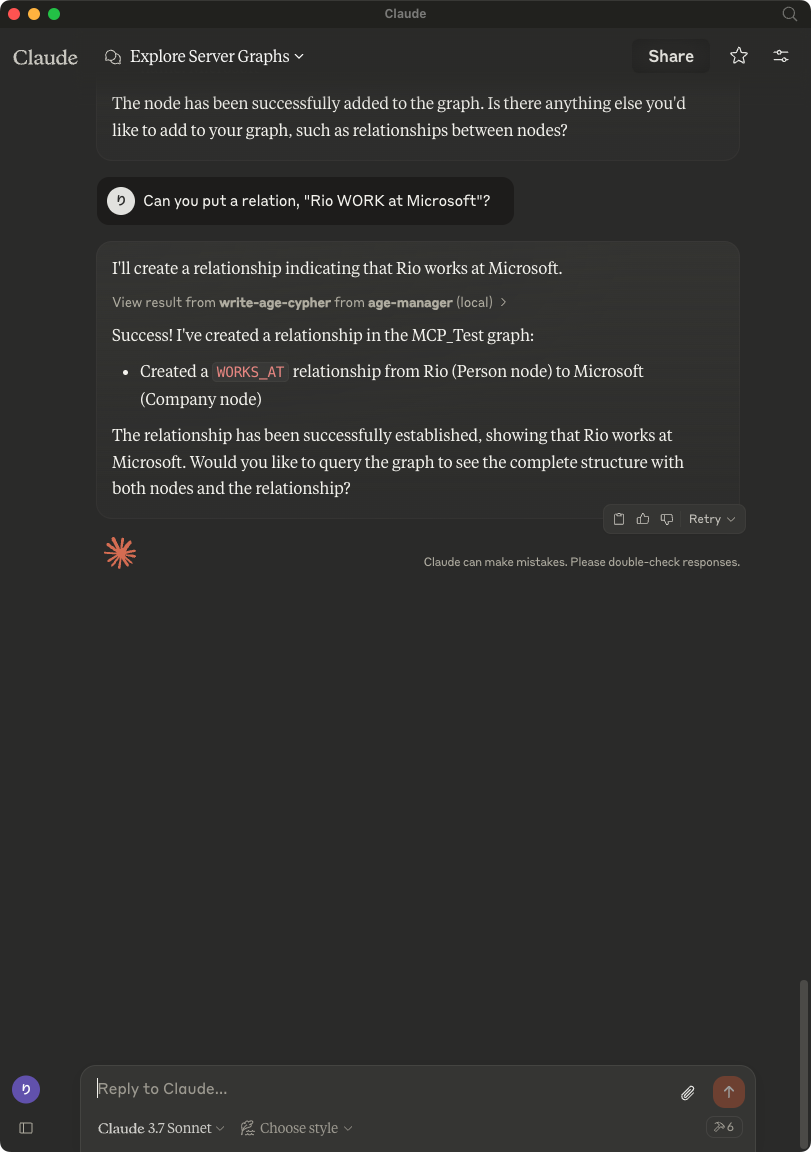
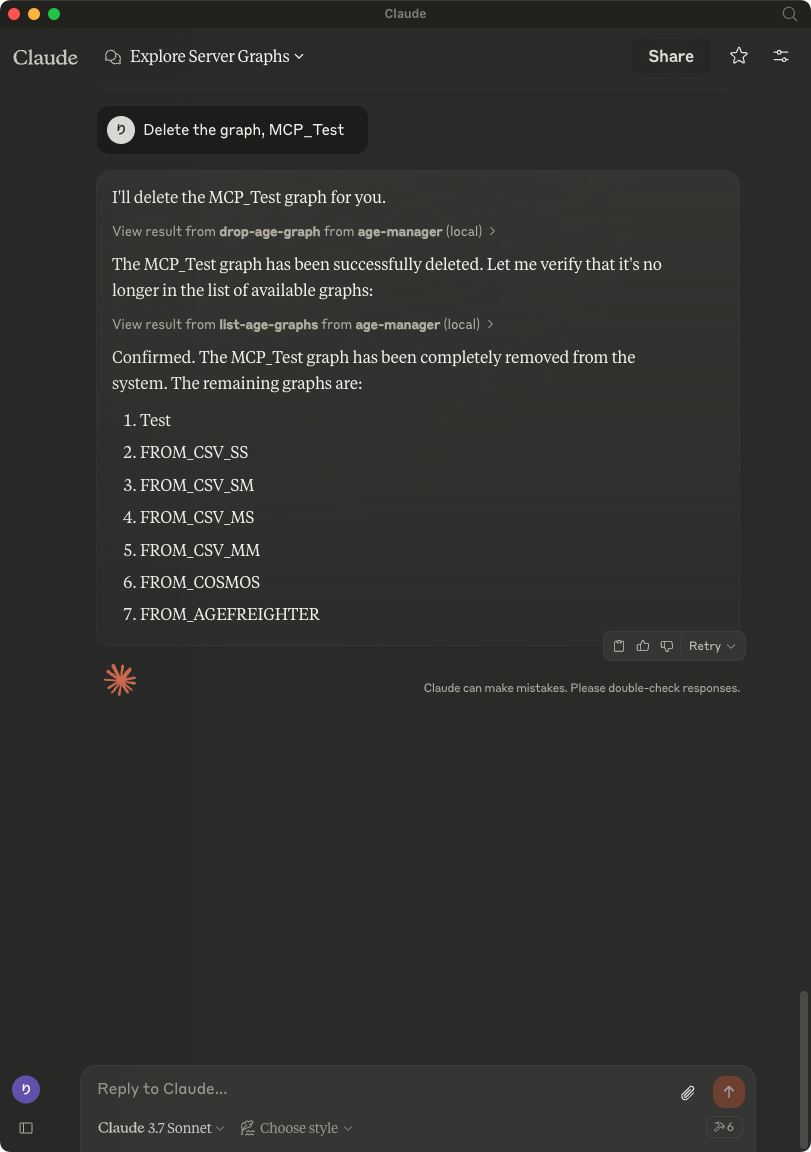
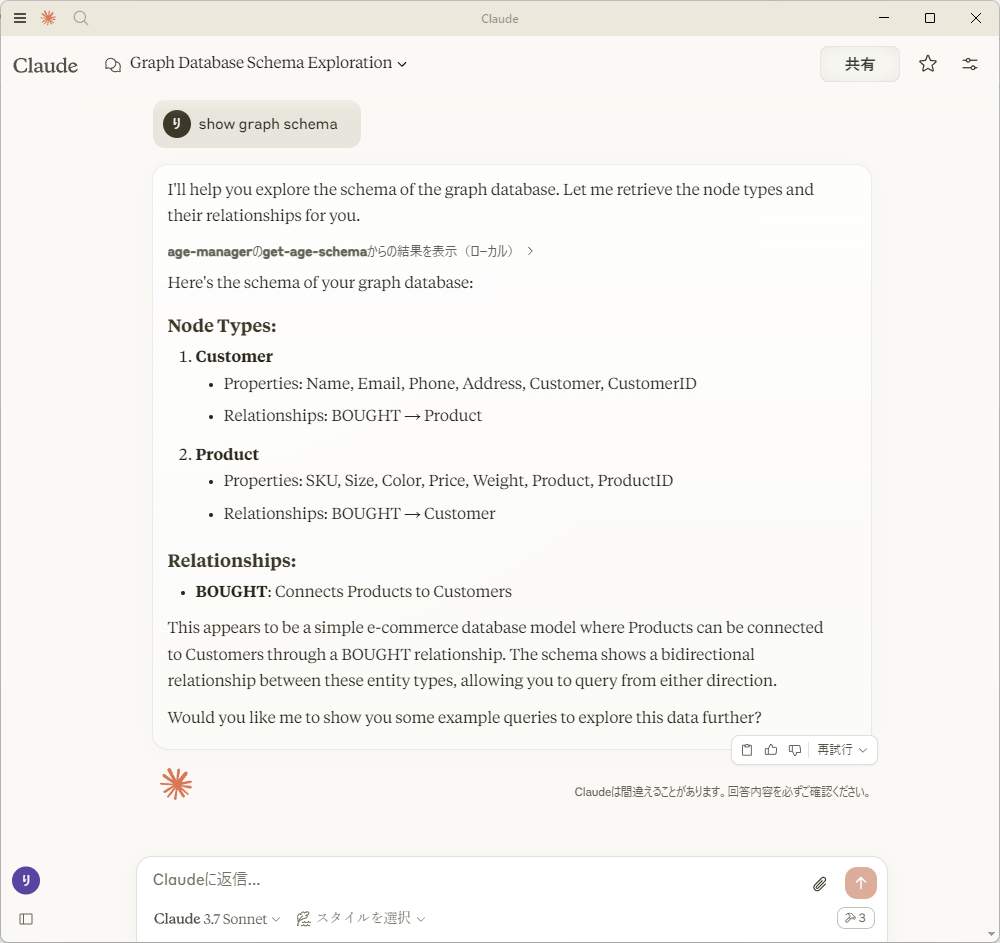
After saving `claude_desktop_config.json`, start Claude Desktop Client.
## Usage with Visual Studio Code
After installing, [Preferences]->[Settings] and input `mcp` to [Search settings].

Edit the settings.json as followings:
```json
{
"mcp": {
"inputs": [],
"servers": {
"age_manager": {
"command": "/Users/your_user_name/.local/bin/uv",
"args": [
"--directory",
"/path/to/your_project",
"run",
"age_mcp_server",
"--pg-con-str",
"host=your_server.postgres.database.azure.com port=5432 dbname=postgres user=your_username password=your_password",
"--debug"
]
}
}
}
}
```
And then, you'll see `start` to start the AGE MCP Server.
Switch the Chat window to `agent` mode.

Now, you can play with your graph data via Visual Studio Code!

## Write Operations
AGE-MCP-Server prohibits write operations by default for safety. If you want to enable write operations, you can use the `--allow-write` flag.
```json
{
"mcpServers": {
"age_manager": {
"command": "age_mcp_server",
"args": [
"--pg-con-str",
"host=your_server.postgres.database.azure.com port=5432 dbname=postgres user=your_username password=your_password",
"--allow-write"
]
}
}
}
```
## For More Information
- Apache AGE : https://age.apache.org/
- GitHub : https://github.com/apache/age
- Document : https://age.apache.org/age-manual/master/index.html
## License
MIT License



