Content
# OSS MCP Server 🚀
Chinese Version | [English](README.en.md)
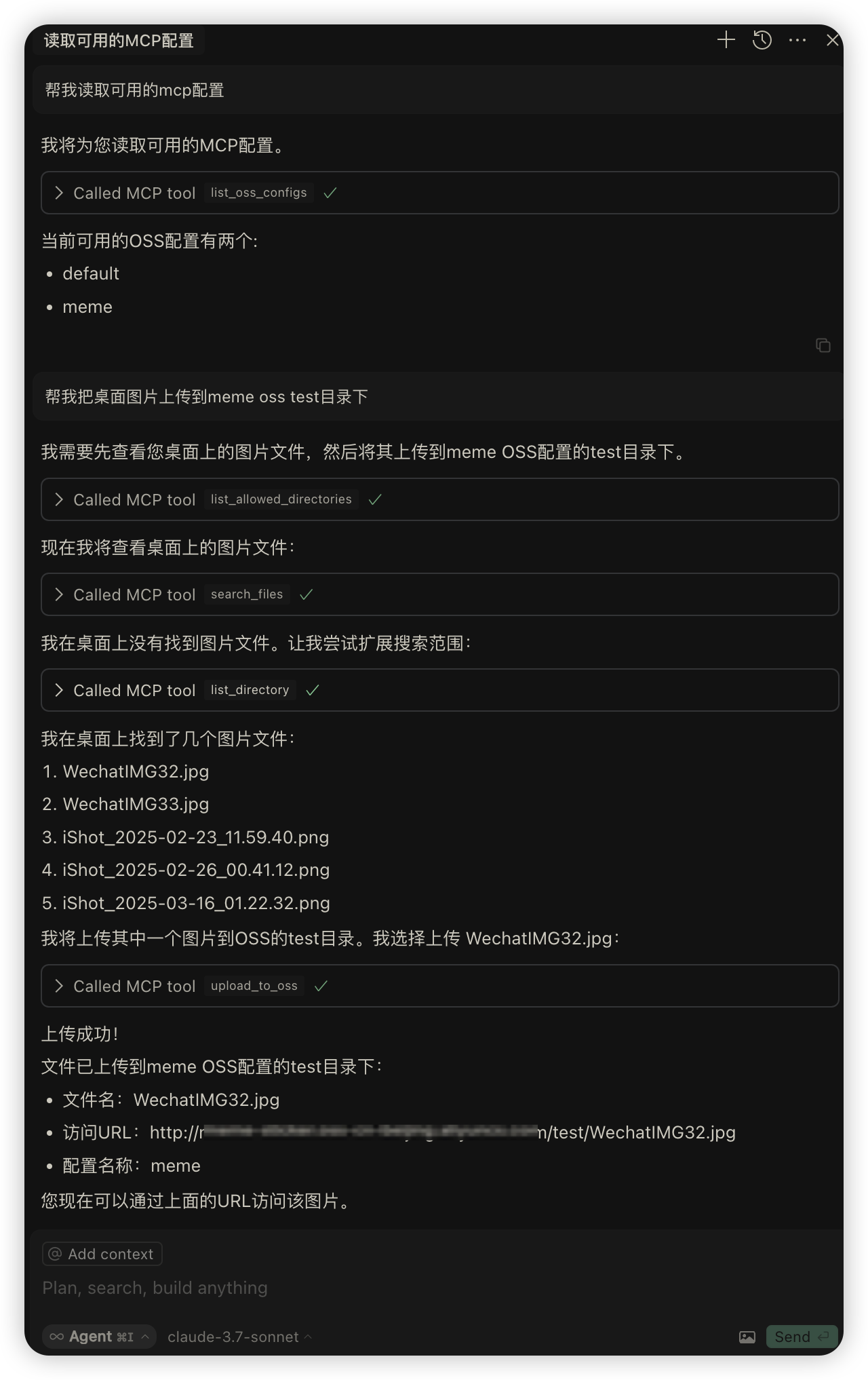
A server based on Model Context Protocol (MCP) for uploading files to Alibaba Cloud OSS. This server enables large language models to directly upload files to Alibaba Cloud Object Storage Service.
## 💡 Use Cases
The OSS MCP server can seamlessly integrate with other MCP tools, providing you with powerful workflows:
- **Integration with [Playwright MCP](https://github.com/executeautomation/mcp-playwright)**: You can first use Playwright MCP to capture webpage screenshots or download webpage resources, and then directly upload them to Alibaba Cloud OSS.
- **Integration with [Figma MCP](https://github.com/1yhy/Figma-Context-MCP)**: Download image resources locally and then upload them to OSS, or directly upload Figma web files to OSS.
- **Integration with [Filesystem MCP](https://github.com/modelcontextprotocol/servers/tree/main/src/filesystem)**: Browse and select files from the local file system, and then upload them to cloud storage in one step.
- **Data Backup Process**: Automatically back up important data from local or other services to OSS.
- **Media Processing Workflow**: Combine with other processing tools to process images and videos, then upload them and obtain accessible URLs.
- **Multi-OSS Account Management**: Easily switch upload targets between multiple OSS accounts.
## ✨ Features
- 📁 Supports multiple Alibaba Cloud OSS configurations
- 🗂️ Allows specifying upload directories
- 🔄 Simple and easy-to-use interface
## 🔧 Installation
You can install via npm or from source:
### Install using npm
```bash
# Install globally using npm
npm install -g oss-mcp
# Or install globally using pnpm
pnpm add -g oss-mcp
```
### Usage Example
```bash
# Start directly (stdio mode)
oss-mcp --oss-config='{\"default\":{\"region\":\"oss-cn-shenzhen\",\"accessKeyId\":\"YOUR_KEY\",\"accessKeySecret\":\"YOUR_SECRET\",\"bucket\":\"YOUR_BUCKET\",\"endpoint\":\"oss-cn-shenzhen.aliyuncs.com\"}}'
# Debug using Inspector
oss-mcp --oss-config='{ "region": "oss-cn-shenzhen", "accessKeyId": "YOUR_KEY", "accessKeySecret": "YOUR_SECRET", "bucket": "BUCKET_NAME", "endpoint": "oss-cn-shenzhen.aliyuncs.com" }' --inspect
```
### Install from Source
```bash
# Clone the repository
git clone https://github.com/1yhy/oss-mcp.git
cd oss-mcp
# Install dependencies
pnpm install
# Build the project
pnpm build
```
## ⚙️ Configuration
You can configure Alibaba Cloud OSS parameters in the following ways:
### Method 1: Using .env file
Create a `.env` file in the project root directory, referencing the `.env.example` template. You can configure multiple Alibaba Cloud OSS services:
```ini
# Default OSS configuration
OSS_CONFIG_DEFAULT={"region":"oss-cn-hangzhou","accessKeyId":"your-access-key-id","accessKeySecret":"your-access-key-secret","bucket":"your-bucket-name","endpoint":"oss-cn-hangzhou.aliyuncs.com"}
# Other OSS configurations
OSS_CONFIG_TEST={"region":"oss-cn-beijing","accessKeyId":"your-access-key-id-2","accessKeySecret":"your-access-key-secret-2","bucket":"your-bucket-name-2","endpoint":"oss-cn-beijing.aliyuncs.com"}
```
### Method 2: Directly Setting Environment Variables
You can also set environment variables directly in the system or in the startup command:
```bash
# Set environment variables and start
pnpm dev --oss-config='{ "default": { "region": "oss-cn-shenzhen", "accessKeyId": "YOUR_KEY", "accessKeySecret": "YOUR_SECRET", "bucket": "BUCKET_NAME", "endpoint": "oss-cn-shenzhen.aliyuncs.com" }, "test": { "region": "oss-cn-beijing", "accessKeyId": "YOUR_KEY", "accessKeySecret": "YOUR_SECRET", "bucket": "BUCKET_NAME", "endpoint": "oss-cn-beijing.aliyuncs.com" } }'
```
## 🔍 Parameter Description
- `region`: Alibaba Cloud OSS region
- `accessKeyId`: Alibaba Cloud Access Key ID
- `accessKeySecret`: Alibaba Cloud Access Key Secret
- `bucket`: OSS bucket name
- `endpoint`: OSS endpoint
## 📋 Usage Instructions
### Command Line Options
```
Options:
-s, --stdio Start the server using stdio transport
-h, --http Start the server using HTTP transport
-p, --port HTTP server port (default: 3000)
-i, --inspect Start with Inspector tool
-?, --help Display help information
```
### Starting from Source
```bash
# Development mode
pnpm dev
# Start service (stdio mode)
pnpm start
# Start HTTP service
pnpm start:http
# Debug using Inspector
pnpm inspect
```
## 🛠️ Integration with Claude/Cursor Configuration
### Cursor Configuration Method
1. Open Settings in Cursor
2. Go to the MCP Servers section
3. Add a new server configuration:
```json
{
"mcpServers": {
"oss-mcp": {
"command": "npx",
"args": [
"oss-mcp",
"--oss-config='{\"default\":{\"region\":\"oss-cn-shenzhen\",\"accessKeyId\":\"YOUR_KEY\",\"accessKeySecret\":\"YOUR_SECRET\",\"bucket\":\"YOUR_BUCKET\",\"endpoint\":\"oss-cn-shenzhen.aliyuncs.com\"}}'",
"--stdio"
]
}
}
}
```
### Configuring Multiple OSS Accounts
Using environment variables allows you to easily configure multiple OSS accounts:
```json
{
"mcpServers": {
"oss-mcp": {
"command": "npx",
"args": [
"oss-mcp",
"--oss-config='{\"default\":{\"region\":\"oss-cn-shenzhen\",\"accessKeyId\":\"YOUR_KEY\",\"accessKeySecret\":\"YOUR_SECRET\",\"bucket\":\"YOUR_BUCKET\",\"endpoint\":\"oss-cn-shenzhen.aliyuncs.com\"}, \"test\":{\"region\":\"oss-cn-shenzhen\",\"accessKeyId\":\"YOUR_KEY\",\"accessKeySecret\":\"YOUR_SECRET\",\"bucket\":\"YOUR_BUCKET\",\"endpoint\":\"oss-cn-shenzhen.aliyuncs.com\"}}'",
"--stdio"
]
}
}
}
```
## 🧰 Available Tools
The server provides the following tools:
### 1. Upload File to OSS (`upload_to_oss`)
**Parameters**:
- `filePath`: Local file path (required)
- `targetDir`: Target directory path (optional)
- `fileName`: File name (optional, defaults to original file name)
- `configName`: OSS configuration name (optional, defaults to 'default')
### 2. List Available OSS Configurations (`list_oss_configs`)
No parameters, returns all available OSS configuration names.
## 📦 Release
```bash
# Publish to npm
pnpm pub:release
# Local packaging test
pnpm publish:local
```
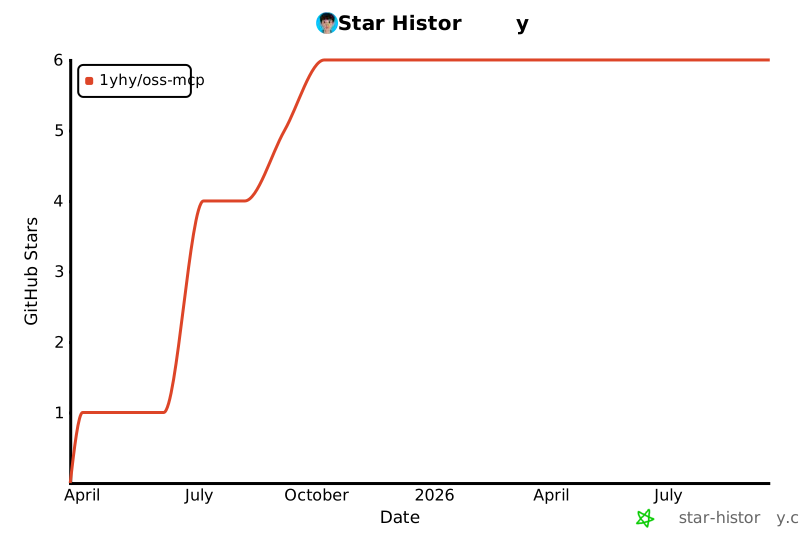
## 📊 Star History
[](https://star-history.com/#1yhy/oss-mcp&Date)
## 📄 License
[MIT](LICENSE)



